
Bridging the gap between IT and the production floor
Modern manufacturing environments are a mix of current technology and older systems that are still critical to daily operations. Your IT team needs a single tool that works across all of them.
Resolve issues on production workstations without delay
When something goes wrong on a workstation or terminal connected to your production line, your technicians can connect to the device remotely through Zoho Assist within seconds. On-demand support sessions are browser-based, which means the floor worker does not need admin rights or a pre-installed application to receive help. They join through a link, and your technician gets access to their screen along with over 10 built-in diagnostic tools including Command Prompt, Task Manager, Device Manager, and more.
Maintain devices around the clock with unattended access
Manufacturing operations aren't limited to a 9-to-5 schedule, and your IT maintenance shouldn't be either. You can deploy agents on workstations, terminals, kiosks, and servers across your unattended access console and connect to them at any time, even between shifts or after hours, without interrupting active operations. Wake-on-LAN lets you power on offline devices remotely before connecting.
Stay connected on low bandwidth plant networks
Many production floors and remote plant locations operate on limited network capacity, especially in shielded or isolated facilities. Zoho Assist works reliably at bandwidths as low as 128 kbps and includes a reduced color quality mode for slower connections, so your technicians can maintain access even when the network is constrained. For environments where external connectivity is restricted entirely, Zoho Assist also supports peer-to-peer LAN connections that keep all session traffic within your internal network.
Security built for manufacturing networks
Manufacturing networks carry proprietary production data and need remote access that does not introduce new risk. Zoho Assist takes a different approach from traditional VPN-based tools.
No inbound ports required
Zoho Assist establishes secure outbound HTTPS/SSL connections that traverse firewalls and proxies without exposing your network to the public internet. Your network security settings remain unchanged.
Granular access control
Departments and role-based access control ensure that each technician or regional IT team can only reach the devices assigned to them. This prevents unnecessary access across plants or business units.
Audit-ready session records
Every remote session can be recorded, and the action-log viewer maintains a detailed, unalterable log of what was done, when, and by which technician. This supports internal audits, compliance reviews, and quality assurance processes. Zoho as an organization holds SOC 2 Type II and ISO 27001 certifications, and Zoho Assist supports GDPR and HIPAA compliance through features like consent-based access, configurable session timeouts, and data anonymization.
Privacy masking
Protect proprietary process data by using the blank screen option to mask the remote device's display during support sessions, preventing sensitive information from being visible to others nearby.
The best remote access software for Enterprise
“ Zoho Assist delivers everything we need, secure access, easy setup, and smooth remote sessions, while significantly reducing our costs. It has become an essential tool for our global support operations.”
" Zoho Assist ticked all our boxes in terms of feature completeness. Zoho Assist has transformed how we manage remote IT support, making it more efficient and secure. The reduction in time spent on diagnostics and troubleshooting has been incredible, and we are confident that it will continue to meet our needs as we expand."
Where Zoho Assist delivers value in manufacturing

Production workstation maintenance
When a workstation connected to a production control system needs a configuration update or shows an error, your technicians can connect remotely, diagnose the issue, and apply the fix without dispatching a specialist to the site. This reduces both travel costs and the time the line sits idle.
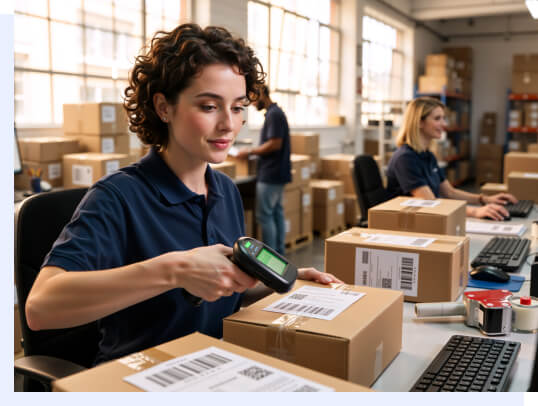
Warehouse and logistics support
Warehouse management software and equipment such as handheld scanners need to stay running to keep fulfillment on schedule. Zoho Assist lets your IT team maintain and troubleshoot these devices remotely so disruptions are resolved before they affect shipping timelines.

Cross-site engineering collaboration
When an engineer at headquarters needs to guide a local operator through a complex calibration or configuration process, Zoho Assist's two-way screen sharing makes it possible to collaborate in real time across locations. Both parties can view and interact with the same screen during the session.
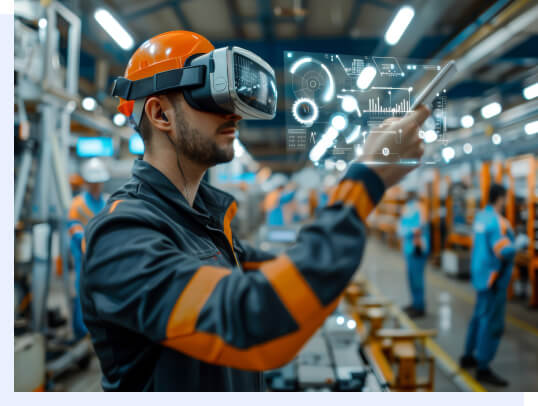
AR-guided field repairs
For physical equipment issues that cannot be solved through screen access alone, the Zoho Lens integration lets your technician see through the field worker's camera and provide step-by-step visual guidance for repairs on plant machinery and other physical hardware.
Frequently asked questions
By removing travel time from the equation entirely. Technicians connect to affected production workstations remotely and use built-in diagnostic tools like Command Prompt and Task Manager to identify and resolve issues in minutes rather than hours. There is no need to wait for someone to arrive on-site.
Yes. Zoho Assist supports Raspberry Pi OS and ARM-based processors commonly used in environmental monitoring, sensor tracking, and edge data collection on the production floor. It also covers a wide range of Linux distributions used in industrial and embedded environments.
Yes. Zoho Assist offers transparent pricing with flexible plans, bulk deployment tools that can bring an entire facility online in a single rollout, and organizational features like Departments and role-based access that let you manage multiple plants from one console. Session Reports provide visibility into support activity across your entire operation.
Yes. All remote sessions use outbound HTTPS/SSL connections. No inbound ports need to be opened, and existing firewall, proxy, and NAT settings remain unchanged.
Yes. Through the Zoho Lens integration, your technicians can access a field worker's smartphone camera or smart glasses and provide real-time visual guidance for physical repairs on plant machinery and other hardware.
Remote access for manufacturing allows IT and OT teams to connect to factory systems and production devices from anywhere to troubleshoot issues, perform updates, and keep operations running without being on site. Zoho Assist helps manufacturing teams ensure uninterrupted production with secure and reliable remote support.
Manufacturers should look for remote access tools that support legacy operating systems, enable secure access without requiring inbound ports, provide centralized access control across plant locations, offer session auditing for compliance, and support bulk deployment at scale. Zoho Assist helps manufacturing teams manage and support distributed systems securely and efficiently.