Why do doctors need appointment scheduling software?
Dealing with concerned or vulnerable patients is taxing enough. When you add the burden of manually scheduling appointments, your day becomes even more demanding. If your patients face any of the following challenges when booking a doctor's appointment, you need a better scheduling system:
- Delays in providing timely care to your patients
- Consultations spaced too far apart—or crammed back-to-back
- Long patient queues putting more pressure on your staff
- Appointment requests scattered across platforms
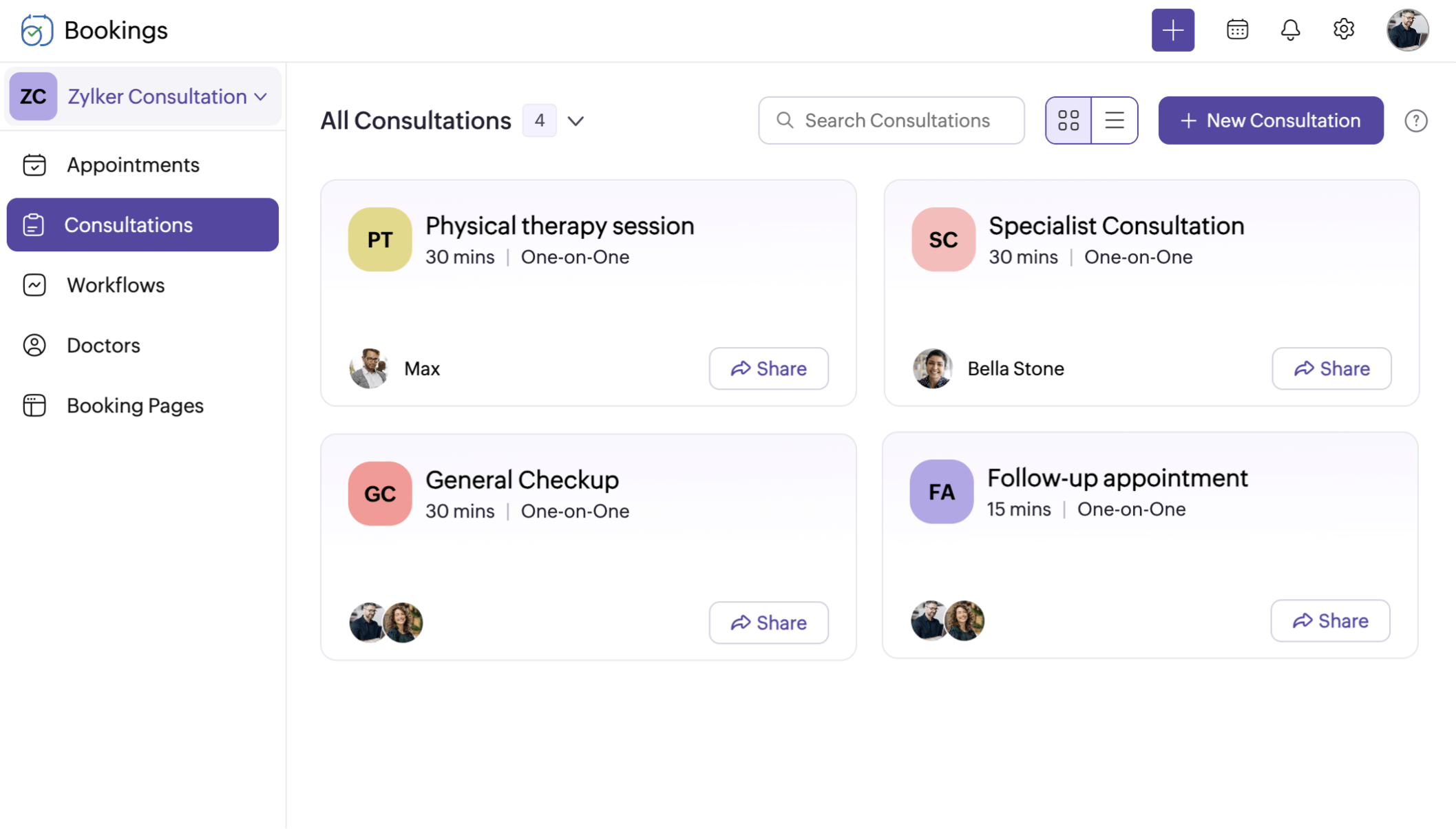
Zoho Bookings has all your appointment scheduling needs covered
- Pediatrics
- Women's health
- Primary care
- Dermatology
- ENT care
- Ophthalmology
- Mental health
- Physiotherapy



A doctor appointment system that simplifies consultations
Online self-scheduling
We’ll give you a complete booking page that you can customize and embed into your website. Add your working hours, share your booking page, and let customers book at their convenience. Equipped with an AI-powered setup, Zoho Bookings helps you get started in no time.
Reduce no-shows
Configure notifications for patients and visiting physicians so they know exactly when to show up. Remind them via emails or text messages a day or an hour before the appointment.
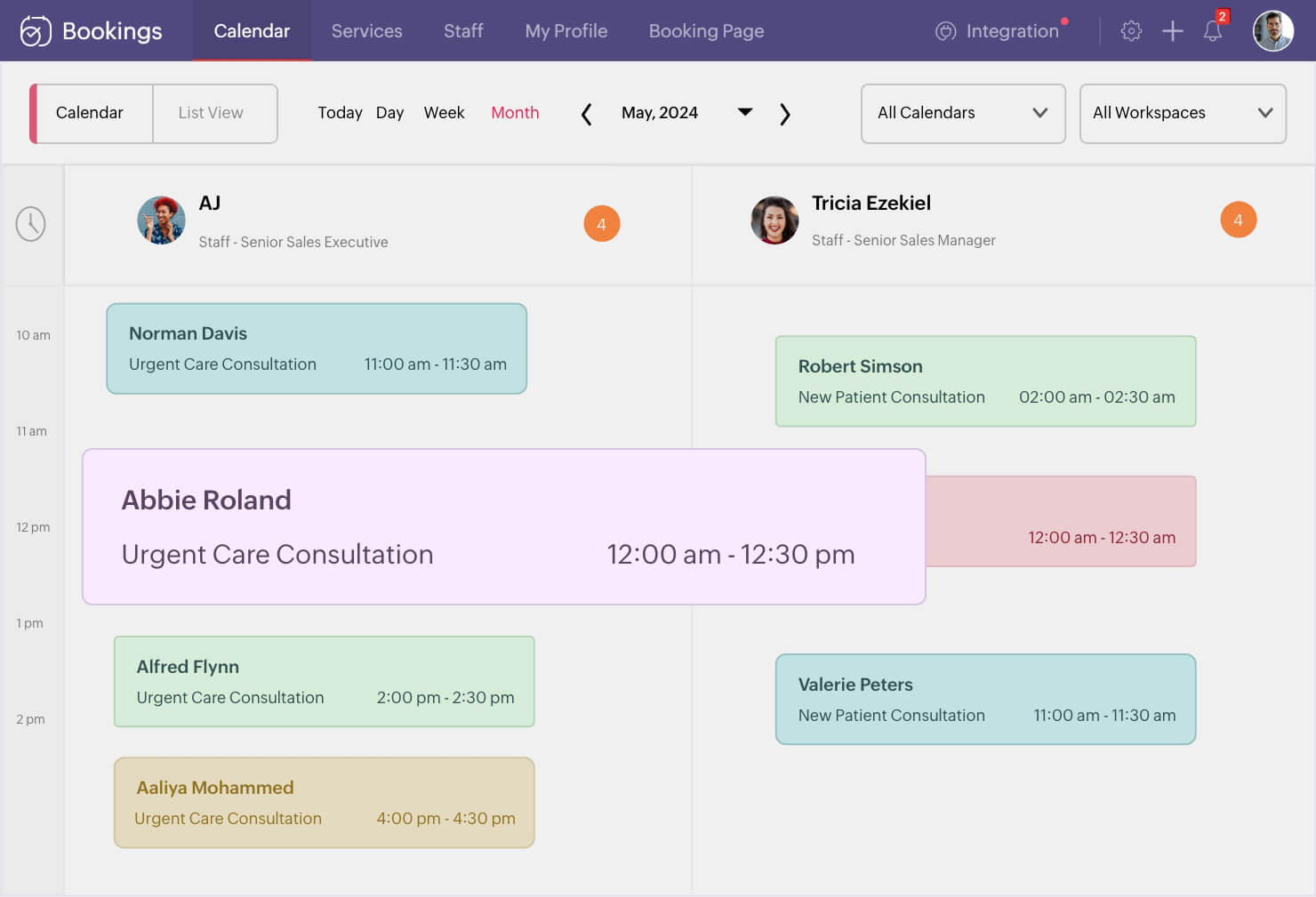
Online doctor appointment scheduling software that's easy to set up
Zoho Bookings is built to work with your existing tools
It's not just us saying it

"Zoho Bookings made my life easier and made appointment booking more professional."

"From bookings to follow-ups and multiple reminders—all of it in a few clicks—it’s worth it."
Get your doctor appointment software today
Try Zoho Bookings—no upfront fees and no credit card necessary
Get startedFrequently Asked Questions
1. Can I manage my clinic with Zoho Bookings?
Zoho Bookings is powerful doctor appointment scheduling software that will help you manage your clinic’s consultations. You can collect appointments, patient details, and medical information for appointments through a booking page. You can assign doctors to other consultations and automate manual tasks like confirmations and reminders.
2. Can I collect payments when a consultation is booked?
Yes, Zoho Bookings integrates with third-party payment providers, and you can integrate with any one of them to collect either a partial or complete payment before the appointment.
3. Is Zoho Bookings HIPAA compliant?
Yes, Zoho Bookings is HIPAA compliant and offers encryption for ePHI/PII you collect from patients.
4. How do I get started with Zoho Bookings?
Zoho Bookings offers a 15-day free trial so you can access all of Zoho Bookings' premium features. Sign up for free!
5. Can I send patient reminders in Zoho Bookings?
Yes, you can send up to three reminders both via SMS and emails either days, hours, or minutes before an appointment.
Alternatively, you can also configure workflows to trigger emails and SMS based on custom criteria.
6. Can patients book several appointments in a single booking?
Yes, using recurring one-on-one or series group bookings, patients can book multiple slots in one go. For example, let patients book a series of counseling sessions in one appointment with recurring one-on-ones.
You can also organize informational workshops, like Pregnancy 101 for expecting mothers with series group bookings.