Why massage therapists need scheduling software
The last thing you need is a booking process that disrupts your flow. Here's where problems arise:
- Clients wait days for a reply because you're juggling too many conversations at once.
- Without a self-booking option, clients have no way to schedule a session on their own, leading them to book elsewhere.
- A lack of timely reminders causes clients to miss appointments.
- Double-bookings slip through, leaving you to deal with awkward rescheduling conversations.
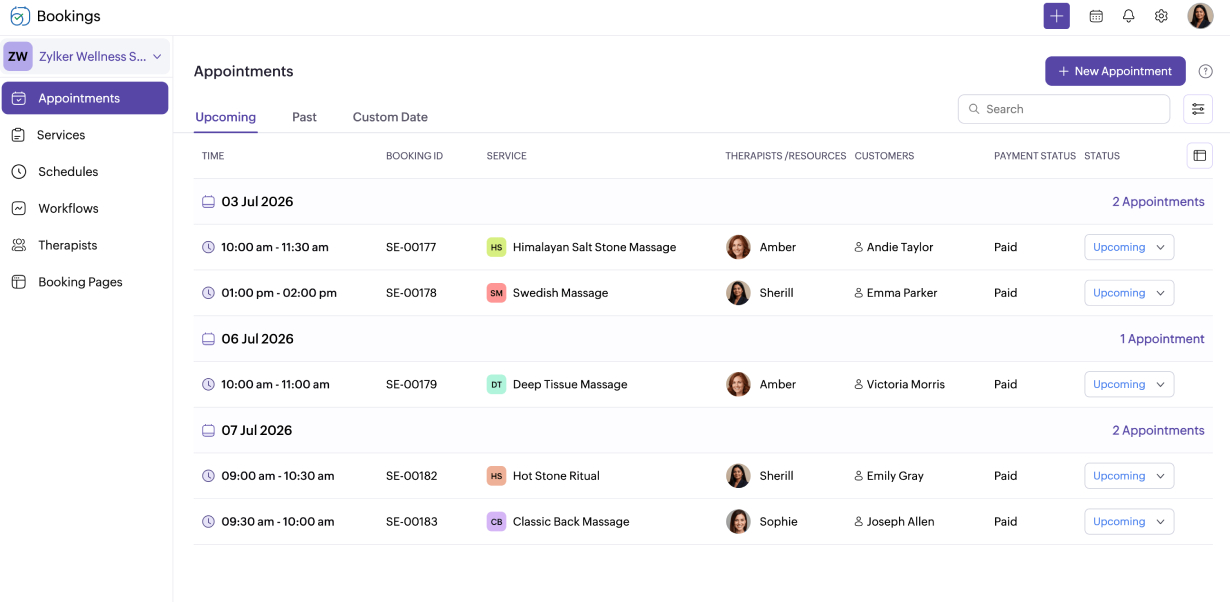
Every booking. Every client. Every therapist.
Zoho Bookings handles it for you.
- Solo practitioners
- Massage spas
- Wellness centers
- Physiotherapy clinics
- Hotel and resort spas
- Sports rehabilitation centers



Reduce your scheduling stress
Online self-booking
Reclaim your evenings. Your booking page is live around the clock, so clients can find an open slot and book it themselves.
Minimize no-shows
A missed appointment doesn't have to mean lost income. Automated reminders keep clients on track, and upfront deposits mean your time is covered.
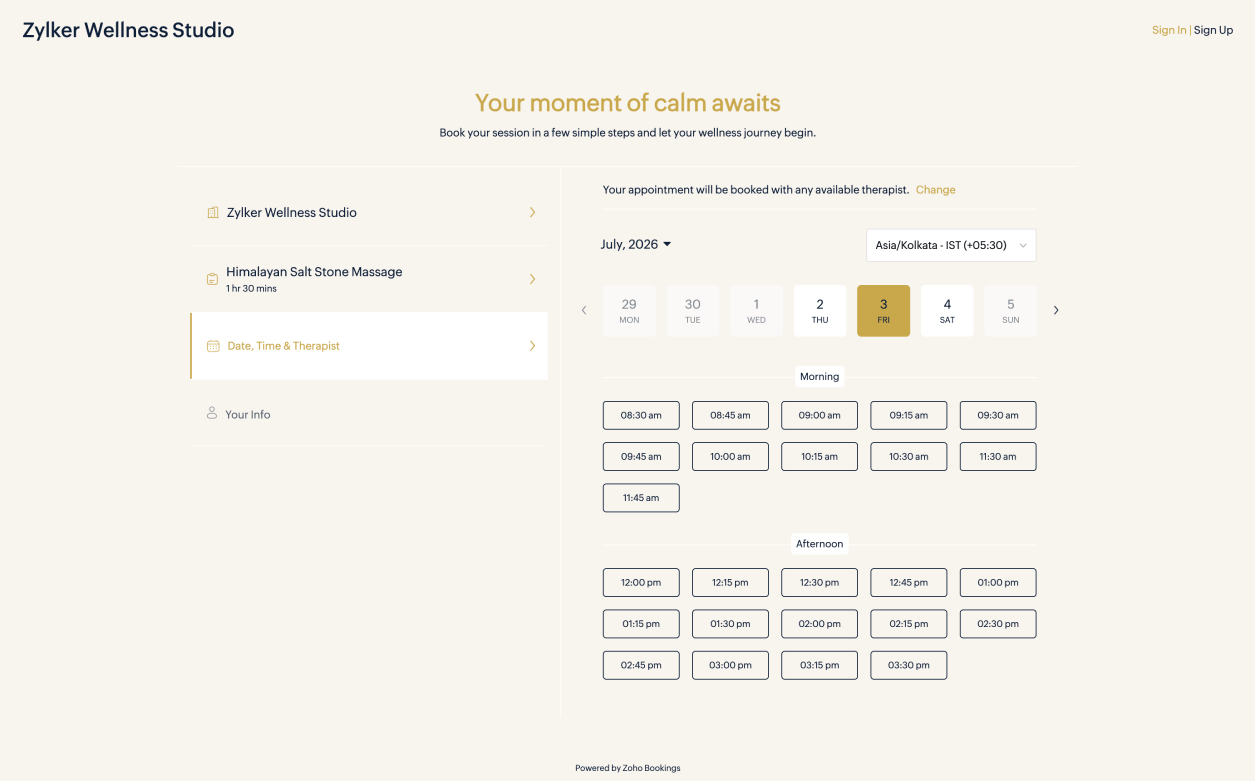
Online massage therapy software built around how your practice runs
Zoho Bookings is built to work with your existing tools
It's not just us saying it

"Our company's efficiency and customer experience have significantly increased since we began using Zoho Bookings."

"We no longer miss appointments or deal with duplicate bookings. Zoho Bookings is an excellent modern and efficient product. The meetings booked via our website enter directly into our shared Zoho Calendar for our team."
Frequently Asked Questions
1. Can I manage multiple therapists with Zoho Bookings?
Yes, you can invite each therapist to join your Zoho Bookings account and manage their roles in the app. Clients see slots based on each therapist's availability.
2. Can clients use the booking system outside of business hours?
Yes. Your booking page is available 24/7 so clients can schedule a session that works for them. The slots shown are based on the working hours and service schedules you have set in your account.
3. How do I prevent double-bookings?
Only available slots are shown in real time during booking. Once a slot is booked, it's removed from the page automatically to prevent double-bookings. You can also connect to calendar apps like Zoho Calendar, Google Calendar, or Outlook to establish a two-way sync. Appointments booked through Zoho Bookings appear in your connected calendar, and events created in your external calendar are reflected in Zoho Bookings.
4. What payment gateways does Zoho Bookings support?
Zoho Bookings integrates with PayPal, Stripe, Razorpay, Authorize.Net, Forte, 2checkout, and Mercado Pago. You can connect to your preferred gateway through Zoho Checkout.
5. Can clients choose their preferred therapist when booking?
Yes. If multiple therapists share a service type, a client can choose who they prefer. If this setting is disabled, Zoho Bookings assigns an available therapist automatically. Each therapist on your team has their own booking page, which they can share directly with their regular clients.