
Zoho Bookings has helped GEDU Services Pvt. Ltd eliminate manual scheduling and track key metrics in real time, improving efficiency at every step and providing full visibility into their student onboarding journey.
Read more
Key takeaways
- If you are overwhelmed by constant meeting conflicts and endless email threads, an online agenda tool is exactly what you need to restore order.
- Zoho Bookings helps you take back control of your day by turning scattered meetings into intentional, purpose-driven sessions.
- Protect your time by batching similar meetings, while calendar integrations and automated client notifications quietly handle the busywork for you.
- The entire setup takes less than two minutes. Simply define your availability and share your custom link to start accepting appointments right away.
Why do you need online agenda software?
As a busy professional, you already have a lot on your plate—managing key accounts, jumping between meetings, and hitting deadlines. The last thing you need is to miss a session or to dig through emails to find a meeting link.
If you're dealing with any of the following challenges, online agenda software like Zoho Bookings is for you:
While you're busy running in and out of meetings, you often forget the context of the session when you enter.
You deal with conflicting sessions all the time, which costs you time and puts your professionalism at stake.
Switching between calls is an exhausting part of your job, often pushing you to burnout. For example, you attend a sales call, a marketing discussion, and then another sales call.
Repetitive back and forth emails to fix a meeting take too much of your time and have cost you clients.
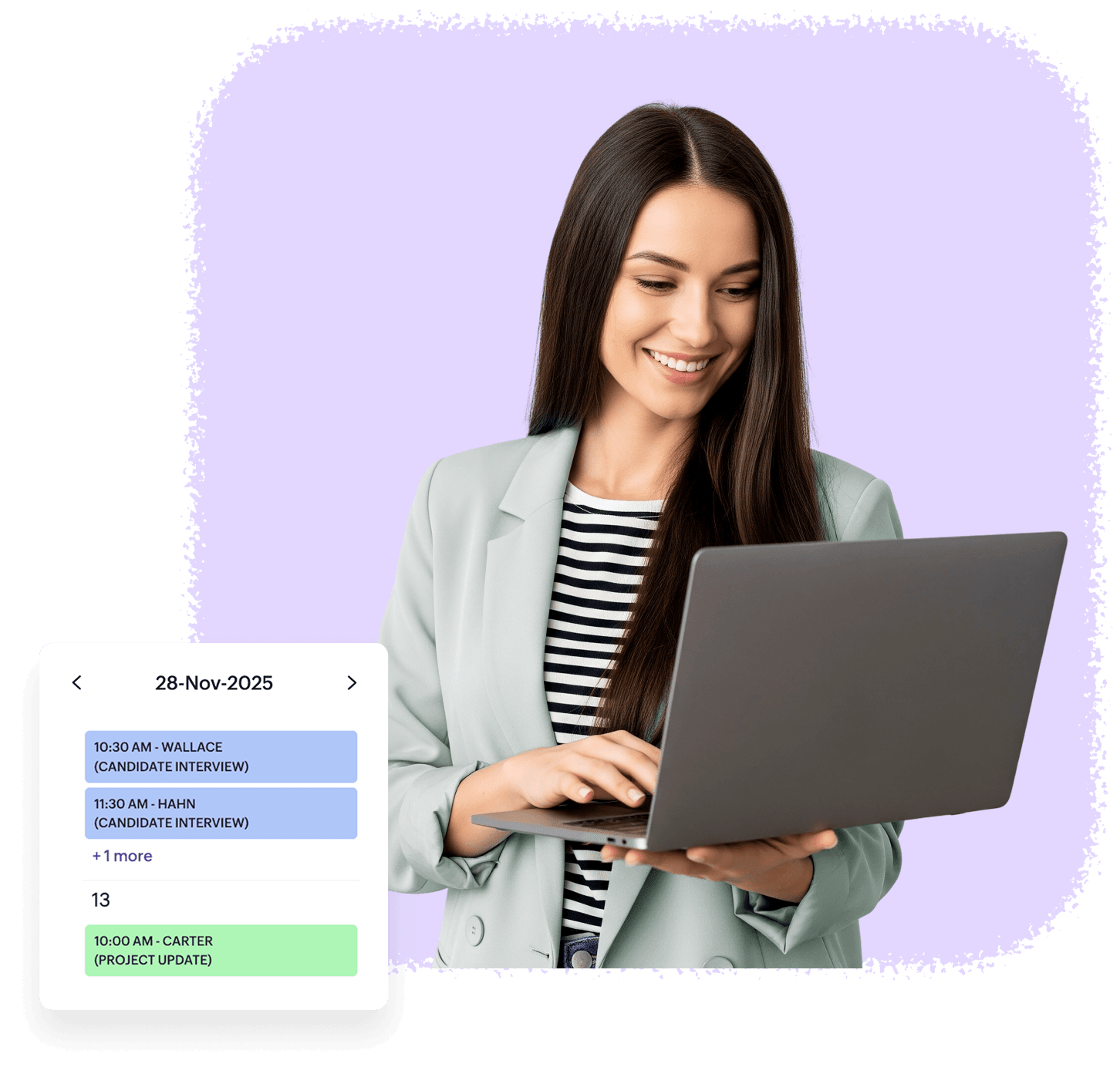
From chaos to control: Choose Zoho Bookings
Drag the slider to see how Zoho Bookings simplifies your day
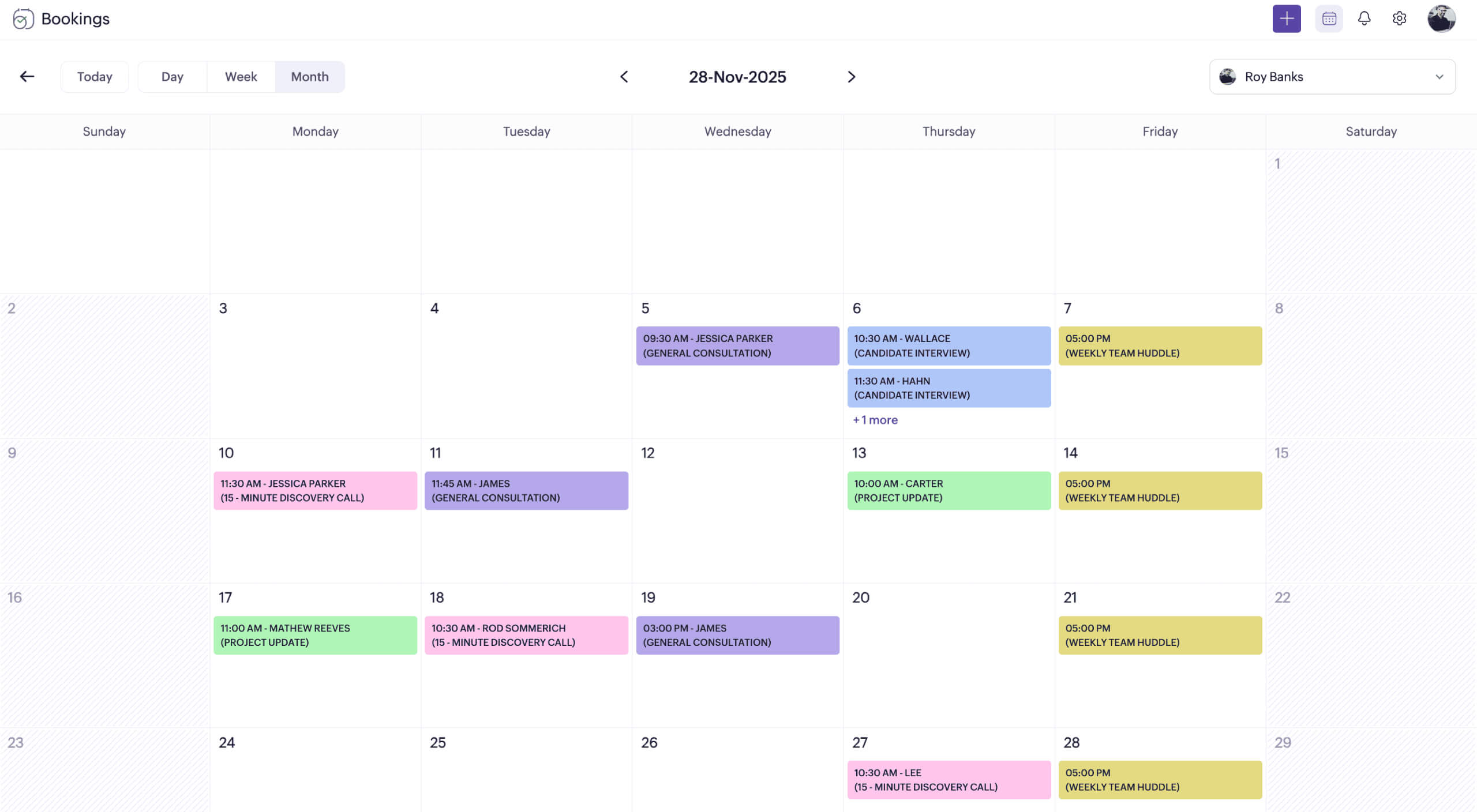
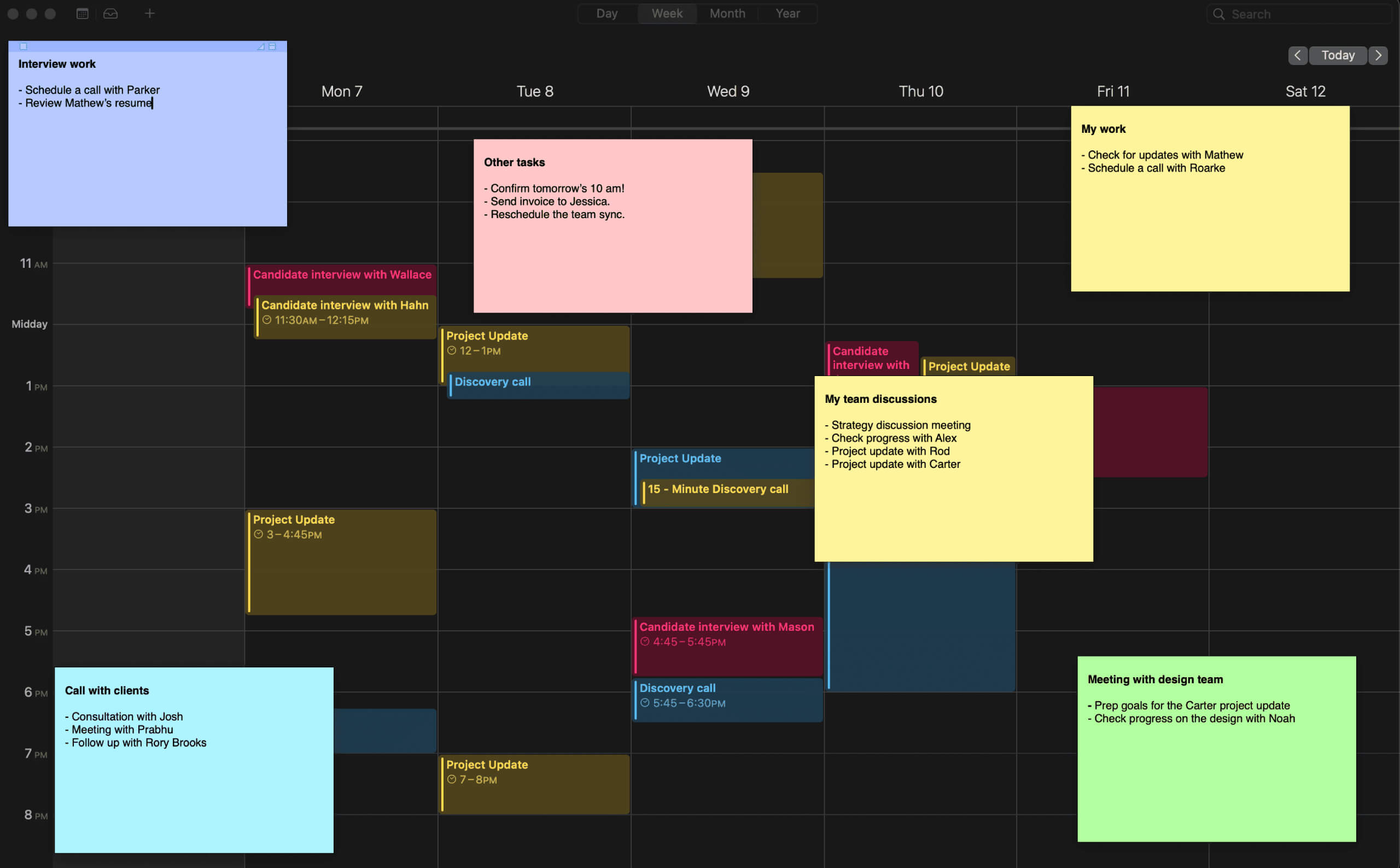
- Tie meetings to a purpose
- Proactively design your day
- Gain insights into your business
- Automate manual tasks
Who's really in charge, you or your schedule?
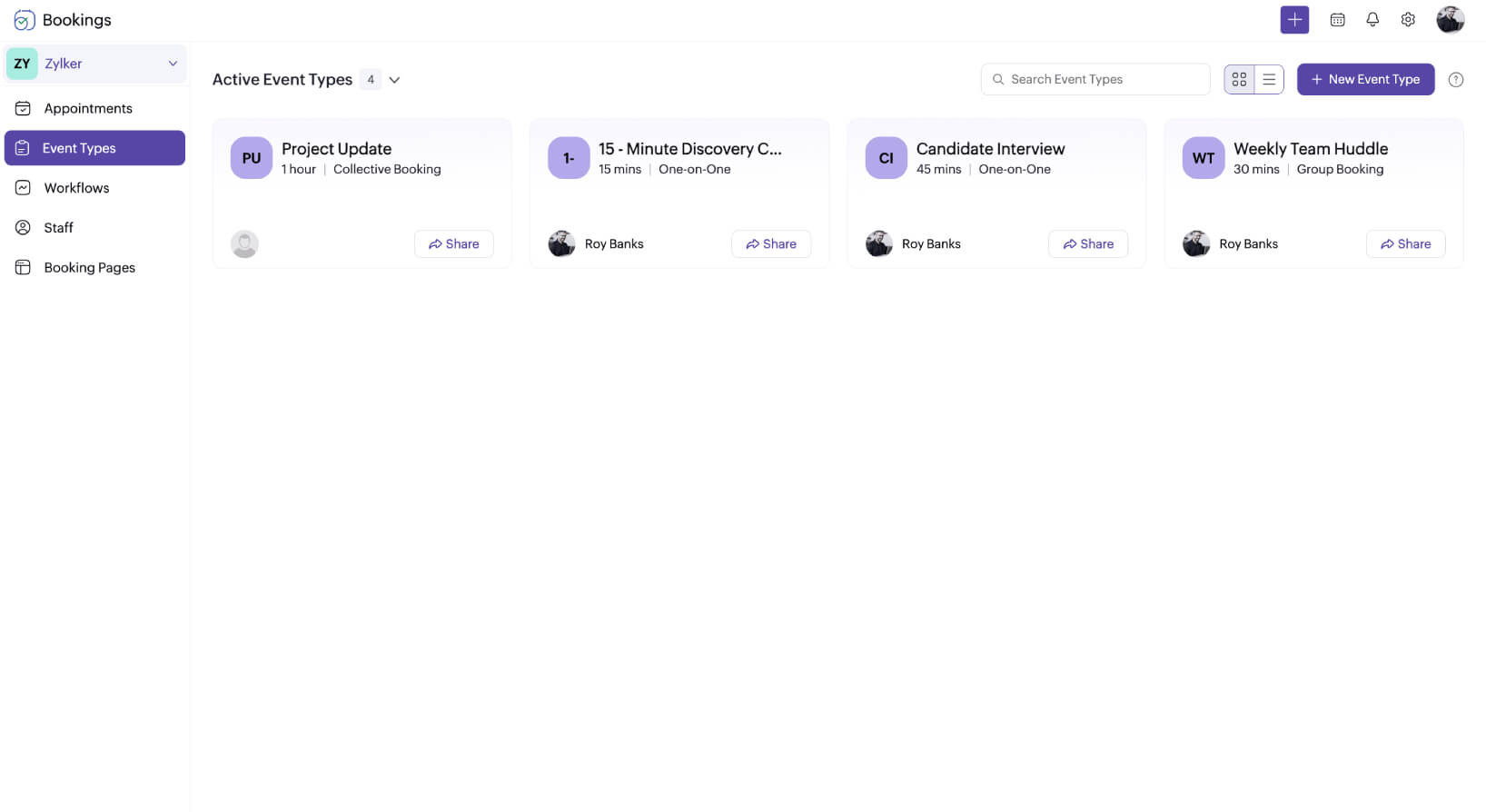
Tie meetings to a purpose
Keep meetings outcome-driven. Instead of letting your schedule dictate your day, use event types in Zoho Bookings to define the purpose of every session before it even gets booked.
Proactively design your day
Open calendars often invite non-essential meetings. Use Zoho Bookings to define boundaries through your availability, batch similar meetings, and be the architect of your agenda.
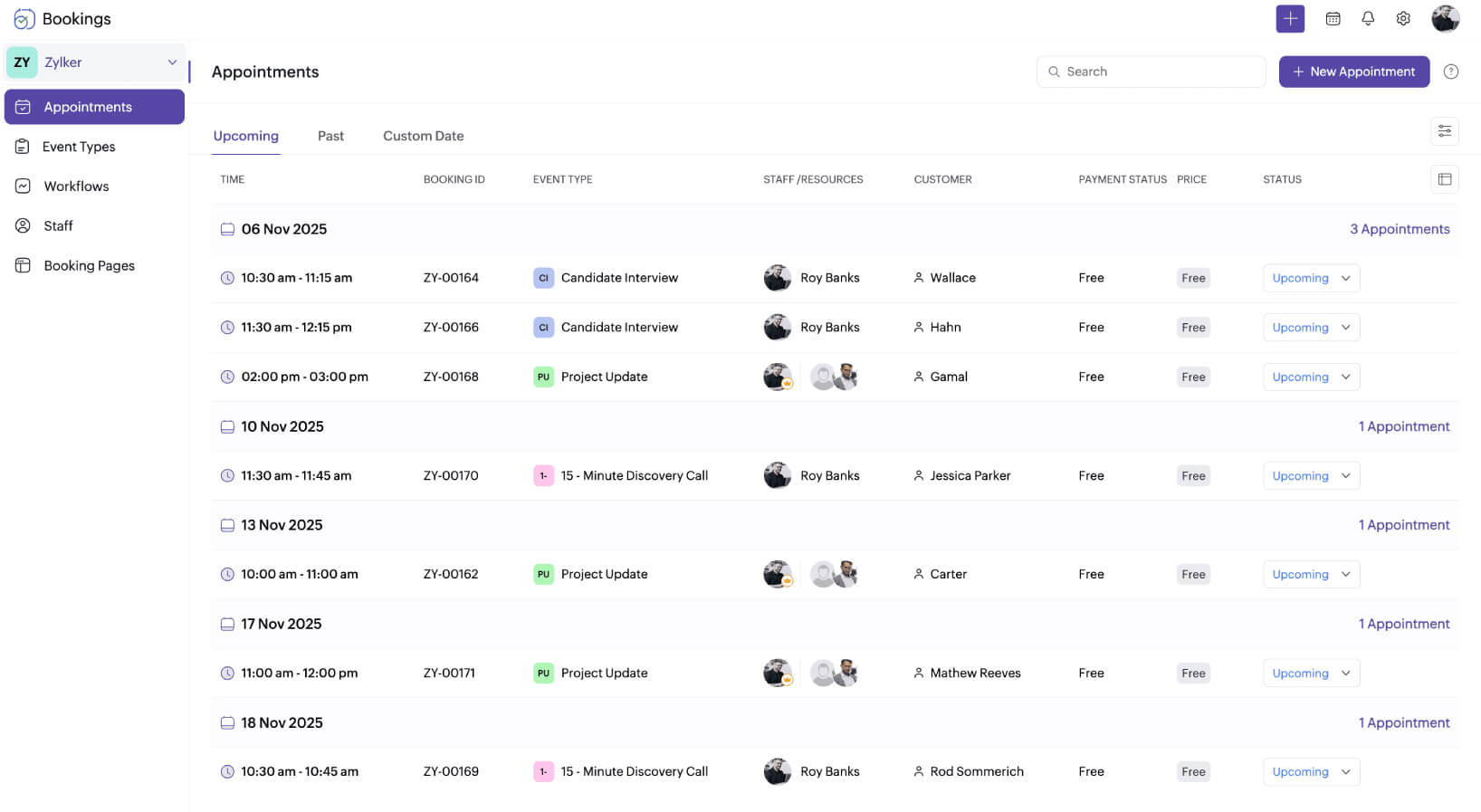
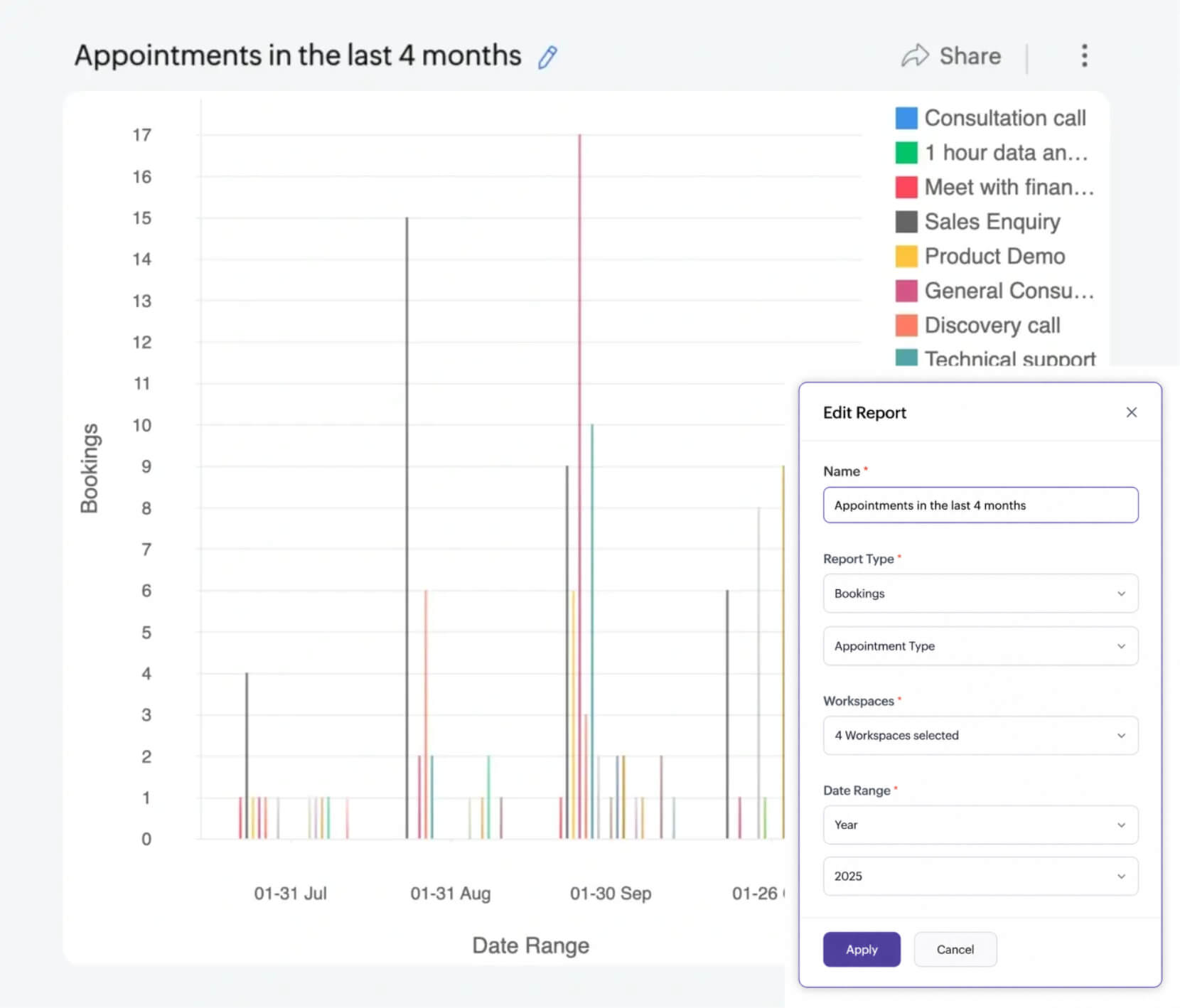
Gain insights into your business
With intentional agendas, discover your peak hours, most sought-after services, and seasonal patterns. Make data-driven decisions to optimize your business for revenue-driving activities.
Automate manual tasks
Repetitive scheduling tasks eat into your hours and scatter your focus. But with Zoho Bookings, you can automate your entire scheduling lifecycle. From showcasing availability to sending emails, Bookings takes care of everything for you.
- A central hub for scheduling
- Draw boundaries around work
- Stay open for business 24/7
- Choose from event types
- Time batch meetings
- Command attention with branding
- Keep stakeholders in the loop
- Automated workflows
- Integrate with favorite apps
- Collaborate with user roles
Zoho Bookings features that simplify online agenda management
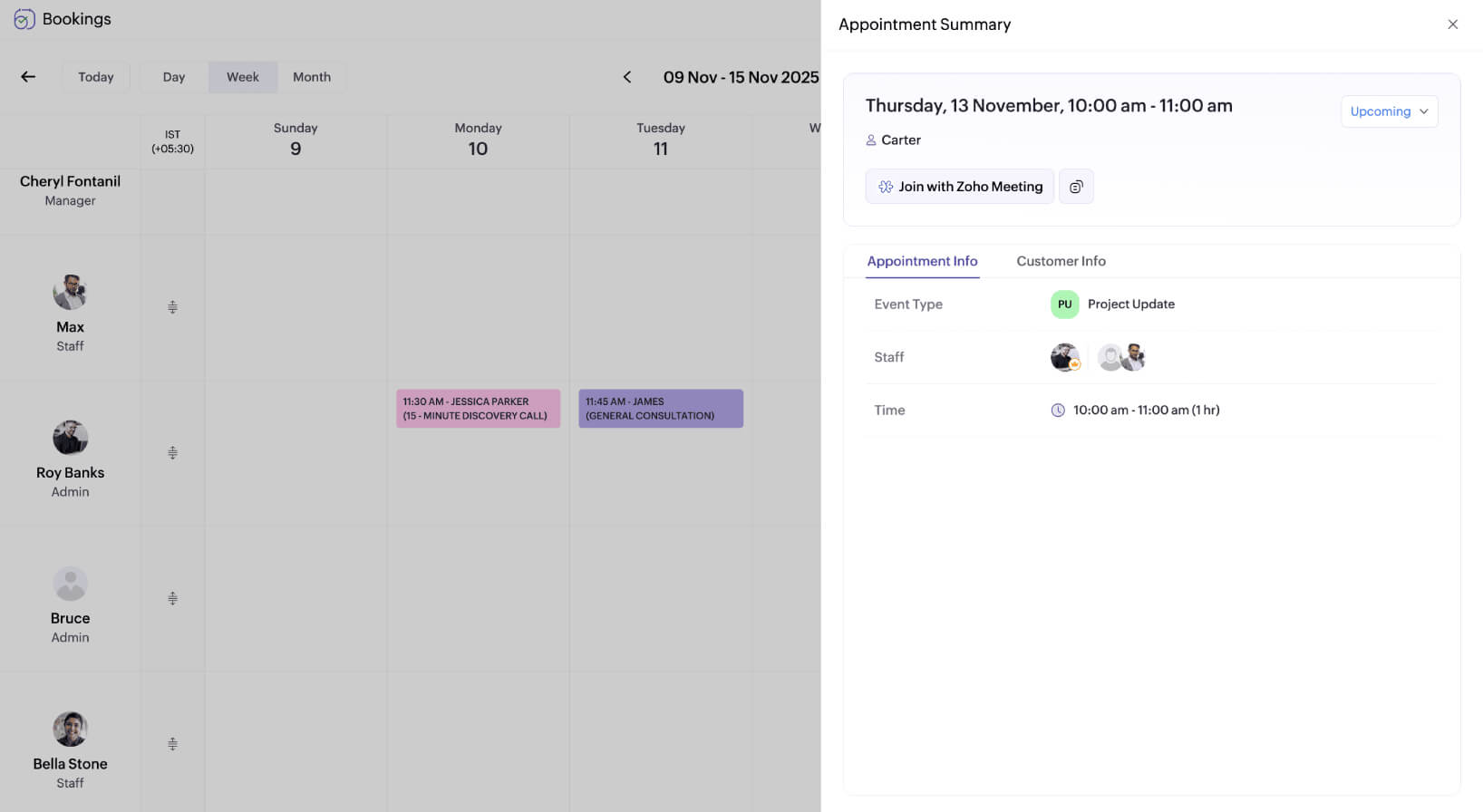
A central hub for all things scheduling
Get a holistic view of all your appointments, customize your availability, manage your team, notify stakeholders, and access meeting links, all from a single dashboard.
Draw boundaries around work
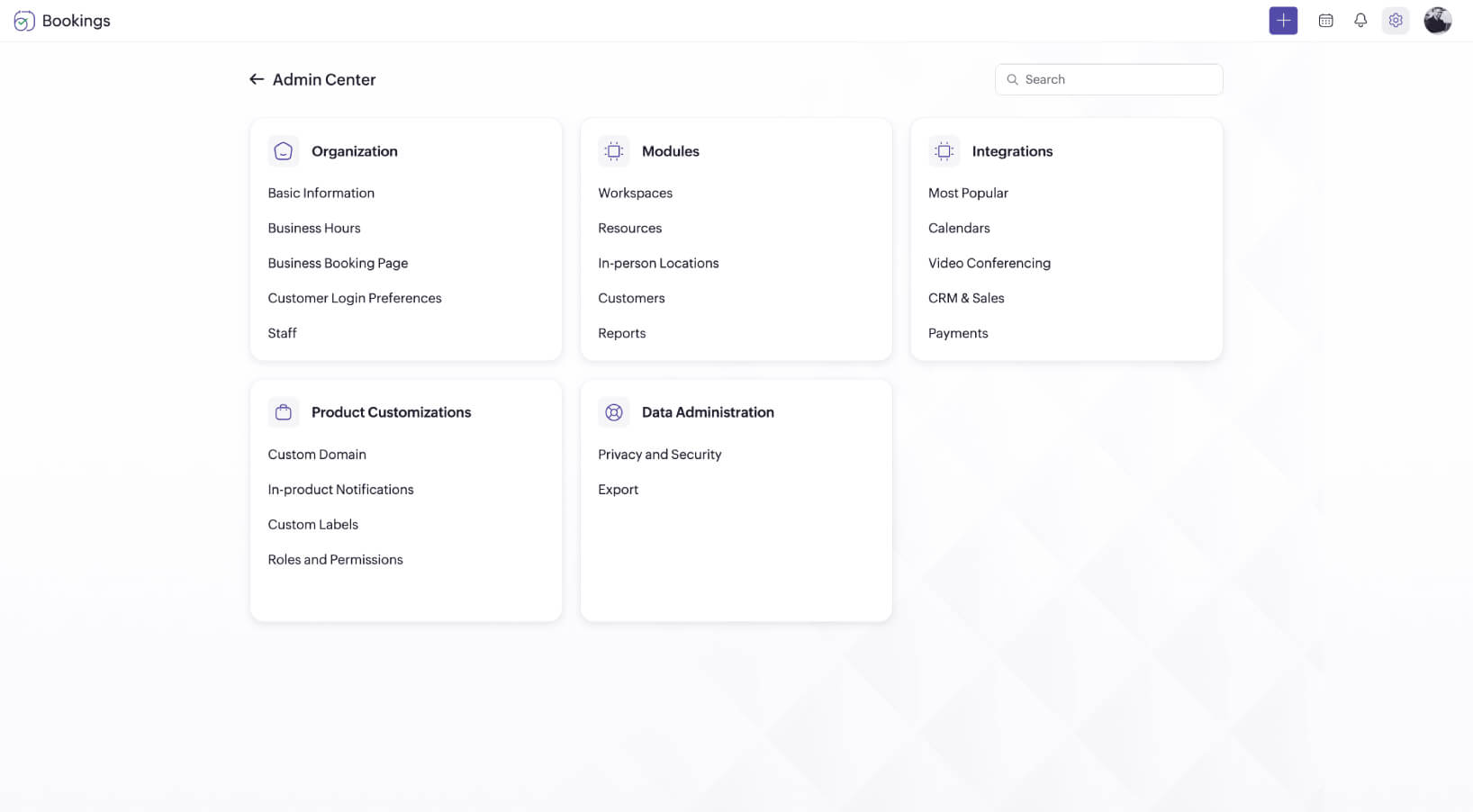
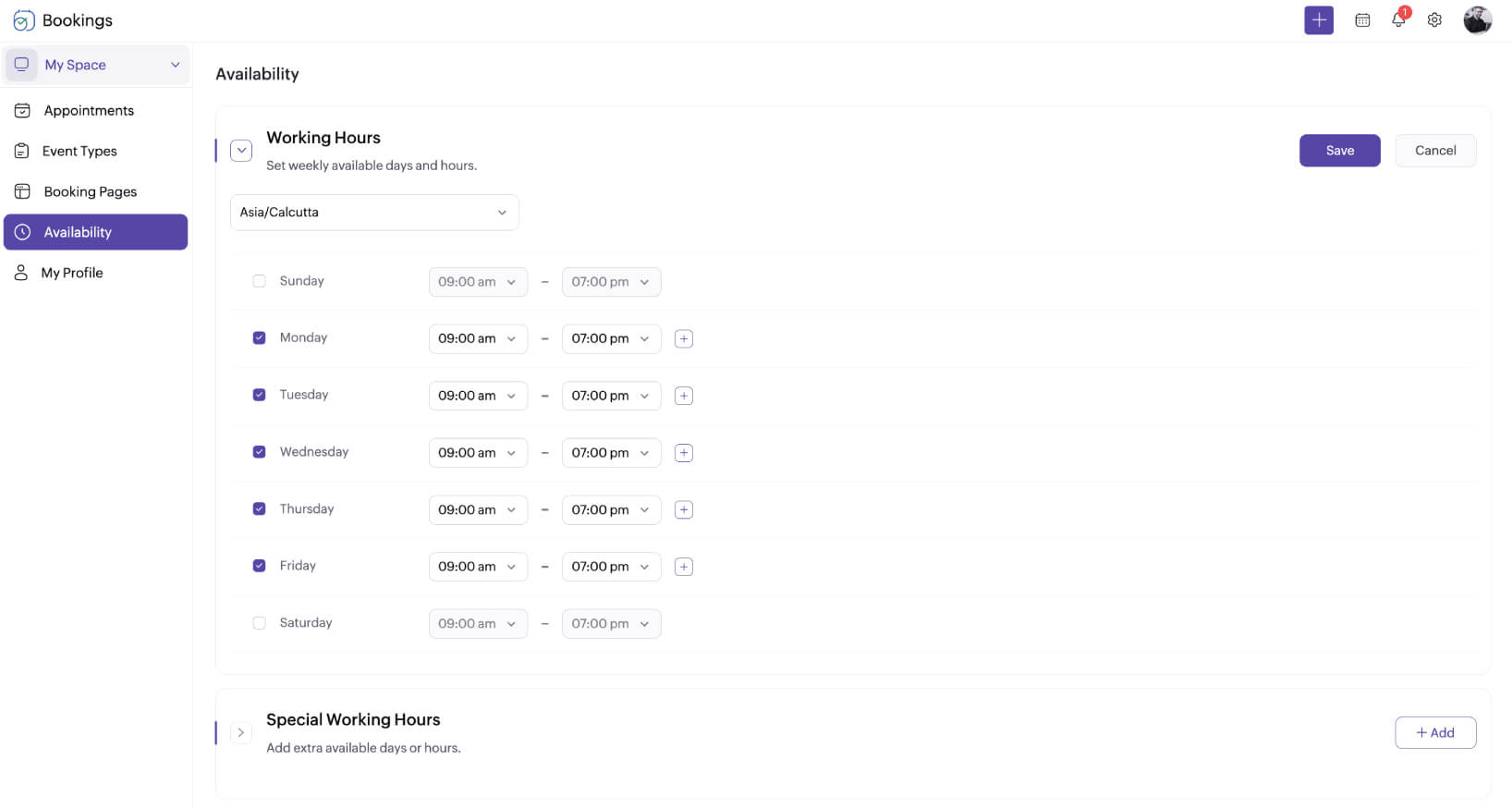
Don't let disorganized scheduling make you work overtime. Set your availability in Zoho Bookings and plan your agenda around it. You can even mark unavailability or special working hours if required.
Stay open for business 24/7
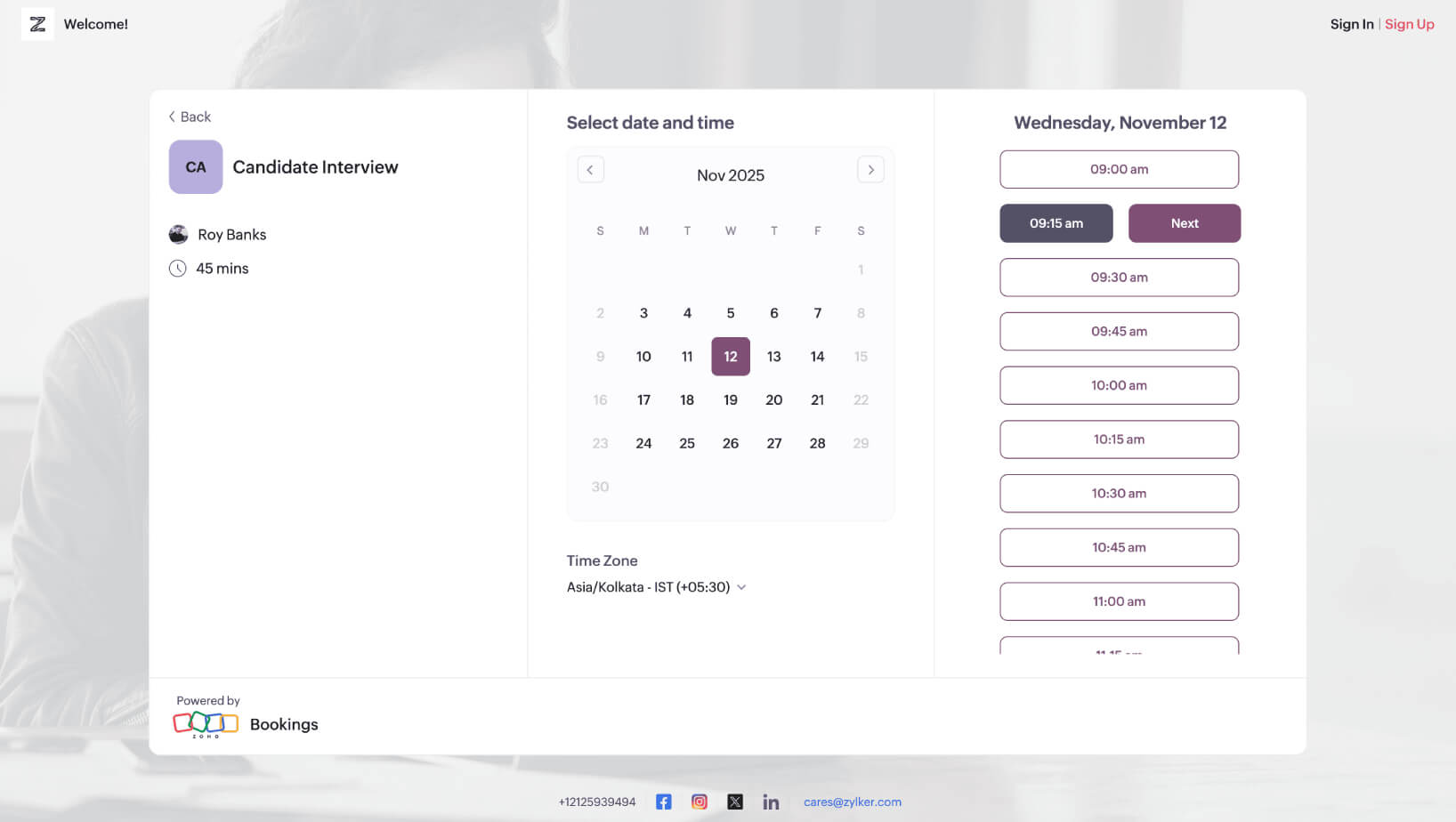
Use Zoho Bookings to collect appointments around the clock. Clients can schedule meetings by choosing a date, time, and the objective of the session without any effort on your end.
Choose from an array of event types
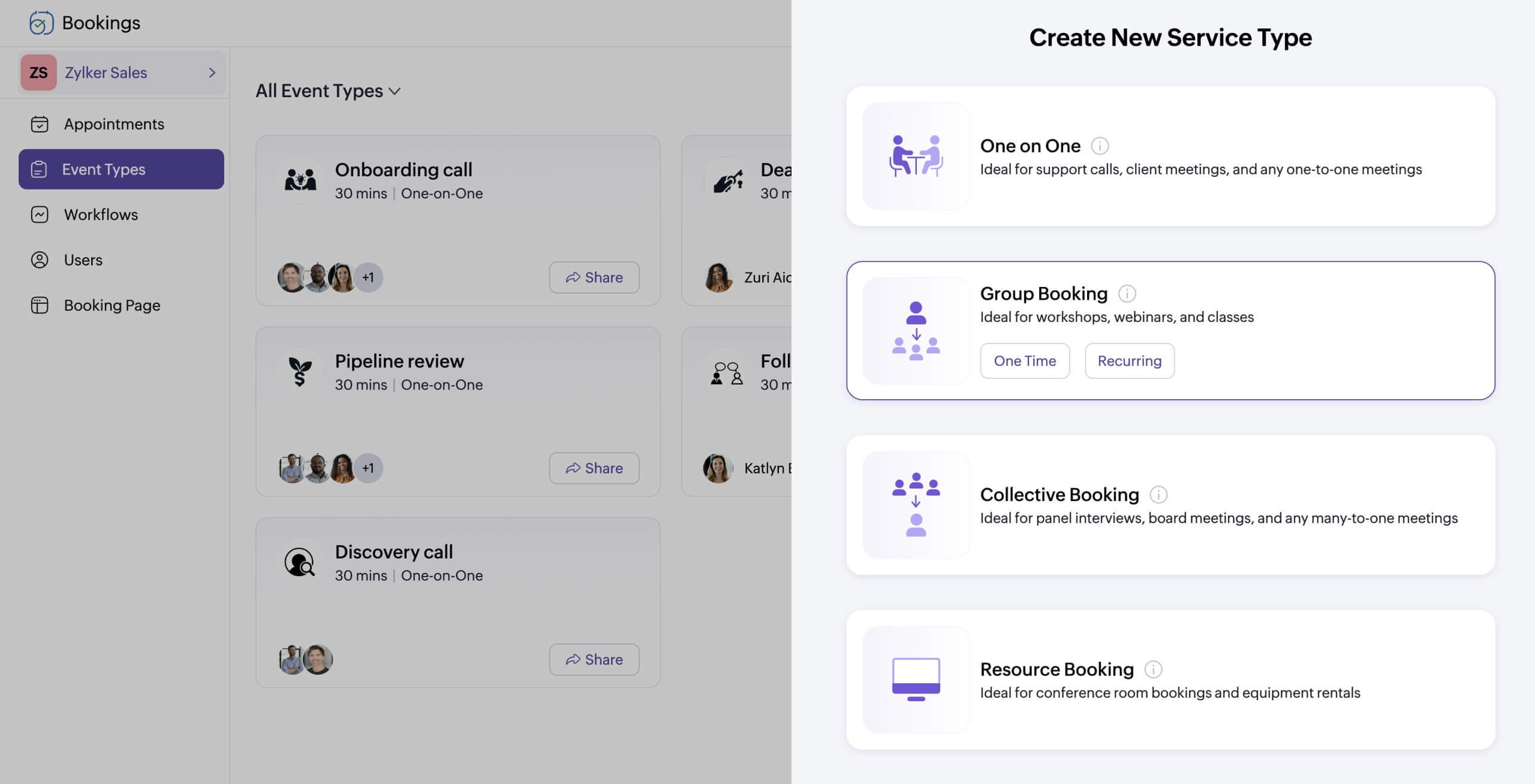
Zoho Bookings offers event types that cater to all your scheduling needs:
- One-on-one events → For product demos, performance reviews
- Group events → For cohort sessions or training
- Collective events → For panel interviews or multidisciplinary consultations
- Recurring events → For weekly team huddles or sales pipeline reviews
- Resource rentals → For managing internal resources
Time batch meetings with preferred time slots
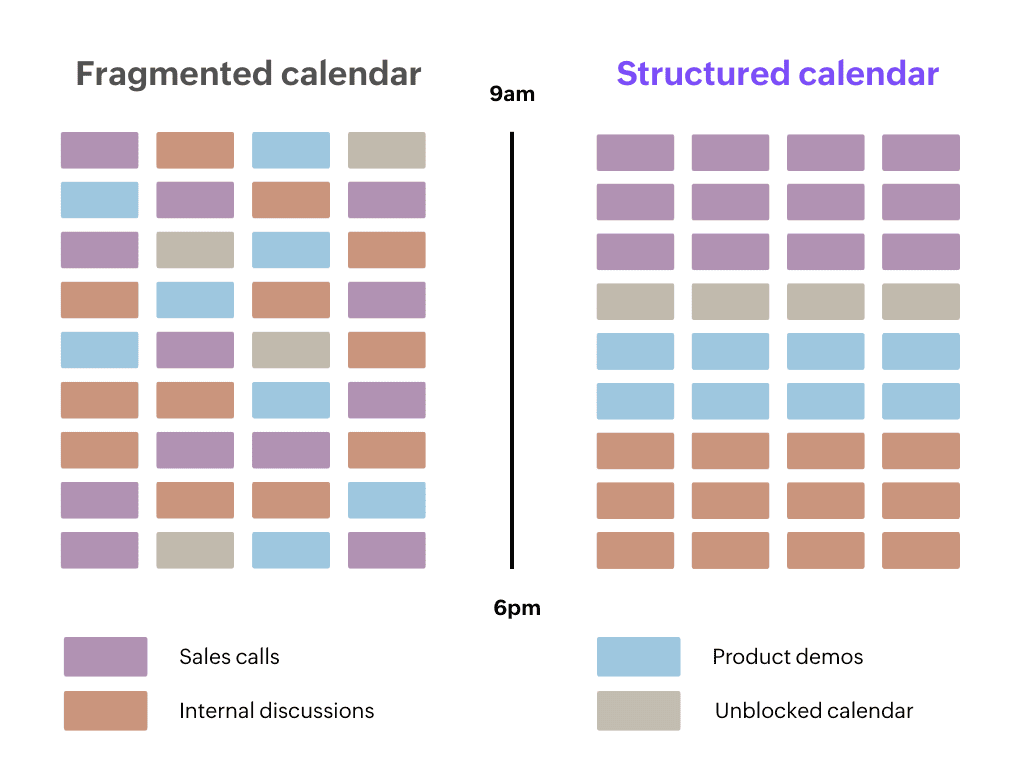
Reduce calendar fragmentation and batch similar sessions to streamline your agenda. For example, if you're available from 11 a.m. to 6 p.m., you could share time slots via email with stakeholders like this:
- 11:00 a.m. to 2:00 p.m. for sales calls
- 3:00 p.m. to 5:00 p.m. for panel interviews
- 5:00 p.m. to 6:00 p.m. for internal discussions
Command attention with your branding
Zoho Bookings offers end-to-end white labeling capabilities. Add your logo to the booking page, switch between themes, customize colors, add your social media profiles, and more.
You can also tailor outgoing emails and the booking page domain to match your organization's branding.
Keep stakeholders in the loop
Send automated communications to reduce no-shows. Keep them informed with email, text, or WhatsApp messages—all notifications and reminders can be customized end-to-end based on your business preferences.
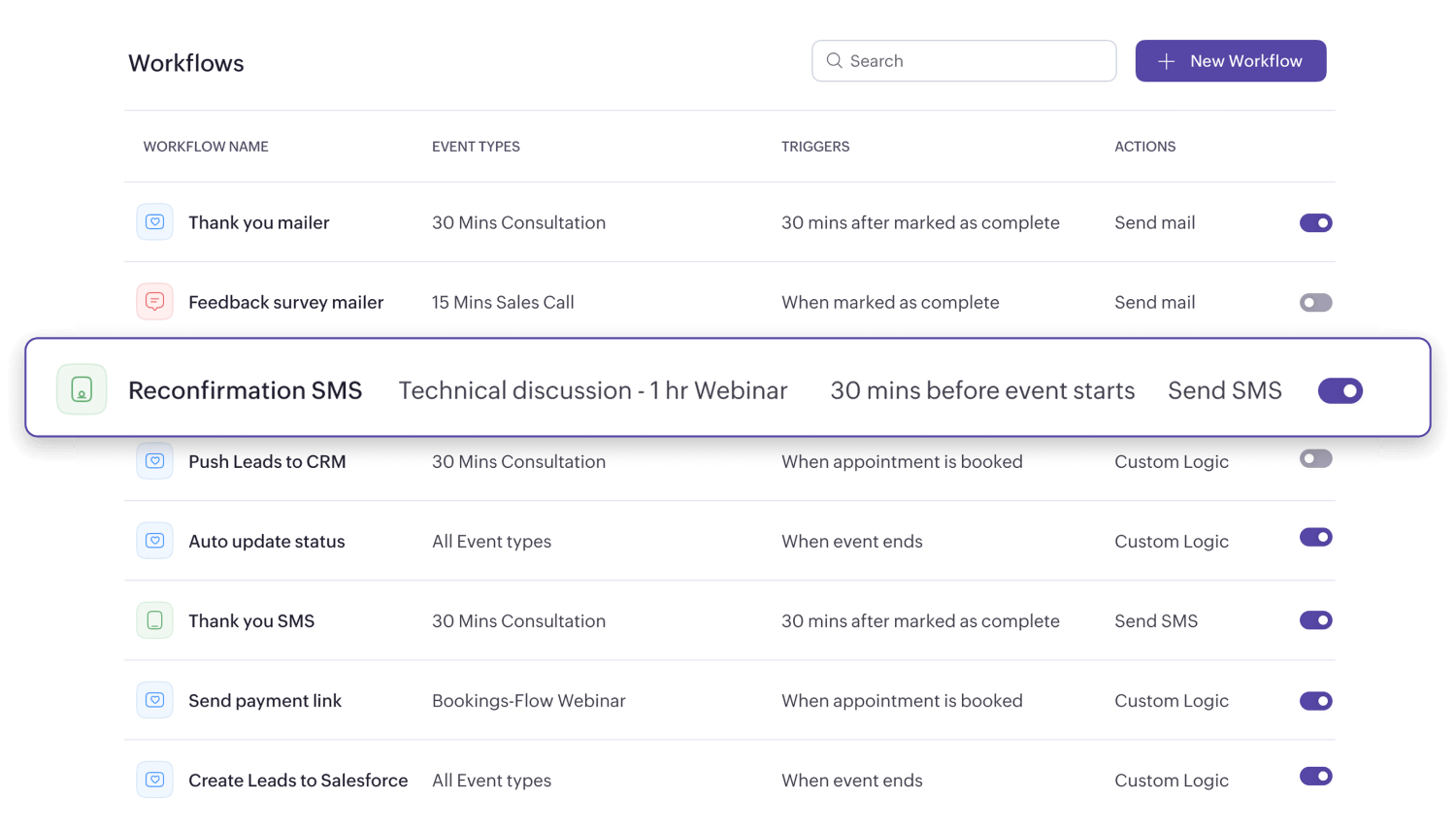
Set up automated workflows around your meetings
Set up workflows to trigger emails and SMS messages based on custom criteria. For example, if you offer product demos, send a thank you note once a session is marked as complete. You can also include sign up links and other action items to ensure a smooth prospecting experience.
Integrate with your favorite apps
Integrate with your favorite apps to manage your days better. Sync with external calendars to avoid double-bookings, connect with video conferencing tools to auto-generate meeting links, and install the browser extension to manage appointments and share booking links without switching tabs.
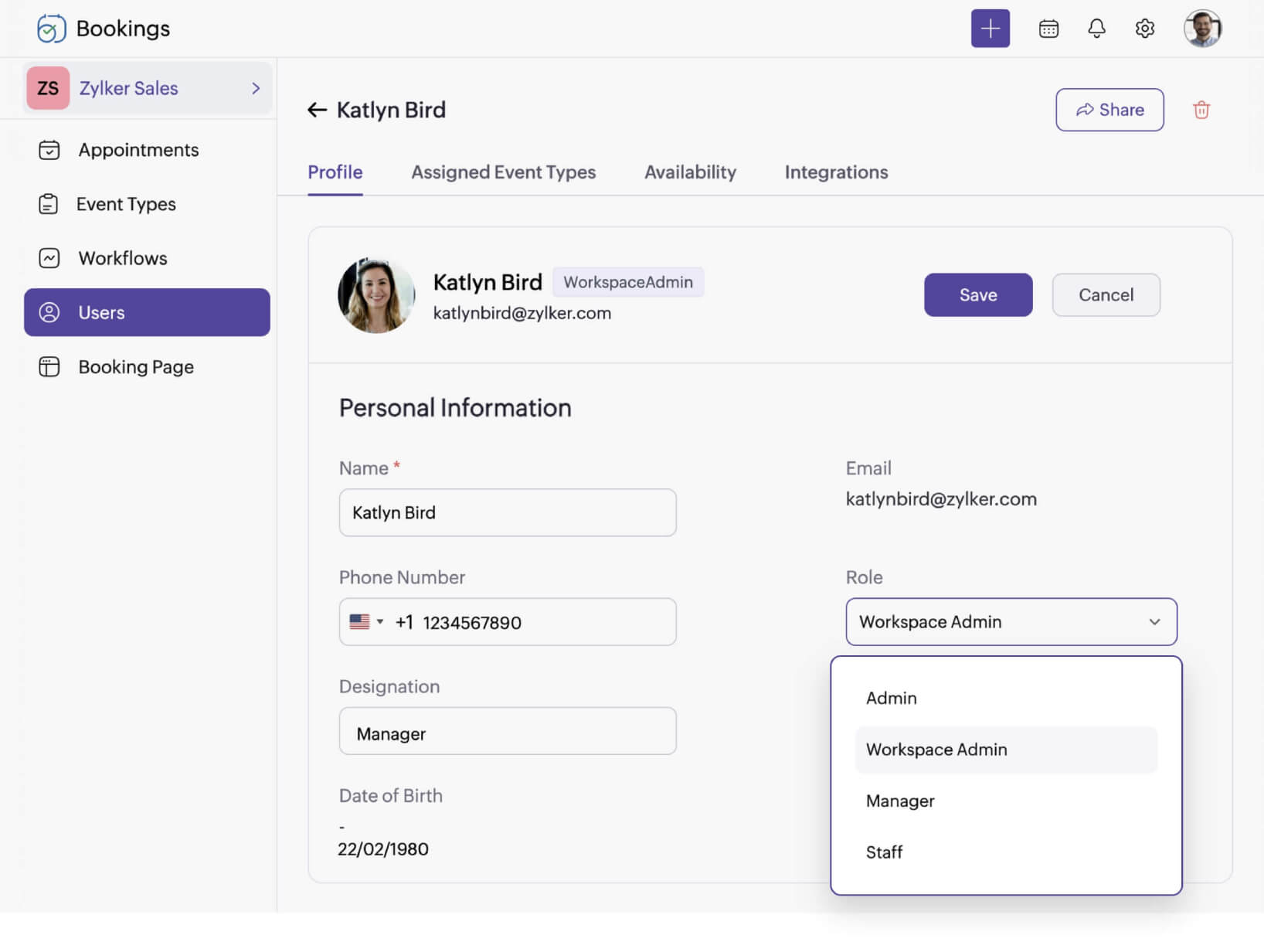
Collaborate and oversee your team efficiently with user roles
Assign user roles to staff and control system access based on their responsibilities. You can also oversee their appointments and map them to locations to streamline your business operations.


Powerful scheduling software with simple pricing
Just pay for the number of users you need. No cap on your appointments and zero additional fees.
Take me to the pricing pageTake control of your schedule today!
Start your 15-day free trial of Zoho Bookings today. No credit card required.
Sign up for freeFrequently Asked Questions
1. How does online agenda software prevent double bookings and scheduling conflicts?
Zoho Bookings showcases your availability slots on the booking page. Once a customer books it, the slot is automatically hidden–eliminating double bookings right at its root.
2. How does online agenda software support team scheduling?
For multi-host meetings, use collective bookings to showcase your team's pooled availability. This eliminates internal back-and-forth and helps customers book a session with your team faster.