Sync Calendly Calendar with Zoho Calendar
Manage your Calendly and Zoho Calendar events in one place using the Calendly Calendar sync. Once connected, your Calendly events appear directly in Zoho Calendar without the need to switch between tabs or apps. This is a one-way sync, so changes made in Zoho Calendar are not reflected in Calendly.
Note
- Zoho Calendar — Available on paid plans only.
- Calendly — Available to all Calendly users. Calendly Premium users get real-time automatic sync. Users on other Calendly plans must sync manually.
Steps to set up Calendly Calendar sync
- Log in to Zoho Calendar.
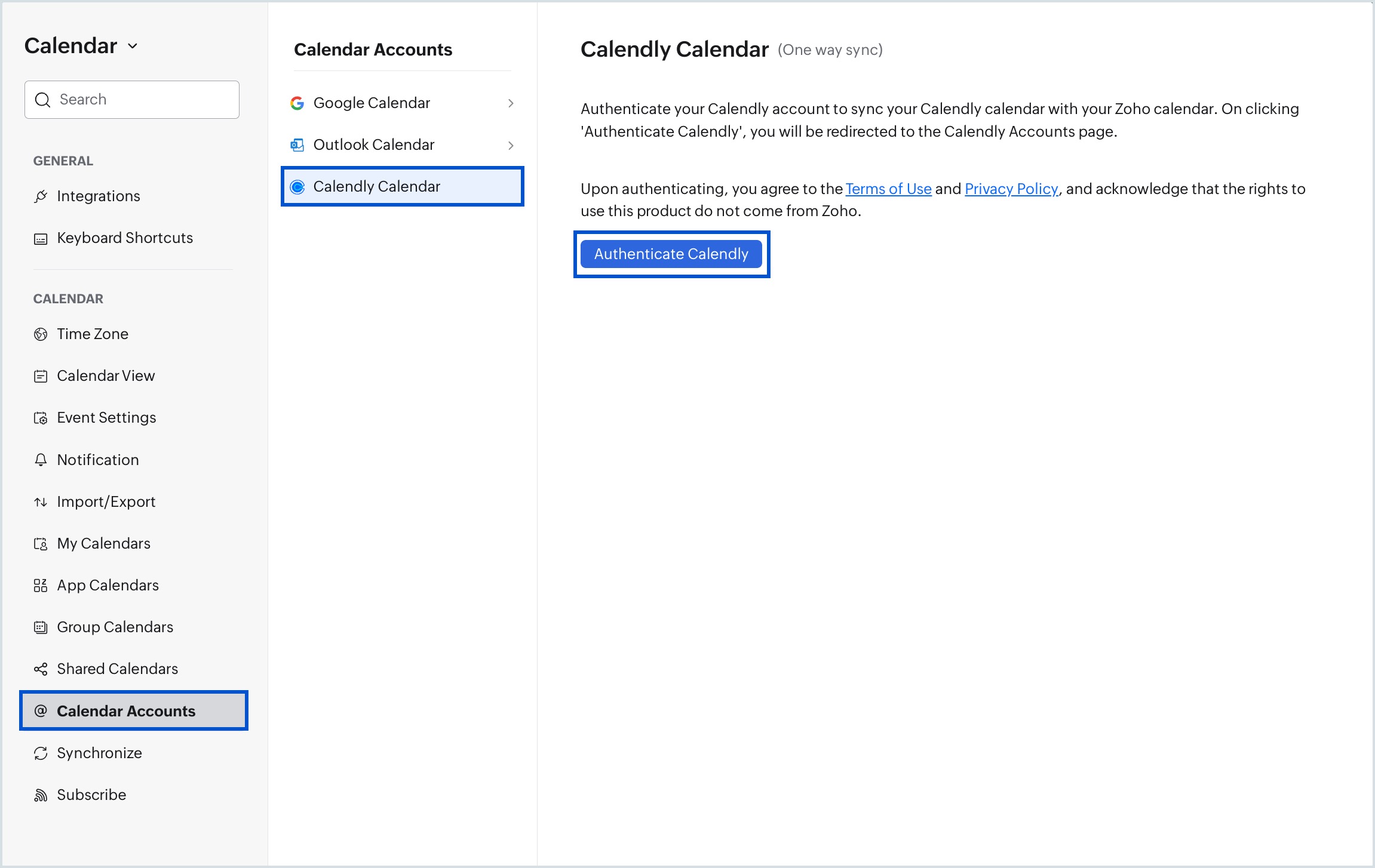
- Go to Settings > Calendar Accounts.
- Click Calendly Calendar in the Calendar Accounts panel.
- Click Authenticate Calendly in the right pane.
- In the Calendly login window, enter your Calendly account credentials and sign in.
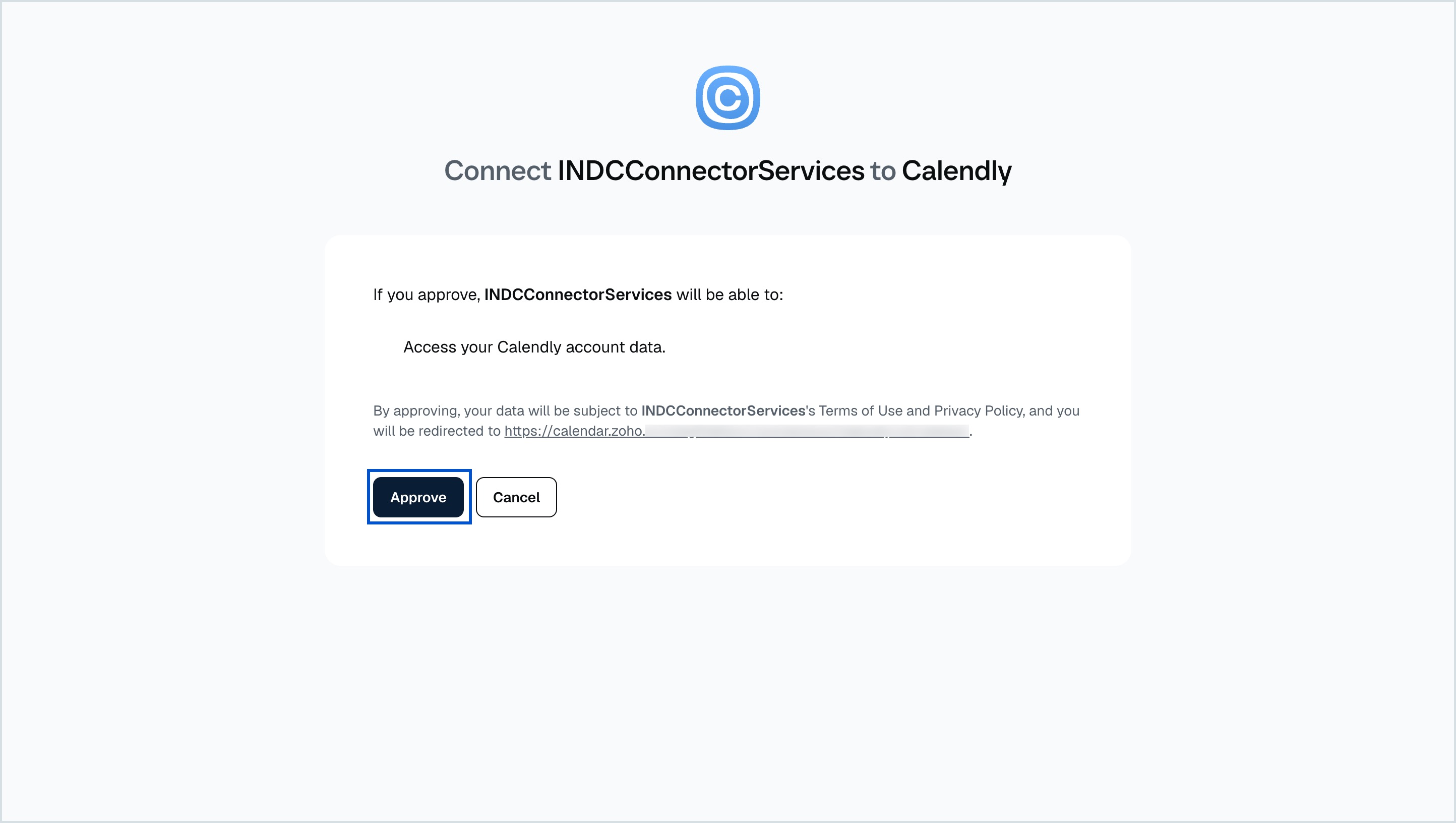
- On the Calendly authorization screen, click Approve to allow Zoho Calendar to access your Calendly account data.
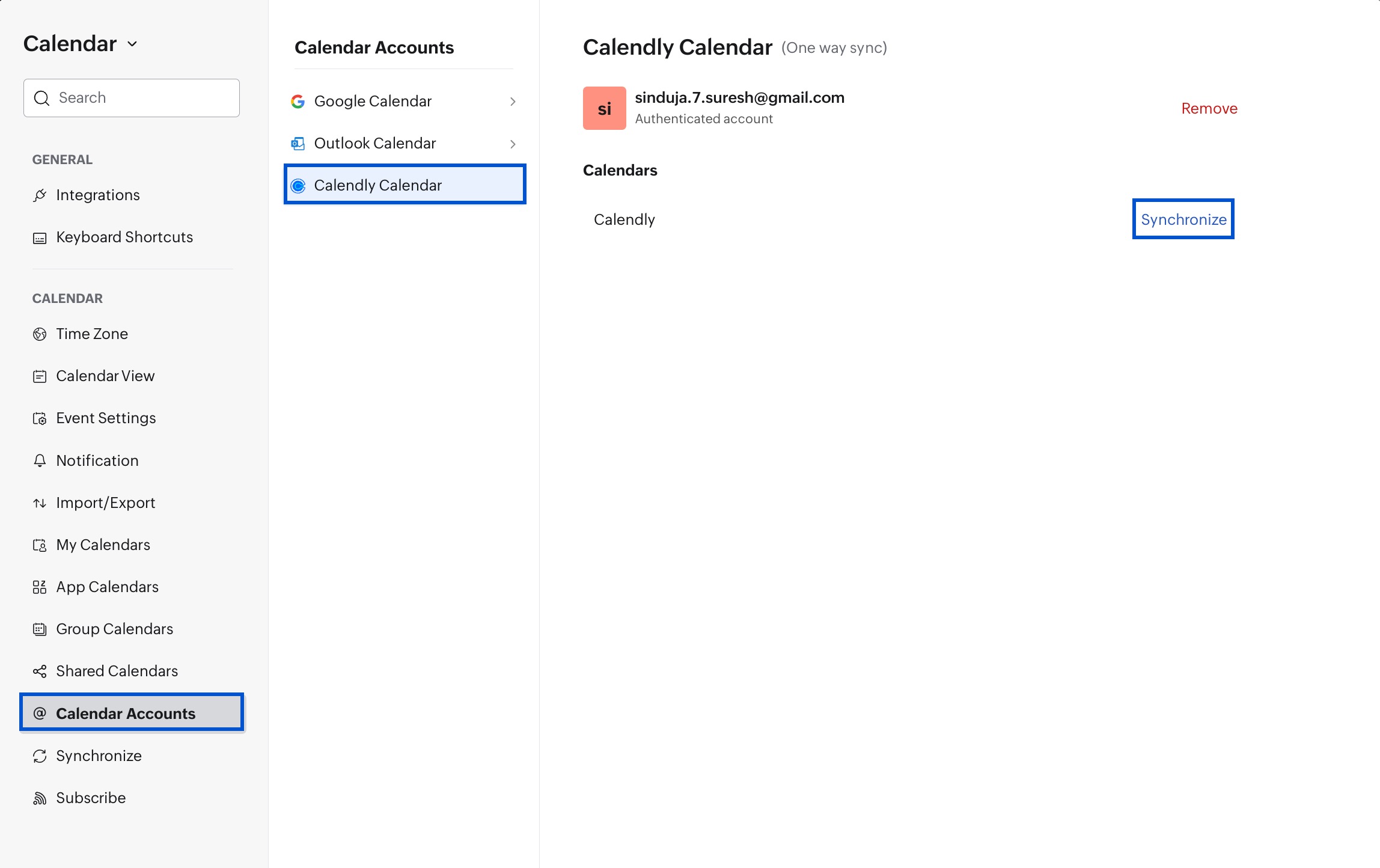
- Once authenticated, your Calendly account appears under Calendar Accounts with a Synchronize option.
- Click Synchronize next to your Calendly calendar to start the sync.
- When the Un-synchronize button appears, the sync is active.
- Refresh your calendar — your Calendly events will now appear in Zoho Calendar.
To remove the synced account, click Remove next to your Calendly account.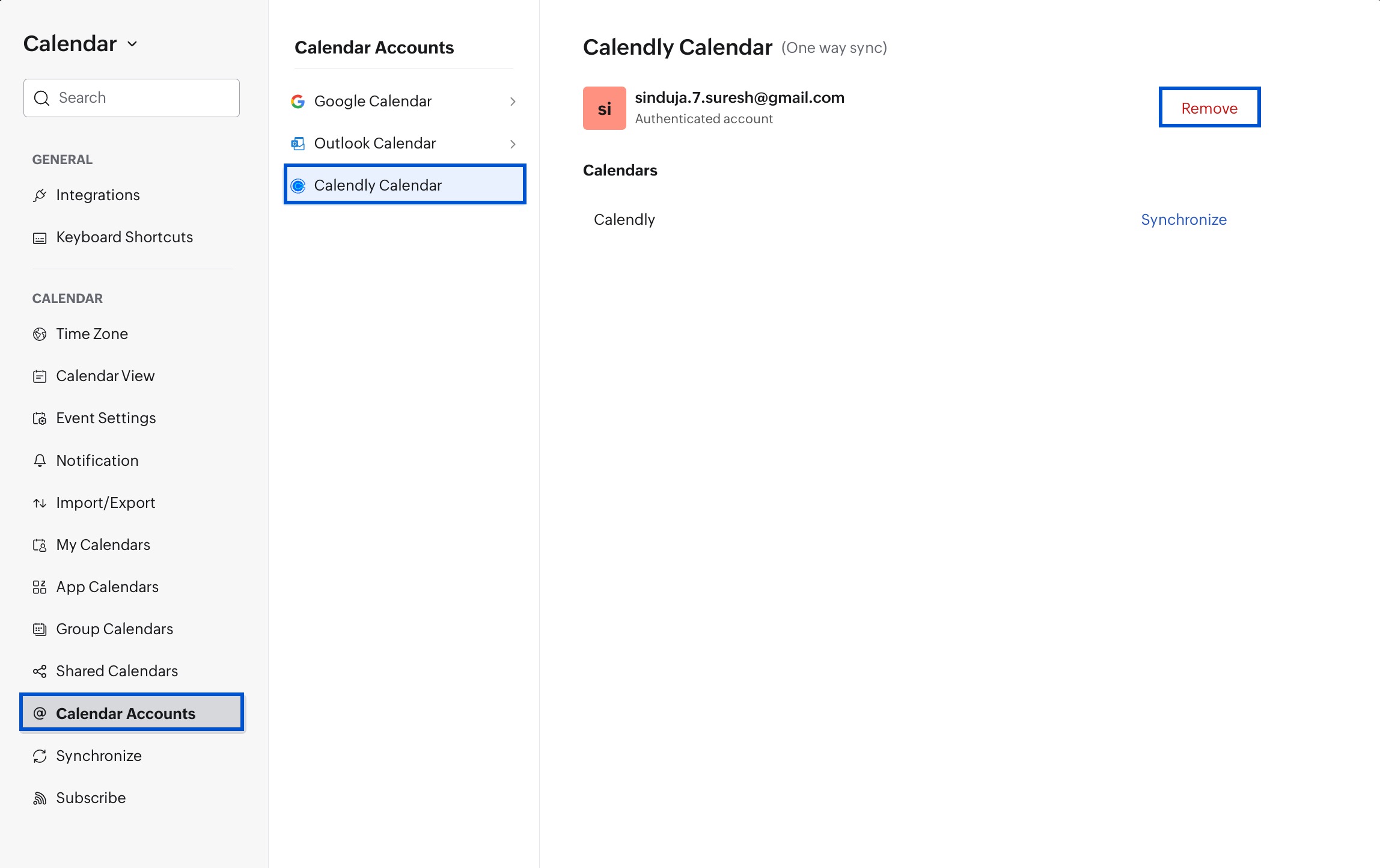
Note
- Disable the pop-up blocker in your browser before starting the sync. If the authentication window doesn't open, check your browser's pop-up settings.
- The synced Calendly calendar appears under App Calendars in Zoho Calendar.
- After sync is enabled, you can view up to the last 6 months of Calendly events.
Steps to stop Calendly Calendar sync
- Go to Settings > Calendar Accounts > Calendly Calendar.
- Click Un-synchronize.
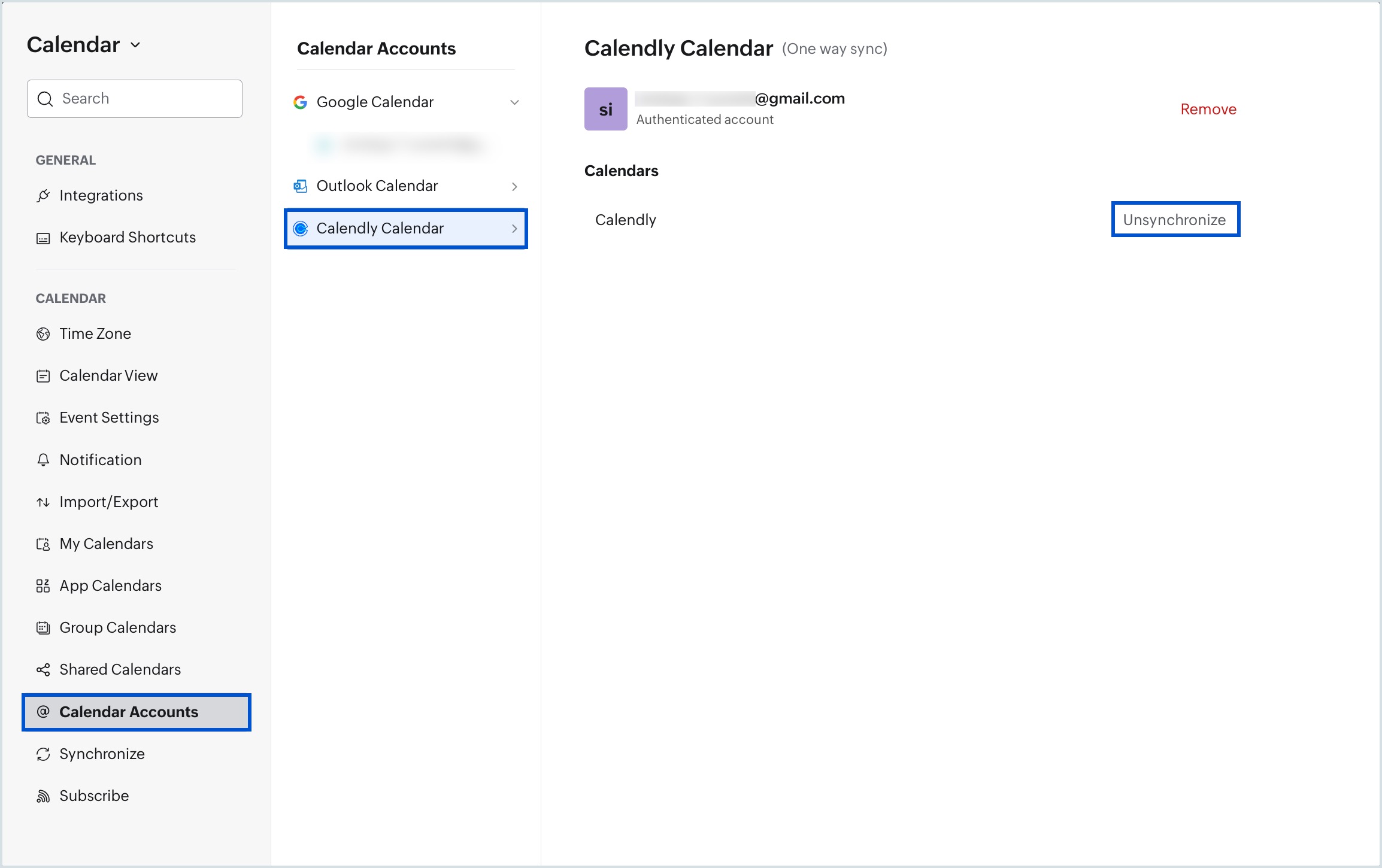
Once stopped, the Calendly calendar and all its events are removed from Zoho Calendar.
Troubleshoot Calendly Calendar sync
Sync doesn't start when I click Calendly Calendar
This usually happens when your browser is blocking pop-ups. Enable pop-ups for Zoho Calendar in your browser settings, then try again. Enter your Calendly credentials in the authentication window that opens.
Account sync has expired
Your Calendly sync expires if your Calendly account password has changed or if you haven't initiated sync within 90 days of authenticating. Re-authenticate your Calendly account to restore the sync.
Frequently Asked Questions
What is Calendly Calendar sync in Zoho Calendar?
The Calendly Calendar sync connects your Calendly account with Zoho Calendar, allowing you to view all your Calendly events directly in Zoho Calendar without switching between apps.
Is Calendly Calendar sync a two-way sync?
No. The Calendly Calendar sync is a one-way sync. Events from Calendly appear in Zoho Calendar, but changes made in Zoho Calendar are not reflected back in Calendly.
Which Zoho Calendar plans support Calendly sync?
Calendly Calendar sync is available only on Zoho Calendar paid plans.
Do I need a paid Calendly account to use this sync?
No. The Calendly Calendar sync is available to all Calendly users. However, only Calendly Premium users get real-time automatic sync. Users on other Calendly plans need to sync manually.
How do I set up Calendly Calendar sync in Zoho Calendar?
Go to Settings > Calendar Accounts > Calendly Calendar, click Authenticate Calendly, sign in with your Calendly credentials, approve the connection, and then click Synchronize.
Why is my Calendly sync not starting?
Your browser may be blocking pop-ups. Enable pop-ups for Zoho Calendar in your browser settings and try again.
How many months of Calendly events can I view in Zoho Calendar?
After sync is enabled, you can view up to the last 6 months of Calendly events in Zoho Calendar.
Where do synced Calendly events appear in Zoho Calendar?
Once synced, all your Calendly events appear directly in the Zoho Calendar grid.
Why has my Calendly sync expired?
Your Calendly sync expires if your Calendly account password has changed or if you have not initiated sync within 90 days of authenticating. Re-authenticate your Calendly account to restore the sync.
How do I stop Calendly Calendar sync?
Go to Settings > Calendar Accounts > Calendly Calendar and click Unsynchronize. This removes the Calendly calendar and all its events from Zoho Calendar.
Can I remove my Calendly account from Zoho Calendar?
Yes. Go to Settings > Calendar Accounts > Calendly Calendar and click Remove next to your authenticated Calendly account.