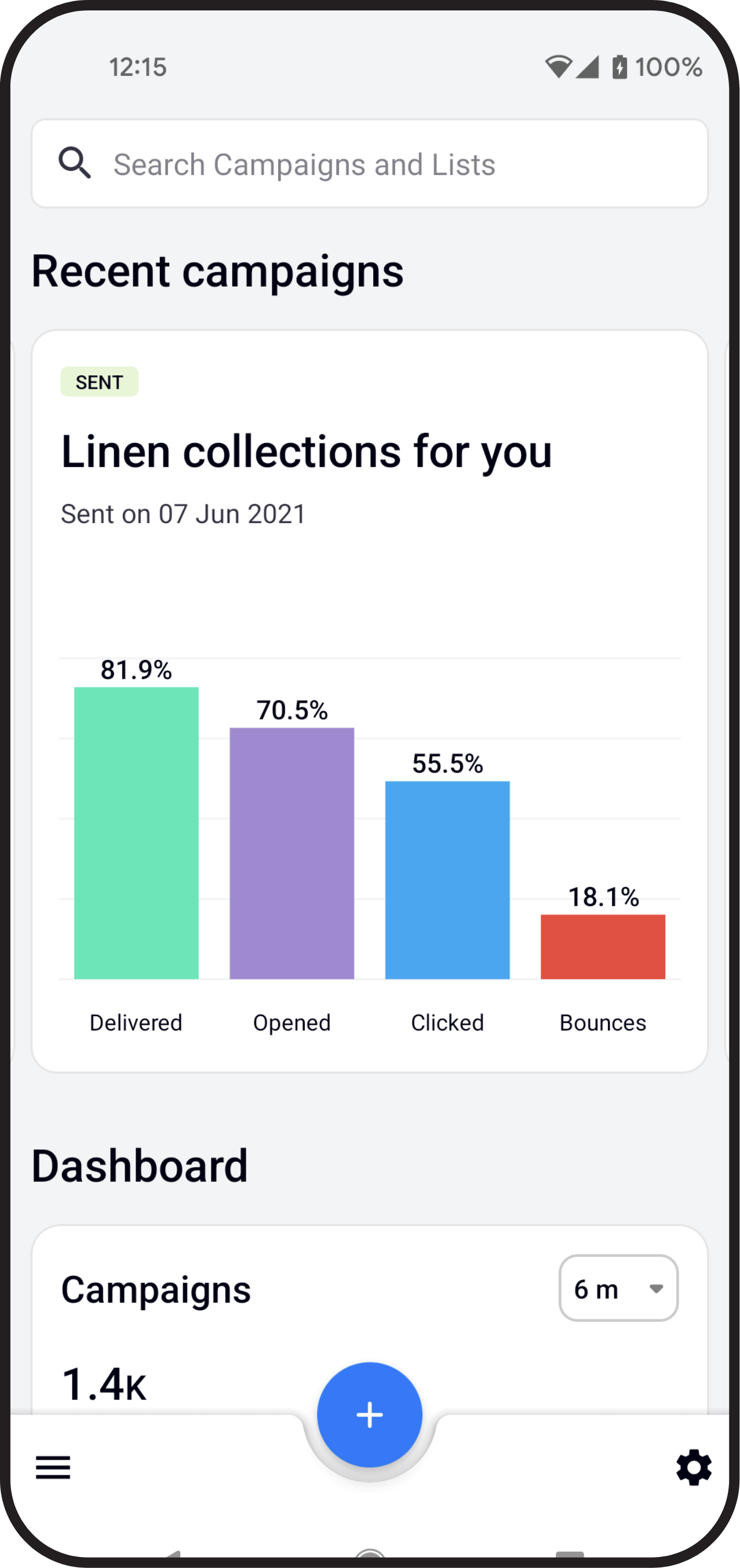
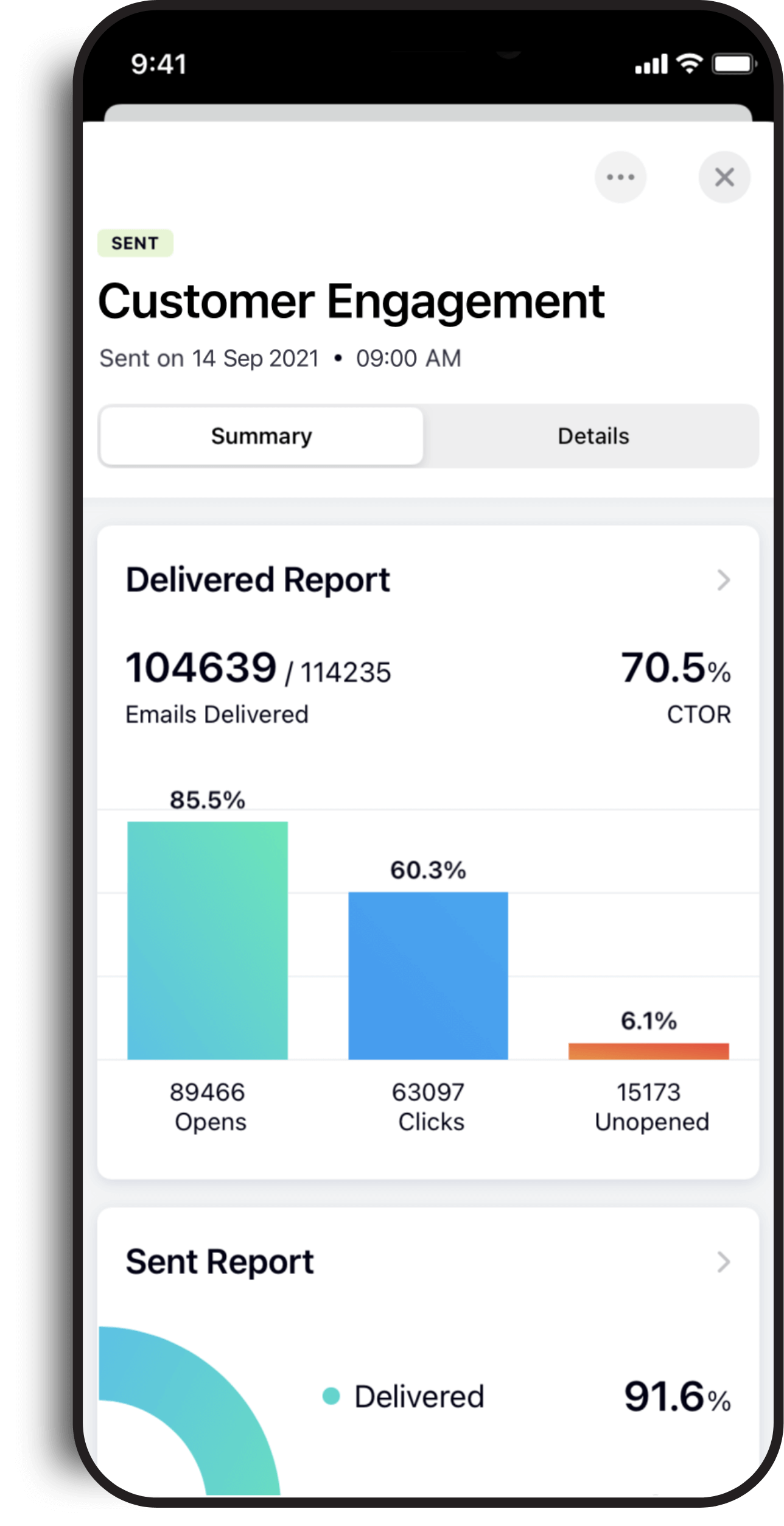
Track every campaign's performance in real time
Get a complete overview of your marketing performance across email, WhatsApp, SMS, signup forms, and automated workflows. Zoho Campaigns gives you real-time reports that help you understand engagement, identify top-performing channels, track audience behavior, and improve every campaign with data-backed decisions.
From email opens and link clicks to WhatsApp deliveries, SMS responses, workflow activity, ecommerce revenue, and report sharing, manage all your campaign analytics from one place.

Analyze email campaign performance from every angle
Go beyond basic email marketing metrics. Zoho Campaigns helps you monitor campaign reach, engagement, deliveries, replies, link performance, contact activity, time zone trends, ecommerce results, and more—so you can see what worked, what needs attention, and what to optimize next.
Get a complete overview of your email campaign
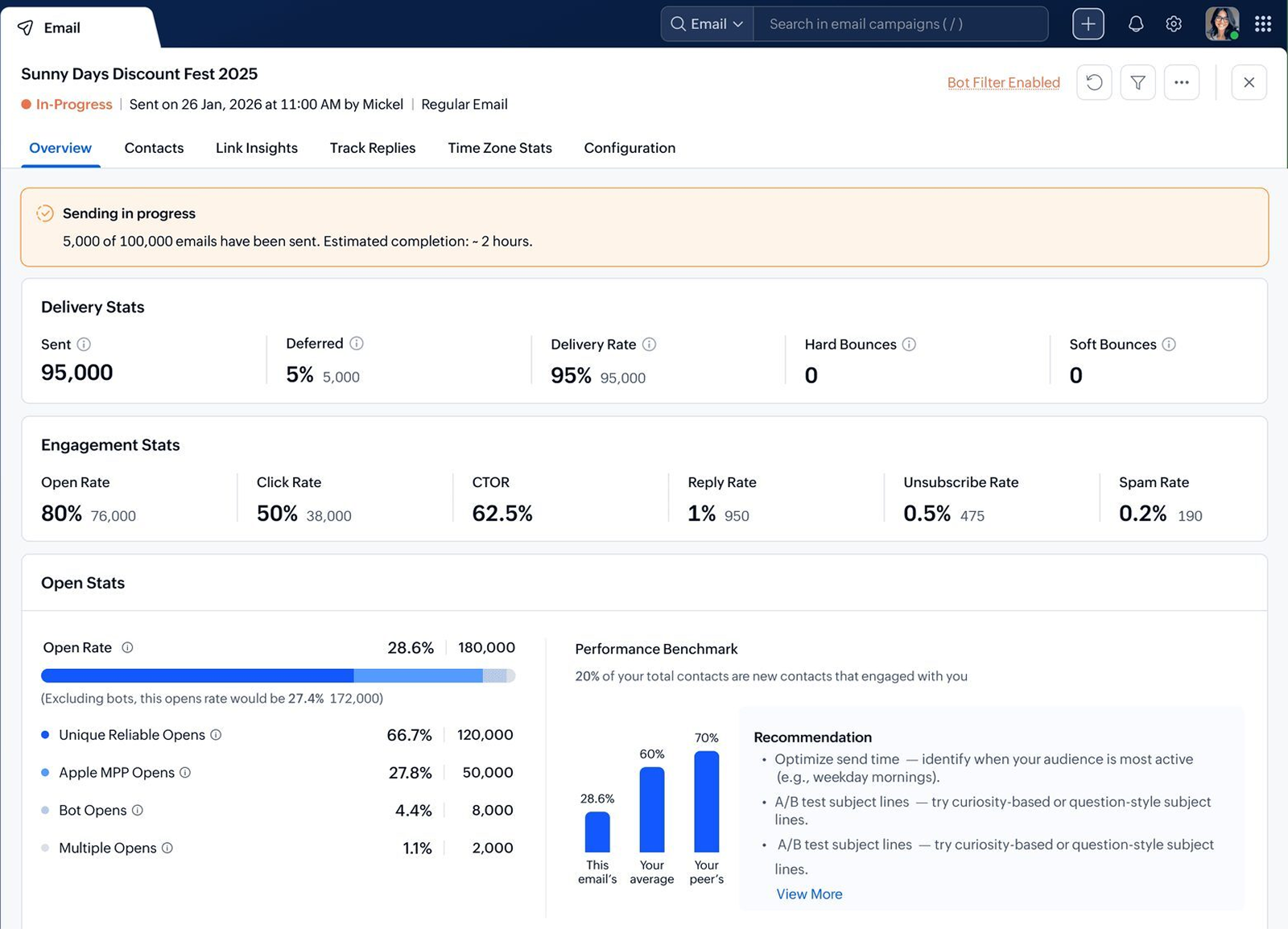
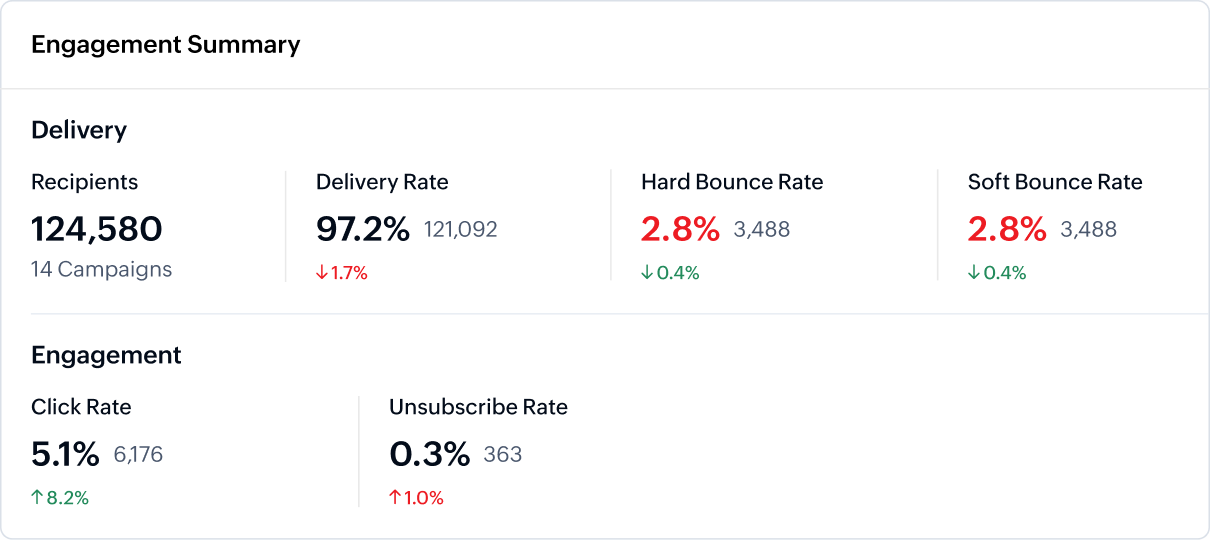
View the key email campaign metrics that matter most: how many emails are sent, delivered, opened, clicked, bounced, unsubscribed, and more. The overview report gives you a quick snapshot of campaign performance that helps you measure engagement and compare results without switching between multiple dashboards.
Track email sending progress in real time
Monitor your email campaign while it's still being sent. Zoho Campaigns shows live sending progress, including how many emails have been sent, how many are still pending, and the estimated time for completion. With real-time email campaign analytics, you don't have to wait until the campaign is fully delivered to start reviewing performance.
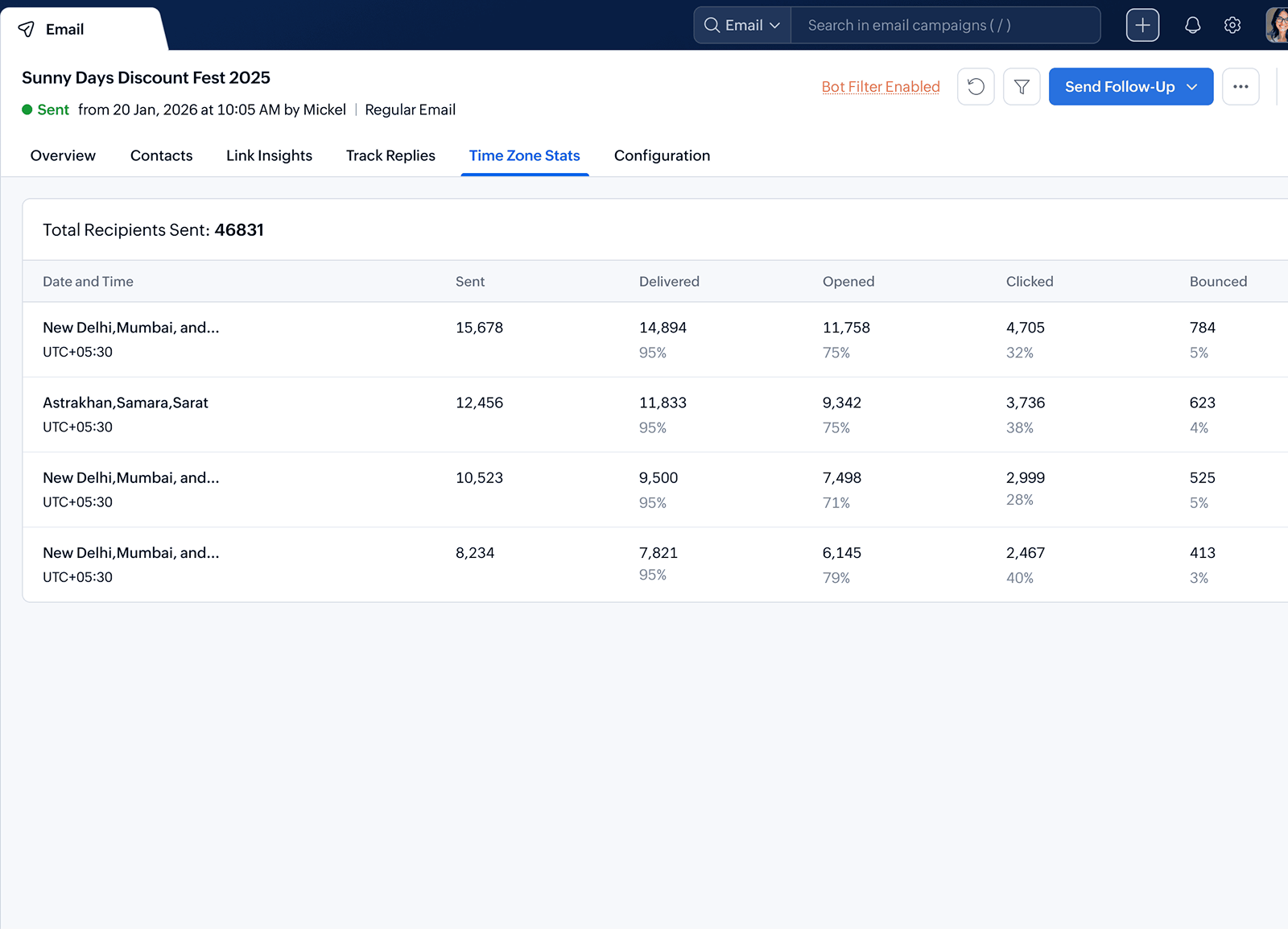
Identify the best time to engage your audience
Use time zone statistics to schedule campaigns more effectively and improve open rates across different regions.
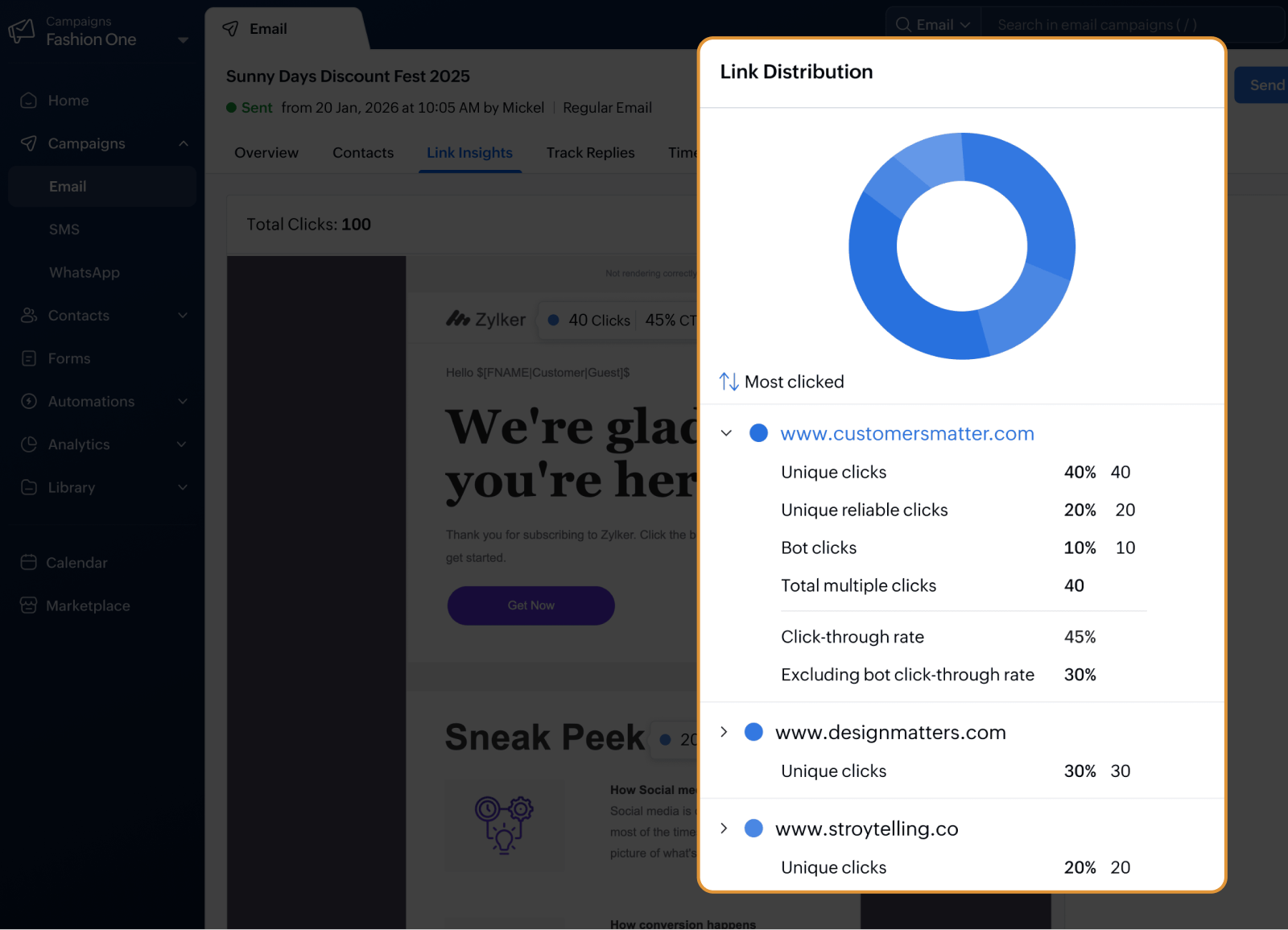
Track which links drive the most clicks
Measure link-related performance to understand what your audience is most interested in. See which URLs receive the highest engagement, compare click activity, and use these insights to improve your email layout, CTA placement, and content strategy.
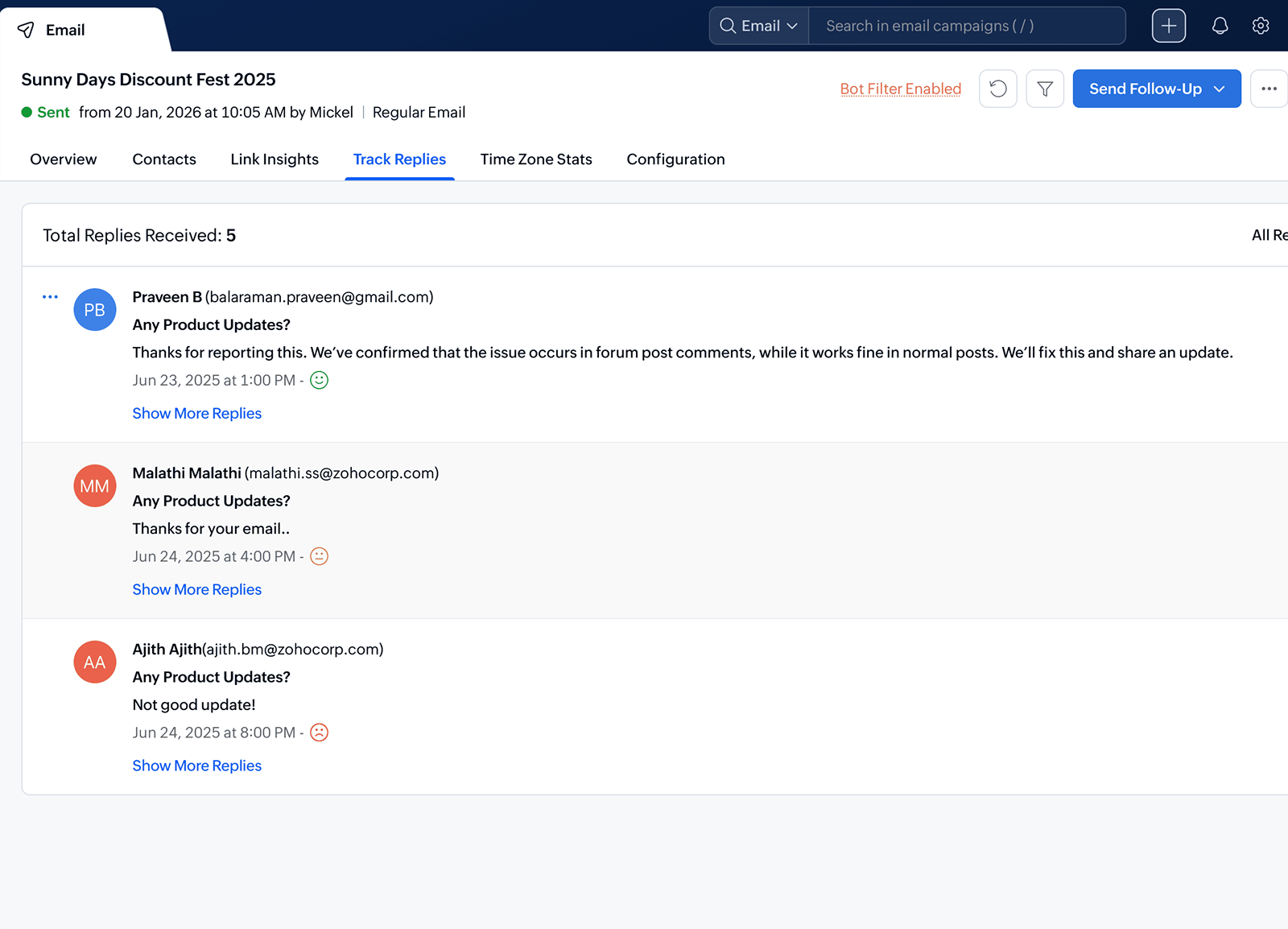
Monitor replies from your campaigns
Track recipient replies directly from your campaign reports. Identify engaged leads, spot questions or objections, and follow up faster with contacts who respond to your email campaigns.
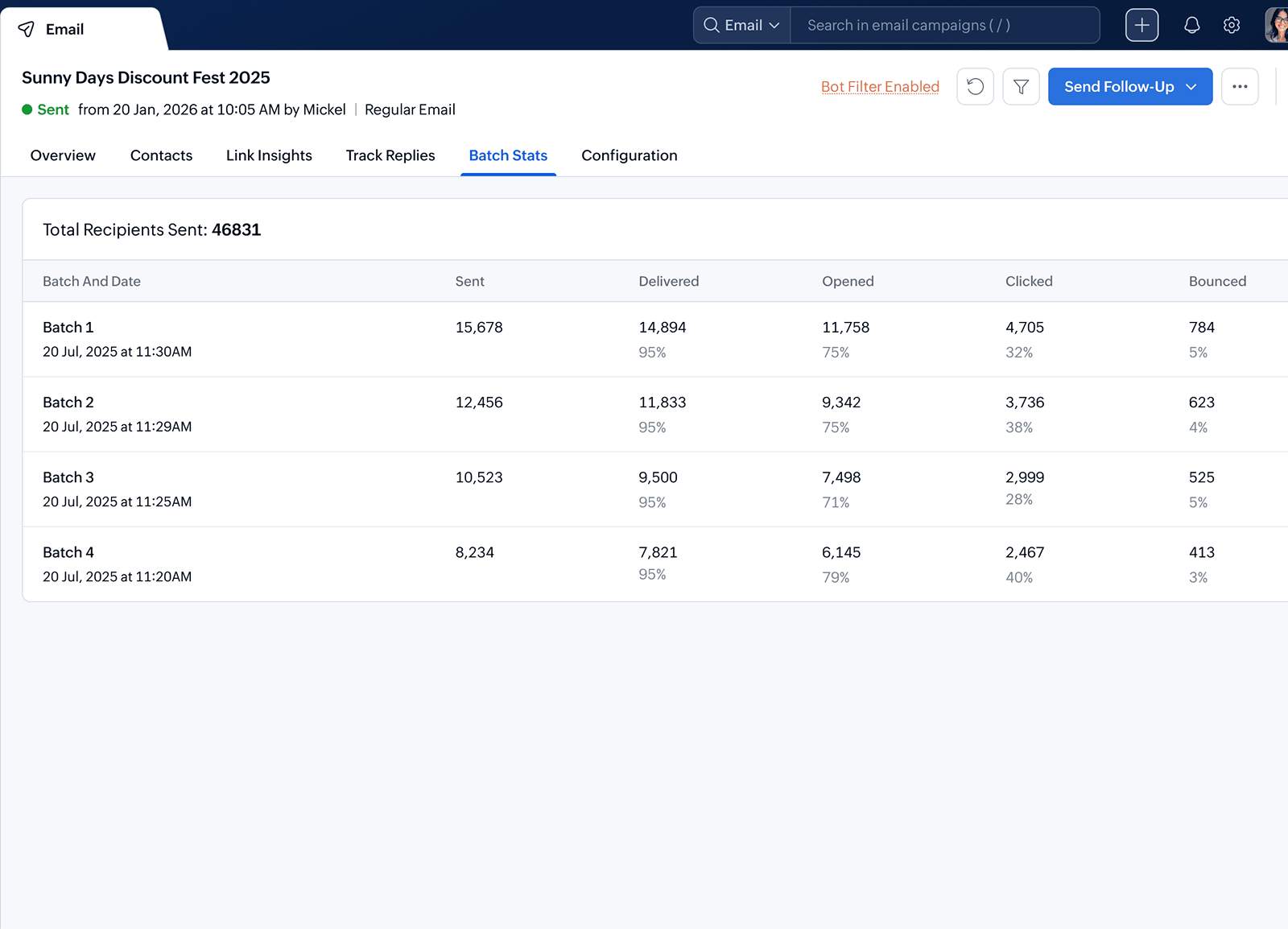
Compare performance across campaign batches
Track how each batch of a scheduled or segmented campaign performs. Compare opens, clicks, bounces, and other engagement metrics across batches to understand delivery patterns and optimize future send strategies.
Identify your audience with contact-level insights
Every campaign tells you something about your audience. Zoho Campaigns helps you identify active contacts, inactive recipients, link clickers, reply senders, bounced contacts, and subscribers who need a different engagement strategy.
Use these insights to create meaningful segments, plan re-engagement campaigns, and deliver more relevant messages across email, WhatsApp, and SMS.


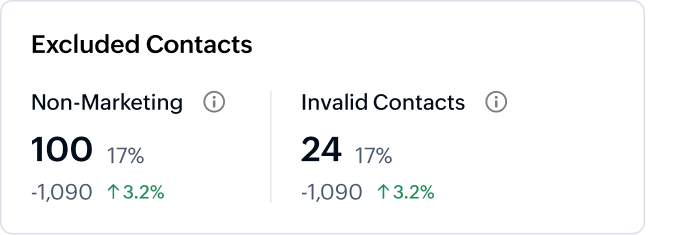

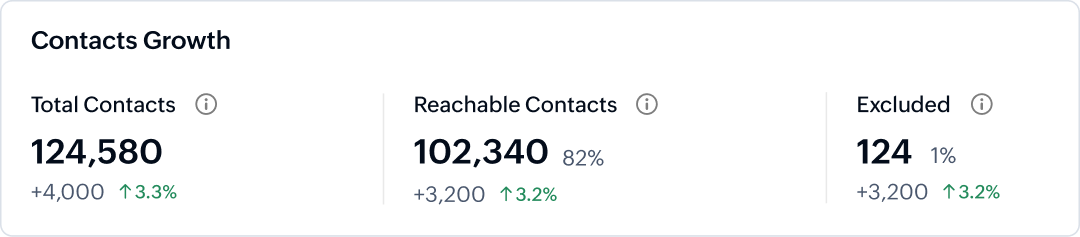
Measure engagement across your mailing lists
Understand how contacts in each list respond to your campaigns. Track opened, unopened, recently inactive, bounced, and unsubscribed contacts to keep your lists clean and your messaging relevant.
Compare audience behavior across campaigns
Review campaign-level engagement trends to learn which messages, channels, CTAs, and content formats perform best. Use these insights to improve your future email marketing campaigns and strengthen audience engagement.
Advanced email campaign reports for deeper insights
Analyze specialized campaign reports to understand how different types of email campaigns perform. Whether you're running polls, surveys, ecommerce promotions, or A/B tests, Zoho Campaigns gives you the data you need to improve results.
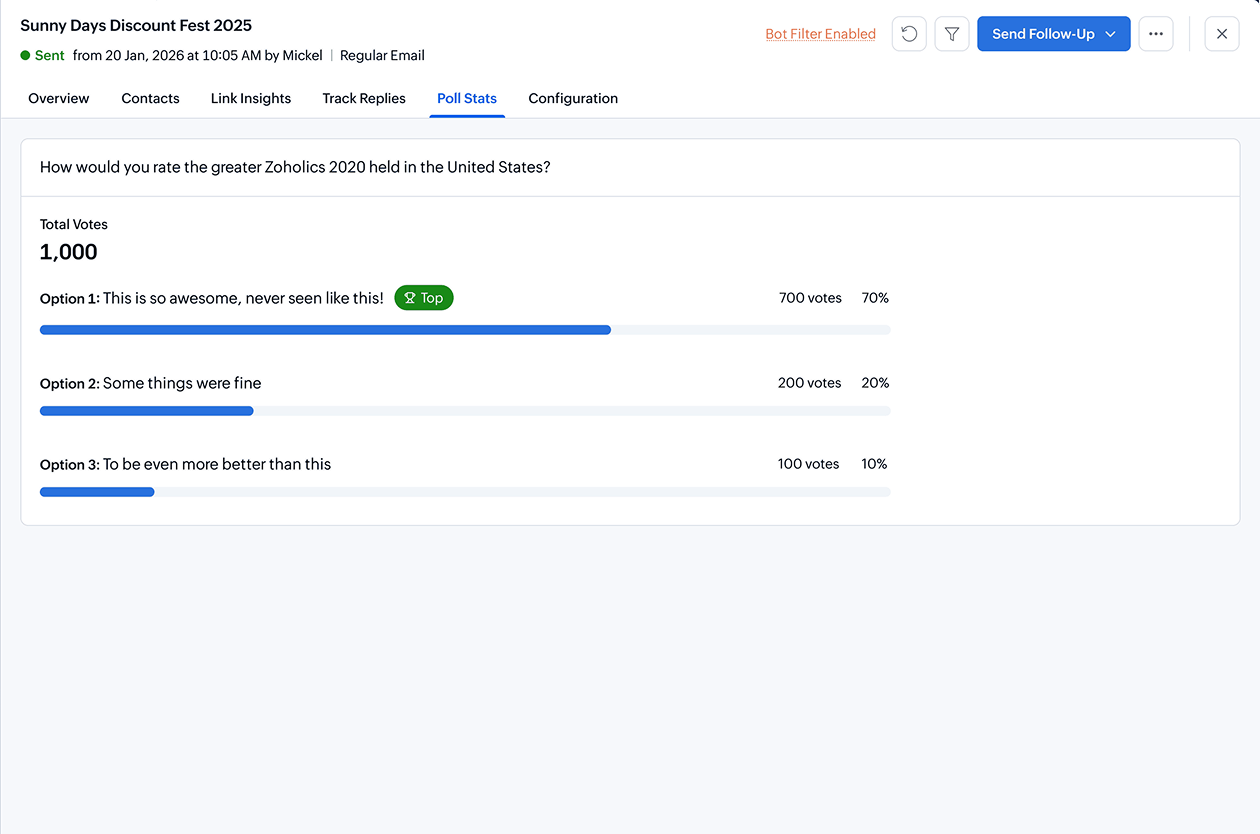
Gain insights into poll participation
Track how recipients interact with polls in your email campaigns. View poll responses, participation rates, and engagement trends to understand customer preferences and make decisions backed by audience feedback.
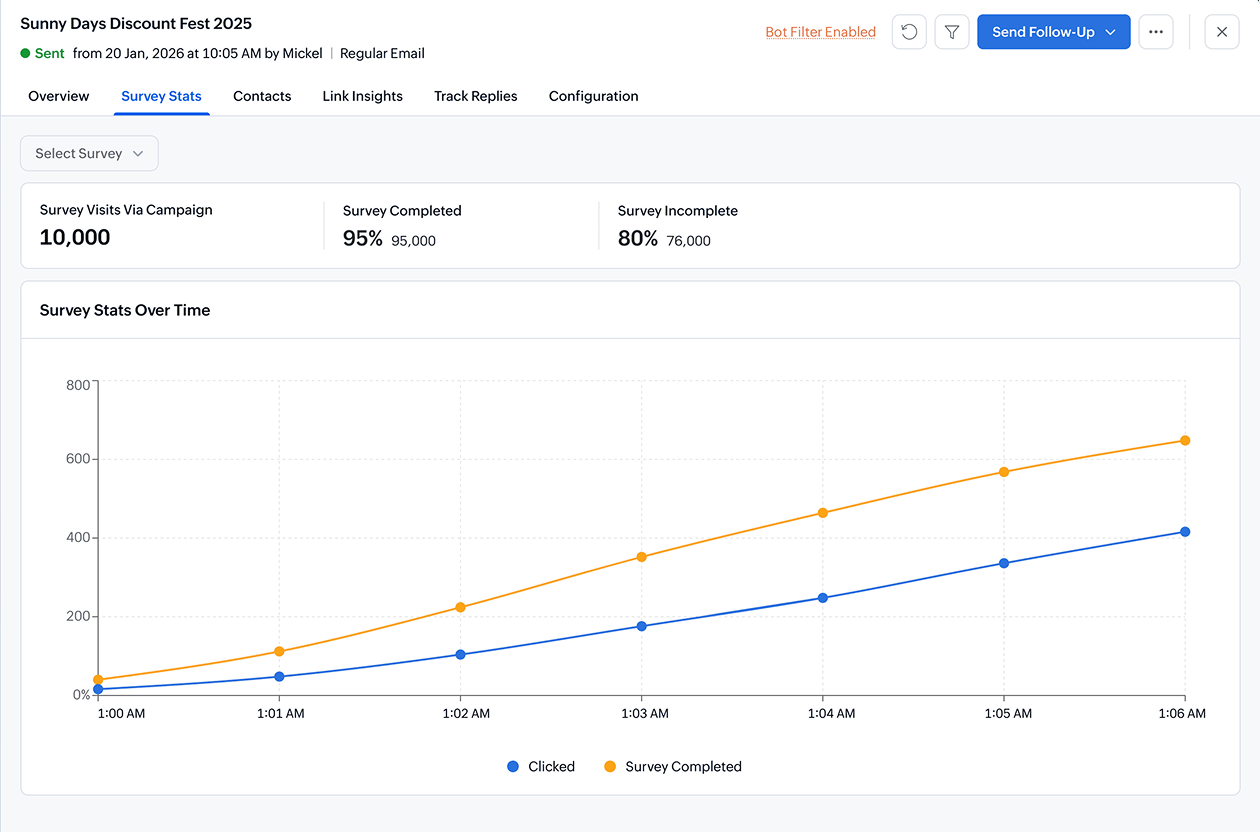
Track survey engagement and responses
Monitor survey campaign performance from delivery to completion. See who opened, clicked, started, or completed your survey, and use response data to understand customer needs, satisfaction, and expectations.
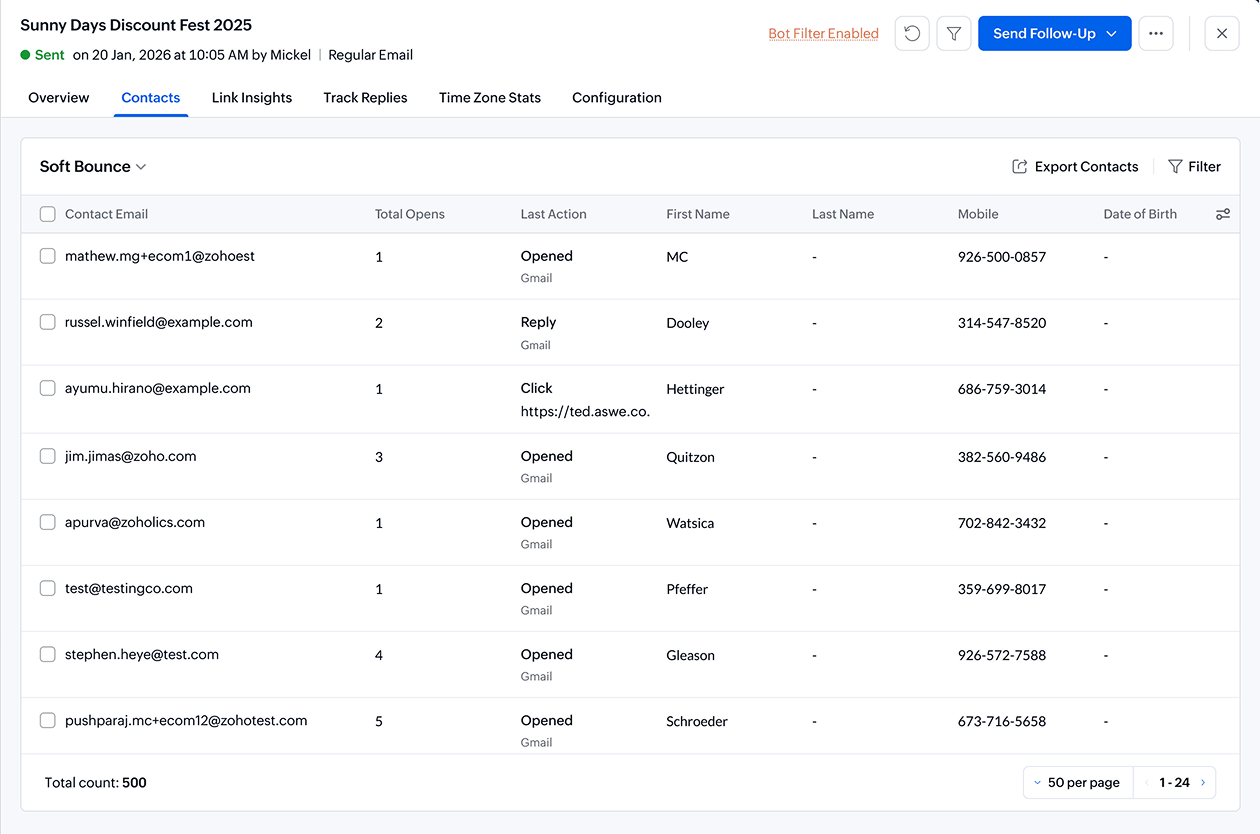
Understand temporary delivery issues
Identify soft bounces caused by temporary issues such as full inboxes, server delays, or message size limits. Use bounce insights to improve deliverability, maintain list quality, and protect your sender reputation.
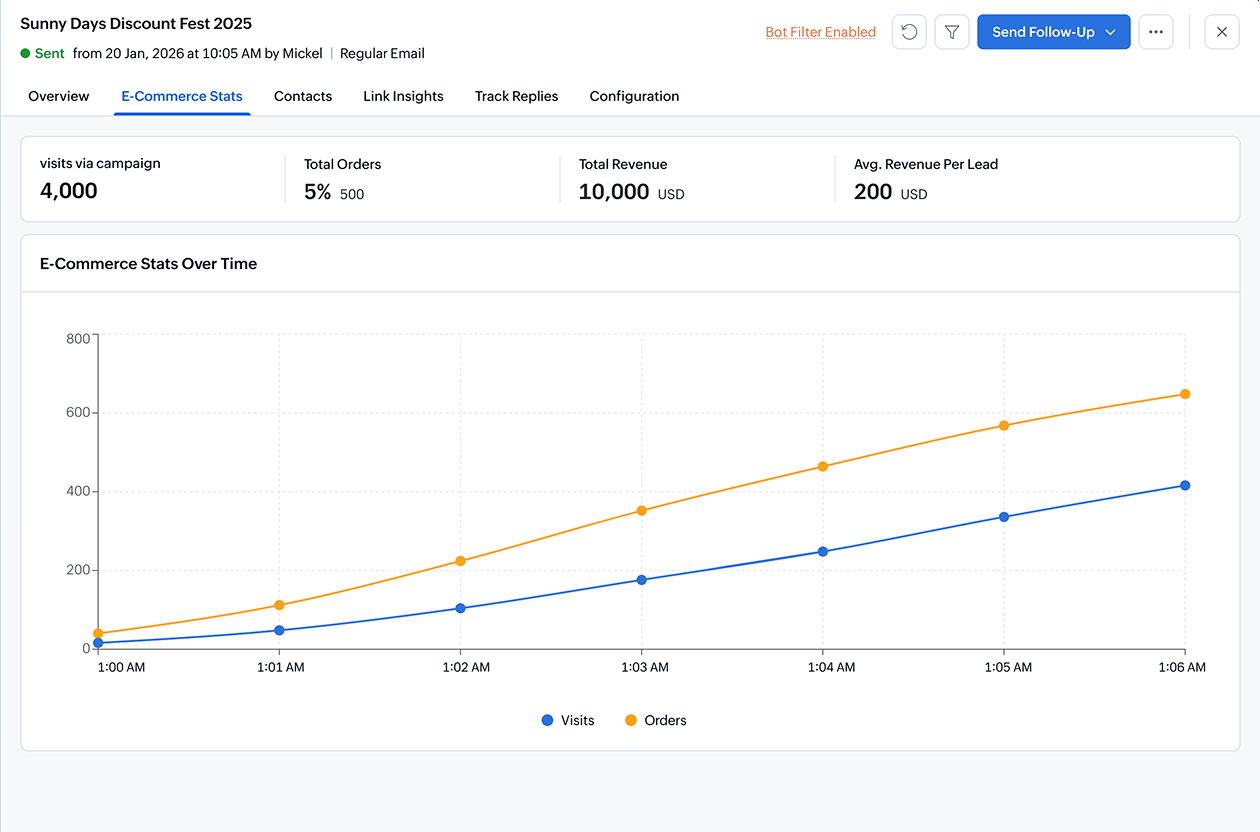
Connect campaign engagement to ecommerce revenue
Measure how your email campaigns influence ecommerce activity. Track orders, revenue, clicks, and customer engagement to identify the campaigns that drive sales and improve your ecommerce email marketing strategy.
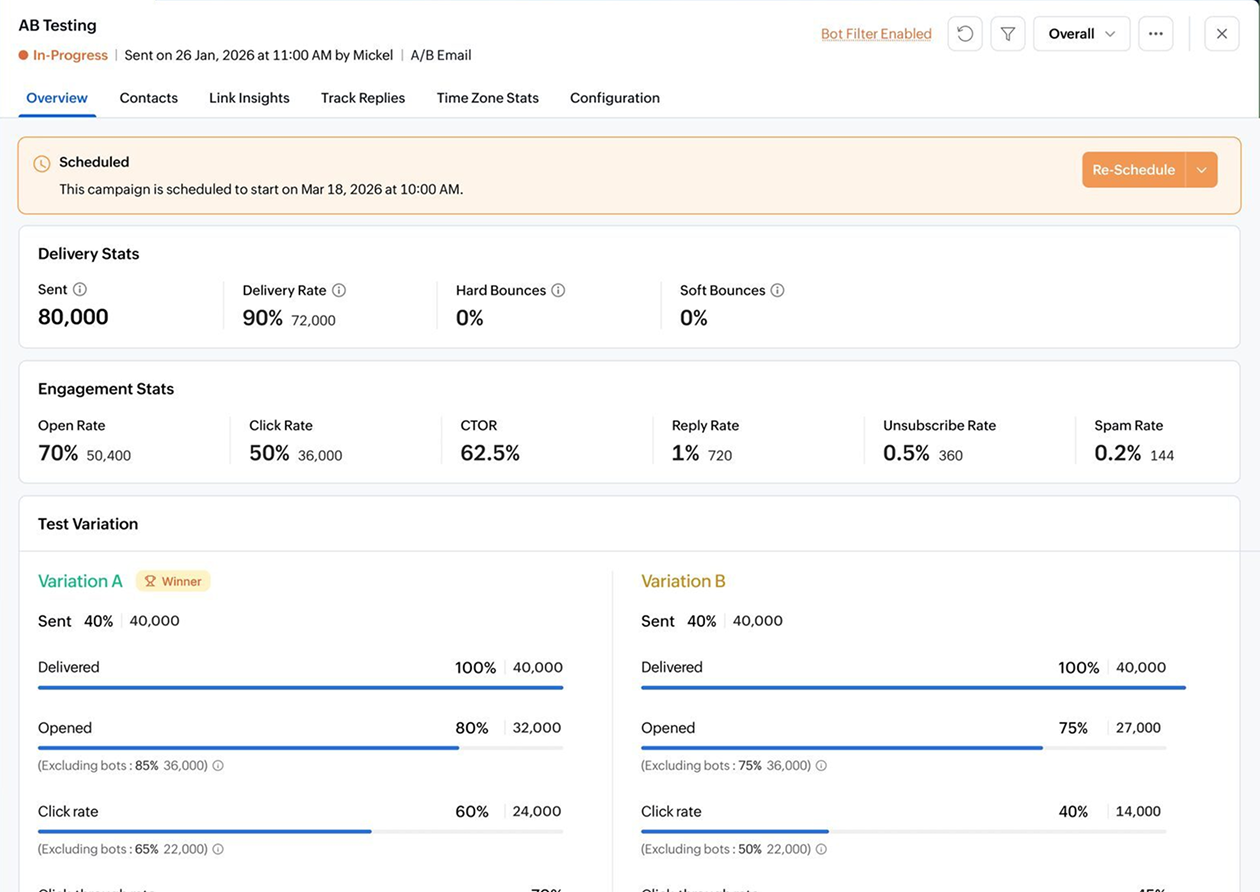
Find the winning version of your campaign
A/B test your emails and assess them based on opens, clicks, engagement, and other performance metrics. Identify the subject line, sender details, content, or CTA that performs best, then use the winning version to improve future campaigns.
Track WhatsApp campaign reports in real time
Measure the performance of your WhatsApp campaigns with clear delivery and engagement reports. Track message status, recipient activity, and campaign outcomes to understand how your audience responds on one of the most direct communication channels.
With Zoho Campaigns' WhatsApp campaign analytics, you can monitor performance, refine your messaging, and create more effective customer conversations.
- Track WhatsApp campaign delivery and engagement.
- View recipient-level message activity.
- Identify successful and failed message deliveries.
- Use WhatsApp reports to improve future campaigns.
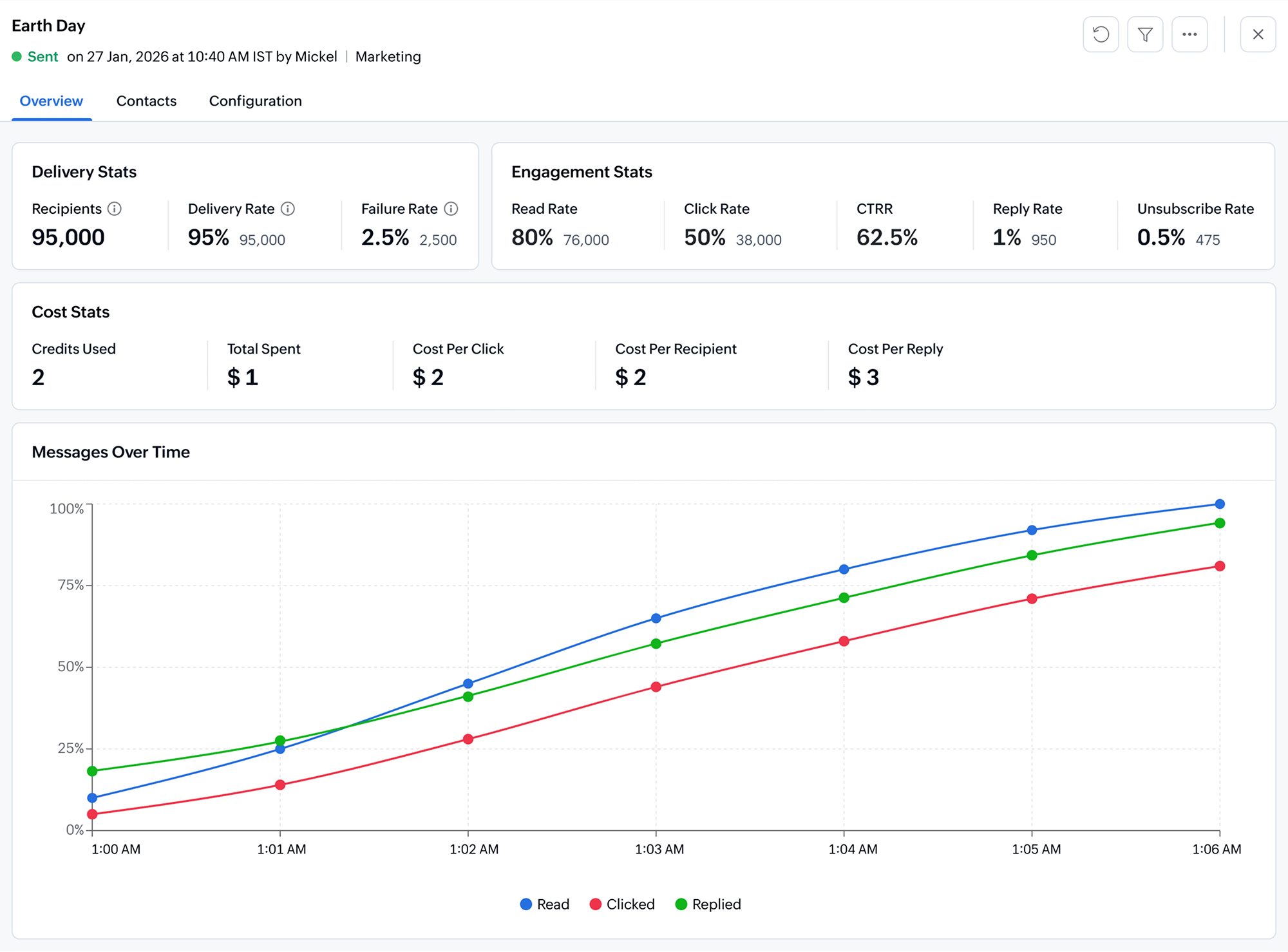
Measure SMS campaign performance instantly
Track how your SMS campaigns perform from delivery to engagement. Zoho Campaigns helps you monitor SMS delivery, recipient activity, and campaign results so you can understand reach, optimize messaging, and improve future text message campaigns.
- Monitor SMS delivery status.
- Review recipient-level SMS campaign activity.
- Understand reach and click trends.
- Optimize future SMS content and timing.
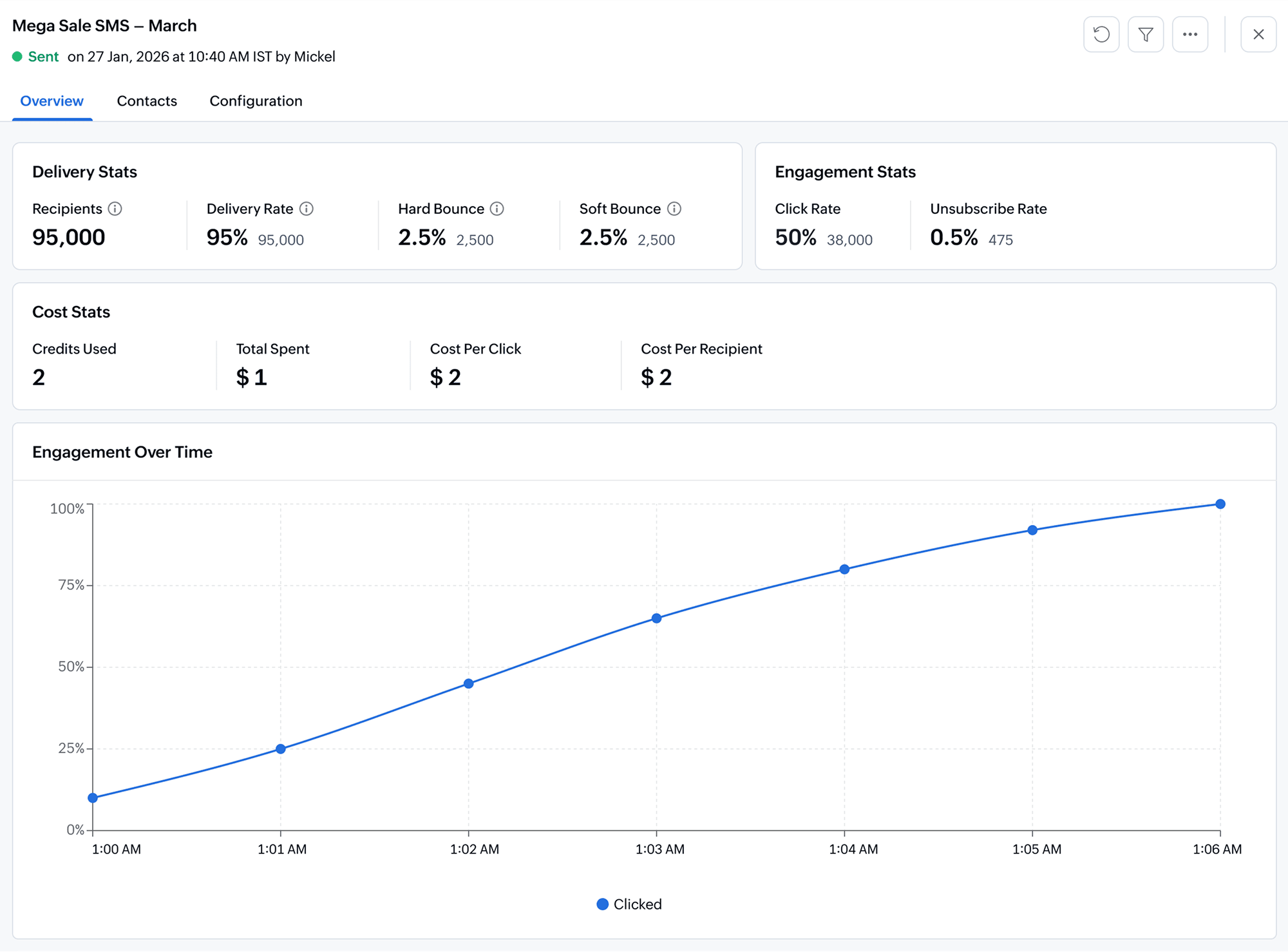
Evaluate signup form engagement
Understand how your signup forms contribute to audience growth. Track form submissions, subscriber activity, and list growth to see which forms bring in the most contacts and where your acquisition strategy can improve.
- Track signup form submissions.
- Understand subscriber acquisition trends.
- Identify high-performing forms.
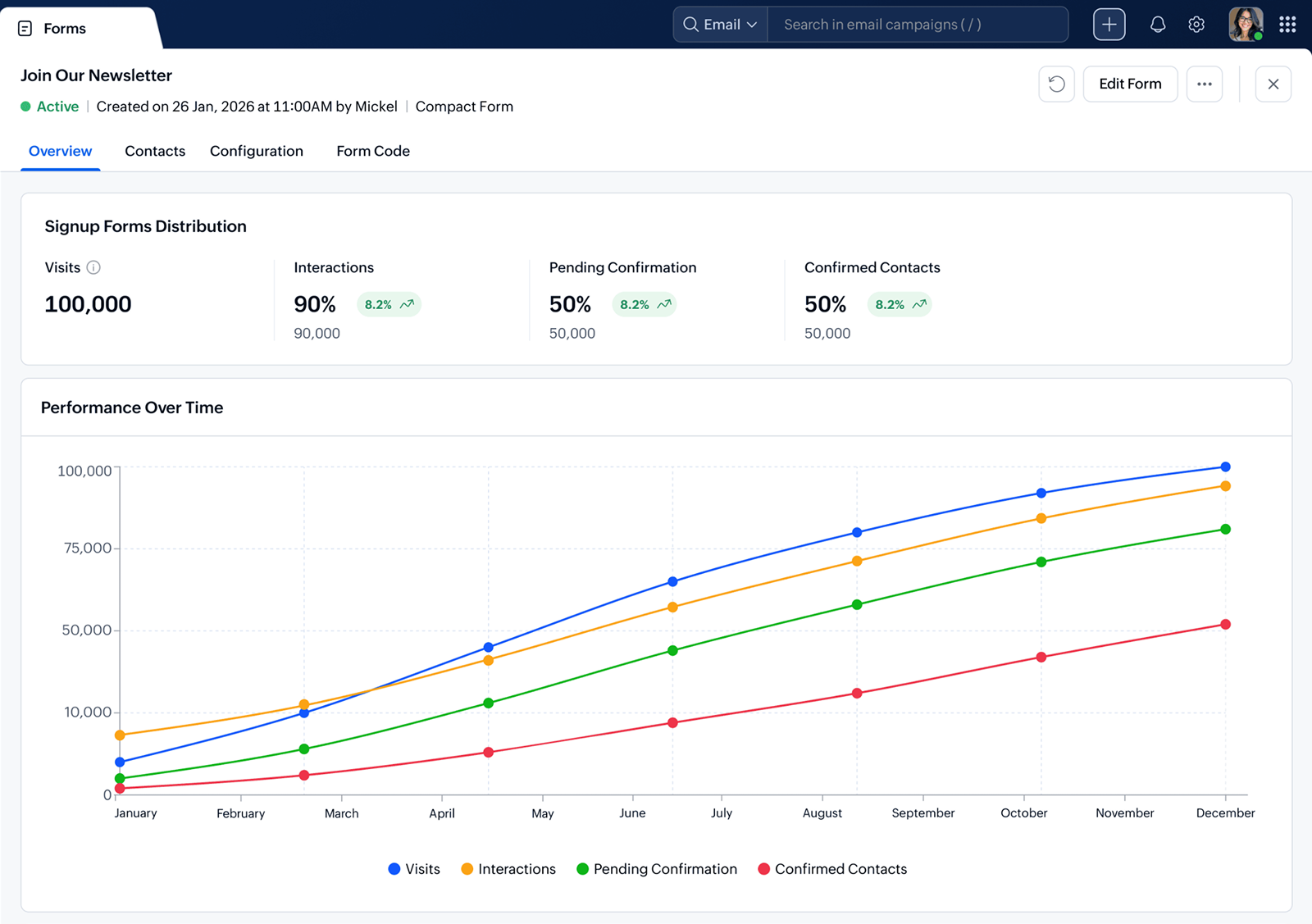
Monitor performance across your marketing workflows
Track how your automated workflows perform after activation. Zoho Campaigns gives you workflow reports that help you understand contact movement, message performance, and component-level activity.
Use workflow analytics to identify where contacts engage, where they drop off, and how each automation contributes to your marketing goals.
- View workflow-level performance reports.
- Analyze component-level engagement.
- Understand contact movement across automation paths.
- Check workflow automation performances across email, SMS and Whatsapp journeys
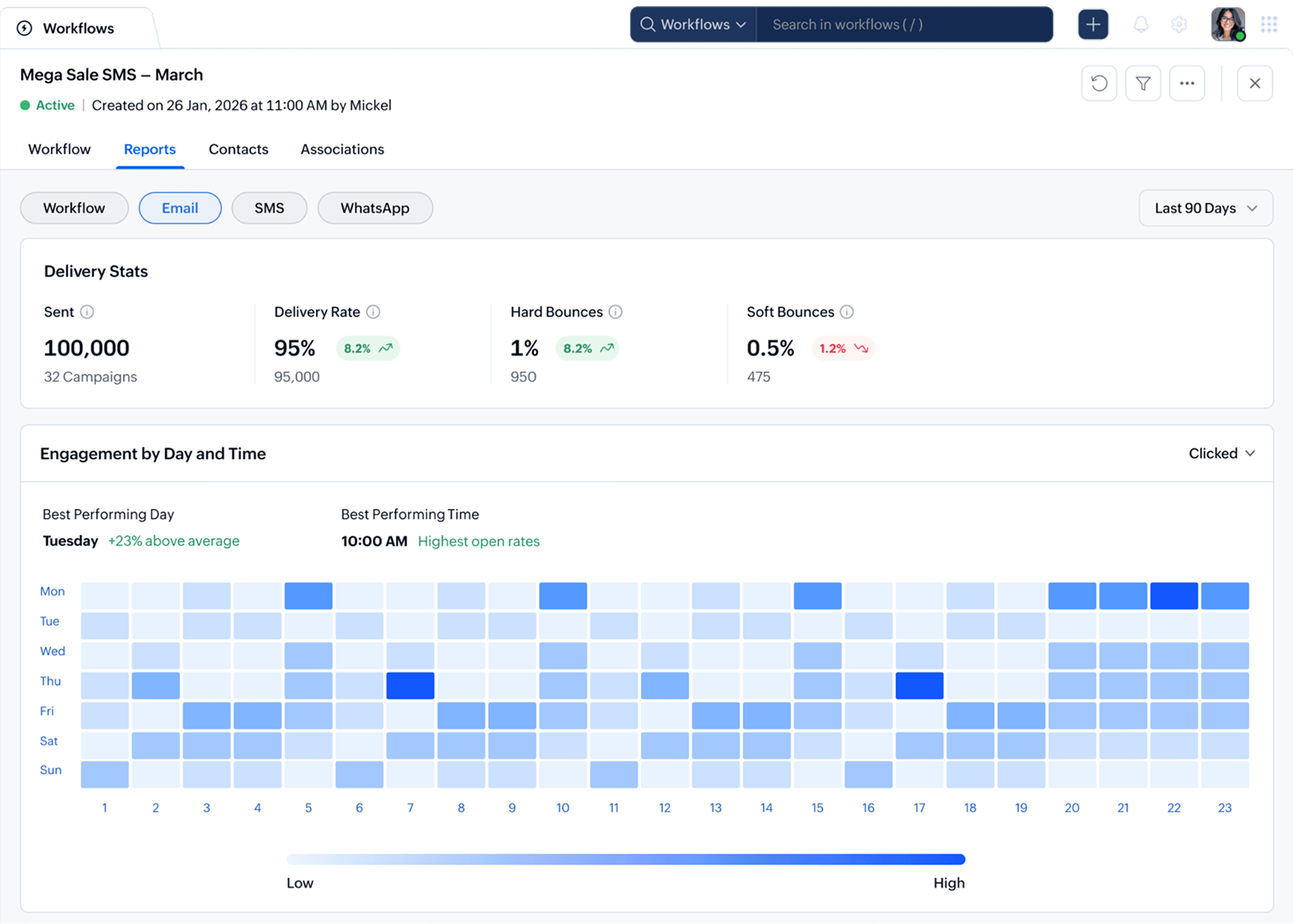
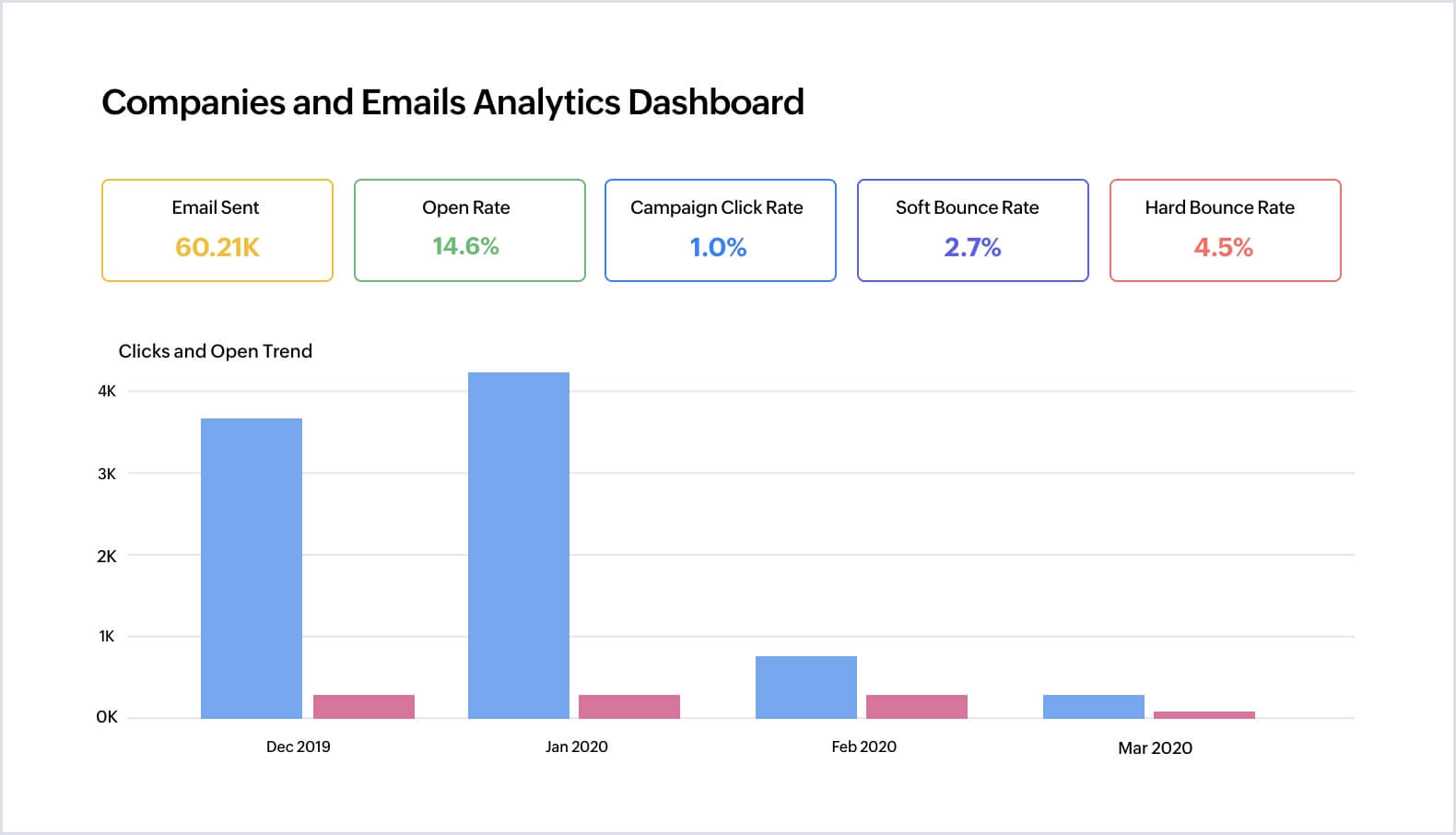
Build deeper dashboards with Zoho Analytics
Export campaign data from Zoho Campaigns to Zoho Analytics and create custom dashboards for email, WhatsApp, SMS, workflow, ecommerce, and signup form performance. Share these dashboards with your team to uncover trends, compare channels, and make smarter marketing decisions.
Download, export, and share campaign reports
Make campaign insights easy to access, review, and share. Zoho Campaigns lets you download reports, export data, and share campaign performance with your team so everyone can collaborate on improving marketing results.
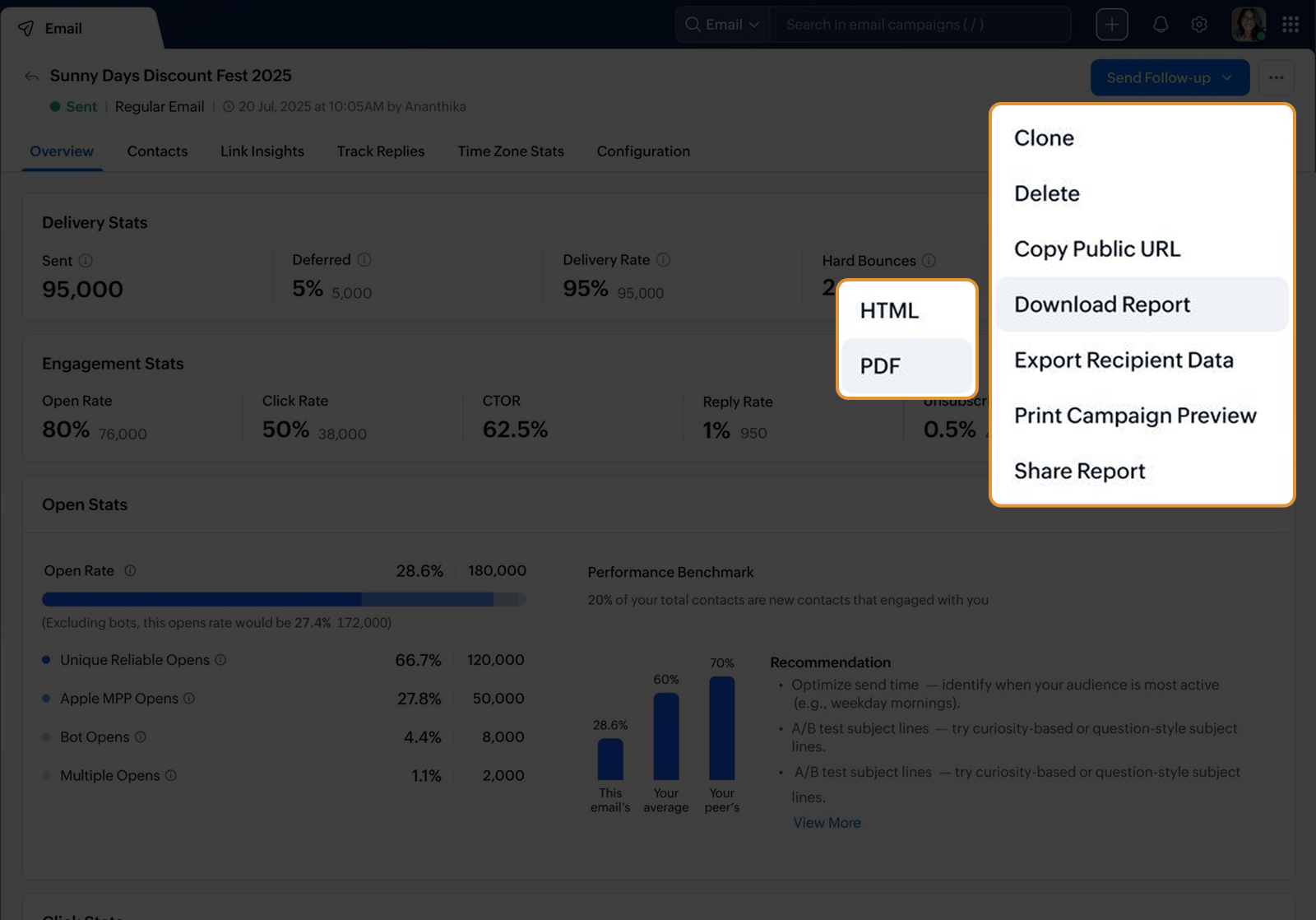
Download campaign reports for offline review
Keep important campaign performance data handy by saving reports for internal reviews, client updates, or future reference. Download key metrics from your email, WhatsApp, SMS, workflow, and signup form reports whenever you need them.
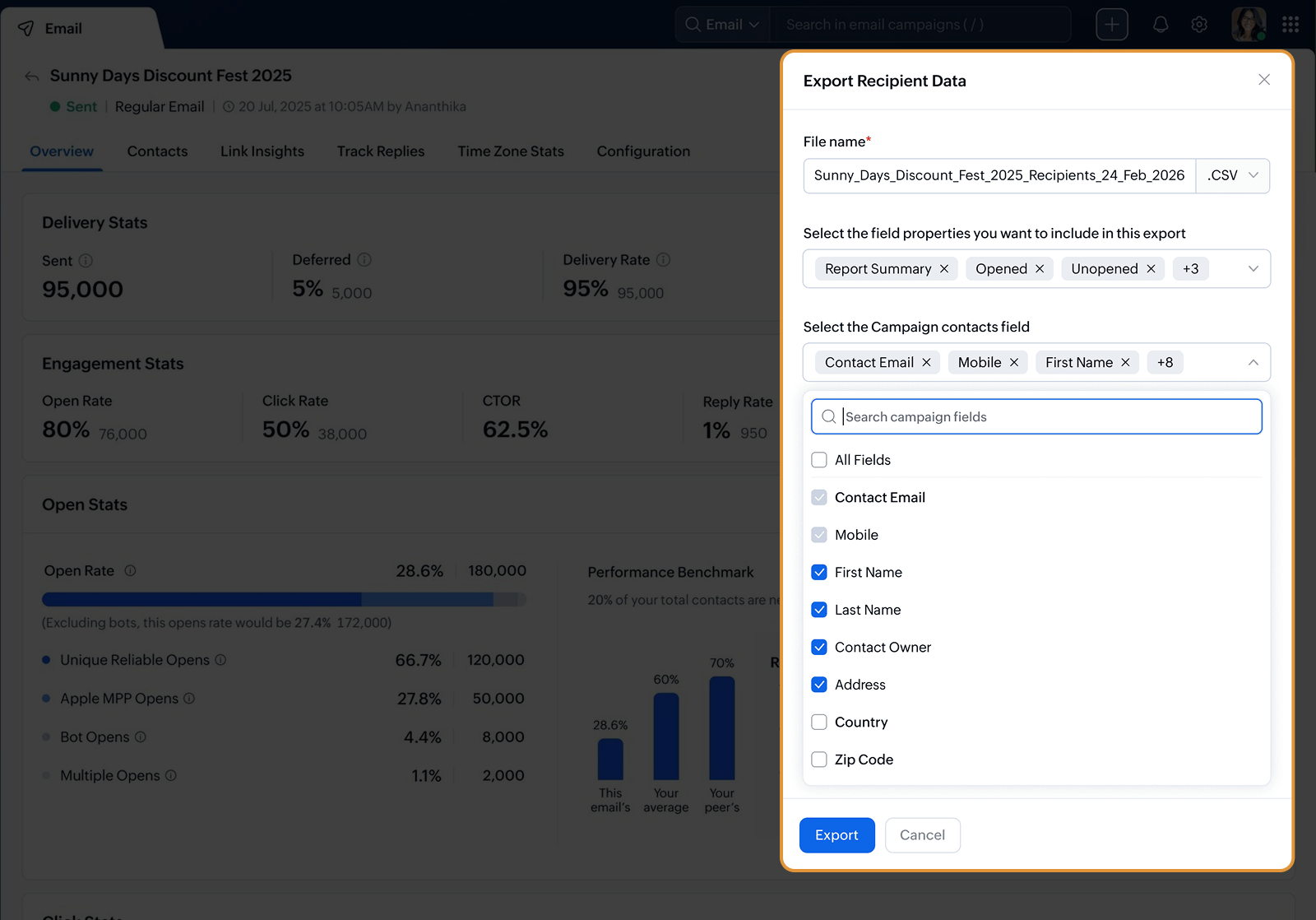
Export report data for deeper analysis
Take your campaign insights further by using report data in external tools, alongside other marketing data, or in custom performance dashboards. Compare campaigns, monitor long-term trends, and uncover insights that support data-driven marketing decisions.
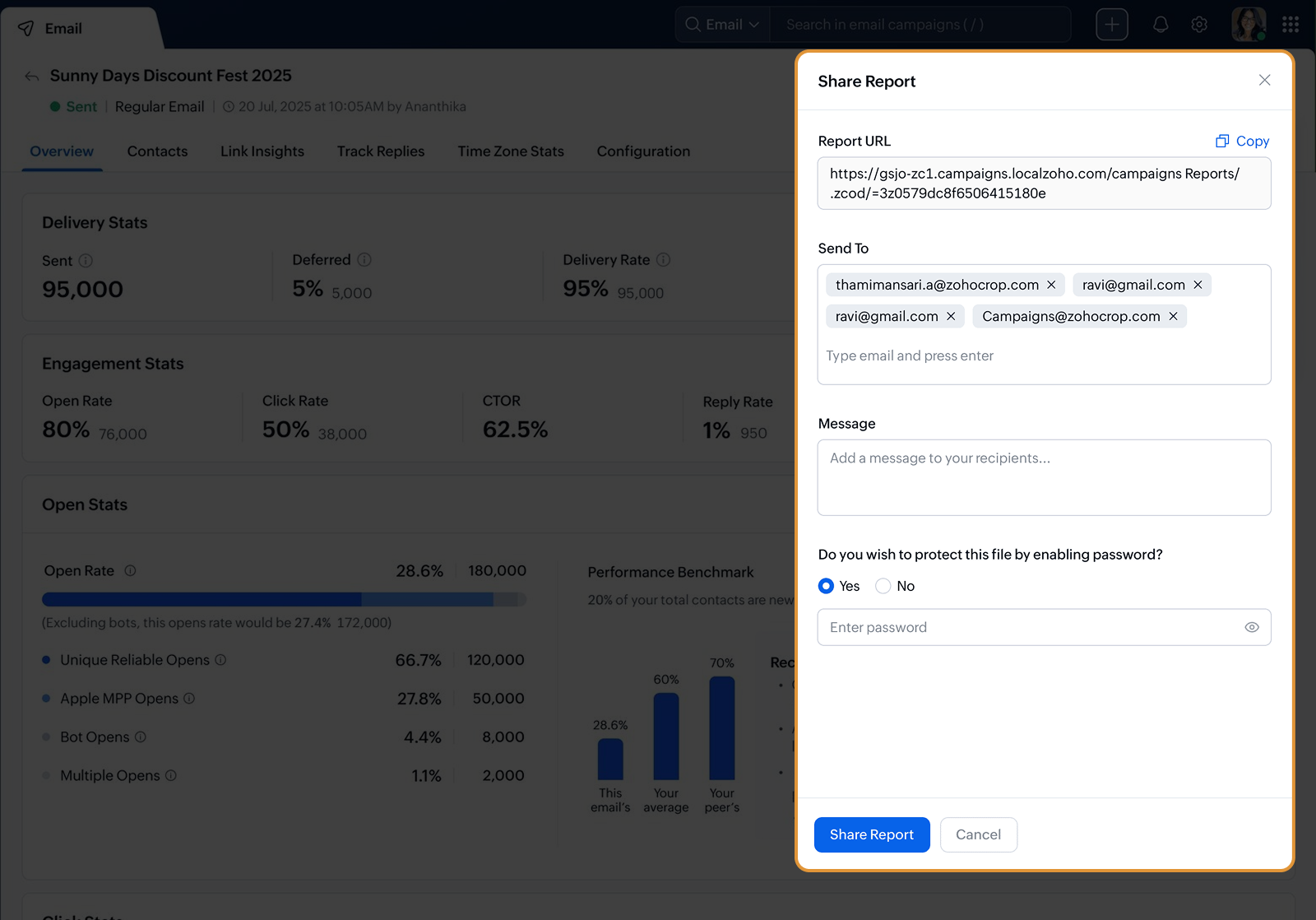
Share reports with your team
Bring your team and stakeholders into the conversation by sharing campaign reports and collaborating on improvements. Keep everyone aligned on campaign performance, engagement trends, and next steps without the need to manually compile reports.
Download campaign reports for offline review
Keep important campaign performance data handy by saving reports for internal reviews, client updates, or future reference. Download key metrics from your email, WhatsApp, SMS, workflow, and signup form reports whenever you need them.
Export report data for deeper analysis
Take your campaign insights further by using report data in external tools, alongside other marketing data, or in custom performance dashboards. Compare campaigns, monitor long-term trends, and uncover insights that support data-driven marketing decisions.
Share reports with your team
Bring your team and stakeholders into the conversation by sharing campaign reports and collaborating on improvements. Keep everyone aligned on campaign performance, engagement trends, and next steps without the need to manually compile reports.
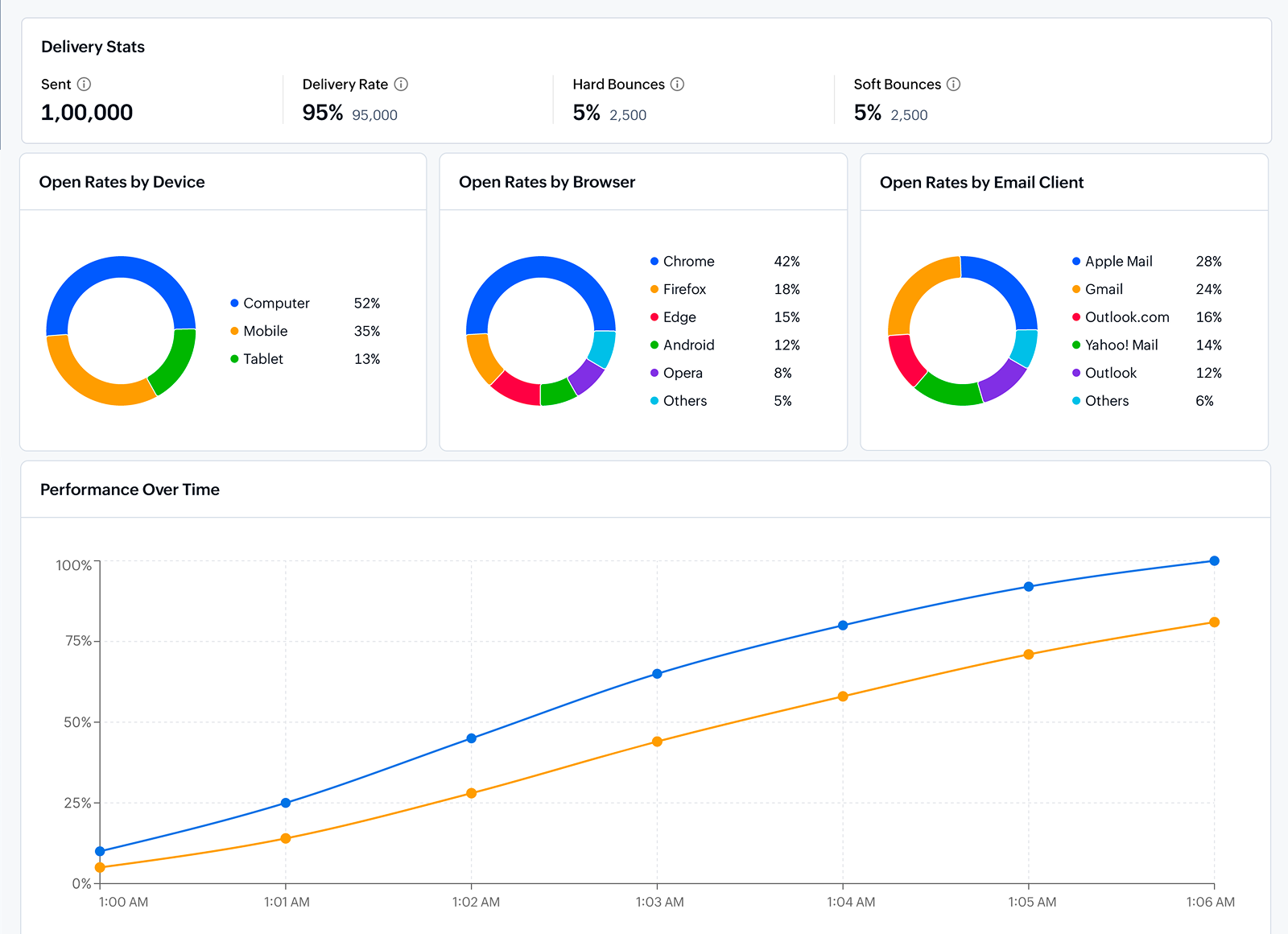
Understand how recipients view your campaigns
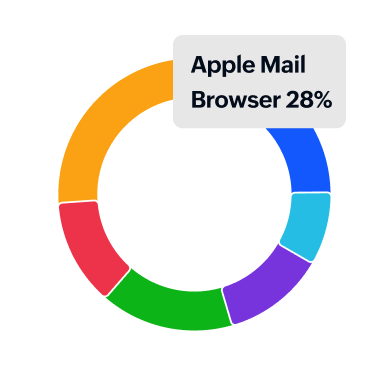
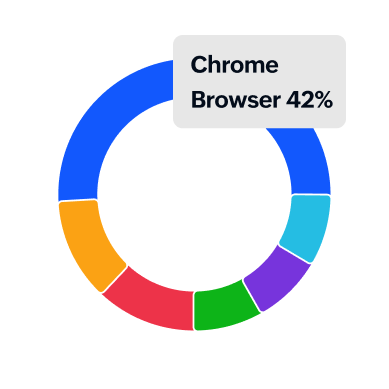
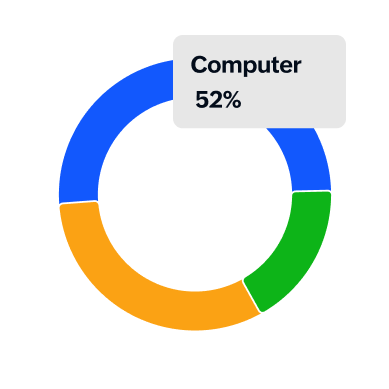
See which devices, operating systems, browsers, and email clients your audience uses to engage with your campaigns. Review user agent statistics to optimize email design, improve mobile readability, and deliver better experiences across devices.

Access campaign reports wherever you work
Review campaign performance anytime with Zoho Campaigns' mobile app. Monitor reports, share insights, and stay updated on email, WhatsApp, SMS, and workflow performance even when you're away from your desk.Learn more