Search for an article
Search Topics
3 min read
Summary
This content is generated by
Widget Section Element: Text
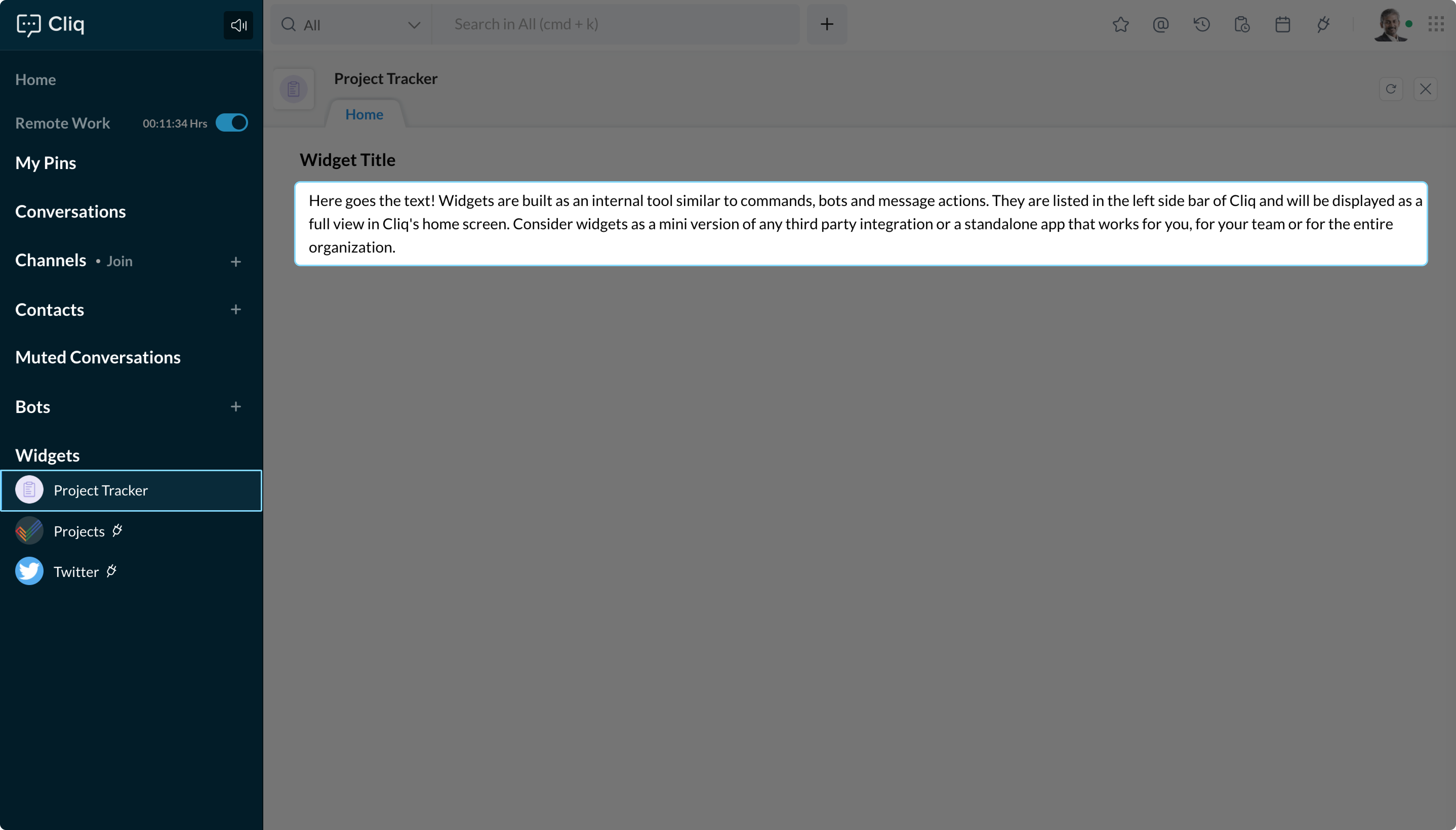
You can use the text element to display text in the section.
Syntax:
{
type : "text",
text : " "
}
Attributes:
| Attribute Name | Value | Description |
| type | text | Specifies the type of widget element. The value for the type key is 'text'. |
| text | String Maximum allowed characters: 500 All markdowns supported. | The text to be displayed in the section. |
Example:
elements = list();
elements.add(
    {
        "type":"title",
        "text":"Widget Title"
    }
);
elements.add(
    {
        "type":"text",
        "text":"Here goes the text! Widgets are built as an internal tool similar to commands, bots and message actions. They are listed in the left side bar of Cliq and will be displayed as a full view in Cliq's home screen. Consider widgets as a mini version of any third party integration or a standalone app that works for you, for your team or for the entire organization."
    }
);
sections = list();
sections.add(
    {
        "id":1,
        "elements":elements
    }
);
return {
    "type":"applet",
    "tabs":[
        {
            "label":"Home",
            "id":"homeTab"
        }
    ],
    "active_tab":"homeTab",
    "sections": sections
};
Last modified
On this Page
Did you find this article helpful?
Not able to find what you are looking for? Let us Know
×![Zoomed Image]()