Search for an article
Search Topics
3 min read
Summary
This content is generated by
Widget Section Element : Activity
The activity element can be used to display information with a thumbnail, title, and description, resembling a structured information section. The activity element consists of two types.
Standard Activity
The standard activity element is content-focused and can present general information concisely and visually appealing through a thumbnail, title, and description.
Syntax:
{
type : "activity"
title: "",
image_url: "",
description: "",
button_references: {}
}
Attributes:
| Attribute Name | Value | Description |
| type | String Allowed value : activity | Specifies the standard type of activity element. |
| title | String Maximum length: 50 | A concise heading that summarizes the information in bold. |
| description | String Maximum characters supported: 500. | A brief text to provide additional details. |
| image_url | String Maximum length: 300 | URL of the thumbnail |
| button_references | JSON Object | The instant button object. To know more about button references, refer here |
User Activity
The user activity element is user-focused and can showcase details about a user, including their name, profile picture, and supporting text.
Syntax:
{
type : "user_activity"
user: {},
text: "",
button_references: {}
}
Attributes:
| Attribute Name | Value | Description |
| type | user_activity | Specifies the type of widget element. Value for the type key is 'user_activity'. |
| user | JSON Object | JSON object carrying details of the user. |
| text | String Maximum characters supported: 500. | The text to be displayed in the element. |
| button_references | JSON Object | The instant button object. To know more about button references, refer here |
| Attribute Name | Value | Description |
| id | String | The user ID. |
| name | String | The user's name. |
User object syntax:
{
   "id":user.get("id"), // Or pass a user ID directly as string
   "name":user.get("name")},
 }
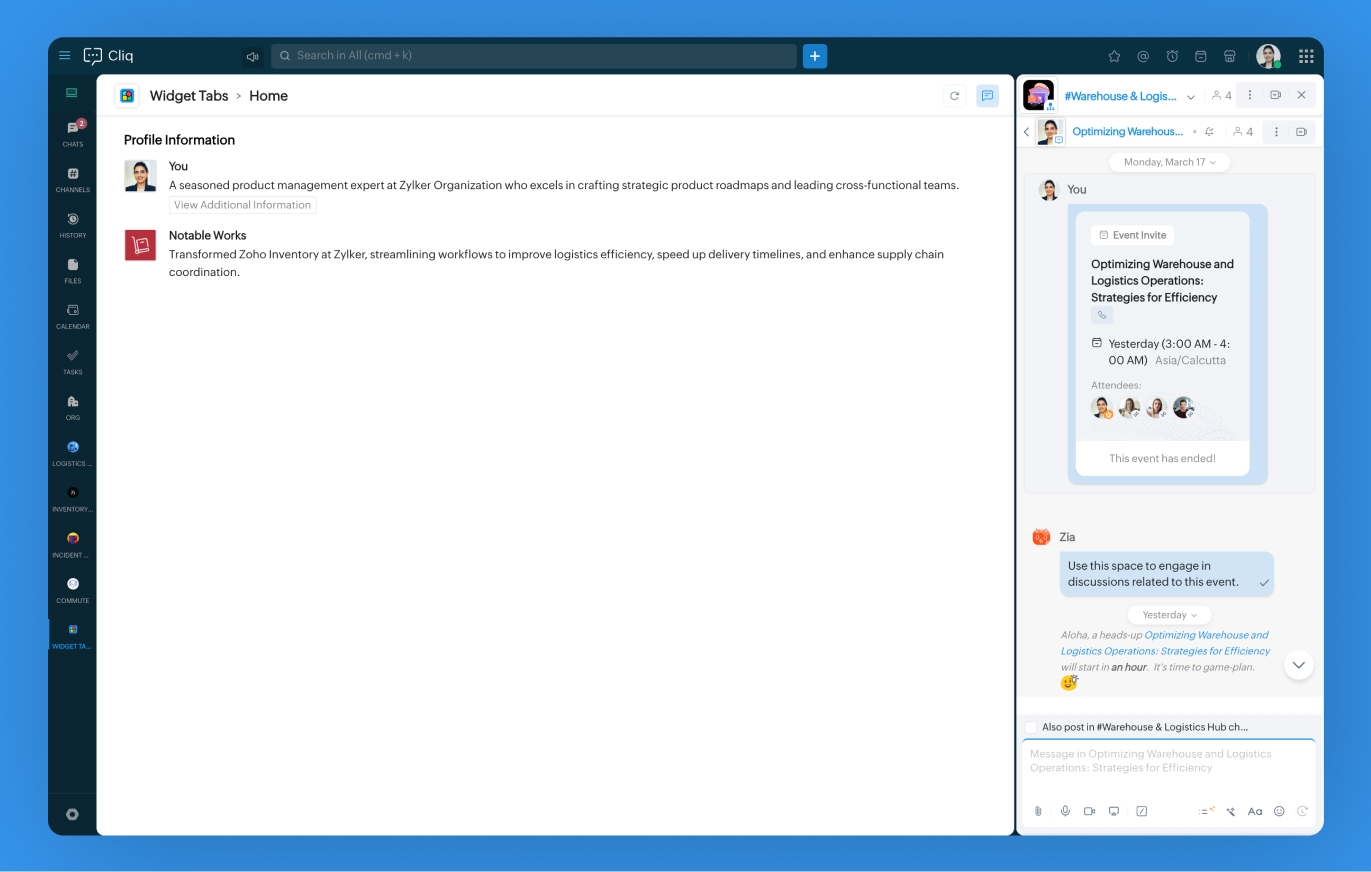
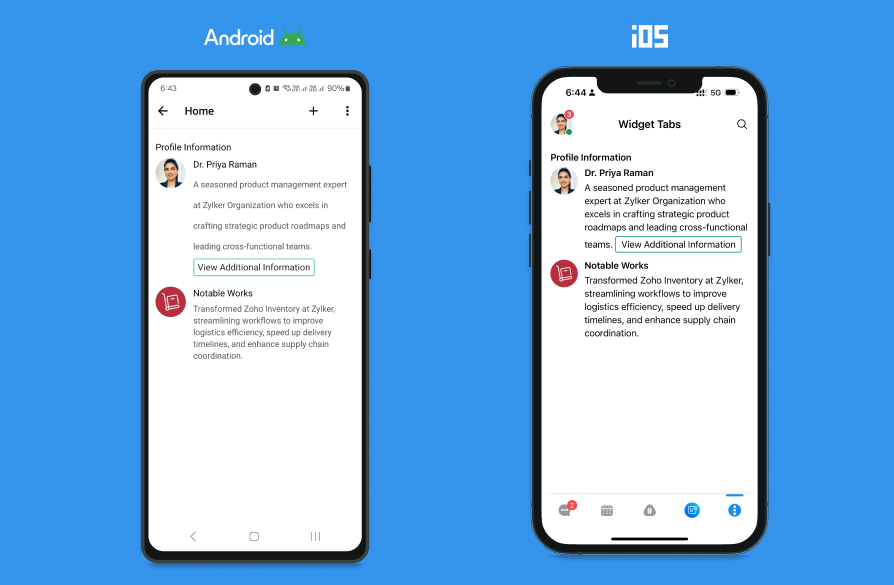
Example:
instant_button = {
    "label":"View Additional Information",
    "type":"invoke.function",
    "name":"profileedit",
    "id":"edit",
    "emotion":"positive"
};
elements = list();
elements.add(
    {
        "type":"title",
        "text":"Profile Information"
    }
);
elements.add(
    {
        "type":"user_activity",
        "user":
            {
                "id":"697322516",
                "name":"Priya Raman"
            },
        "text":"A seasoned product management expert at Zylker Organization who excels in crafting strategic product roadmaps and leading cross-functional teams.\t[Edit Profile]($1)",
        "button_references":{
            "1":instant_button
        }
    }
);
elements.add(
    {
        "type":"activity",
        "title":"Notable Works",
        "description":"Transformed Zoho Inventory at Zylker, streamlining workflows to improve logistics efficiency, speed up delivery timelines, and enhance supply chain coordination.",
		"image_url":"https://www.zoho.com/inventory/images/inventory-icon-preview.png"
        }
);
sections = list();
sections.add(
    {
        "id":1,
        "elements":elements
    }
);
return {
    "type":"applet",
    "tabs":[
        {
        "label":"Home",
        "id":"homeTab"
        }
    ],
    "active_tab":"homeTab",
    "sections":sections
};
Last modified
On this Page
Did you find this article helpful?
Not able to find what you are looking for? Let us Know
×![Zoomed Image]()