This help page is for users in Creator 5. If you are in the newer version (Creator 6), click here. Know your Creator version.
Configure SAML authentication for customer portal
- Navigate to Settings page.
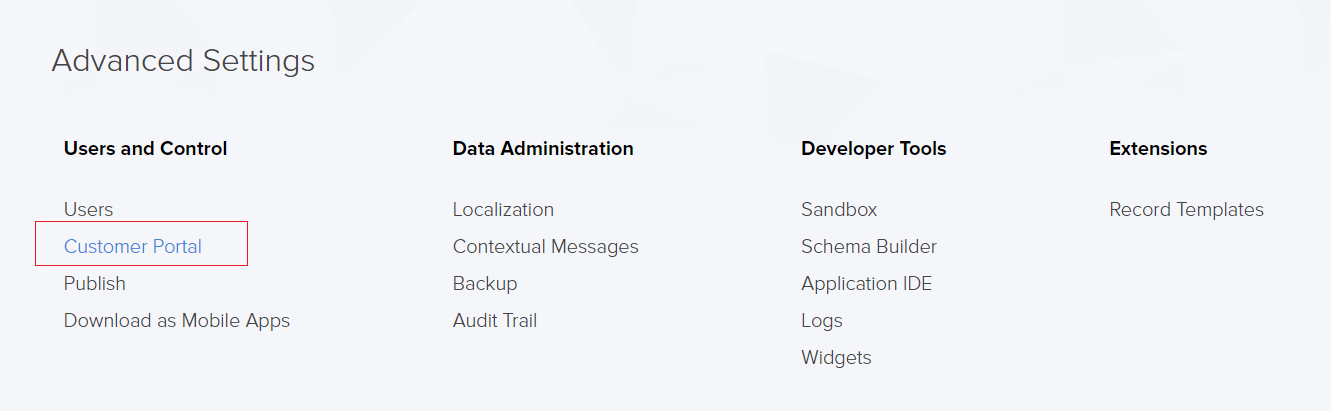
Click the Customer Portal option found under Users and Control.
Navigate to the Authentication tab, from which you can configure either of the available authentication methods:
- Default - Zoho Creator credentials and federated login
- Custom - JWT or SAML login via Identity Provider
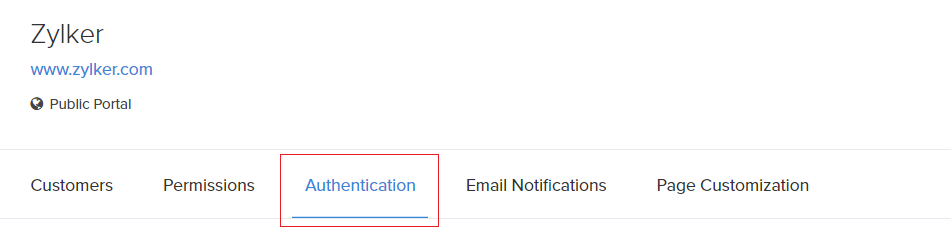
- Click Custom Authentication to configure portal authentication through external Identity Providers (IdPs). You can choose from the following custom authentication types:
- SAML - An XML based authentication, mediated by the user's web browser
- JWT - JSON token-based authentication
- SAML - An XML based authentication, mediated by the user's web browser
- Click Configure on the SAML authentication card to set up XML based authentication for the portal.
Note: If a portal is already configured with JWT authentication, a popup will appear to confirm switching to SAML authentication. To switch, select the confirmation checkbox in the popup and click Proceed to continue configuring SAML.The existing JWT authentication will be removed along with its configurations when switching to SAML.
- Under the SAML Authentication tab, copy the displayed ACS URL, Entity ID, and Service Provider Logout URL and configure them in your SAML identity provider (IDP). From the IDP, obtain the generated Login URL, Logout URL, and Public Key, and enter them in the corresponding fields in Zoho Creator.
The Public Key can also be uploaded as a text file. Ensure that the correct algorithm (RSA or DSA) is selected based on your IdP configuration.
- Click Configure to complete the SAML authentication configuration for the selected portal. The configured authentication type is displayed as a tag on the Custom authentication card.
Now, if a customer tries to access the customer portal by using the Portal URL they will be redirected to the Login URL which has been provided by the SAML provider. The authentication of the customer will be done by the SAML provider and if successful then the customer will be logged into the customer portal.