Switch from manual tools to streamlined operations
Handle everything from job requests to billing and payments on a single platform with our free-forever edition.
Get started for free

Trusted by service businesses and contractors worldwide

Say goodbye to paper and chat threads
Move to a digital system to get organized and deliver excellence
Never double-book appointments
View field agent availability in real-time for error-free scheduling
Equip your teams with data
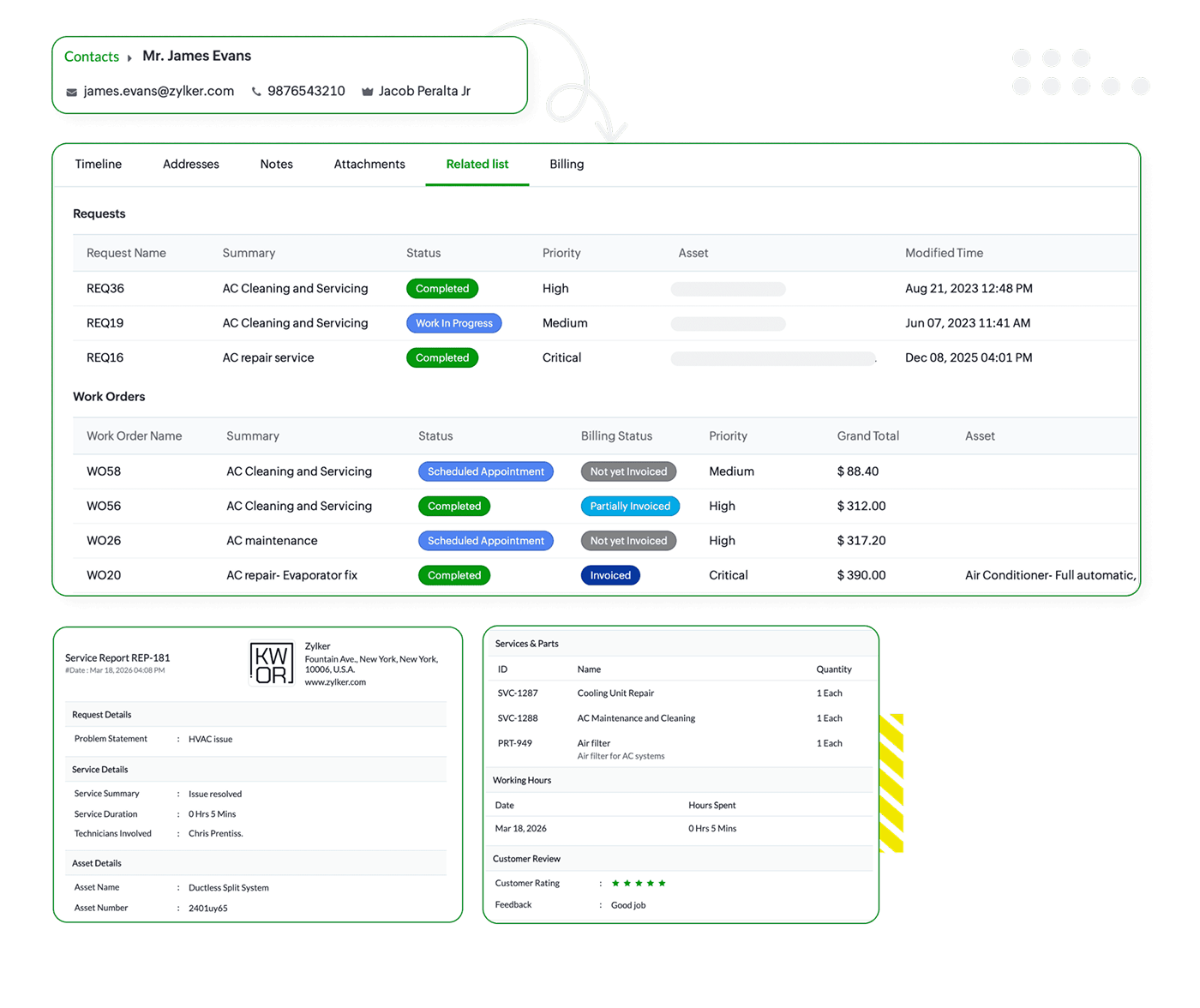
Give quick access to customer and service information
Get paid without any delay
Generate accurate invoices on-site to speed up cash flow.
Follow every job from start to finish
Get timely progress updates and track service metrics
Scale your business without the overhead
Zoho FSM gives you the essential tools to deliver premium services without the burden of high software costs.
Everything you need to run your day
Manage service requests, schedule jobs, and send invoices from one unified dashboard. Zoho FSM replaces scattered paperwork with an organized environment that helps you stay in control of every job.
Truly free and truly secure
Our Free Edition is ad-free and built on the same secure infrastructure as our paid plans. We prioritize your privacy by never selling your data, and you can get started with no credit card required.
Start small and scale smoothly
As your business expands, Zoho FSM grows with you. When you are ready, you can transition seamlessly to our advanced tiers and access new features without ever having to migrate your data.
Powerful features to simplify your workday
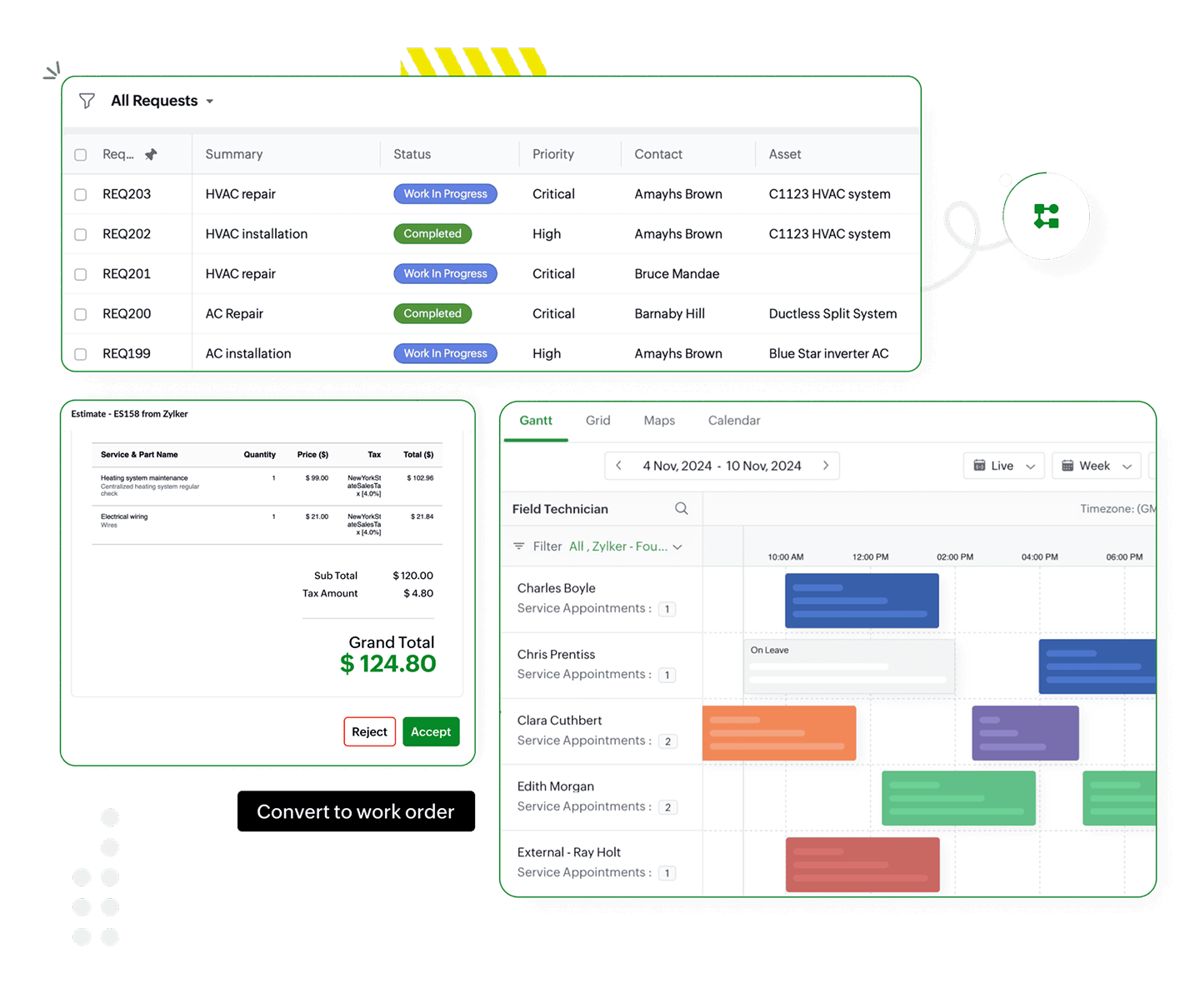
Control your workflow from request to schedule
- View and prioritize all jobs on a single screen.
- Send accurate estimates for services and parts.
- Convert estimates to work orders with one click.
- Dispatch the right field agent based on availability.
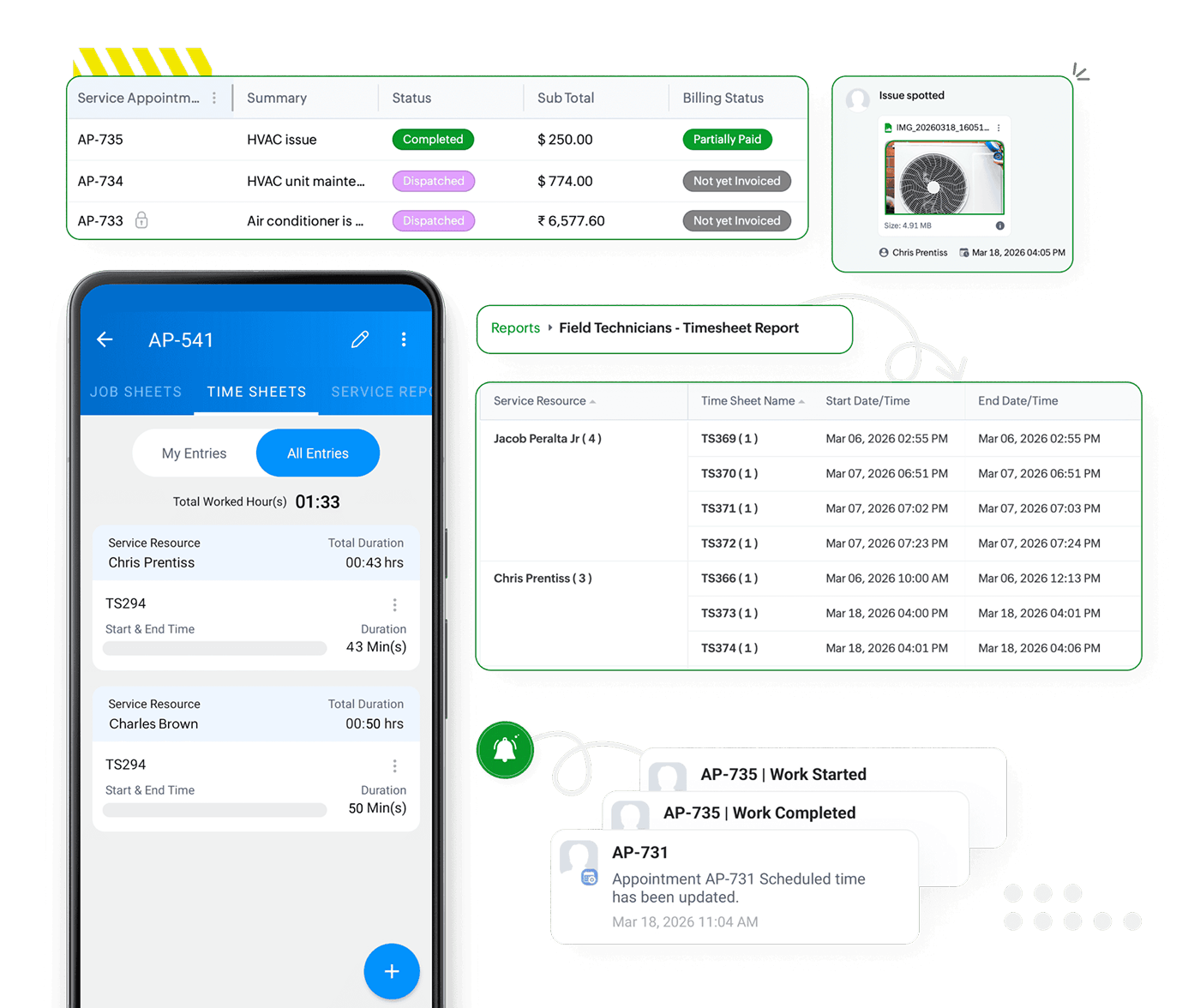
Gain visibility into field operations
- Stay on schedule with timely work progress updates.
- See how field time is spent through clear timesheets.
- Verify work quality through photos from the job site.
- Use built-in reports to track overall team productivity.
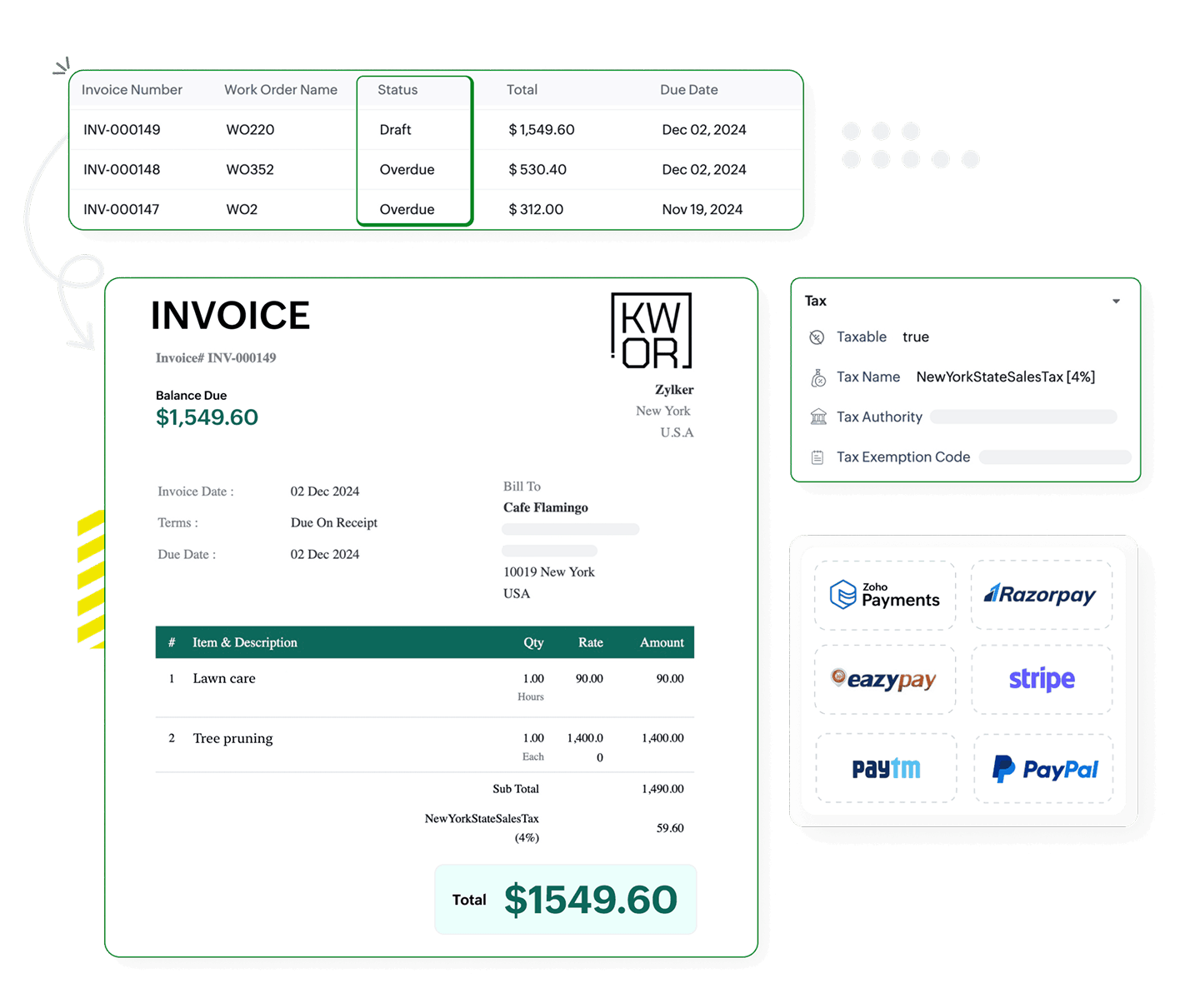
Get paid faster with effortless billing
- Generate professional invoices with a single click.
- Accept payments through online channels or on site.
- Set local tax rules for accurate invoices and billing.
- Monitor invoice status to maintain healthy cash flow.
Build lasting trust with your customers
- Keep customers updated throughout the service.
- Access service histories to offer ideal solutions.
- Send digital reports that document every job.
- Capture feedback to improve your service quality.
Empower field teams with the Zoho FSM mobile app
Fewer calls. Fewer mistakes. Faster jobs. Enable technicians to handle every job independently, from arrival to final sign-off.
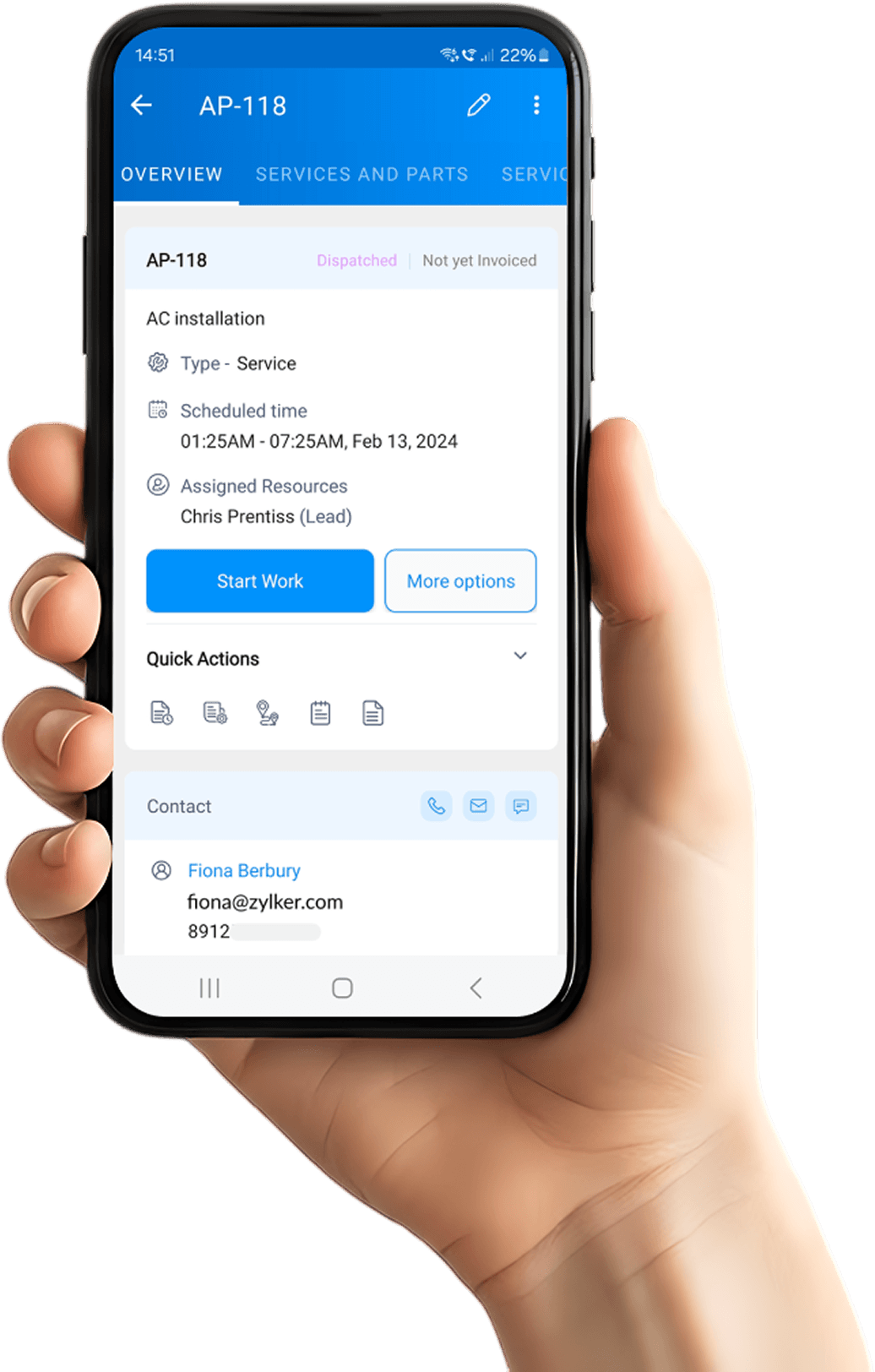
The day's plan at a glance
See alerts for new jobs and changes. Stay organized with a clear calendar view of work.
Always prepared and on time
Review job details in advance and launch navigation to arrive on time with the right parts.
Ditch the paperwork
Log attendance and travel logs. Share timesheets, notes, and images through the app.
Finish the job professionally
Generate service reports and capture signatures. Send invoices and log payments instantly.
An end-to-end solution for every field service business
Zoho FSM Free Edition is built for every trade. Get the essential tools you need to manage your field service business with ease.
- Solar Power
- Healthcare
- Pool Service
- Electrical
- Chimney sweep
- Pest Control
- Cleaning
- Landscaping
- HVAC
- Home services
- Plumbing
- Roofing

Choose a platform that grows with you
Other apps may require a complete system overhaul when you grow, but Zoho FSM evolves with you. You can unlock advanced features like live location tracking, crew management, or deep integrations with the Zoho ecosystem with a single click. Your data is intact and your operations continue running smoothly.
See what customers are saying about Zoho FSM.


Efficient and Comprehensive FSM Solution: Zoho FSM has been a game-changer for our field service operations. The platform is intuitive, feature-rich, and perfectly tailored to streamline every aspect of managing a field workforce.

Creation of job locations and easy invoicing for completed jobs are features we love. After using Zoho FSM, we have greater control over our planning and monitor our technicians' work easily.

Zoho FSM has been a game-changer for our business. The user interface is simple and intuitive, making it easy for our team to manage customer service efficiently. The customer support is exceptional—always quick to assist whenever we need help. It's a comprehensive solution that's streamlined our operations.

Organized, mobile, and powerful – Zoho FSM delivers: The technician app is clear and efficient. We can document work, capture signatures, and take photos all in one place.

Zoho FSM has great insight into scheduling. It helps when you’re on the go, and aids in improving your routine.

Easy to use, and a great service for taking leads and converting through to customers and work orders and service appointments. Overall, it has been pretty good. It has helped me kickstart my business and get leads and jobs done.
Request a product demo
Experience Zoho FSM with a personalized product demo
Attend our live webinar
Learn more about Zoho FSM on our live webinar sessions.
Frequently asked questions
It is the perfect starting point for small field service teams ready to move away from manual paperwork. If you manage up to 30 jobs a month and want to provide a professional digital experience at zero cost, this plan is built for you.
Yes. Our Free Edition is a free-forever plan. There are no hidden fees or monthly charges, and you can sign up to start managing your operations without ever entering a credit card.
This edition supports up to 20 users and includes 30 appointments and 30 invoices every month, providing the essential tools you need to run a professional service business.
As your business grows beyond 30 appointments, you can upgrade to our Standard or Professional plans with a single click. These tiers allow you to increase your volume and unlock advanced capabilities like live-location tracking, multi-day scheduling, and asset management.
Absolutely. The Zoho FSM mobile app is fully included. Your technicians can use it to view their schedules, log work hours, and share job-site updates with the office without any additional charges.
Yes. You have full access to our comprehensive knowledge base, step-by-step guides, and community forums. We provide all the resources you need to get your operations up and running smoothly from day one.
Yes. Your security is our priority. The Free Edition is ad-free and hosted on the same infrastructure as our paid plans. We never sell your data, ensuring your customer records and business information remain private and protected.