OrganizeBuild spaces for your teams.
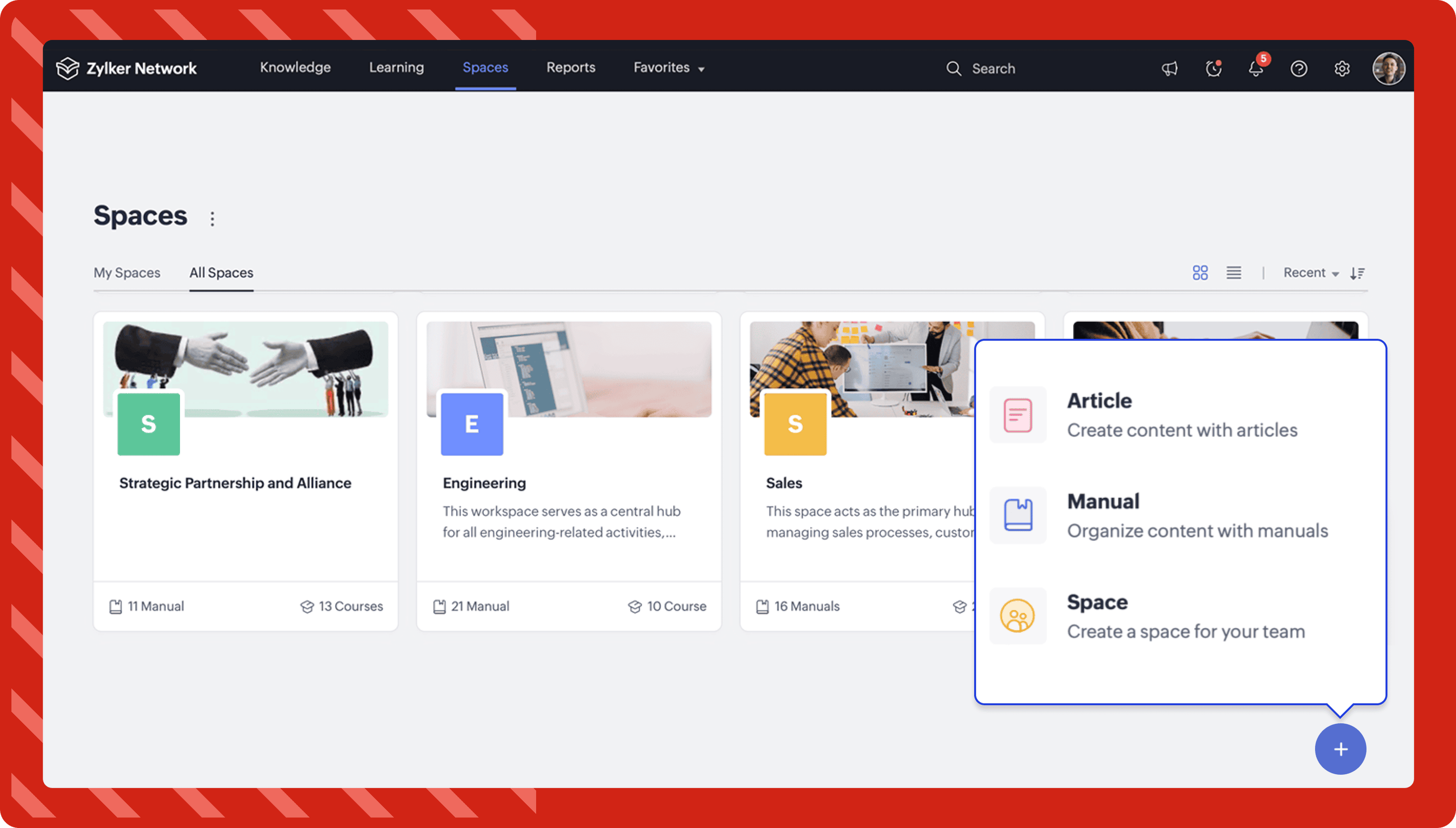
Once you've set up the hub, you can create spaces for the different departments within your organization. Space provides a common workspace for teams to collect, organize, and share knowledge.
Learn more about creating a space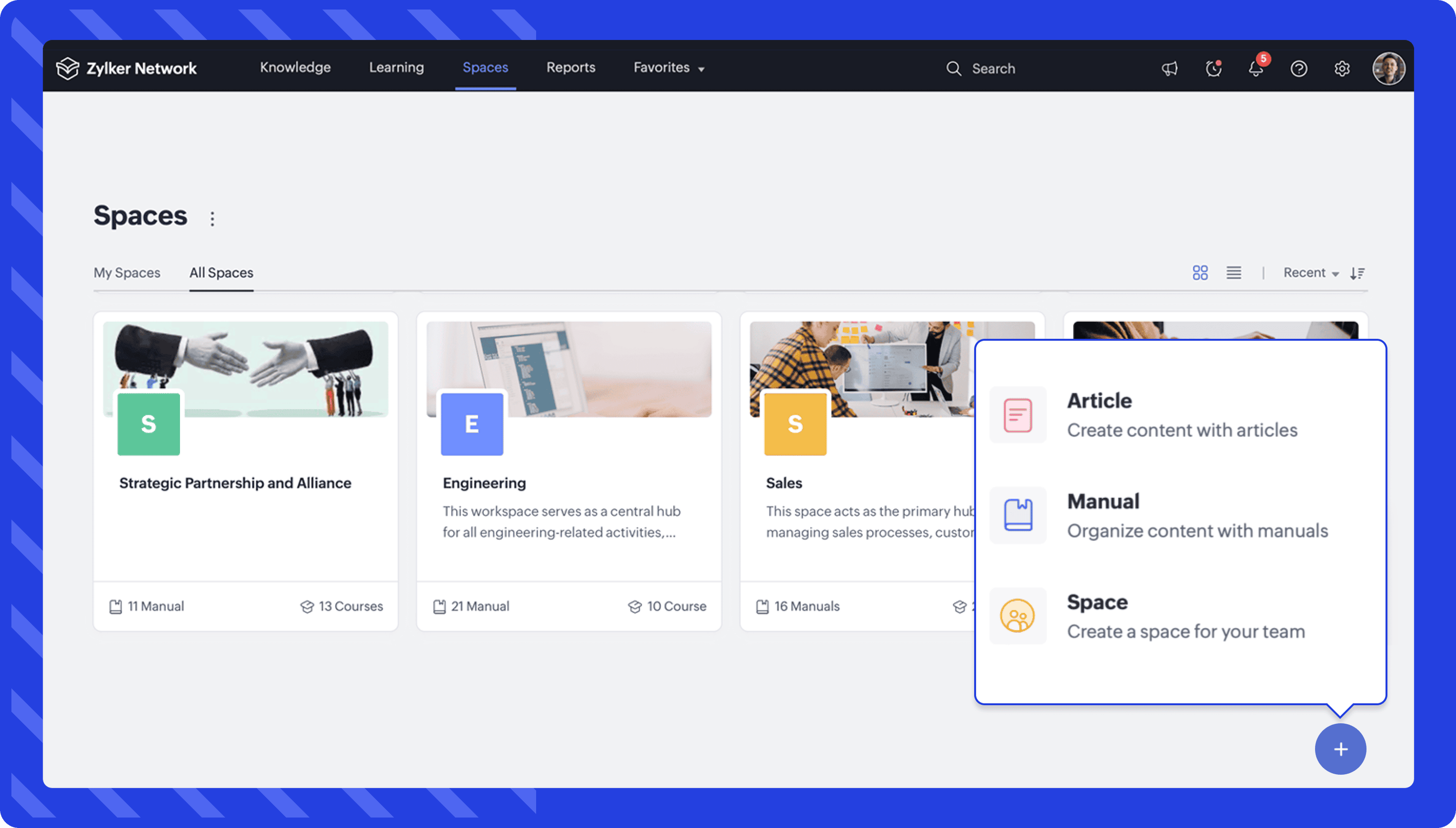
Organize knowledge with manuals.
With Zoho Learn, you can create manuals to organize your knowledge and share them with everyone in your hub, a space, or with specific members. A manual helps you combine the content that belongs to a common topic in a manual.
There are two types of manuals that you can create within Zoho Learn:
Private
These are manuals that aren't associated with a space.
Space
All of the manuals created within a particular space will be listed inside the space.
Learn more about creating manuals in Zoho Learn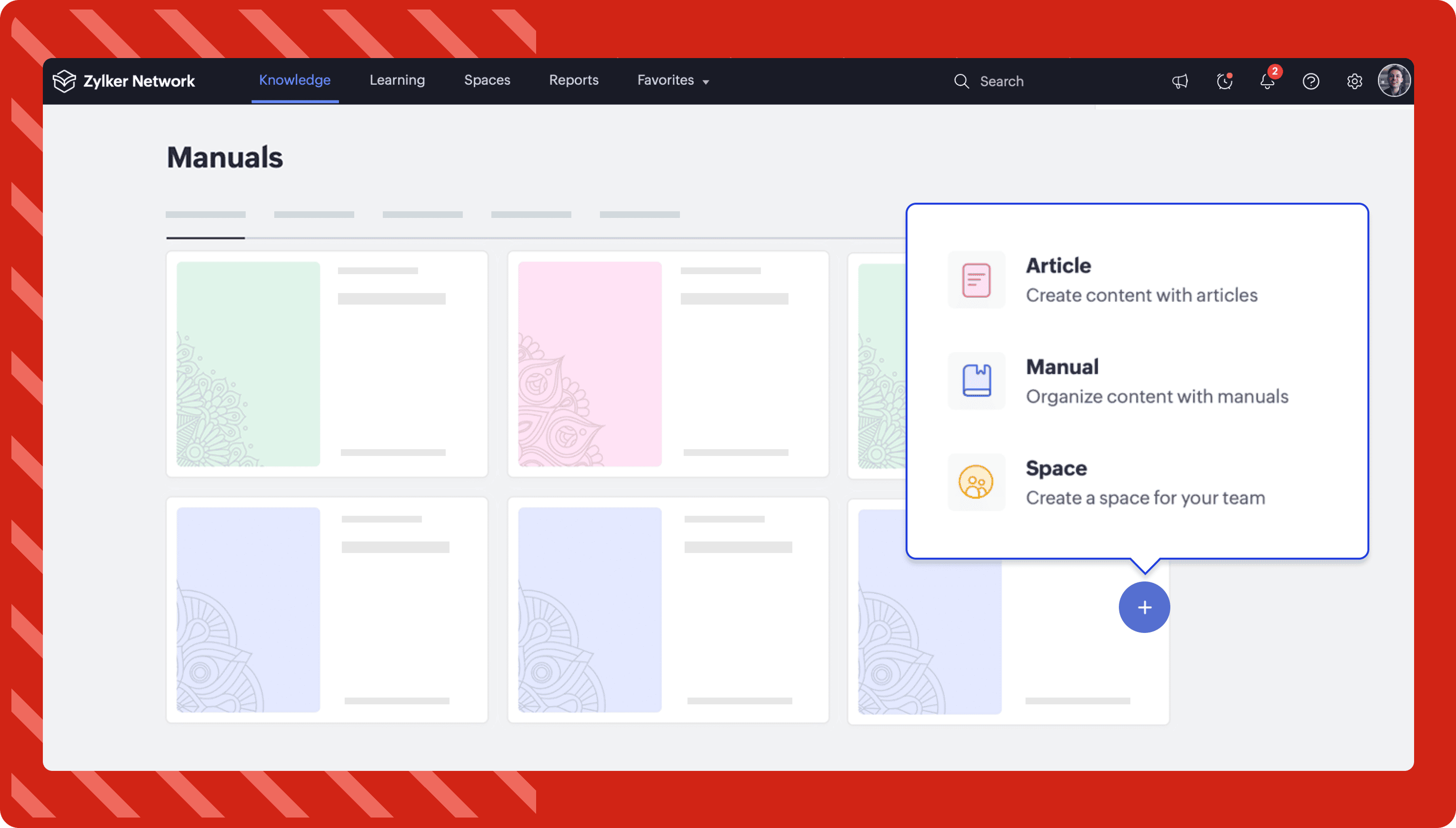
Create content using articles.
Once you've decided how you want to organize your information, you're ready to create content using articles. Articles are the basic form of knowledge in Zoho Learn. You can create articles manually from scratch, create them using AI, use templates, embed PDFs, or upload files from your device. To organize your knowledge, you can group your articles into chapters inside a manual.
Learn more about creating a new article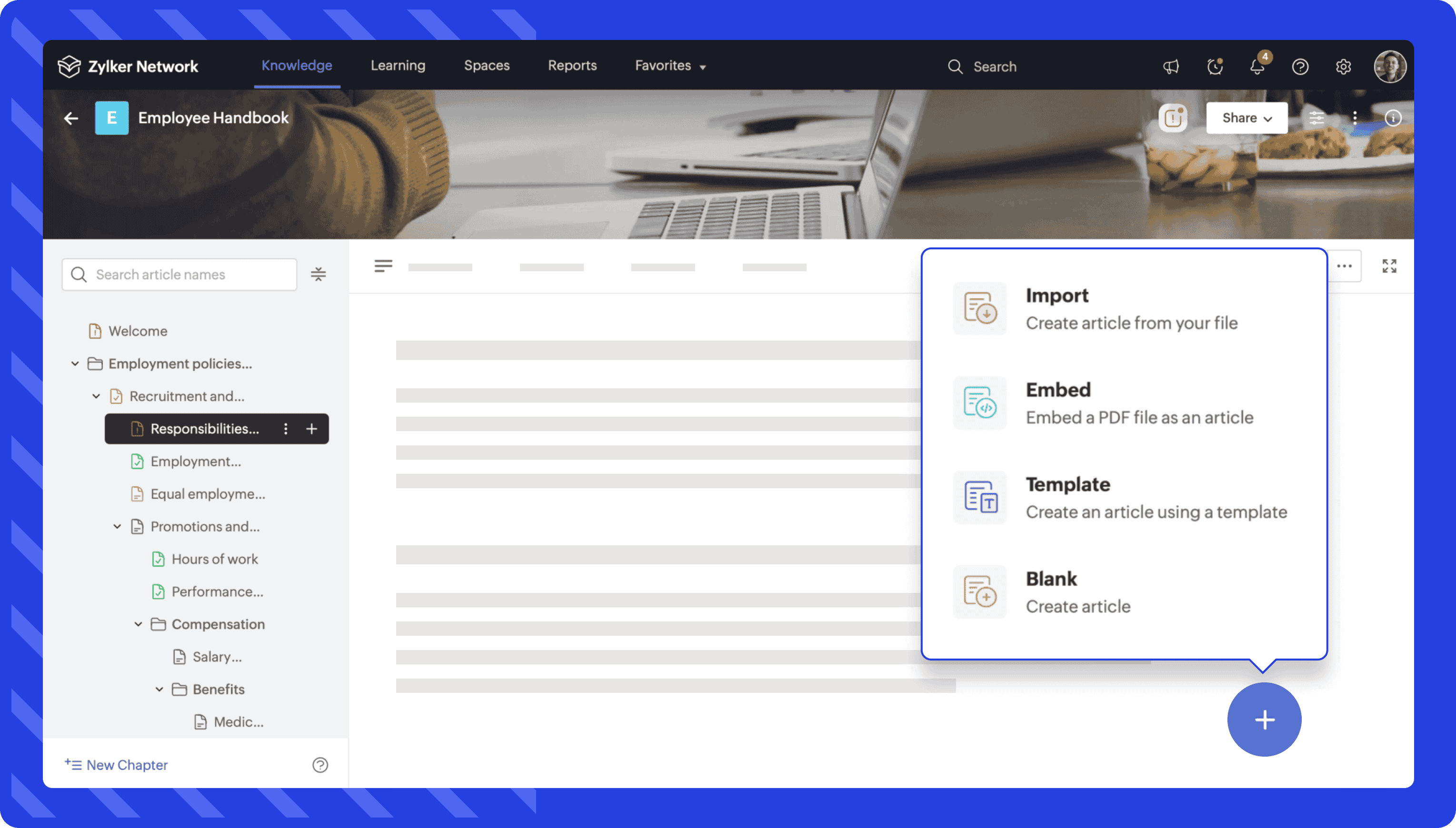 Share
ShareShare your manuals with other users.
Once you're all set to share the knowledge with your team members, the admin of the manuals can share them with the members in your hub.
Based on the needs of the users, the admin can grant one of the following privileges:
- Readers can view the content of the manuals.
- Contributors can create and edit content.
- Admins can manage manuals, users, and other settings.
Learn more about manual sharing options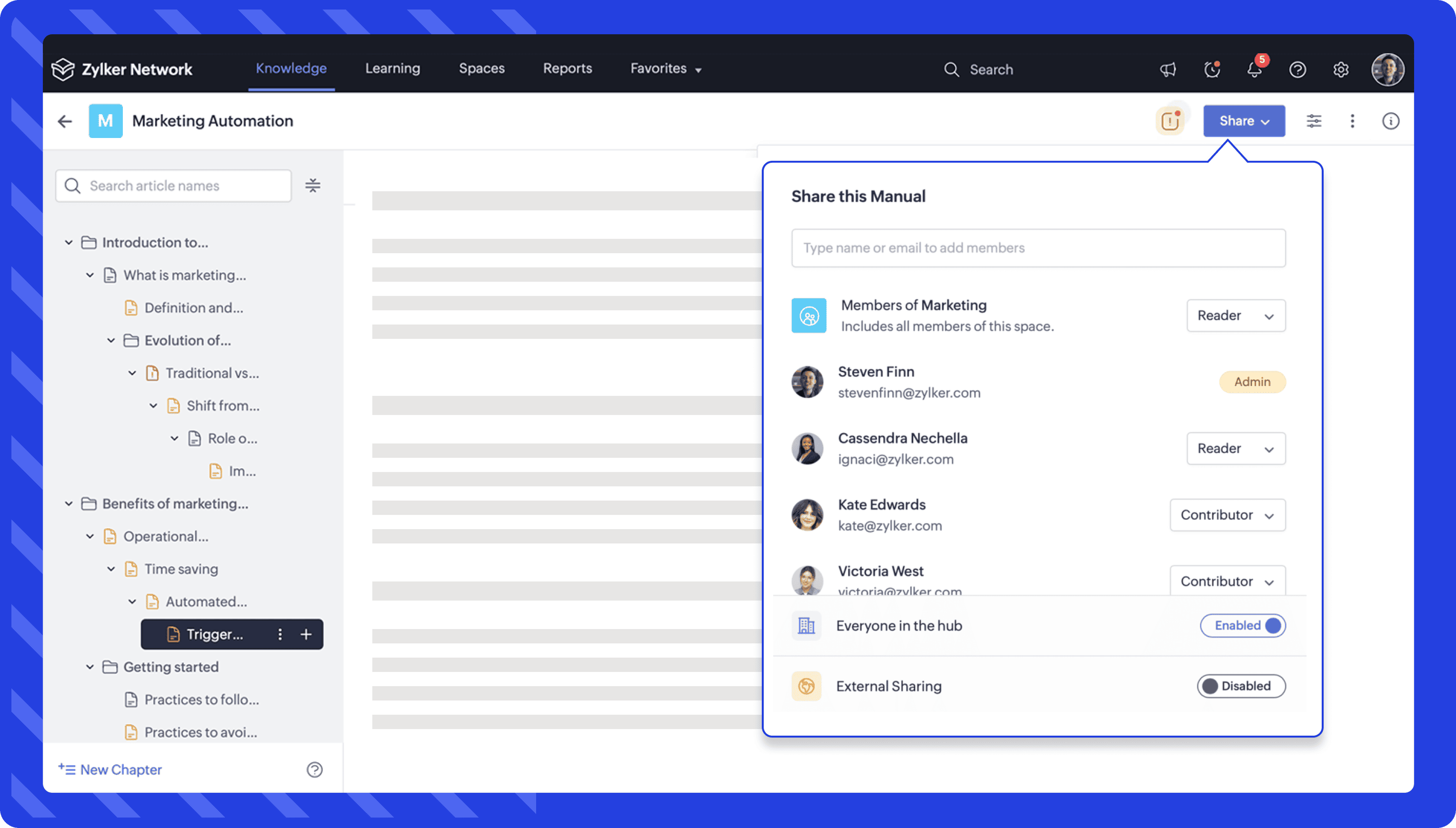 Train
TrainBuild training programs using courses.
Zoho Learn's LMS helps you create and deliver effective training programs. You can tailor courses by choosing from a variety of lesson types and organizing them into chapters. You can also use AI to generate structured course outlines and content aligned with your training goals, helping you quickly define course structures and lesson sequences using simple prompts.
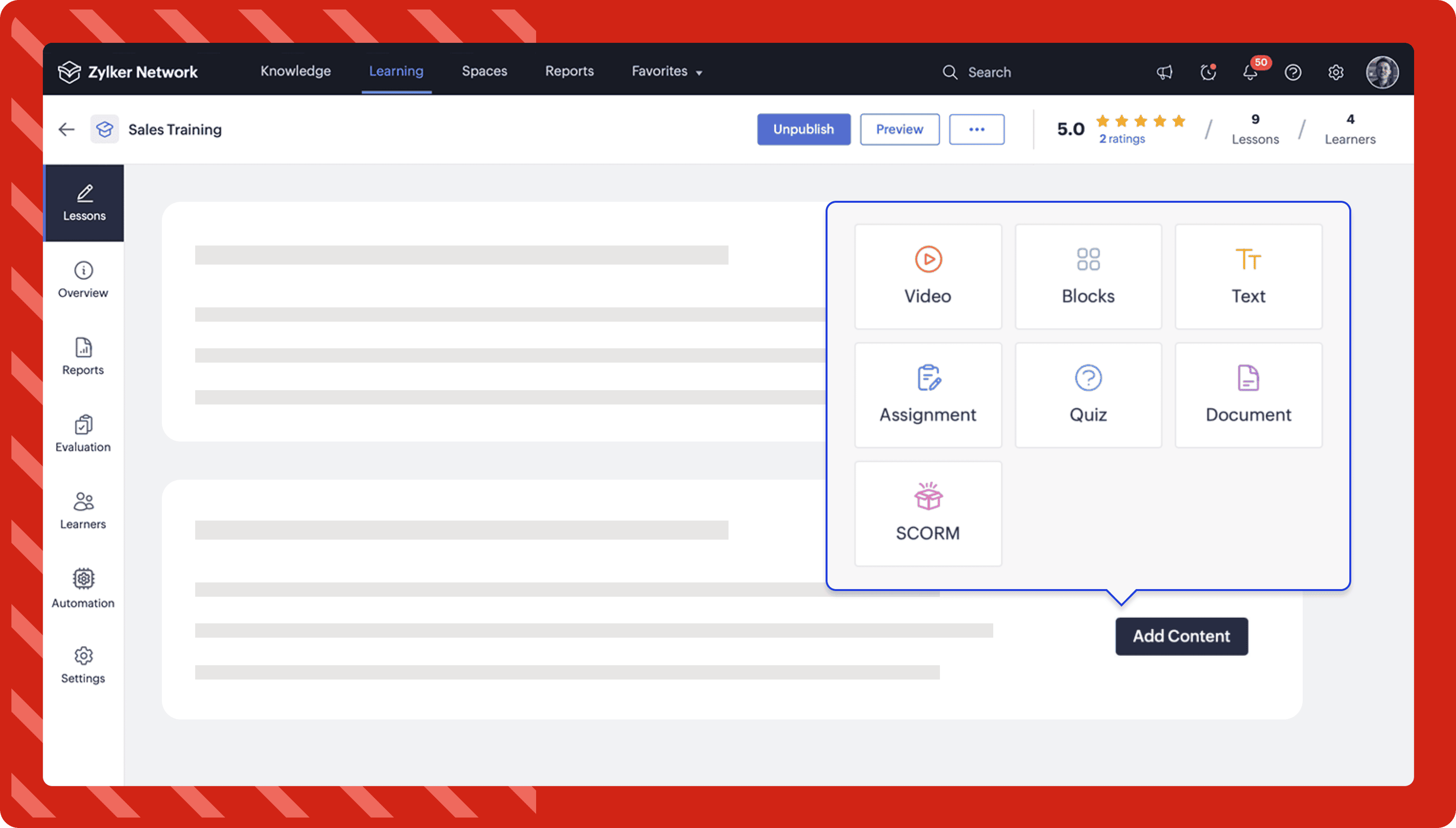
You can create the following lessons with Zoho Learn LMS:
Video
You can upload videos from your device or embed YouTube, Vimeo, and Dailymotion videos using a URL or embed code.
Text
You can use the text lesson editor to combine text with other options, such as block quotes, links, code snippets, tables, and more.
Document
In document lessons, you can upload docx, pdf, txt, rtf, or ppt files from your device.
Blocks
With blocks, you can mix different content types to create a lesson. The block lesson editor lets you build a combination of the following content types:
- Text
- Lists
- Images
- Videos
- Audio
- Documents
- Process
Learn more about creating a course and adding lessons to itSCORM
With SCORM, you can create interactive and engaging learning content by integrating SCORM files as lessons in your courses.
Create structured learning paths
You can organize multiple courses and lessons into structured learning paths. Learning paths provide a guided training experience by sequencing courses in the order learners should complete them. Assign learners to these paths to streamline their progress and ensure comprehensive skill development.
Learn more about creating a learning path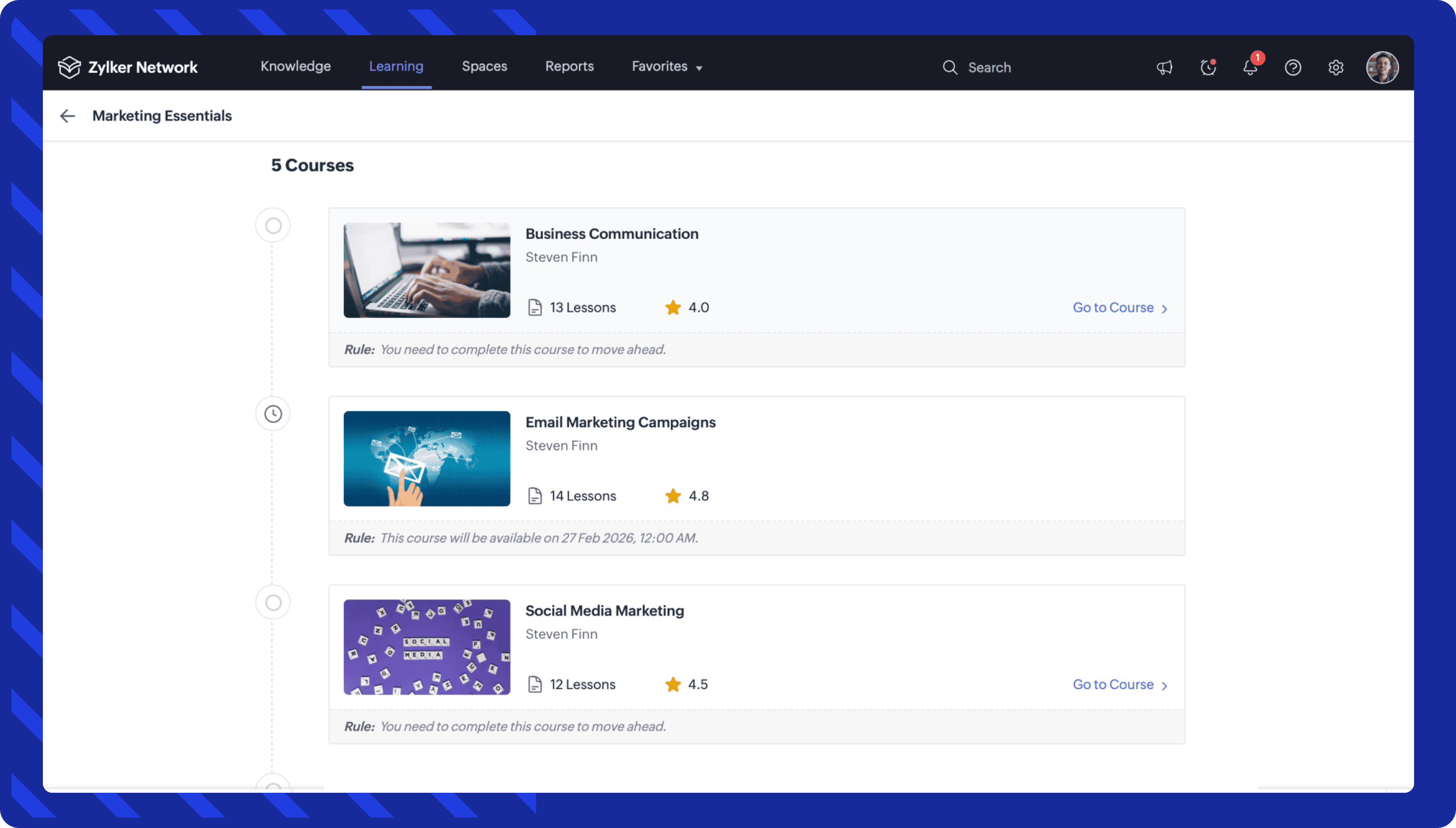
Evaluate learners with quizzes and assignments.
In Zoho Learn, you can integrate quizzes and assignments into your courses to assess your learners' understanding of your material. You can evaluate their submissions and restrict their progress in the course depending on their performance.
Quizzes
Build your quizzes with a range of content types, such as images, videos, tables, code snippets, and more. In Zoho Learn LMS, you can create the following question types:
- Single choice
- Multiple choice
- Fill-in-the-blank
- Descriptive
Learn more about quizzes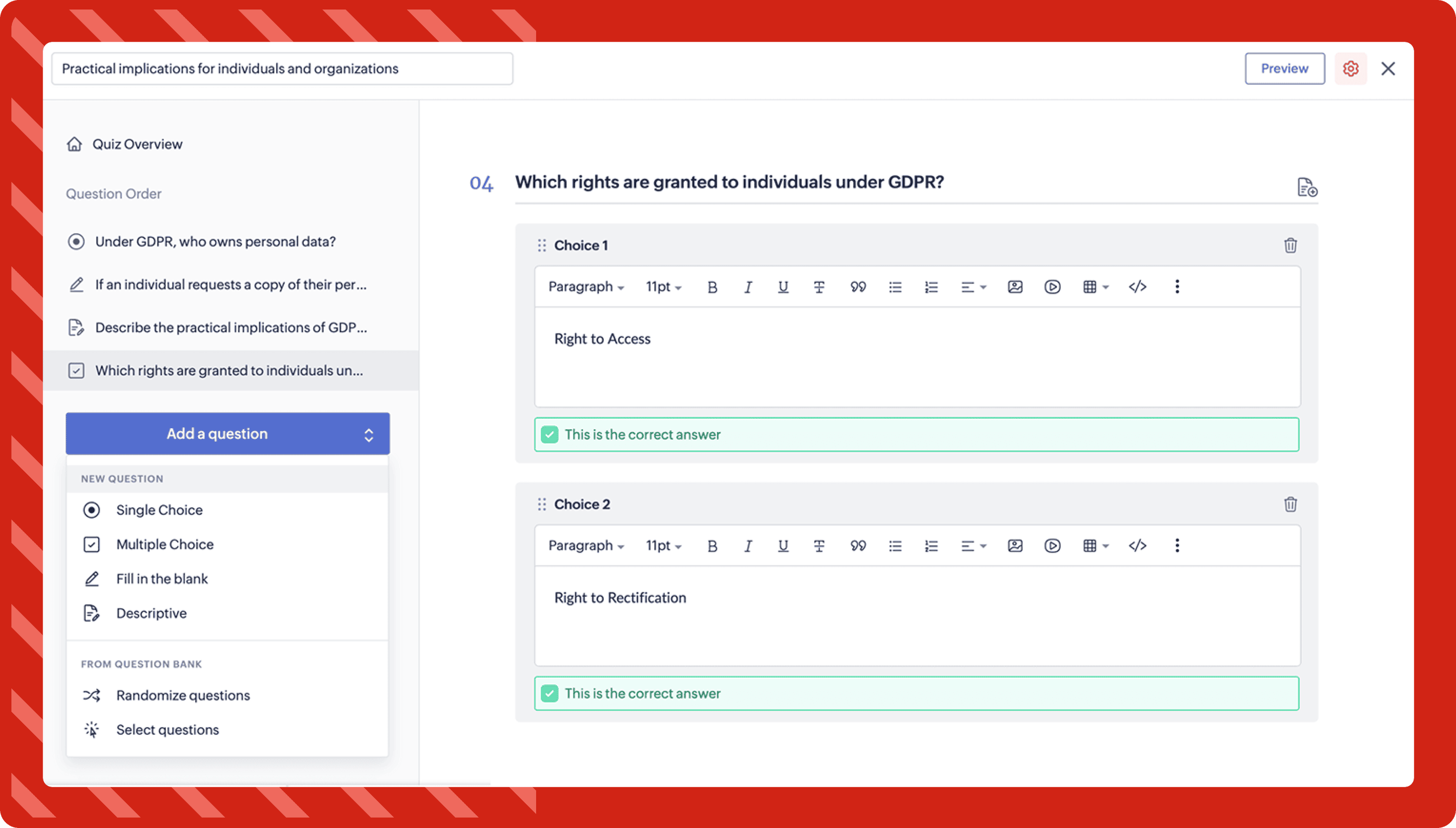
Assignments
In Zoho Learn, you can integrate quizzes and assignments into your course to assess your learners' understanding of your learning material. You can evaluate their submissions and restrict their progress in the course depending on their performance.
Your learners can only complete an assignment lesson after you approve or reject their submission. In Zoho Learn LMS, you can allow the following submission types:
- Text only
- Attachment only
- Text and Attachment
Learn more about assignments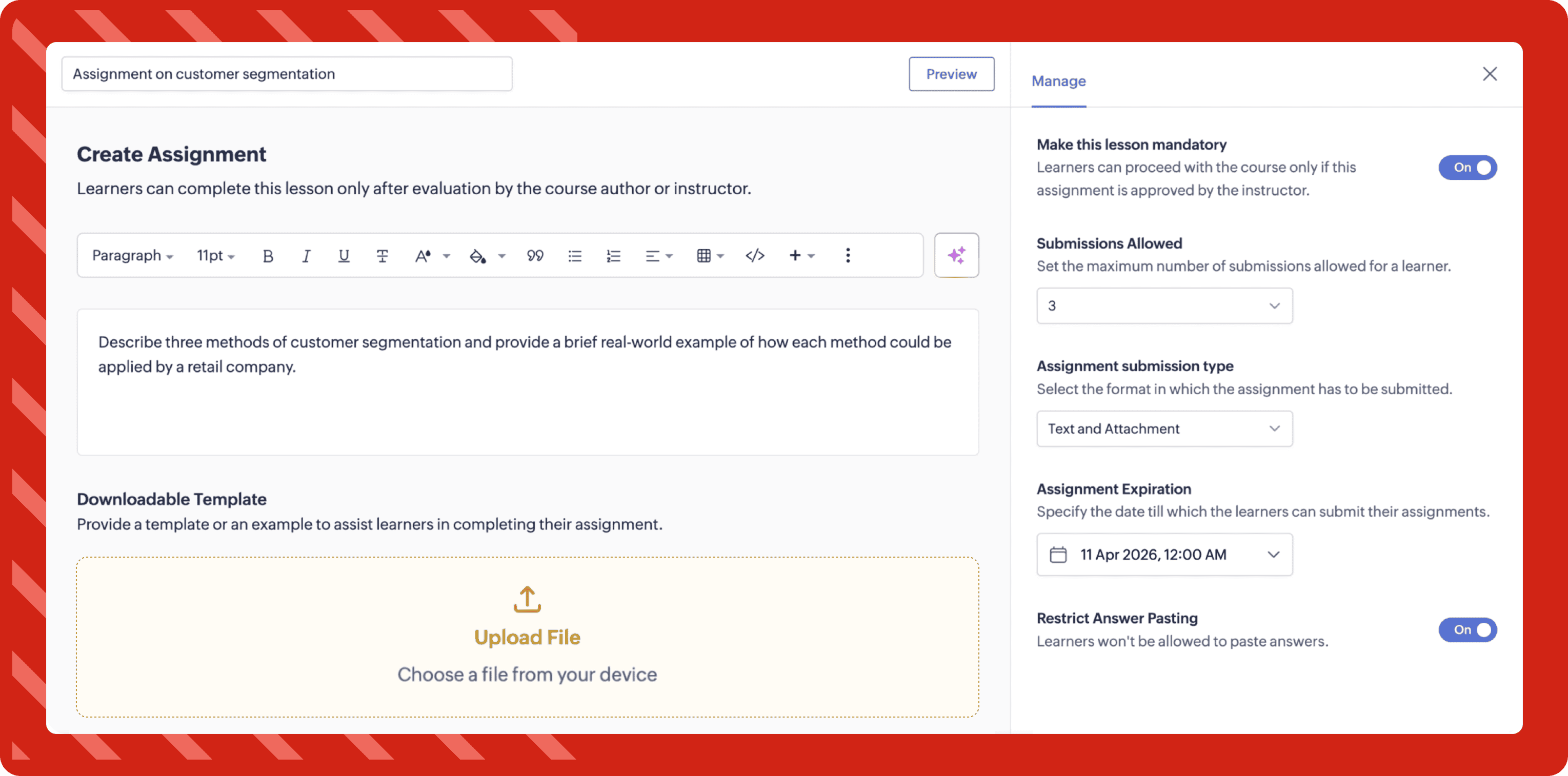
Publish courses to your learners.
Once you've created your courses, you can publish them to all hub users or only to specific users. The courses available for all users in your hub will be listed under the Explore section of the Learning tab.
Learn more about managing a course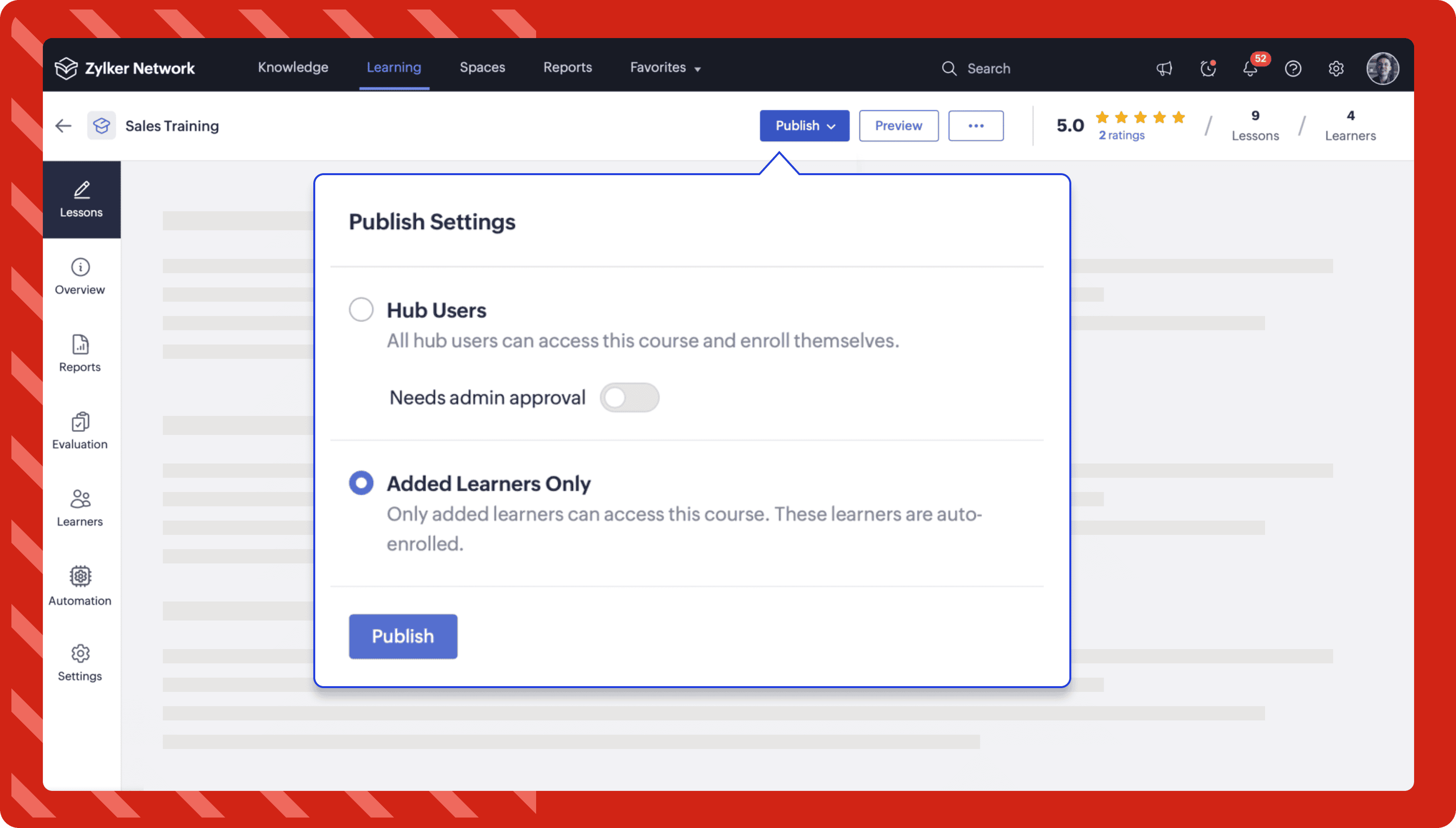 Track
TrackTrack the progress of your learners.
Once your learners enroll in your course, you can get insights and analyze the progress of the learners in each lesson. Zoho Learn's LMS gives detailed reports of the lessons, learners, quizzes, and assignments in your course.
Learn more about course and lesson reports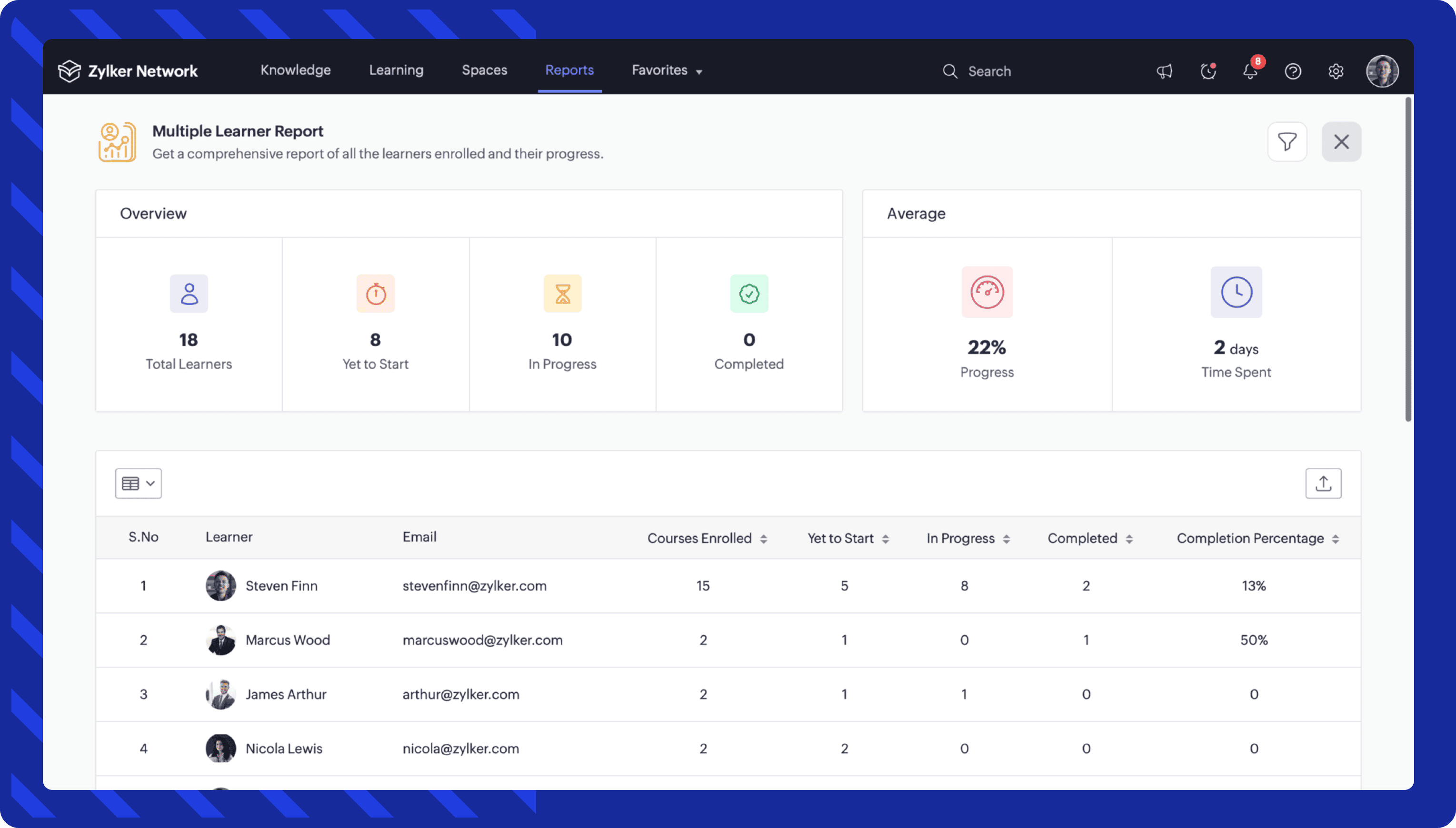 Extend
Share your knowledge with external users using custom portals.
Custom portals in Zoho Learn help you share knowledge and courses from your hub with individuals outside your organization. External users can access these resources through branded external portals that you create.
Learn more about custom portals