Contact Enrichment
Contact Enrichment (via Zia) in Zoho Mail is an AI powered feature that automatically fills in missing details for your contacts like job titles, company name, contact number, and social-profiles using publicly available information. When you get a new contact with just a name and email address, Zia in Contact Enrichment instantly looks up public data for that contact and adds it for you. By this, you can save time and enrich your contact list without any manual effort.
Table of Contents
Note:
This feature is available only to the organization users who have subscribed to one of our paid plans.
Steps to enable Contact Enrichment
Admin or Super Admin can enable the Contact Enrichment feature for the users across their organization. The steps involved are:
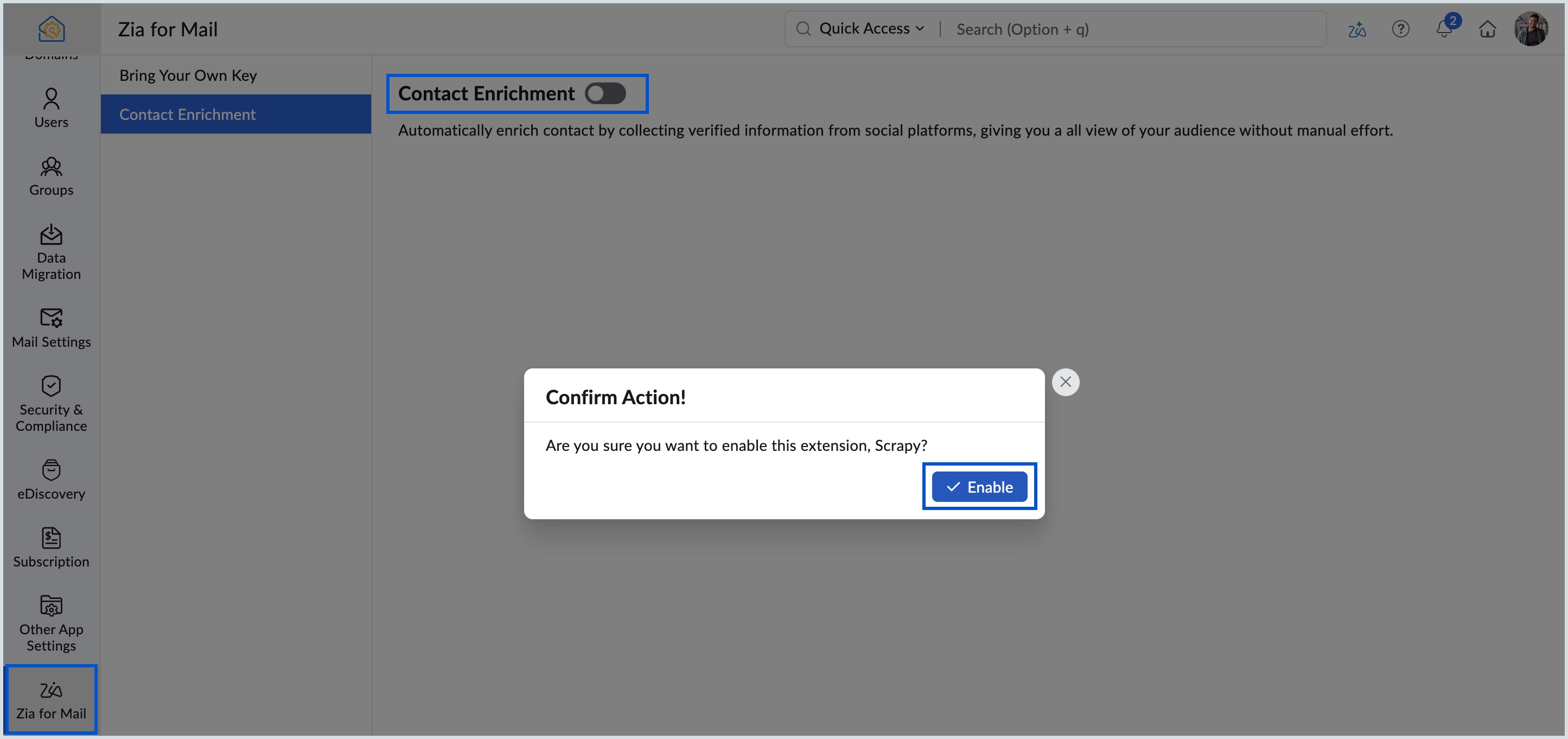
- Log in to Zoho Mail Admin Console.
- Navigate to Zia for Mail on the left pane.
- Select Contact Enrichment under Zia for Mail section.
- Switch the toggle button ON next to Contact Enrichment.
- Select Enable in the Confirm Action! dialog box.
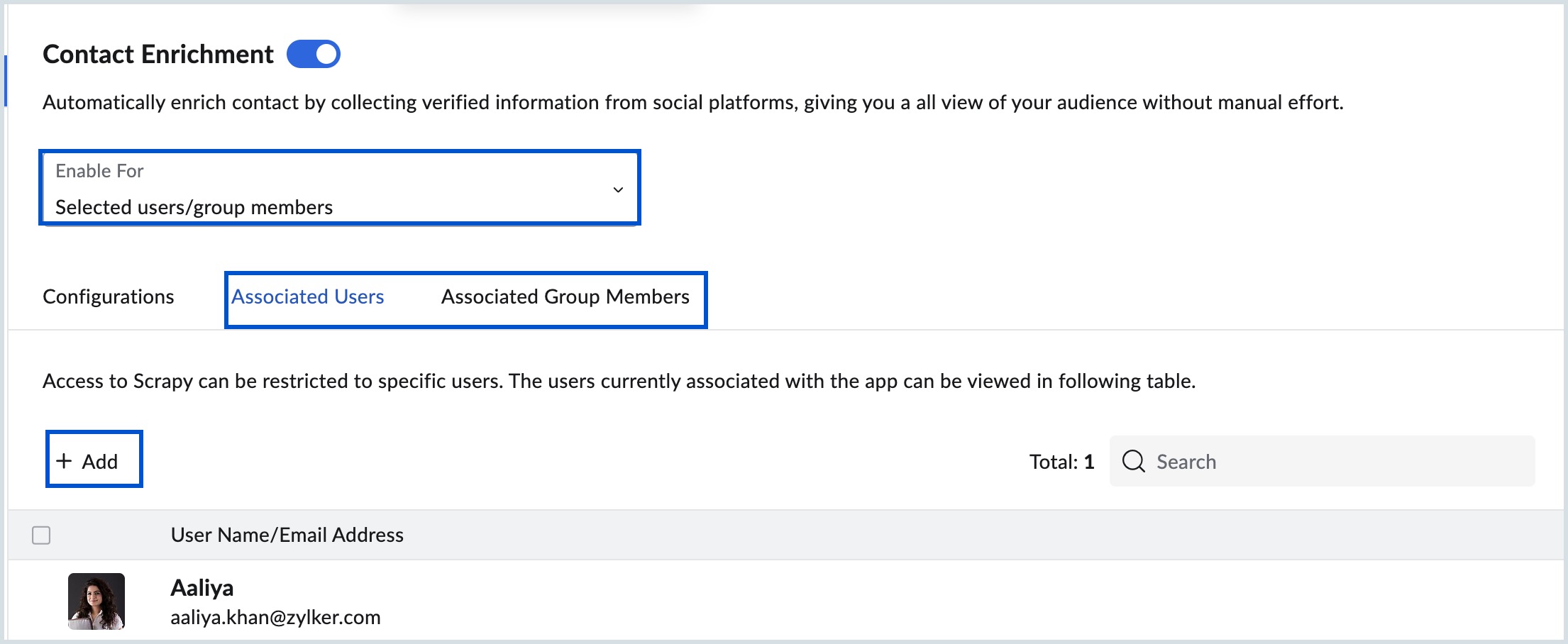
- Once enabled, you can select either All Users or Selected users/group members from the Enable For drop-down.
- Select Update in the Confirm Action dialog box.
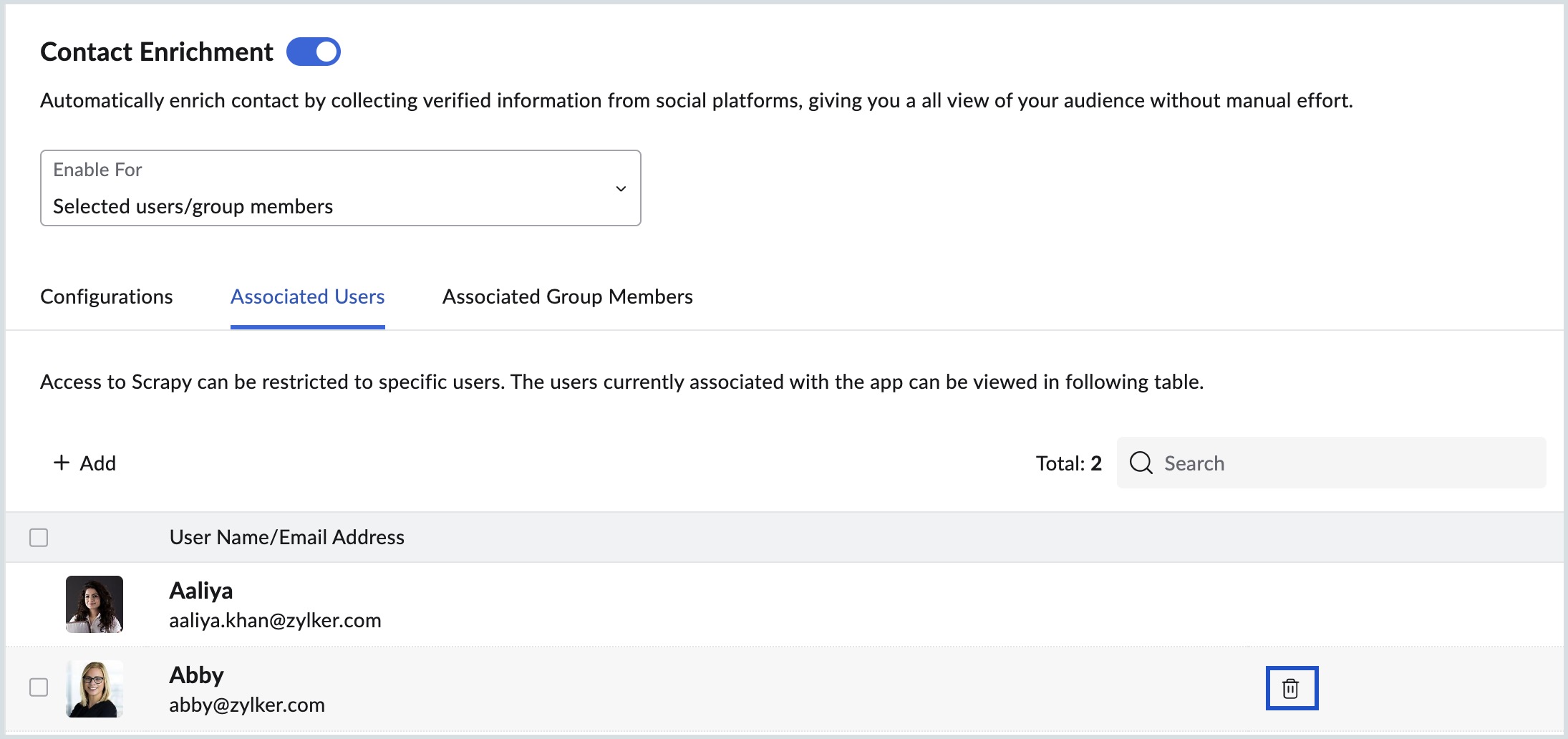
- If Selected users/group members is chosen, you need to associate users or group members by selecting +Add under Associated Users or Associated Group Members tab on the top pane.
Note:
By default, All users option is selected in the Enable For drop-down.
Steps to Configure Contact Enrichment
Once the Contact Enrichment feature is enabled, you can configure the desired settings under Configurations. Follow the steps given to configure the settings:
- Log in to Zoho Mail Admin Console.
- Navigate to Zia for Mail > Contact Enrichment on the left pane.
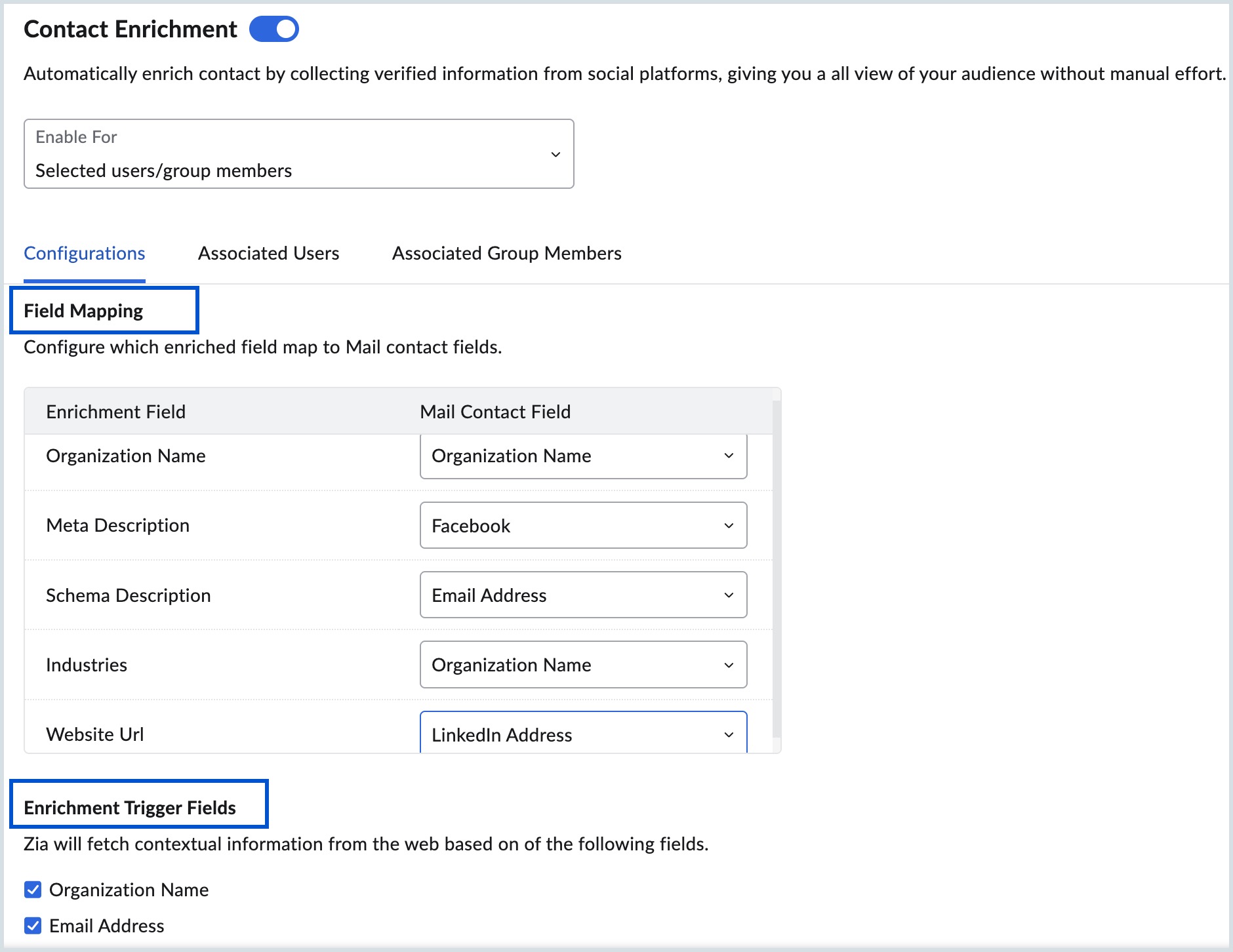
- Move to Field Mapping section under Configurations tab from the top pane.
Here, you can choose and configure the Enrichment Field to be mapped with desired Mail Contact Field from the drop-down.
The available Enrichment Field options include:- Organization Name
- Meta Description
- Schema Description
- Industries
- Website Url
The corresponding Mail Contact Fields are:
- Email Address
- Organization Name
- LinkedIn Address
If you wish to not map any of the enrichment fields, you can select Do not map this field from the Mail Contact Field drop-down.
- Once the field mapping is done, you can select the fields from where the enrichment trigger has to happen from the Enrichment Trigger Fields section. You can select Organization Name or Email Address or both. When an email address or organization name is entered in the Add Contact section from user's mailbox, all the other relevant fields are auto-populated based on the mapping set here under Contact Enrichment.
Steps to associate users/group members
When Selected users/group members is chosen under Enable For drop-down, you need to add specific users and groups in the Associated Users and Associated Group Members tab on the top pane. Follow the steps mentioned to add users/groups:
- Log in to Zoho Mail Admin Console.
- Navigate to Zia for Mail > Contact Enrichment on the left pane.
- Select Associated Users or Associated Group Members tab on the top pane of Contact Enrichment section.
- Click +Add button to add the desired users or groups.
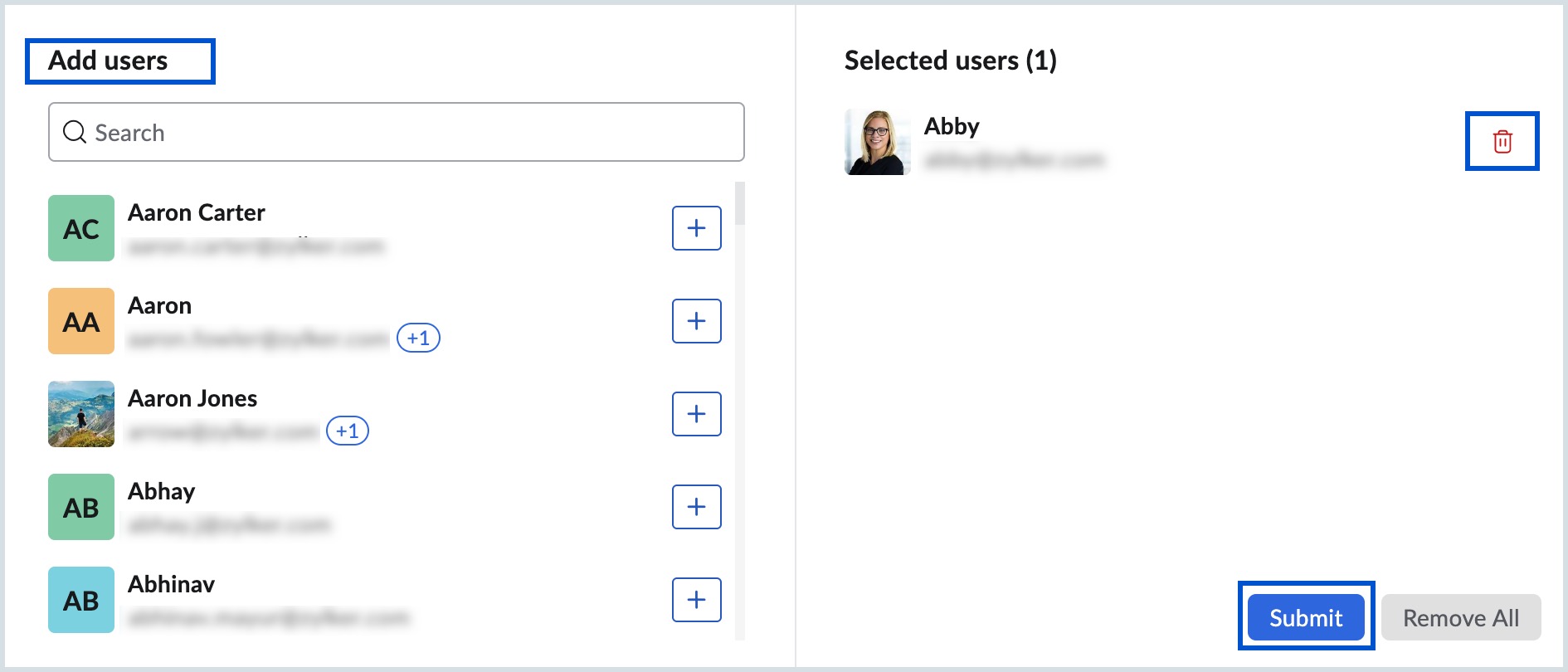
- From the dialog box that appears, select the number of users or groups you wish to associate and click Submit.
- Add remarks, if any, in the Remarks section and click Submit to add the selected users or groups.
- Select the delete icon while hovering over the user name or group name to delete the particular entry.
Steps to disable Contact Enrichment
As an Admin or Super Admin, you can disable the Contact Enrichment feature for your organization. Once disabled, the users have to manually enter all the field details while adding a contact and the fields are not auto-filled. Follow the steps mentioned to disable Contact Enrichment:
- Log in to Zoho Mail Admin Console.
- Navigate to Zia for Mail > Contact Enrichment on the left pane.
- Turn the toggle button OFF next to the Contact Enrichment.
- Select Disable in the Confirm Action dialog box.
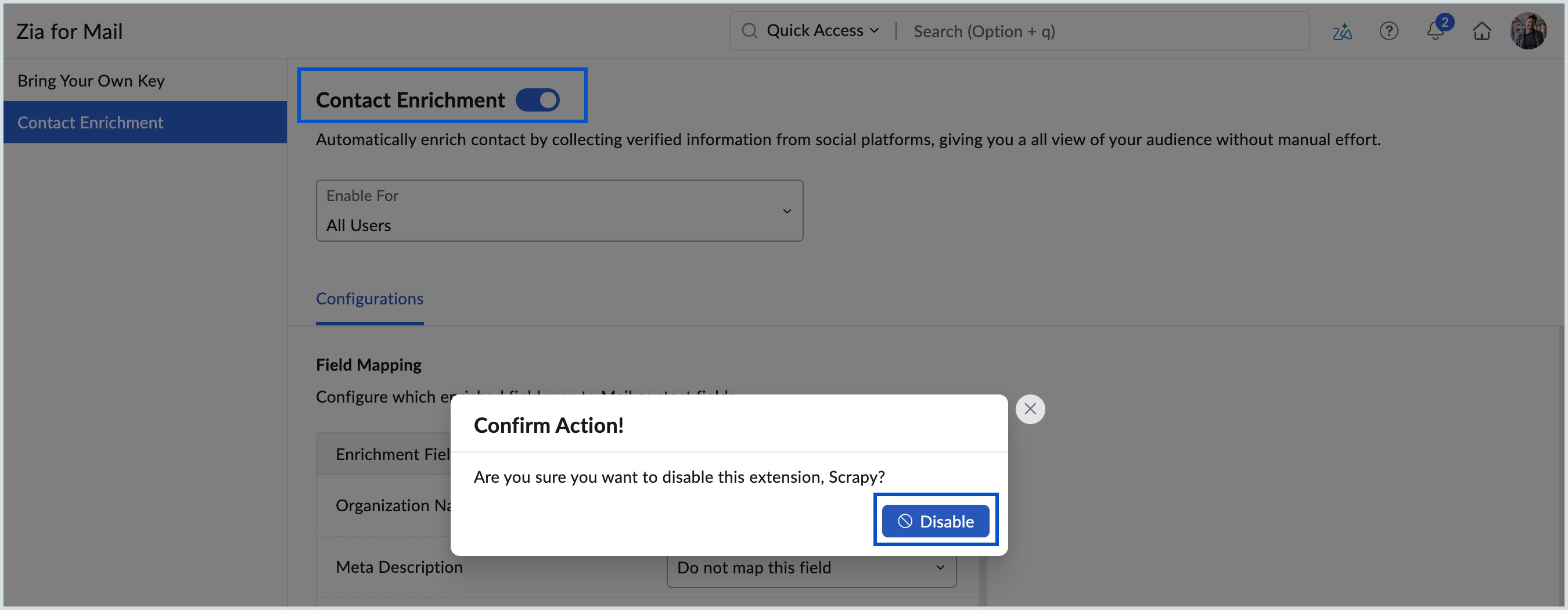
Now, Contact Enrichment is disabled for your organization's users.