


- IMAP / SMTP
- Zoho Mail
- Gmail
- Outlook
- Exchange
Trusted in production across Zoho’s 55+ applications


One integration.
Three essential APIs.
Modern applications rely on communication data, but integrating email, contacts, and calendars across providers is time-consuming. Mail360 simplifies this with a single platform and unified APIs that connect your application to users’ inboxes, contact lists, and calendars.
Email API
Full two-way sync, send, receive, search, folder, templates, draft, label, and thread management. Real-time webhooks. Connect to any provider or host accounts directly with Mail360.
Calendar API
Create, update, and read events. Manage attendees, availability, and RSVP status. Works with Google Calendar and Outlook.
Contacts API
Sync, search, and manage contacts across Google, Outlook, and more. Unified schema for everything your application needs.
Engineered for AI. Fortified by humans. Built to scale.
Vibe-code the product while we handle the pipes. AI can generate your app logic in minutes. What it can’t generate is years of fortified security, deliverability trust, OAuth compliance, provider rate-limit management, and enterprise-grade uptime. That’s what Mail360 brings.
LLM-friendly API design
Clean, consistent REST responses parse perfectly in any AI agent or coding tool. Works with Cursor, Copilot, Claude, and every AI coding environment.
SDKs in every major language
Node.js, Python, Ruby, Java, and more. Drop into your AI-generated codebase with a single import.

AI-ready code.
Human-vetted security.
AI can accelerate development—but security and infrastructure require human oversight. While LLMs write fast, they don’t carry the weight of Zoho’s 20-year privacy commitment. Mail360 combines modern developer velocity with infrastructure you can trust.

End-to-end encryption
All data in transit and at rest is encrypted using AES-256 and TLS 1.3. No plaintext ever leaves the datacenter boundary.
OAuth 2.0 & granular scopes
Users authorize only what your app needs. Tokens are scoped, rotated, and audited, not stored in plain configuration files.
Real-time monitoring & logs
Message-level, webhook, and sync logs with full audit trails. Spot anomalies before they become incidents.
SPF, DKIM, & DMARC right out of the box
Email deliverability isn’t an afterthought. Up-to-date and advanced email authentication protocols keep your data secure.
From zero to connected
in minutes.
Sign up & get your API key
Create a free Mail360 account and grab your API key from the dashboard.
Authorize the account
Use Mail360’s OAuth flow to connect your users’ Gmail, Outlook, or any IMAP/SMTP account in a single redirect.
Call the API
Read, send, sync messages, contacts, and calendar events with a unified REST API—no provider-specific code needed.
Everything you need to build, debug, and ship.
Mail360 comes with a full developer interface—not just APIs. Monitor, test, and manage your integration without leaving the platform.

Connect any account, your way
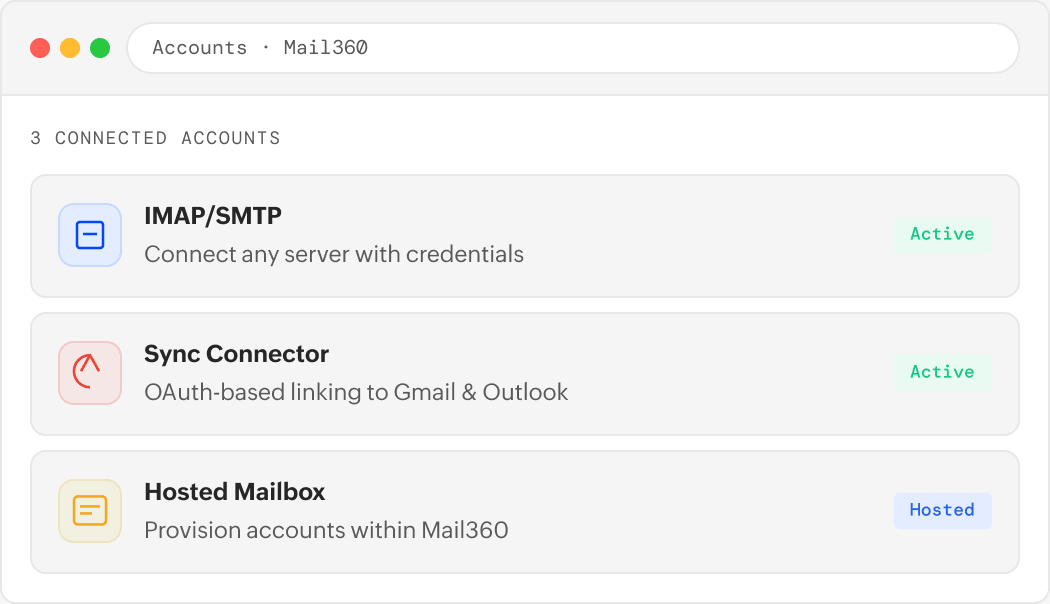
Mail360 supports three account creation modes—giving your application the flexibility to work with any email setup, from self-hosted servers to major cloud providers:
- IMAP/SMTP: Connect any server directly with credentials.
- Connectors: OAuth-based linking to Gmail and Microsoft.
- Hosting: Provision and host accounts directly within Mail360.
- Unified API access regardless of account type.
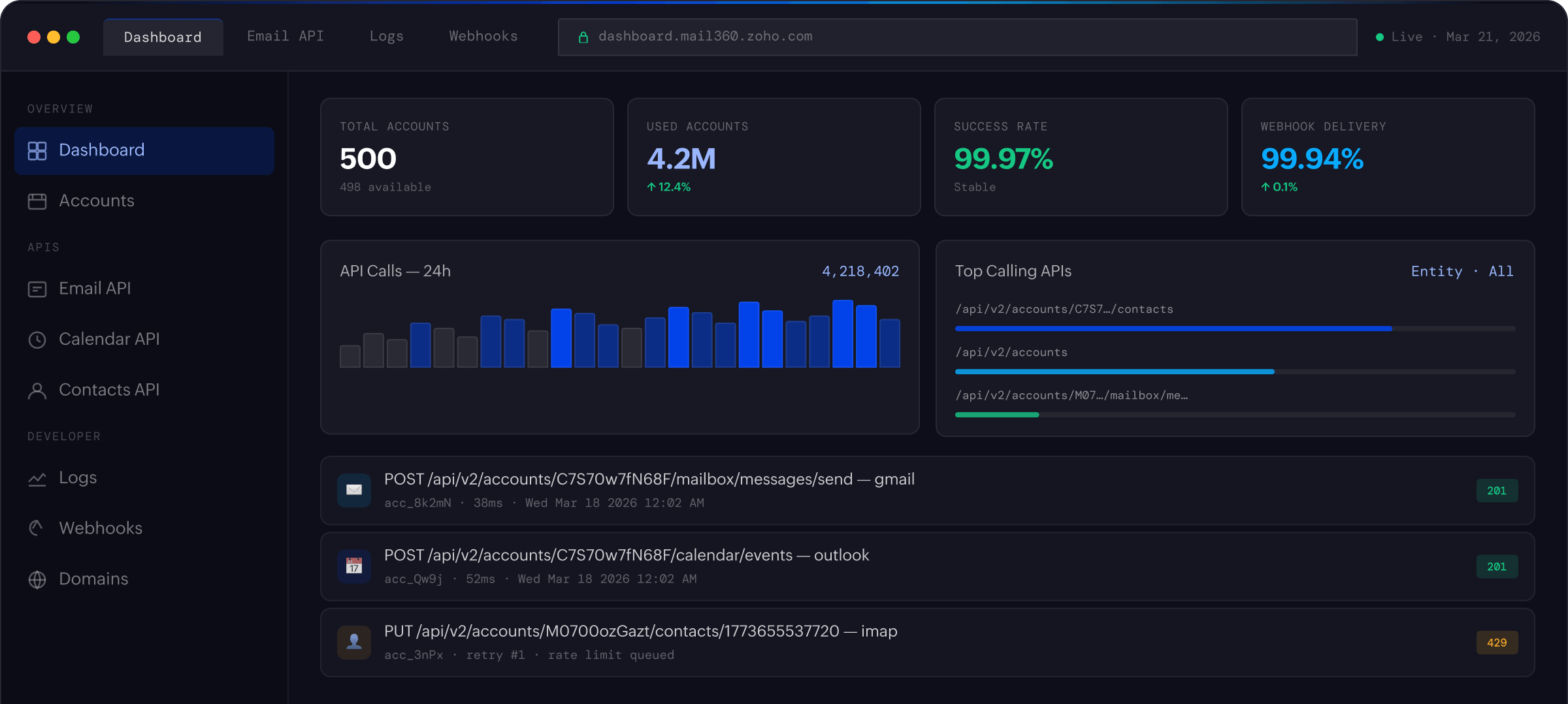
At-a-glance control of your application
The Mail360 dashboard gives you a live overview of your application account—API usage, sync health, active accounts, and failure stats are all in one, unified view.
- Real-time API call volume and success rate metrics.
- Active account count across all connected providers.
- Sync status overview to spot stalled or failed syncs instantly.
- Webhook delivery success rates at a glance.
Deep logs for every layer of your integration
Debugging an email integration shouldn’t mean blindly guessing. Mail360 gives you granular logs across every surface—API calls, sync cycles, sync-back operations, and webhook deliveries.
- API logs: Every request with status, latency, and payload details.
- Sync logs: Per-account sync runs, message IDs, and errors.
- Sync-back logs: Track write operations propagated back to providers.
- Webhook logs: Delivery attempts, response codes, and retry history.
One place for all your domain infrastructure
Add, verify, and manage all of the domains used by your application’s hosted mailboxes. DNS records, authentication status, and domain-level settings—they’re all unified in a single view.
- Add custom domains for hosted mailbox provisioning.
- Guided SPF, DKIM, and DMARC DNS setup with verification.
- Manage multiple domains across one application account.
Instant notifications for every mailbox event
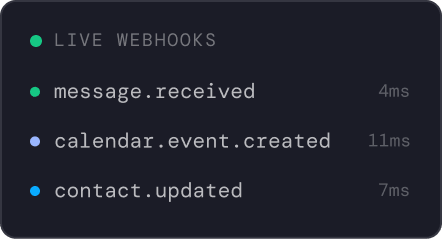
Configure webhooks to push real-time events to your application the moment something changes, whether a new message arrives, a contact is updated, or a calendar event is modified.
- Subscribe to email, contact, and calendar events separately.
- Account or application-level webhook endpoints.
- Signed payloads with HMAC verification for security.
- Automatic retry with exponential backoff on delivery failure.