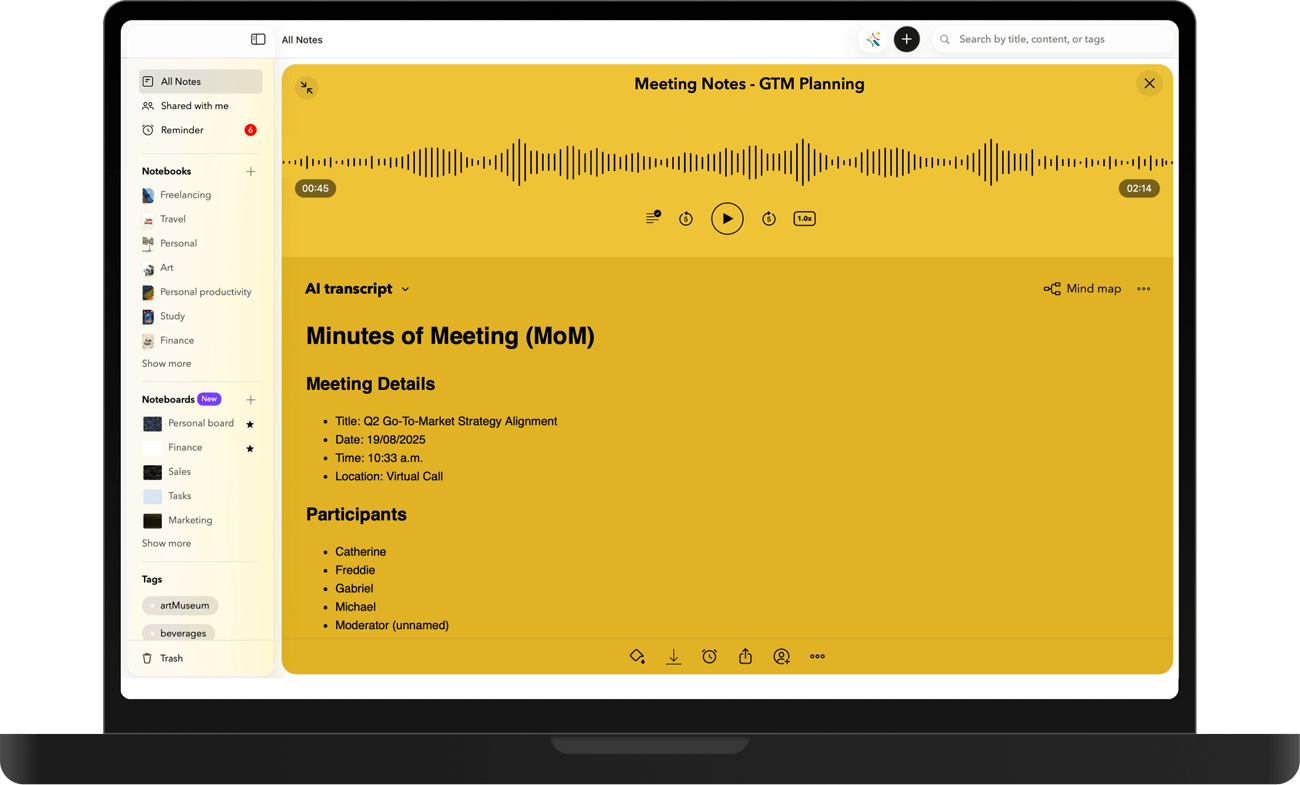
AI-powered meeting notes and transcription
Converts audio notes and meetings into accurate, searchable text. Meeting minutes are ready in minutes, complete with summaries, highlights, action items, timestamps, easy sharing, and follow-ups.
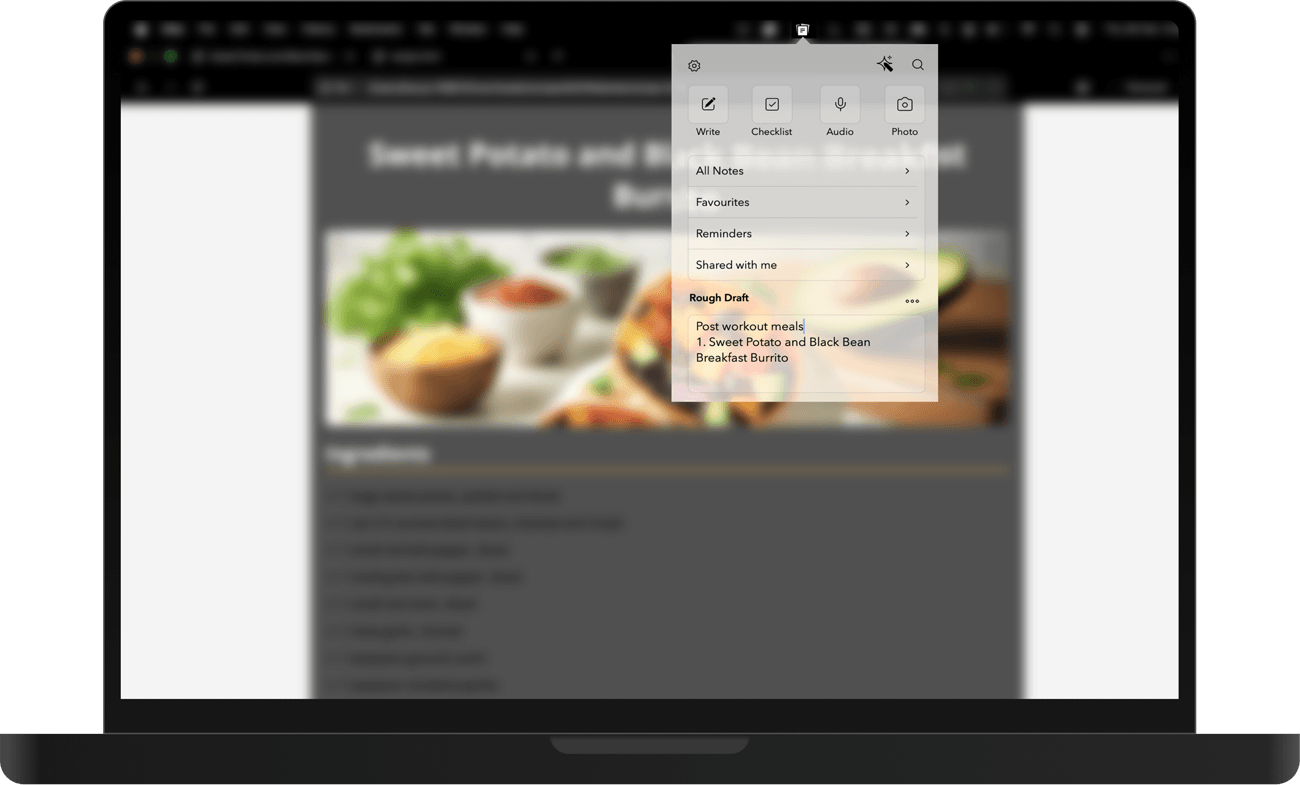
Capture quick notes from the Menu Bar
Capture ideas instantly without breaking your flow. Create new notes, quickly search existing ones, or jump to important sections—right from the menu bar—so your thoughts stay captured the moment inspiration strikes.
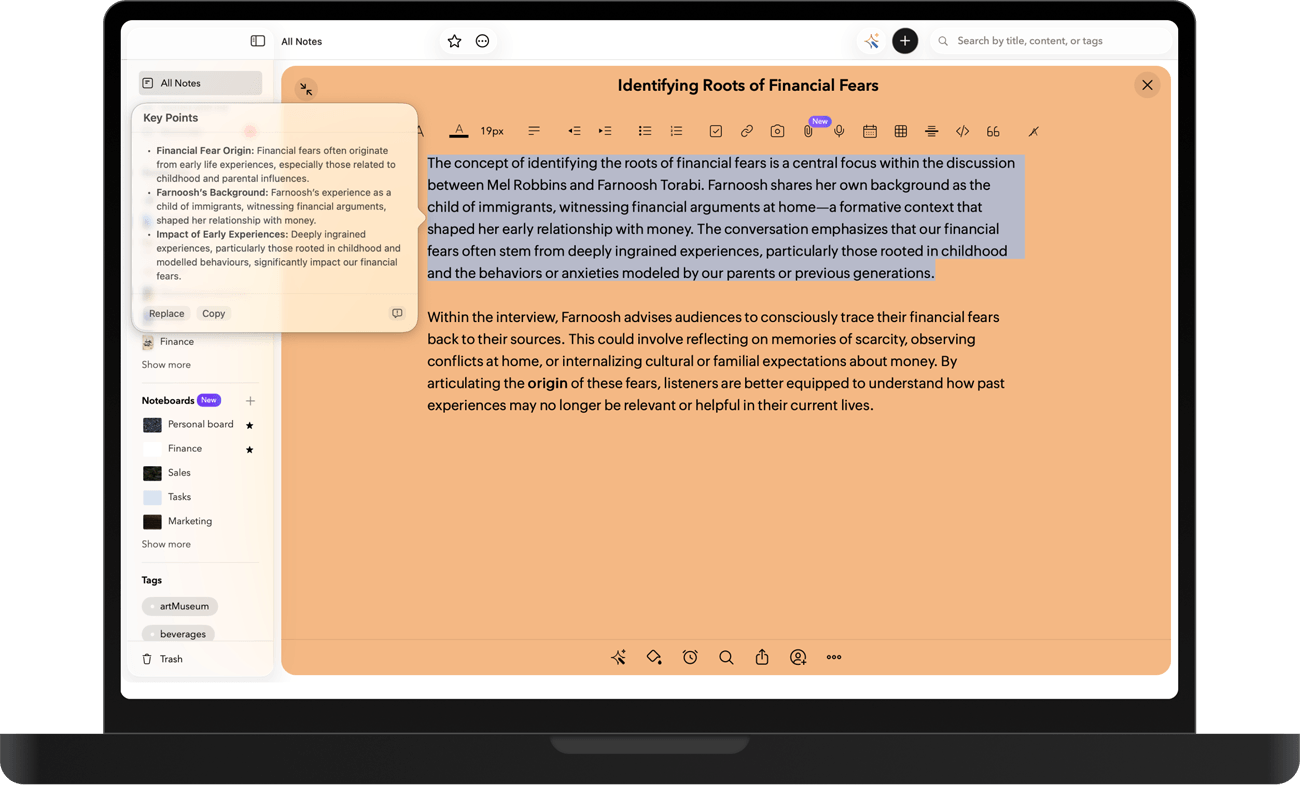
Notebook and Apple Intelligence
Uses on-device intelligence to improve your notes securely by helping you organize ideas and work smarter. Create visuals from text, transcribe speech, and generate clear summaries that are easy to revisit. Text from images and scanned documents remains searchable, accessible, and ready when you need it.
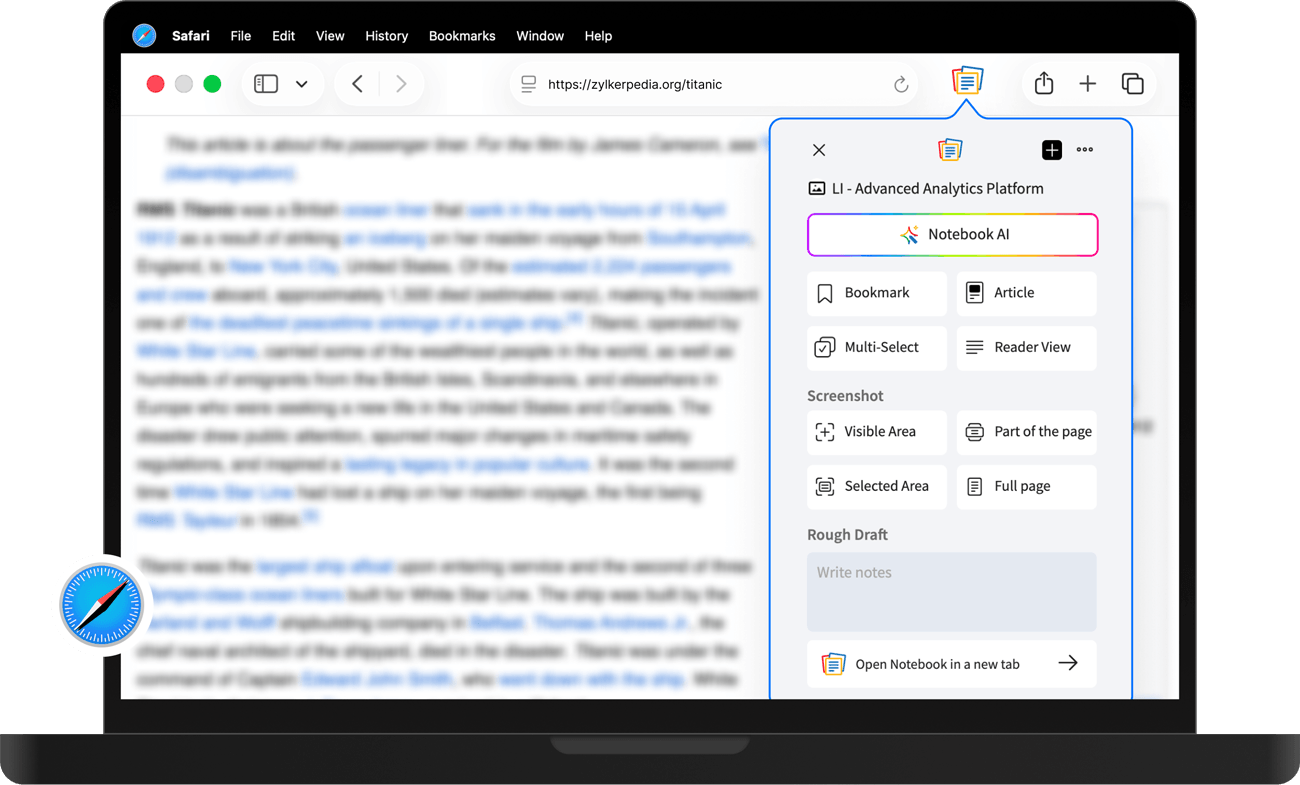
Safari and Share Extensions
Save articles, images, links, and files directly into Notebook from Safari or any app on your device. Easily collect research, references, and inspiration as you browse, then organize everything into notes so your ideas stay structured, accessible, and ready to use anytime.
Multi-task effortlessly on Mac
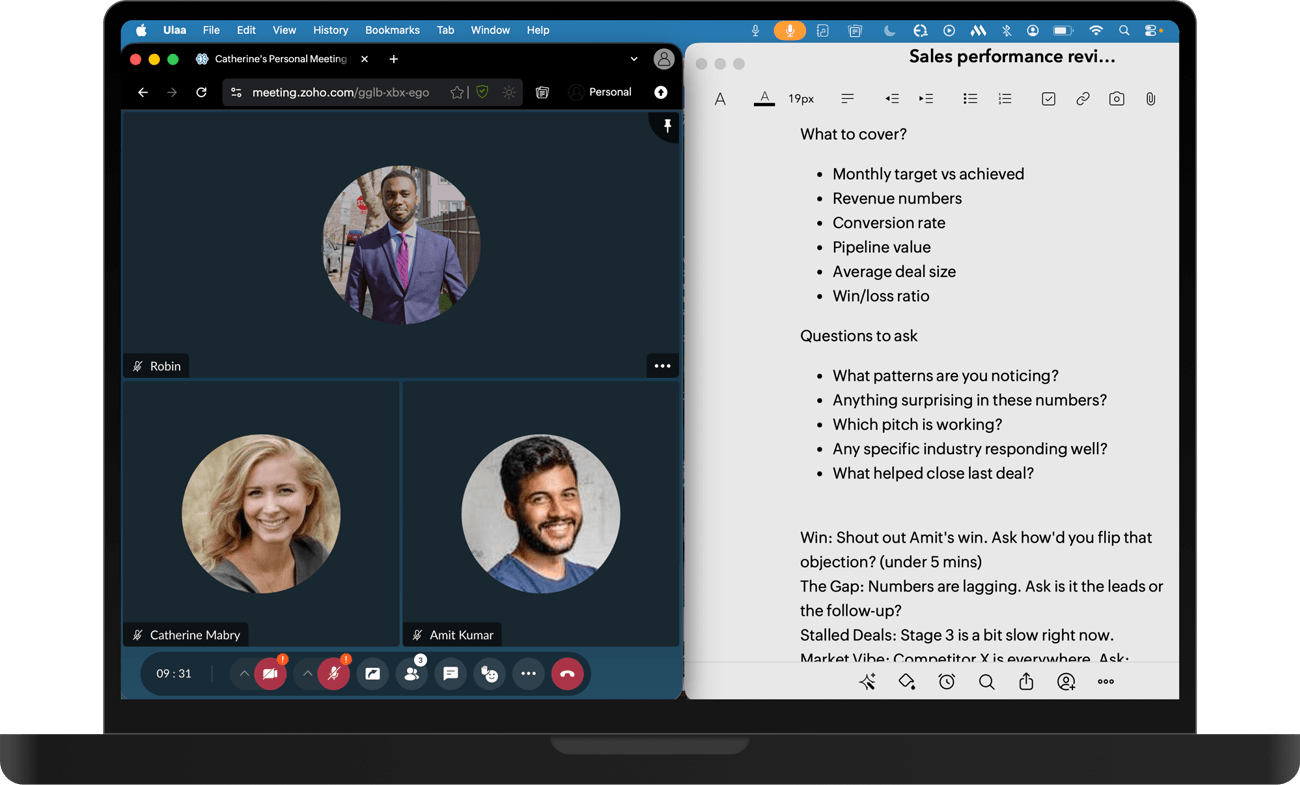
Work more efficiently by opening multiple notes or notebooks side by side on your Mac. Easily compare content, reference information, and switch between ideas without losing focus, making multitasking smoother and helping you get more done in less time.
Mac‑First productivity features
Zoho Notebook for Mac is designed with a Mac-first mindset that naturally integrates into your workflow. All you need is a Mac and the Notebook app to stay organised and focused.
Widgets & Interactive Widgets
Keep important notes, checklists, or reminders within reach on your Home Screen or Notification Center. View, edit, and stay organized—without opening the app.
PDF Annotation
Highlight text, add comments, draw, and mark up PDFs directly within Notebook. All your annotations stay neatly saved alongside your notes.
Continuity Camera
Use your iPhone to scan documents, take photos, or add sketches directly into your notes on Mac. Everything syncs instantly, with no extra steps.
Touch ID Protection
Secure your notes with Touch ID for quick, private access. Lock sensitive content and keep your information protected at all times.
Focus Filters
Filter notebooks based on your active Focus mode. See only what matters during work, study, or personal time—without distractions.
Dark & Light Mode
Notebook automatically adapts to your system appearance for a comfortable viewing experience—day or night, light or dark.
Frequently asked questions?
Is Zoho Notebook free to use on Mac?
Yes. Zoho Notebook offers a free version for Mac with powerful note-taking features, syncing, and organization tools. Premium upgrades are available for users who want additional storage and advanced features.
Can I sync my Zoho Notebook notes across multiple devices?
Yes. Your notes automatically sync across Mac, mobile devices, and the web when you sign in with your Zoho account, so your notes stay updated everywhere.
Does Zoho Notebook work offline on Mac?
Yes. You can create, edit, and organize notes offline. Once you reconnect to the internet, your changes sync automatically.
How can I share notes from Zoho Notebook on Mac?
You can share notes by generating a public link or collaborating directly with others in the app.
Is Zoho Notebook secure for storing personal notes and information?
Yes. Zoho Notebook uses strong encryption and secure cloud infrastructure to protect your notes and personal information.
Is Zoho Notebook a free Evernote alternative?
Yes. Zoho Notebook is a free note-taking app and a great alternative to Evernote. You can also import your Evernote notes easily and continue organizing them in Notebook.
Can I organize notes into notebooks and groups in Zoho Notebook?
Yes. You can group notes into notebooks or collections, add tags, and arrange them visually to keep your information organized.
Does Zoho Notebook support web clipping from the browser?
Yes. With the Notebook Web Clipper extension, you can save articles, screenshots, bookmarks, and web content directly to your notes.
Is Zoho Notebook part of the Zoho ecosystem, and can it integrate with other Zoho apps?
Yes. Zoho Notebook is part of the Zoho ecosystem and can complement other Zoho apps by helping you capture and organize ideas related to your work.
Built for focus, creativity, and control
Start focusing on what matters most while Notebook takes care of the rest.