
A/B testing means showing two versions of a page to different groups of real visitors and seeing which one performs better. You keep your current page as version A — the control. You create a changed version as version B — the variant. The testing tool splits your incoming traffic between them. Half the visitors see A, half see B. After enough people have visited both, you compare the results. Whichever version got more signups, purchases, or clicks wins. People also call this split testing or controlled experimentation; either way, the answer comes from real visitor behavior, not from someone's best guess.
Why do businesses do A/B testing?
The only way to reliably make a page better is to test changes against real visitor behavior. Everything else — design intuition, competitor research, best practice articles — gives you ideas to test, but it doesn't tell you what will work for your specific audience.
There's also a compounding angle. One test that improves conversion by 8% is useful. But if you run a test every month for a year, each building on what the last one taught you, the effect stacks. Companies that test consistently tend to pull ahead of competitors who treat their website as a one-time project.
And before you rebuild a page from scratch, a split URL test on the new version will tell you whether the redesign actually performs better. Many redesigns don't, which is uncomfortable to find out after launch. It's much cheaper to find out during a test.
Types of A/B testing
There are a few different approaches depending on what you need to test.
A/B test
The standard version. One page, one change, two variants. You test a single element — a headline, a button, an image, a form — against the original. It's clean, fast to set up, and easy to read results. This covers most situations. If you're new to testing, start here. It's good for testing headlines, CTA copy, button placement, hero images, form length, and pricing page copy.
A/B/n test
Same as an A/B test, but with more than one variant. You might test three different headlines — A (original), B, and C, all at the same time. Useful if you have several real options and want to find the best one without running three separate tests.
Split URL test
Here, each version lives at a different URL. If your current page is at /pricing, your new version will be at /pricing-v2. Traffic splits between the two URLs. It's particularly useful when the change is too big for an in-page editor — a full redesign, a new layout, a restructured flow. It's also how you validate a new page your dev team has already built before committing to a full launch.
Multivariate testing
Multivariate testing lets you test several elements at once. For example, three headline options combined with two hero images — six combinations tested in one experiment. The upside is efficiency. The downside is that you need a lot more traffic for reliable results, because that traffic gets split across many more combinations. For most websites, A/B testing handles what needs to be done. Multivariate testing is a tool for when you have very high traffic and want to optimize a page more granularly.
How different businesses use A/B testing
A/B testing isn't one-size-fits-all. What you test depends on your business model, your traffic, and where you're losing customers.
E-commerce
For online retailers, almost every page in the buying journey is worth testing at some point. Product pages, category pages, the cart, the checkout — each one is a place where visitors either continue or leave. Common tests include how product images are displayed, how stock details are shown to increase urgency, how price and discount information is presented, and how many steps the checkout takes. Even small improvements here can compound quickly from the same traffic, with no extra ad spend.
B2B
B2B buying decisions take longer and involve more people. That means the website's job is usually to start a conversation — request a demo, download a guide, fill out a contact form — rather than close an immediate purchase. A/B testing in B2B tends to focus on the pages that sit at that entry point: how the value proposition is framed on a landing page, what the CTA says, and whether a shorter form gets more completions than a longer one. B2B conversion pages like demo request forms and contact pages tend to attract a narrower, more specific audience than consumer pages, which means tests need more time to accumulate enough data. Picking your highest-traffic pages and being realistic about test duration matters here more than anywhere else.
SaaS
SaaS businesses usually have a small number of pages that determine whether the whole acquisition funnel works: the homepage, the pricing page, and the trial signup form. Small conversion improvements on those pages flow through to every marketing channel that lands there. Beyond the marketing site, SaaS teams also test inside the product — onboarding flows, upgrade prompts, and feature discovery messages. Some of those tests require server-side experimentation rather than front-end changes, which Zoho PageSense supports through its full-stack testing capability.
SMBs
Small and medium businesses (SMBs) often assume A/B testing is something only large companies with high traffic can do. That's not accurate. What changes for smaller businesses is the pace — tests take longer to reach statistical significance when a page gets a few hundred visitors a week rather than tens of thousands. Start with your highest-traffic page, make one meaningful change, and give the test enough time to tell you something reliable.
Enterprises
Larger organizations have more pages, more traffic, and more teams with competing ideas about what the website should say and look like. A/B testing brings structure to that — changes go through a test before they go live rather than being decided by internal consensus. Higher traffic volumes mean faster tests and the ability to detect smaller improvements reliably. For teams running multiple experiments across a large site, Zoho PageSense's mutually exclusive groups feature ensures separate experiments don't share the same visitors, keeping each result clean and attributable.
Who can use A/B testing?
A/B testing is for anyone who owns a webpage and wants to improve what it does. You don't need a statistics background or a developer on call. Modern tools like Zoho PageSense are built so that a marketer can set up and launch a test without writing a single line of code. If you have a website, a conversion goal, and enough traffic to collect data, you can run A/B tests.
Marketers
Marketers are usually the ones closest to conversion goals — more signups, more leads, more clicks on a campaign page. A/B testing helps them improve landing pages, test different ad copy variations, and figure out which offers resonate with their audience. Instead of rebuilding a page and hoping for the best, they can test a change on a portion of traffic first and only roll it out when the data supports it.
Product managers
Product managers make decisions about what gets built and shipped. A/B testing gives those decisions a stronger foundation. Testing a new onboarding flow or a redesigned feature page against the current version tells you whether the change actually improves things before it goes out to everyone.
UX and design teams
Designers often have strong instincts about what will work. A/B testing is how those instincts get validated or challenged. When two layout ideas are both reasonable, a test lets real user behavior settle the question rather than internal debate.
Developers
Most front-end A/B tests don't need developer involvement. But when experiments move into the application layer — testing pricing logic, feature flags, or backend flows — developers become essential. Zoho PageSense's server-side testing capability is built for exactly this.
Business owners and growth teams
For smaller teams wearing multiple hats, A/B testing is one of the highest-return activities available. Improving a key page's conversion rate means getting more customers from the traffic you're already paying for.
Benefits of A/B testing
Most website changes are based on assumptions. Someone thinks a new headline will perform better. Someone else thinks the form is too long. But acting on them without validation means you're just as likely to hurt your conversion rate as improve it. A/B testing removes that risk. Businesses that test consistently don't just make better individual decisions; they build a compounding advantage over time. Here are the key benefits:
Growth & Performance
- Better conversion rates
- Higher ROI on paid traffic
- Lower cost per acquisition
- Works across the full funnel
- Improved user experience
- More confident product decisions
- Reduced risk on structural changes
- Lower bounce rates
User & Product Experience
- Data-driven decisions
- Faster learning cycles
- Continuous website improvement
- No coding required
Team & Process Efficiency
What are the key features of A/B testing software?
No-code visual editor
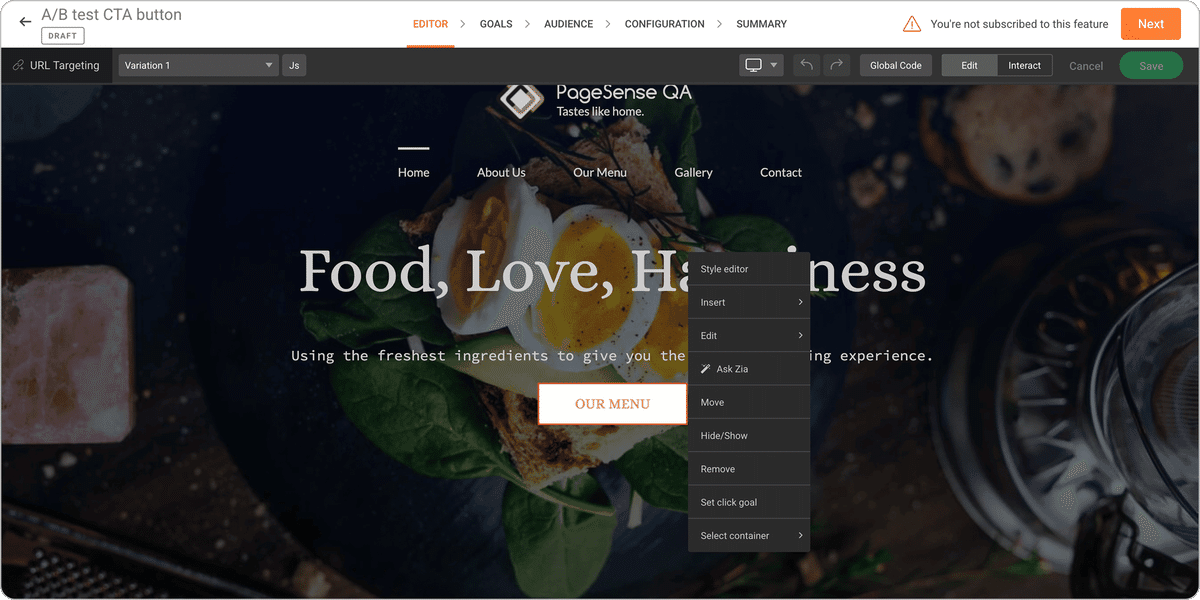
You should be able to build a variant without a developer. Zoho PageSense's visual editor lets you click on any element of your live page — a headline, image, button, form, section — and edit it directly. Change the text, swap the image, move a block around, hide something. Zoho PageSense writes the code in the background. You see exactly what the variant looks like as you build it. The editor also supports adding custom HTML, CSS, and JavaScript when you need that level of control.
Device view and compatibility
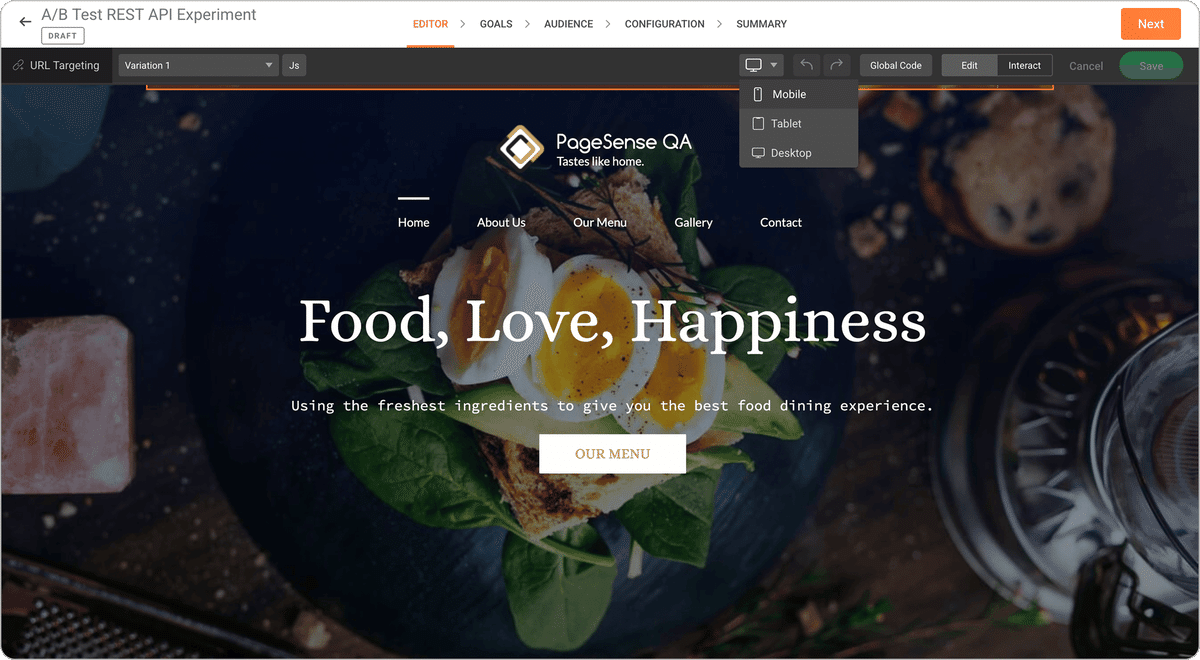
Your mobile visitors and desktop visitors don't behave the same way. Zoho PageSense lets you toggle between desktop, tablet, and mobile views while building your variant, so you can check how changes look on each device type. More importantly, you can segment your test results by device. A variant that improves desktop conversions might have no effect — or even a negative effect — on mobile. That tells you whether you need a mobile-specific variant or whether the result holds across devices.
Ask Zia — AI-powered content generation
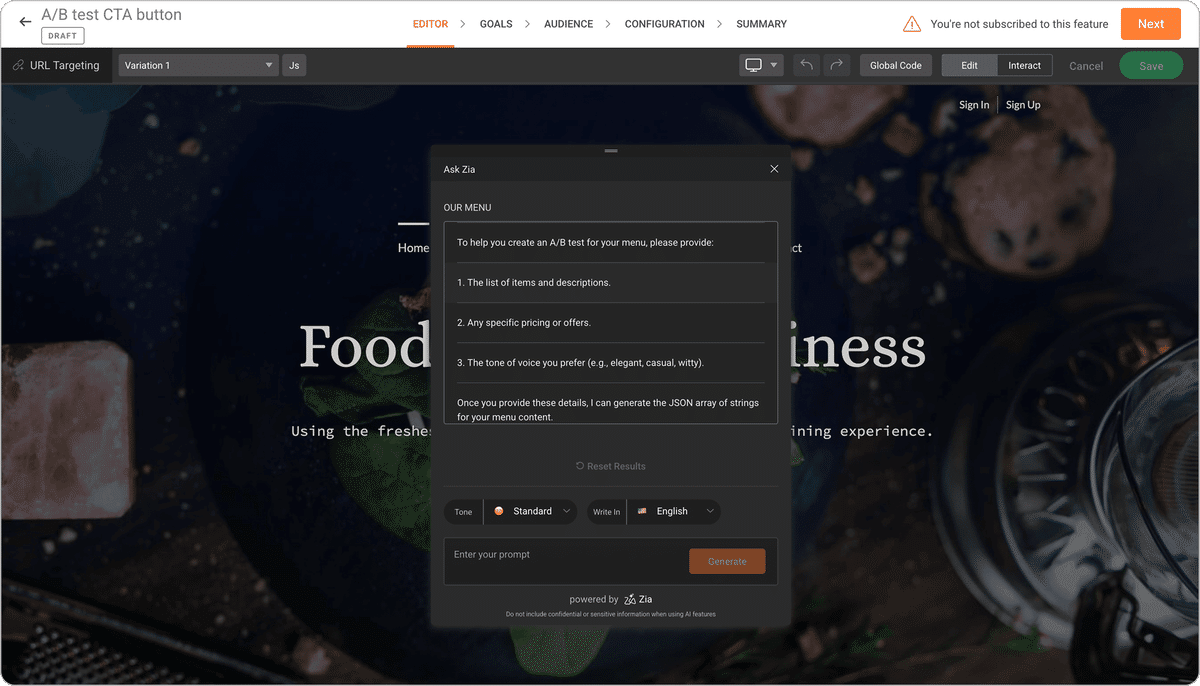
Writing variant copy can be slow. You know you want to test a new headline or CTA, but coming up with alternatives takes time. Zia, PageSense's built-in AI assistant, speeds that up. Describe what you're trying to say, and it generates alternative text versions right inside the visual editor, so you can choose what to test without ever leaving the page.
Chrome extension
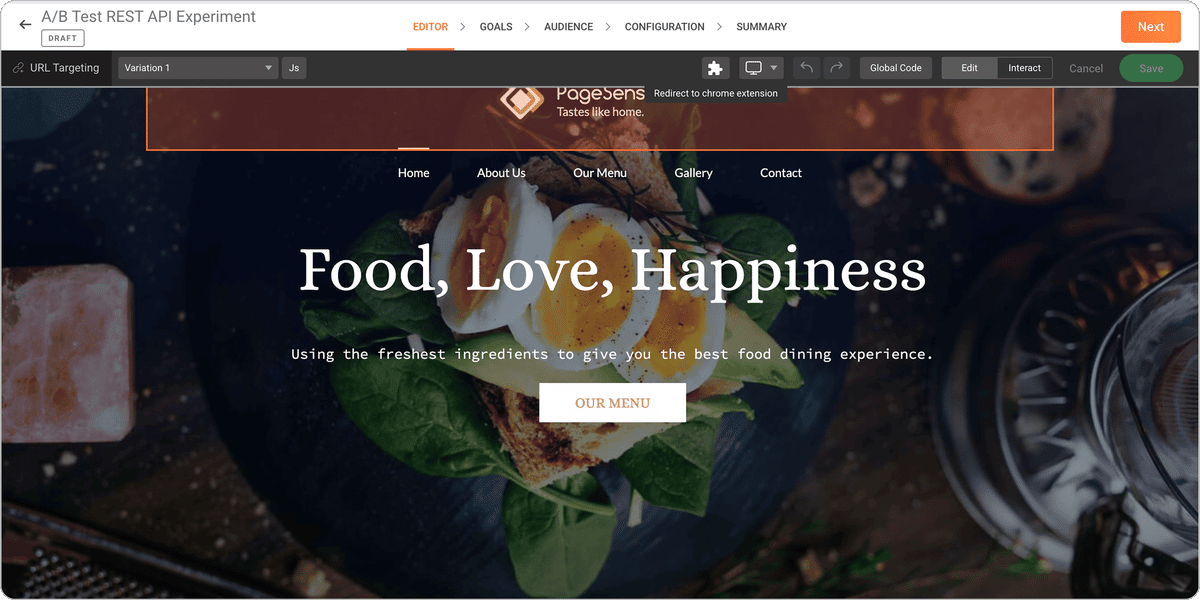
The Chrome extension lets you create variants, launch tests, and set goals directly from your browser without logging into a dashboard. Particularly useful for testing pages that require a login or pages with dynamic content that's hard to load in a standard editor environment.
Audience targeting and segmentation
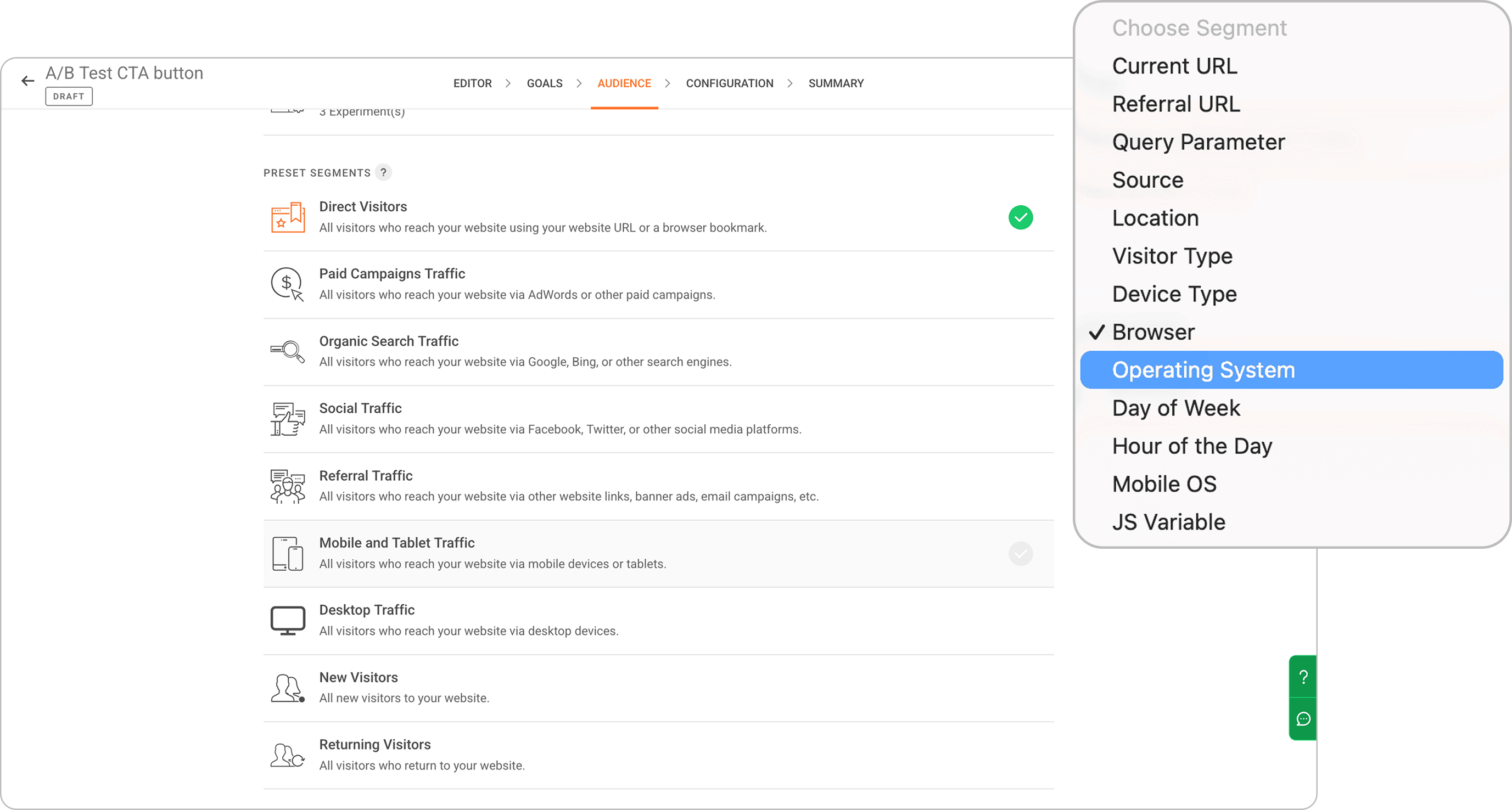
You can limit who participates in a test — visitors from a specific country, mobile users only, first-time visitors, or people who arrived from a paid campaign. This lets you run more targeted experiments and compare results across specific groups. You can also segment results after the test. Even if the overall result is flat, breaking it down by traffic source or device might show that one segment responded very differently to the variant.
Conversion goals
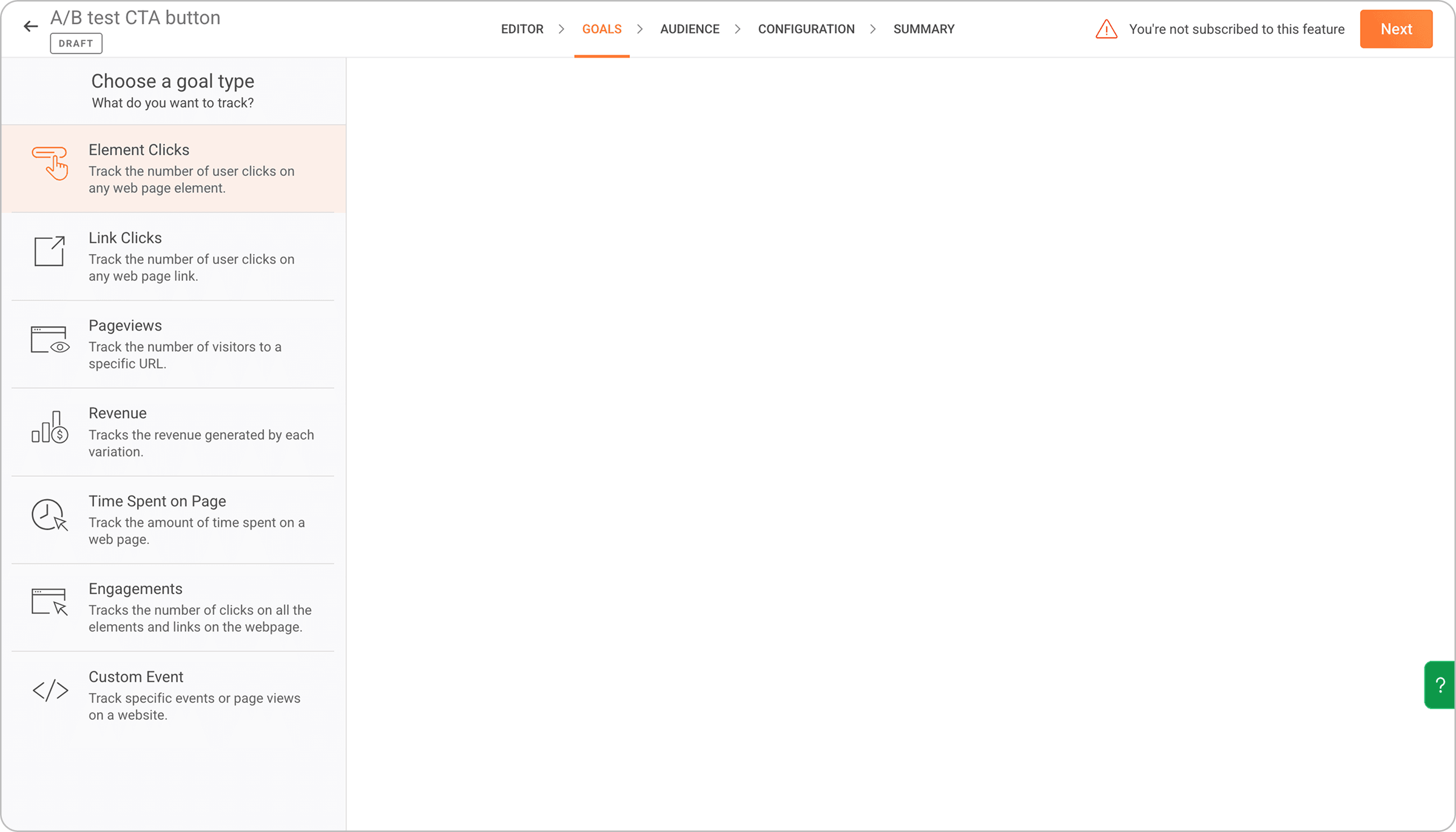
Before a test launches, you set a goal — the specific action you want to measure. A form submission, a button click, a product purchase, a page visit, or revenue. Zoho PageSense tracks goal completions per variant, so your results tell you which version drove more of the thing you actually care about. You can set a primary goal and secondary goals to watch for unintended effects.
Experimentation methods — Frequentist and Bayesian
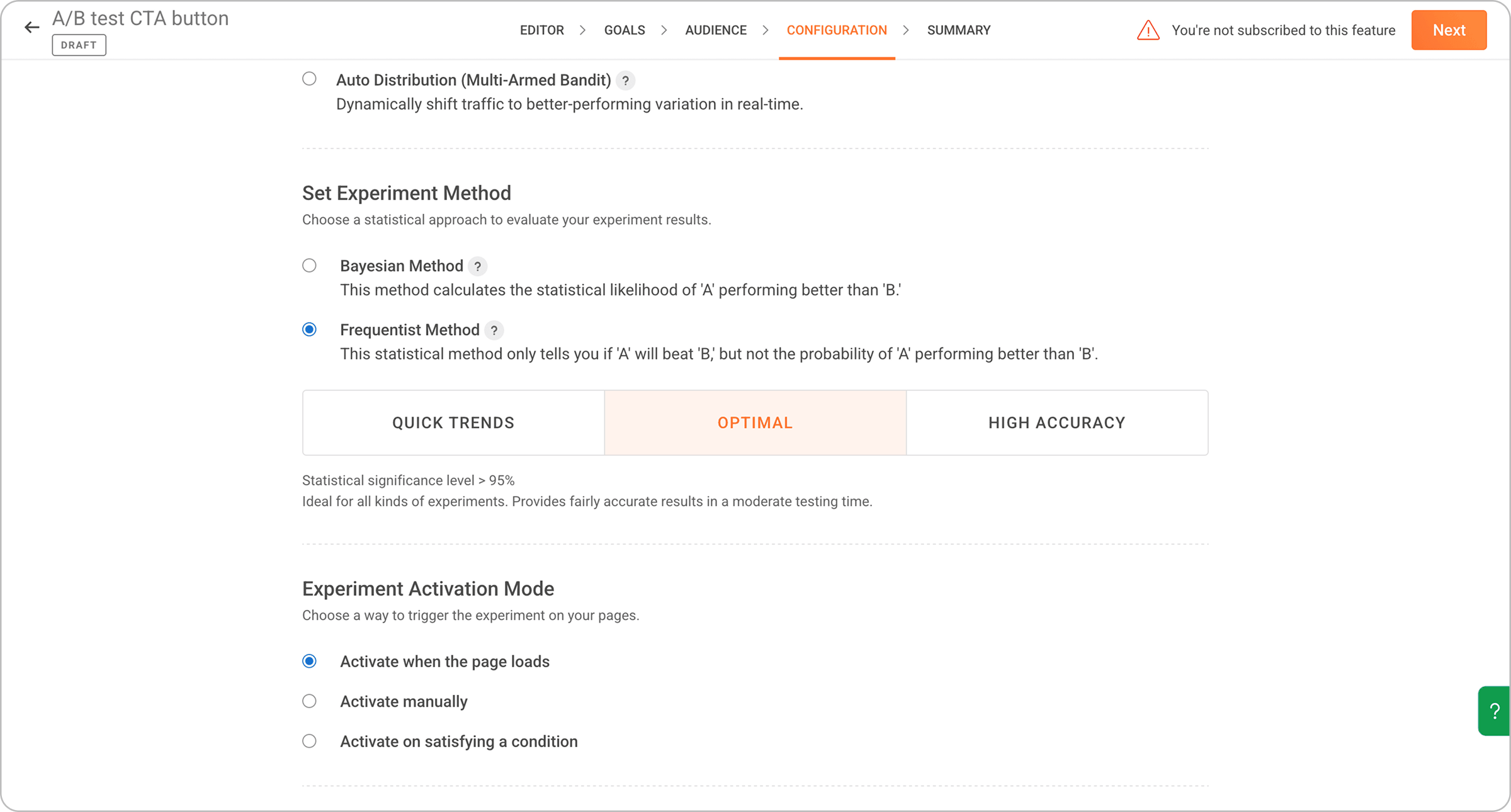
Zoho PageSense supports both statistical methods. Frequentist gives you a p-value and confidence level. At 95% confidence, there's a 5% chance the result you're seeing happened by chance rather than because of your change.
Bayesian gives you a probability that one variant is better than the other. Many people find this easier to explain to stakeholders. For example, "there's a 94% probability variant B outperforms variant A" lands more naturally than a p-value explanation.
Both methods calculate everything automatically. You don't need to run the numbers yourself.
Conversion forecast
This shows you the trajectory each variant's conversion rate is trending toward before the test reaches full significance. Don't use it to call a winner early, but it's a useful read on whether a test is heading somewhere interesting, especially when you're watching a time-sensitive campaign.
Multi-armed bandit testing
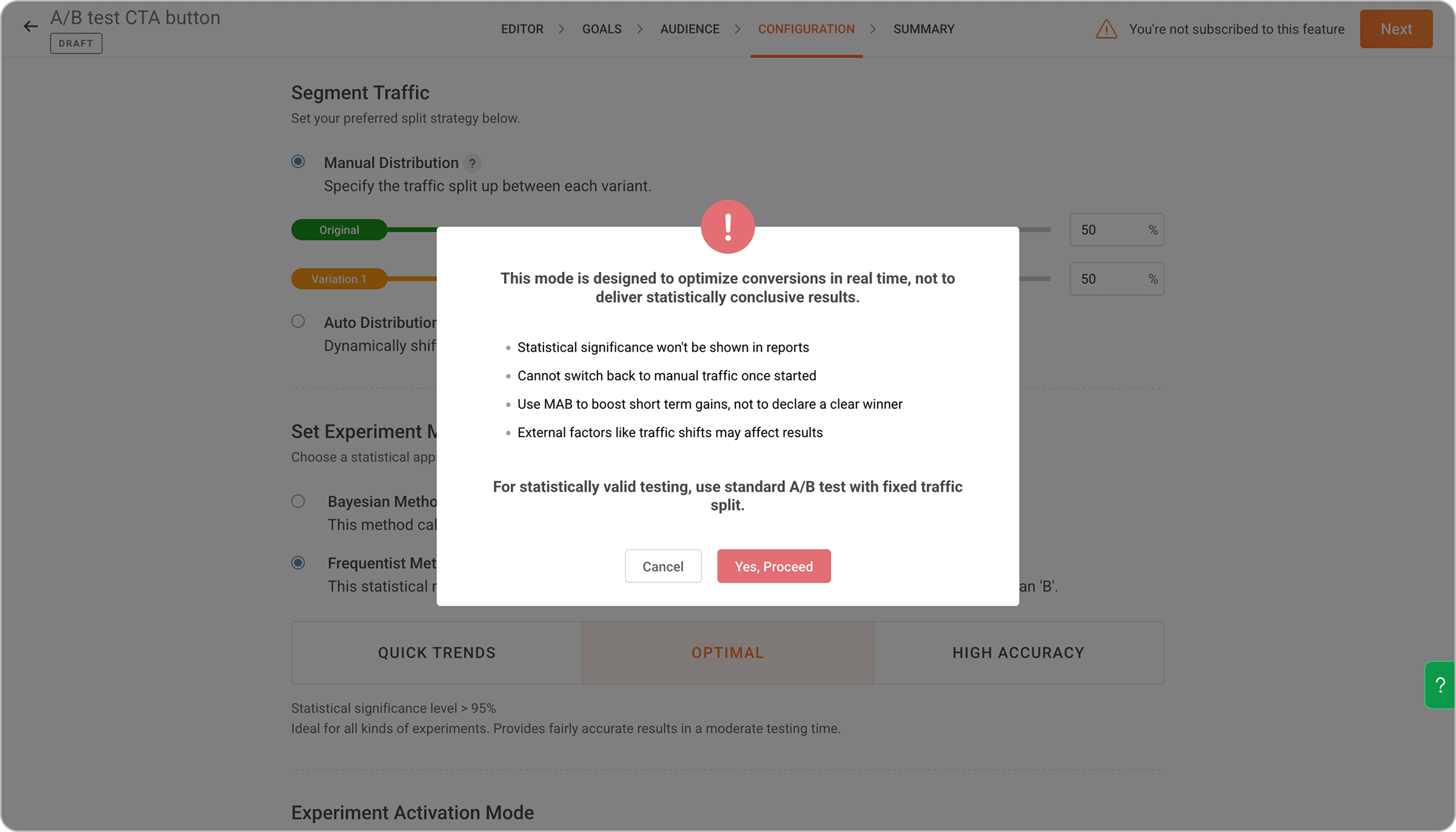
Standard A/B testing splits traffic 50/50 and holds that split until the test ends. Multi-Armed Bandit (MAB) does something different — it automatically shifts more traffic toward whichever variant is performing better as data comes in, via a method called Thompson Sampling.
Variation-specific heatmaps
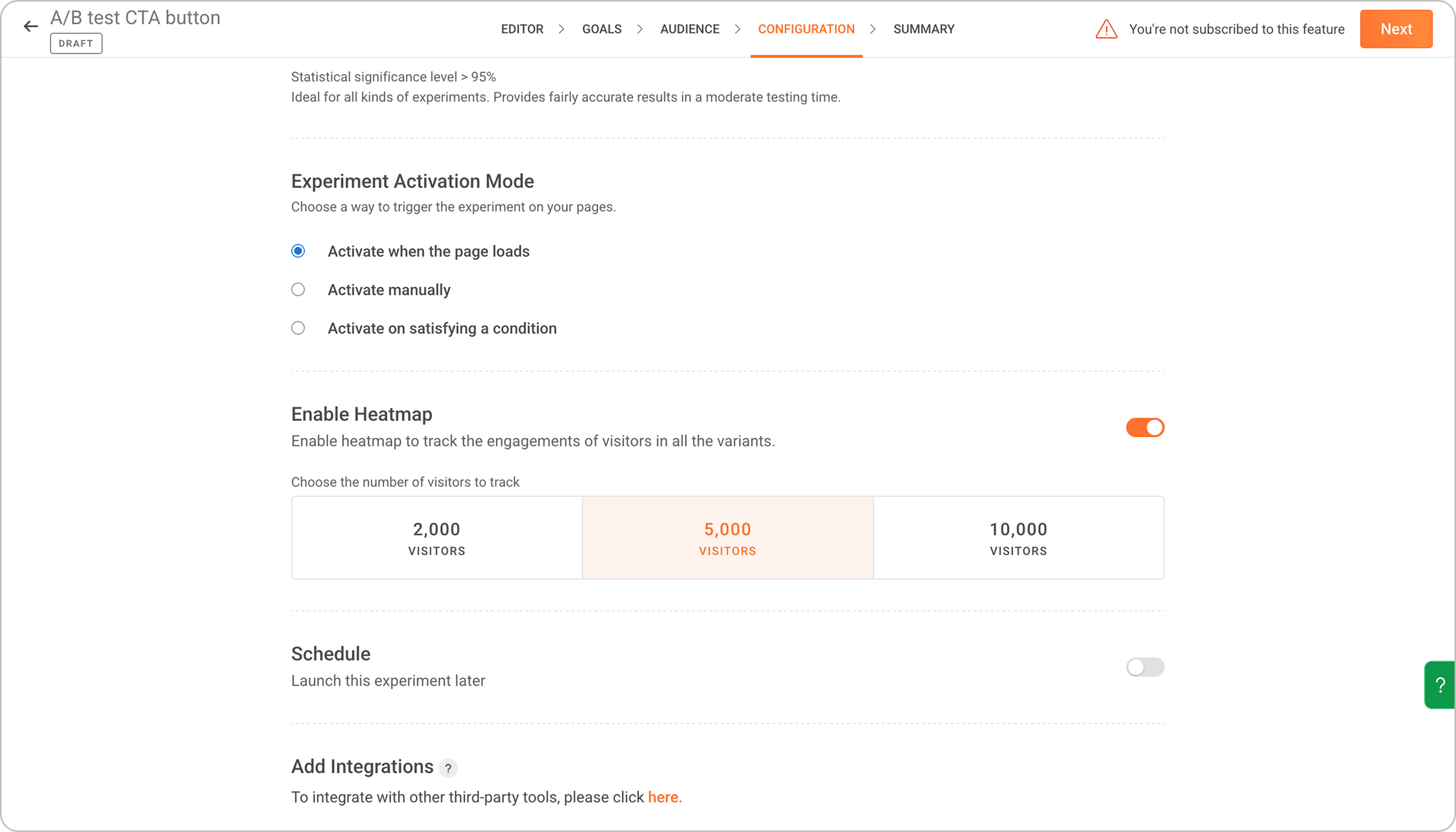
You can enable a heatmap for each variant, not just for the overall page. This shows you how visitors actually interacted with each version — where they clicked, how far they scrolled. When a test result surprises you, the heatmaps are usually where the explanation is.
Advanced URL targeting
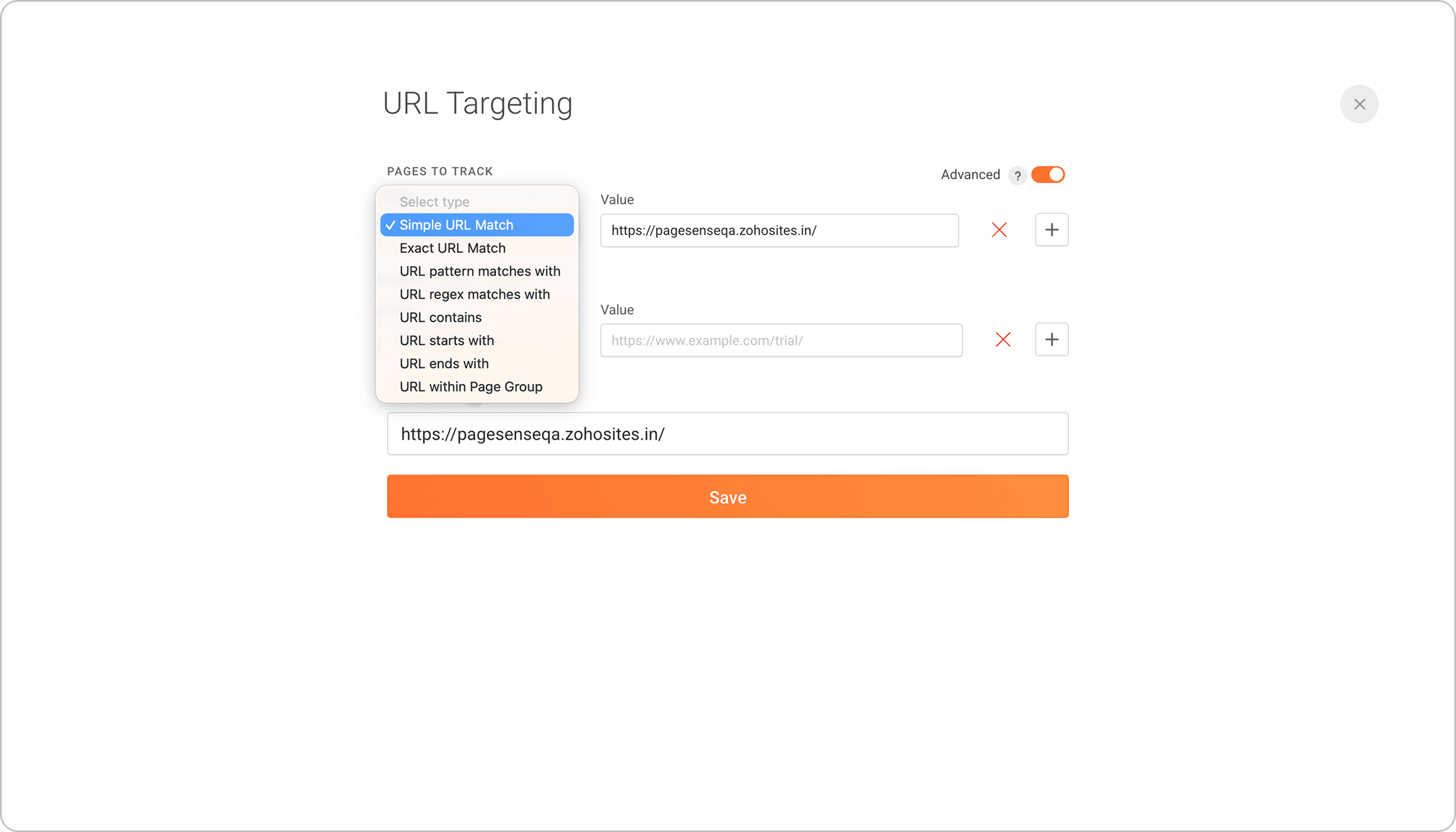
Seven URL match types let you control exactly which pages are included in a test. You can target one specific URL, all pages that contain a certain string, or all pages in a category, and include or exclude specific pages from that group. You can also run one experiment across multiple related pages at the same time instead of setting up separate tests for each.
Cross-domain tracking
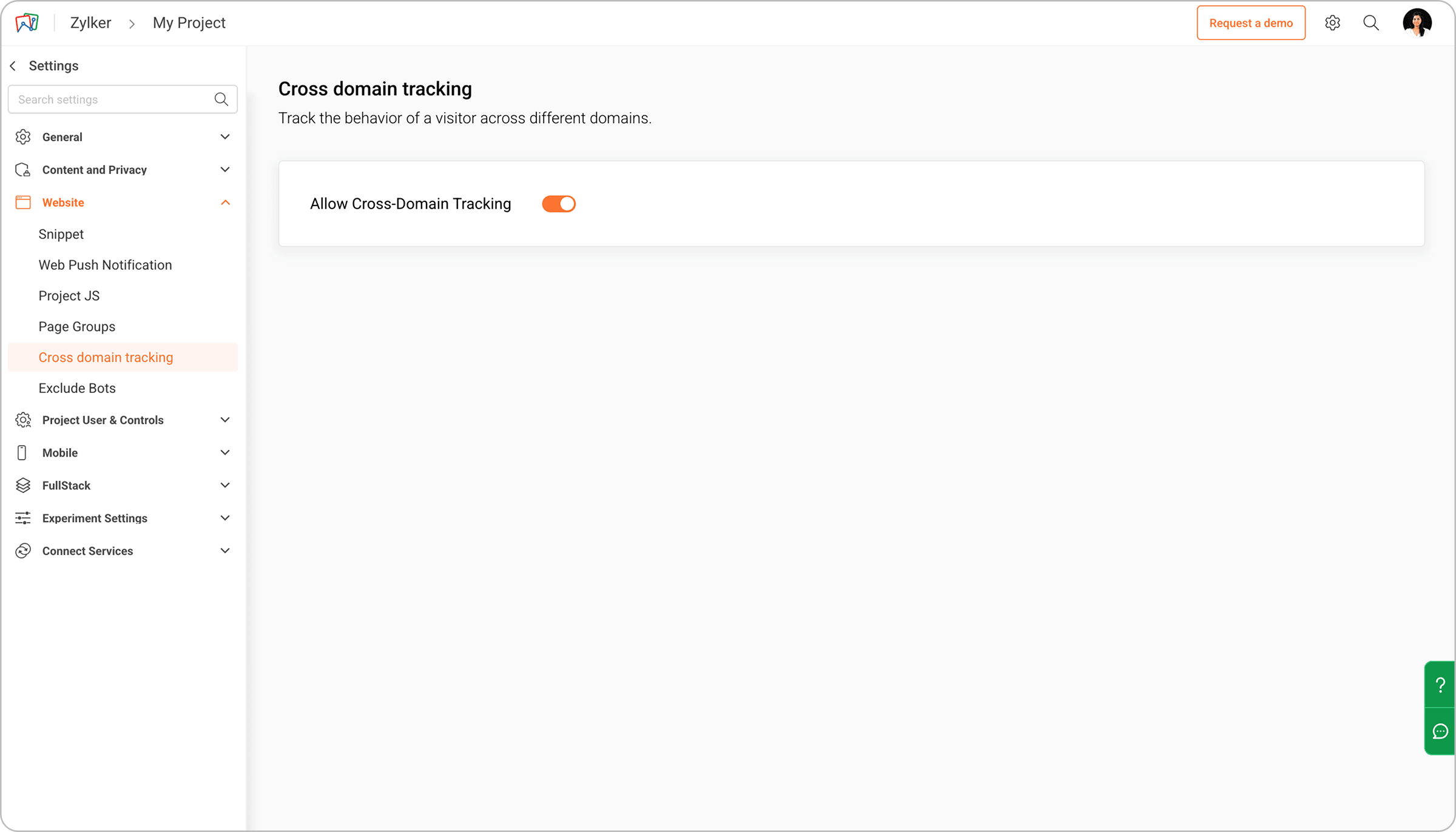
If a user's journey spans more than one domain — your main site, then a separate checkout, then a confirmation page on a third domain — Zoho PageSense tracks performance across all of them. So your conversion data reflects the complete path, not just what happened on the page where the test ran.
Smart Code
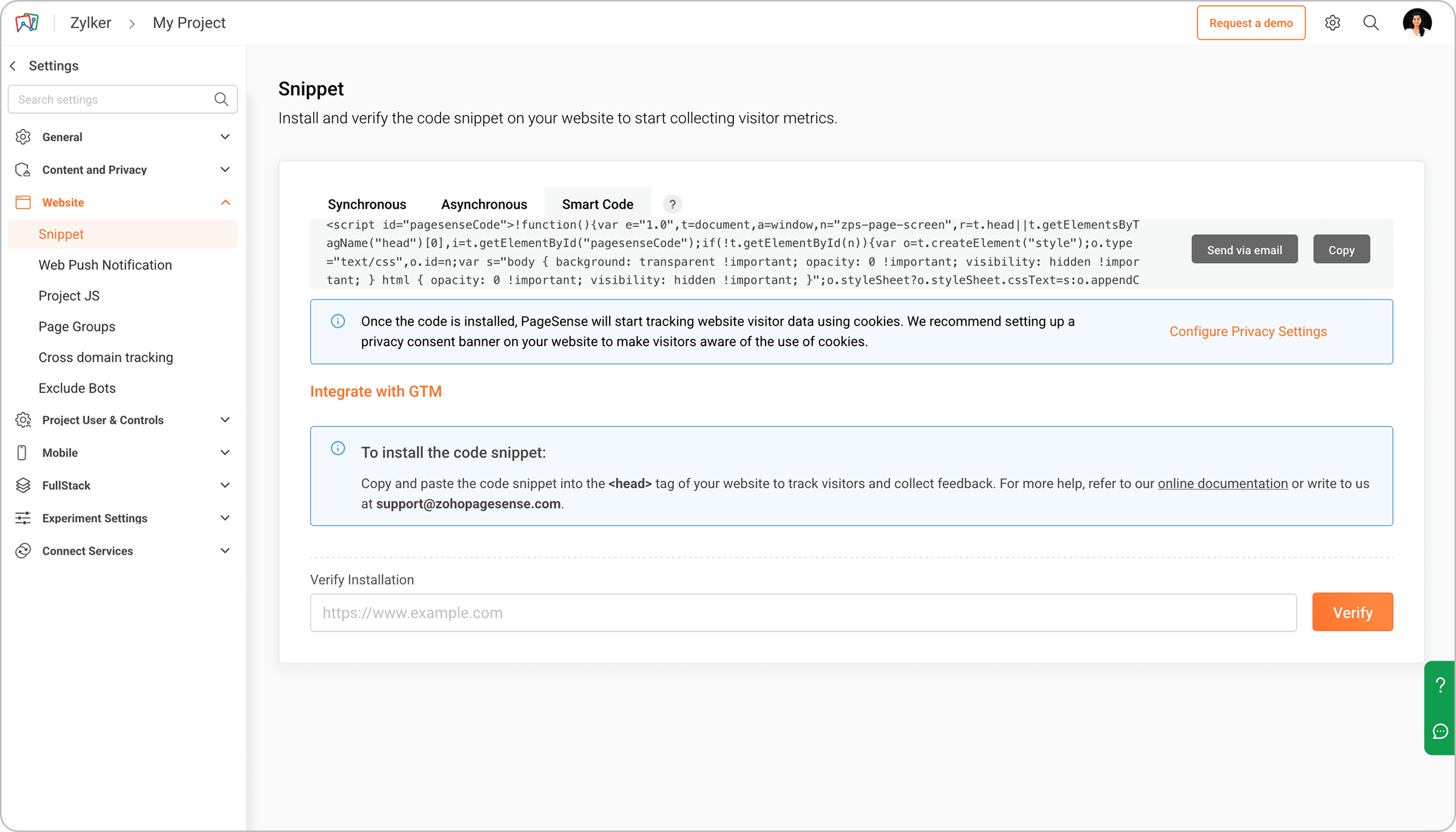
The PageSense tracking snippet is built to load without blocking your page rendering. It's designed around modern performance standards — minimal payload, reduced layout shifts, and better Core Web Vitals. This matters because running tests on a slow-loading page can create a bad experience and skew results. Smart Code keeps testing from becoming a performance problem.
Server-side and full-stack testing
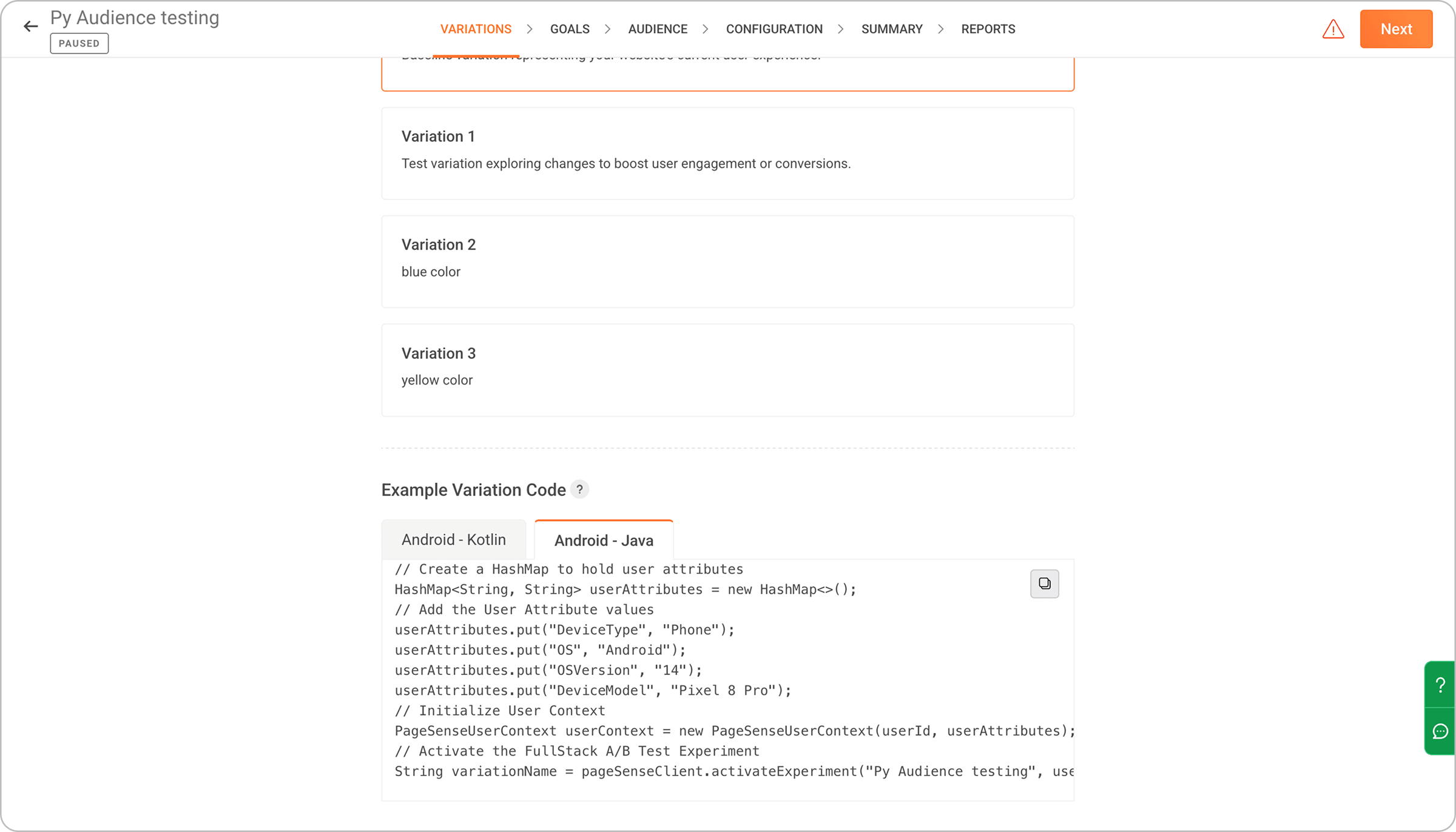
Standard A/B testing changes what users see in their browser. Server-side testing runs experiments in your backend — pricing logic, recommendation algorithms, feature flags, and authentication flows. Experiments are executed before the page loads, so there's no flicker or client-side overhead, and sensitive business logic stays off the client. Zoho PageSense supports this for product and engineering teams who need to experiment at the application layer.
A/B test sample size calculator
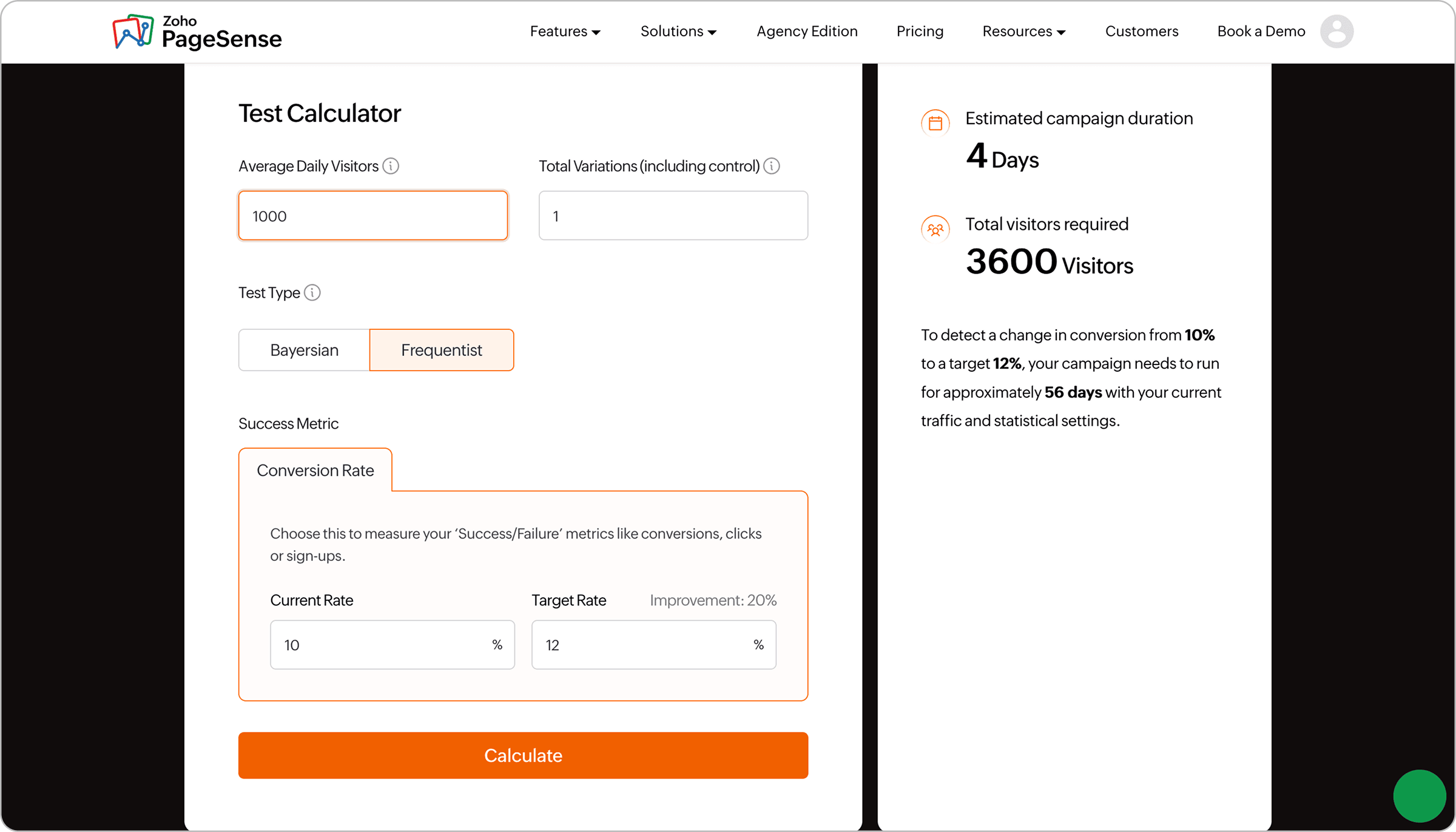
Before you start a test, it helps to know how many visitors you actually need before the result means anything. Run a test too short, and you risk making a permanent change based on data that was never reliable to begin with. An A/B test calculator takes your current conversion rate, the minimum improvement you want to detect, and your confidence level, and tells you exactly how many visitors each variant needs before you can trust the outcome.
How to run A/B tests in Zoho PageSense
Once you've picked your A/B testing tool, here's how a test goes from idea to result.
1. Install the snippet
- Add the JavaScript snippet to the
<head>of your site. - If you're on Google Tag Manager, you don't need to touch your code at all. This snippet is what makes the visual editor work and what tracks visitor behavior across your experiments.
- Zoho PageSense's Smart Code makes sure it loads without slowing your pages down.
2. Understand where the problems are
- Before building a test, look at your analytics.
- Run a heatmap on your highest-traffic pages to see what's getting attention.
- Check the Funnel Analysis to see where people are leaving.
- Watch a few session recordings. You're trying to find friction — a specific place where your site isn't doing what you hoped.
3. Write your hypothesis
- One sentence: what you're changing, what you expect to happen, and why.
4. Create the test
- In your testing tool, create a new A/B test. Name it and enter the URL of the page you're testing.
- If you want the test to run across a group of pages, use the advanced URL targeting options.
5. Build the variant
- The visual editor opens your live page. Click on whatever you want to change and edit it.
- Toggle between desktop, tablet, and mobile views to check how the variant looks on each device.
6. Set your goal
- Define the specific action you want to measure — a form submission, a button click, a purchase, or a page visit. Set it before the test starts.
7. Set up a traffic split and audience
- Decide what percentage of visitors participate.
- Add targeting conditions if needed — mobile only, a specific country, or paid traffic only.
- Choose your statistical method — Frequentist or Bayesian. For time-sensitive campaigns, switch to Multi-Armed Bandit mode.
8. Launch and leave it alone
- Start the test. Check back periodically, but resist acting on early results.
- Run it for at least a full week — ideally two.
- Wait for statistical significance before making a decision.
9. Ship the winner
- When the result is significant, implement the winning variant and close the test.
- Write down what you tested, what you found, and what you'd test next. It stops you from re-testing things you've already answered and helps you build better hypotheses over time.