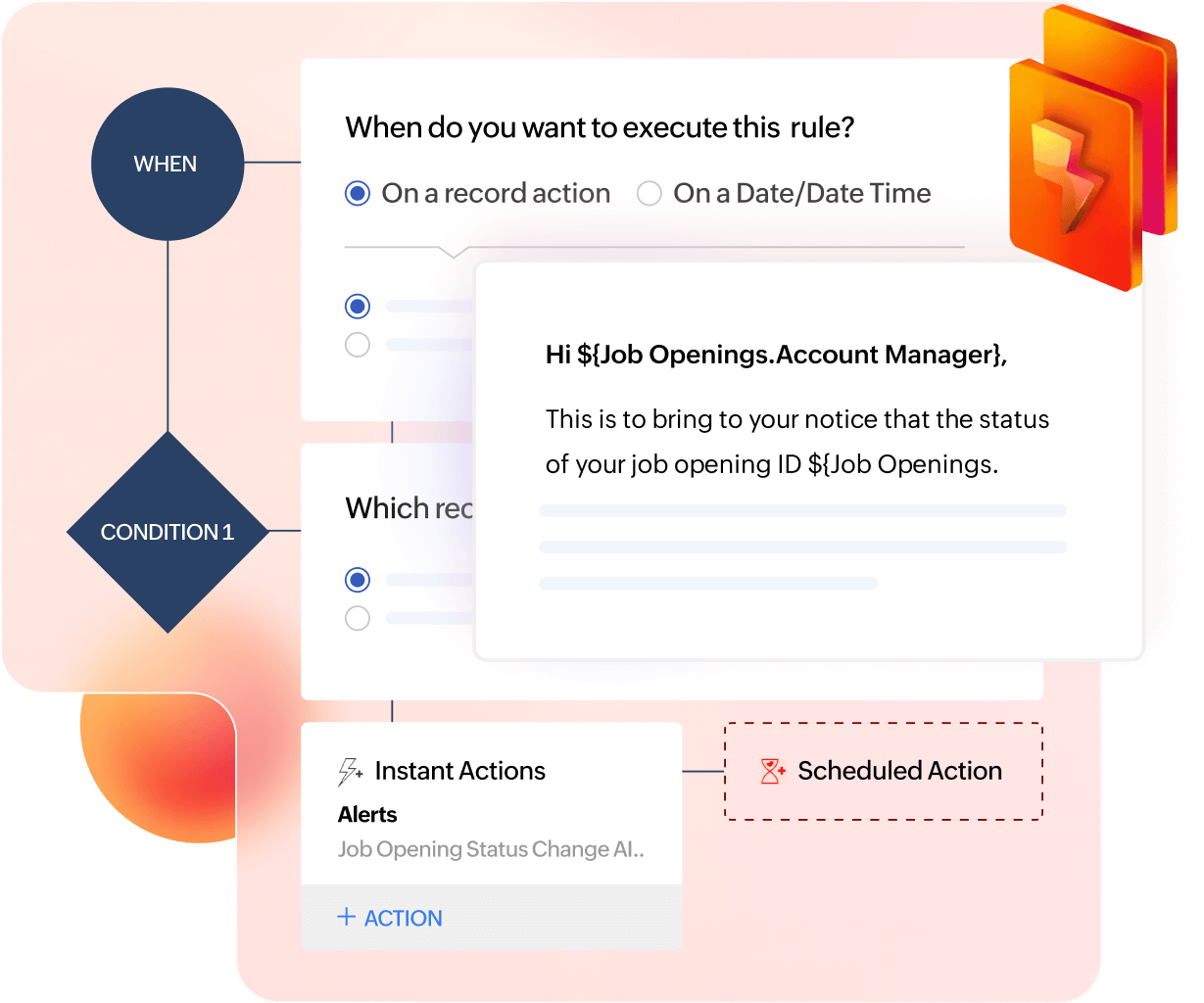
Vast number of actions
Collaborative hiring reinforces unity and builds a culture of feedback and transparency. Cultivating this sense of community ensures everyone feels valued and ultimately improves retention.
Simple logic, powerful capabilities
Use simple AND/OR logic operators to meet conditions and move across stages with strong conviction.
Extensive across modules
Choose the module you want the workflow to run on, like Candidates, Job Openings, Clients, or Interviews. Build extensive workflows across your hiring process.
Three steps, endless possibilities
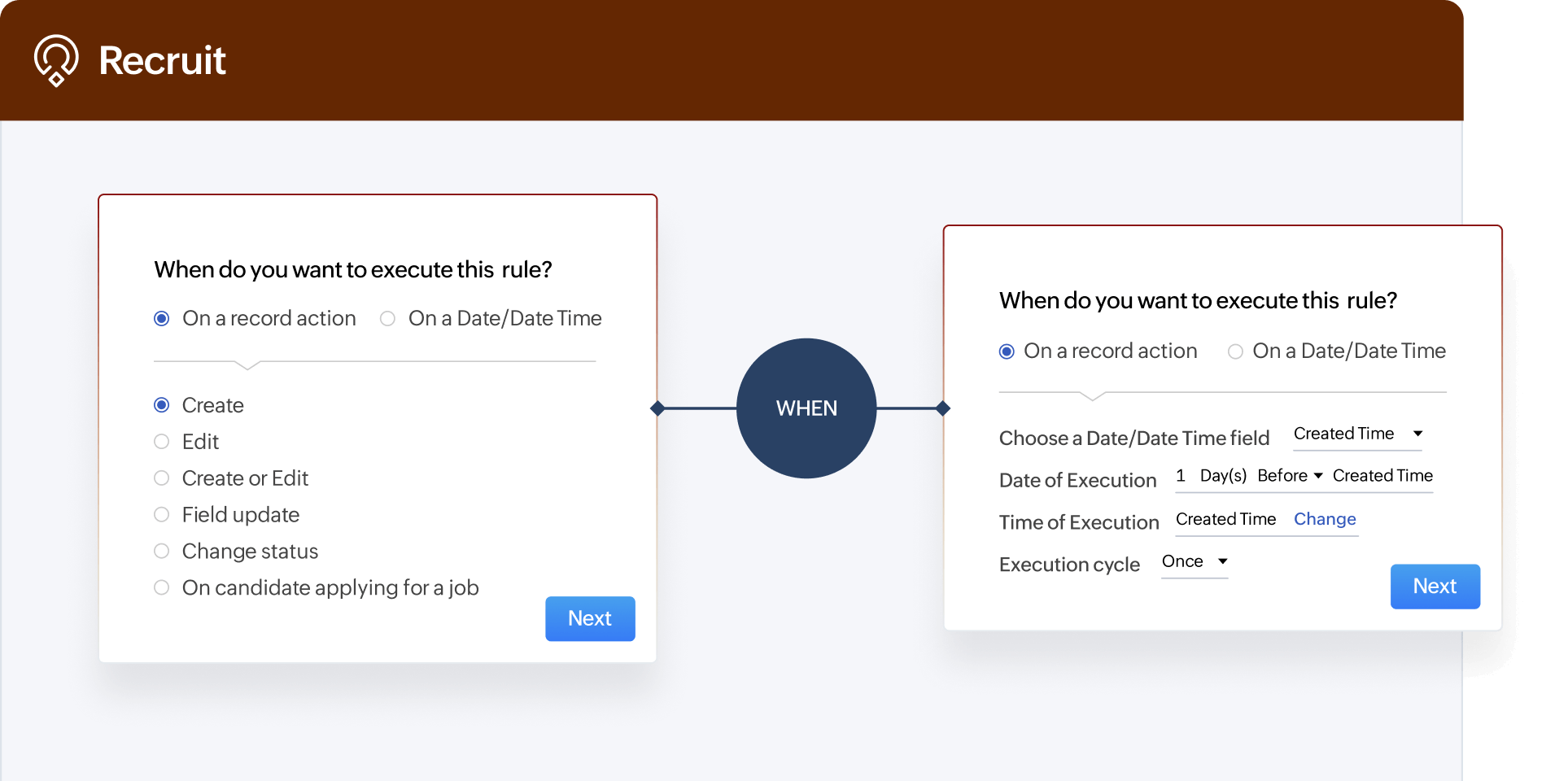
Set trigger
Determine when a workflow needs to start execution. Be it creation of a record or a specific time.
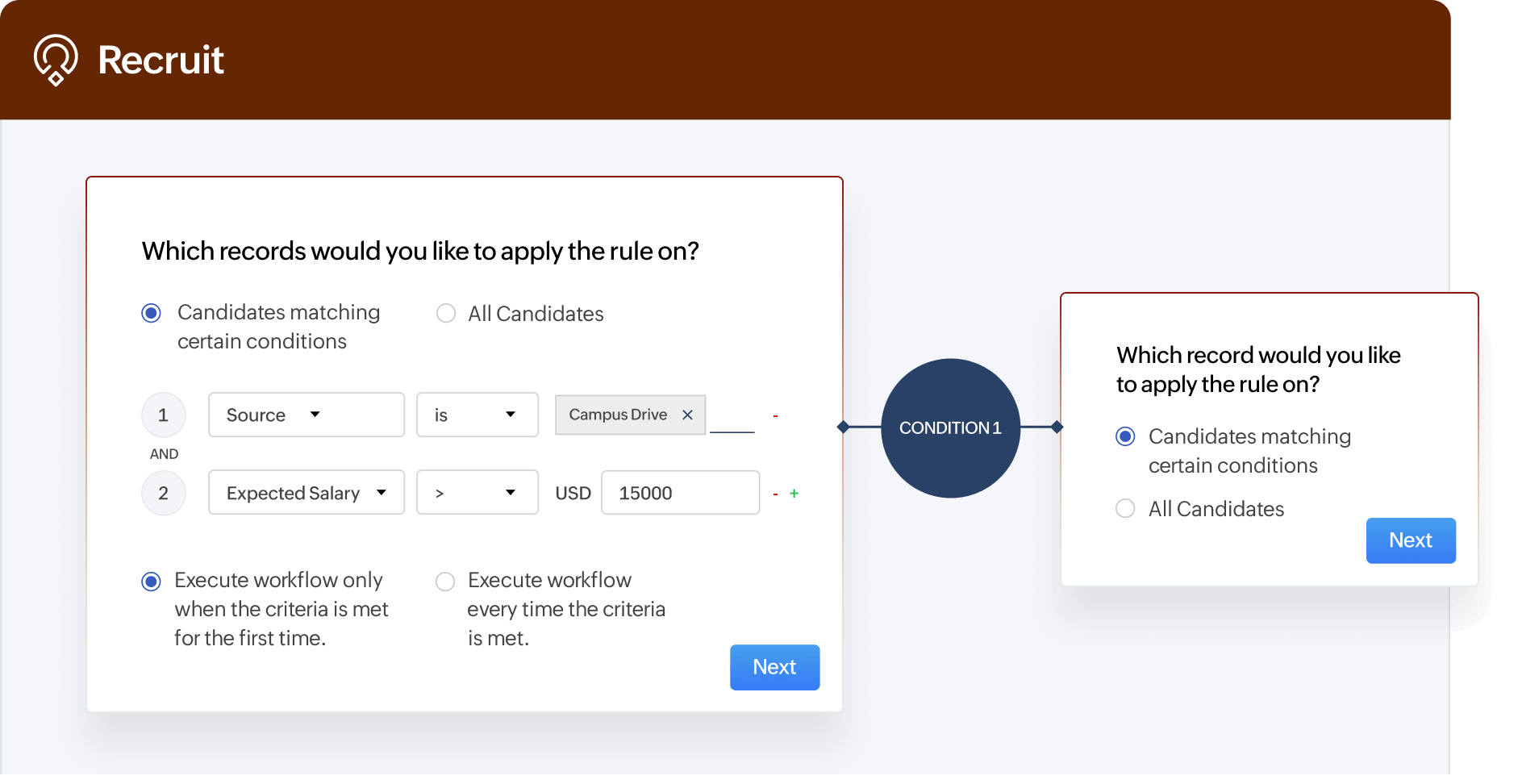
Configure conditions
Set up where the action needs to be executed.
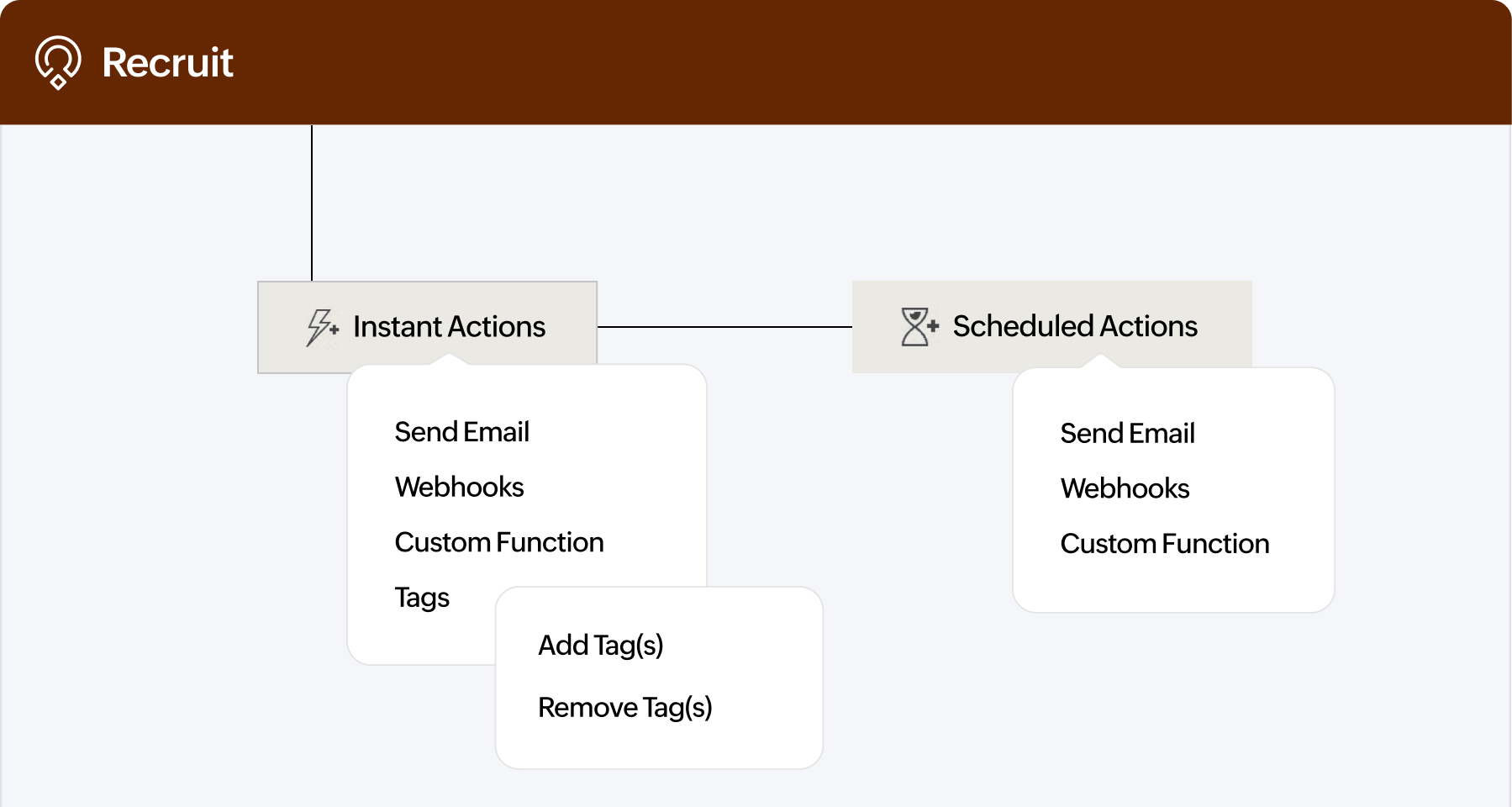
Execute an action
Execute an instant action or schedule it for later. Hiring automated!
Zoho Recruit goes beyond workflow rules to full-fledged recruitment automation.
Get startedFrequently Asked Questions
What are workflow rules in Zoho Recruit?
Workflow rules are automated actions that trigger when certain conditions are met in your recruitment process (e.g., sending an email to a candidate when their status changes to Shortlisted). In Zoho Recruit, workflow rules help recruiters cut down on repetitive manual tasks and ensure consistency in candidate communication and process management.
Why should I use workflow rules instead of handling tasks manually?
Manual follow-ups and updates increase the risk of delays and errors. With Zoho Recruit’s workflow rules, routine tasks like status updates, email notifications, or assigning jobs happen automatically, giving recruiters more time to focus on candidate engagement and decision-making.
Can I automate candidate communication using workflow rules?
Yes. You can set up workflows in Zoho Recruit to automatically send emails or SMS messages when a candidate applies, moves to the next stage, or schedules an interview. This ensures candidates are always updated without recruiters having to send each message manually.
What about keeping clients informed?
Zoho Recruit allows workflows that notify hiring managers or clients when there’s a candidate status change, interview confirmation, or new applicant submission. This improves transparency and strengthens client relationships.
Can workflows help reduce repetitive recruiter tasks?
Absolutely. Workflows in Zoho Recruit can auto-assign candidates to recruiters, update fields when statuses change, or create tasks when a new candidate is added. This means recruiters spend less time on admin and more time engaging with talent.
Can I set reminders or alerts for important actions?
Yes. Workflow rules can be configured to send alerts or create tasks when deadlines are approaching or when specific conditions are met, ensuring nothing slips through the cracks.
Are workflow rules customizable?
Yes. In Zoho Recruit, you can create workflows tailored to your hiring pipeline. For example, you can create a rule to notify recruiters only when candidates with specific skills are added, or a rule to automatically move candidates forward based on screening results.
How complex can my workflows get?
Zoho Recruit supports multiple conditions, actions, and time-based (scheduled) triggers. This means you can design simple one-step rules or sophisticated automations that cover entire recruitment processes, depending on your needs.
How do I know if workflow rules are actually helping my team?
Zoho Recruit provides visibility into automated actions through recruitment analytics reports. Recruiters can see how much time is saved, how candidate communication is streamlined, and where bottlenecks are reduced, making it easier to measure ROI on automation.