
Take customer support as an example. You could ask, “Did you use our support chat this month?” with a yes/no answer, “How did you contact support this month?” where respondents choose one option, or “Which support channels did you use this month?” where they can select all that apply.
All three look similar, yet each produces a different dataset. The yes/no version can’t tell you which channel. The pick-one version hides the customer who used both chat and email. The select-all version can’t separate someone who used nothing from someone who skimmed past (unless you add a “none” option). You can’t convert one into another after responses are in. So, choosing among these closed-ended survey questions is really a decision about what you will be able to analyze later.
What are dichotomous questions?
A dichotomous question offers exactly two answer options that can’t both be true: yes or no, true or false, have or haven’t. Among all survey question types, dichotomous survey questions are some of the fastest to answer, which makes them useful as gatekeepers. Dichotomous research questions often open a survey to screen respondents (“Have you bought from us in the last 90 days?”) so that each person only sees the follow-ups that apply to them.
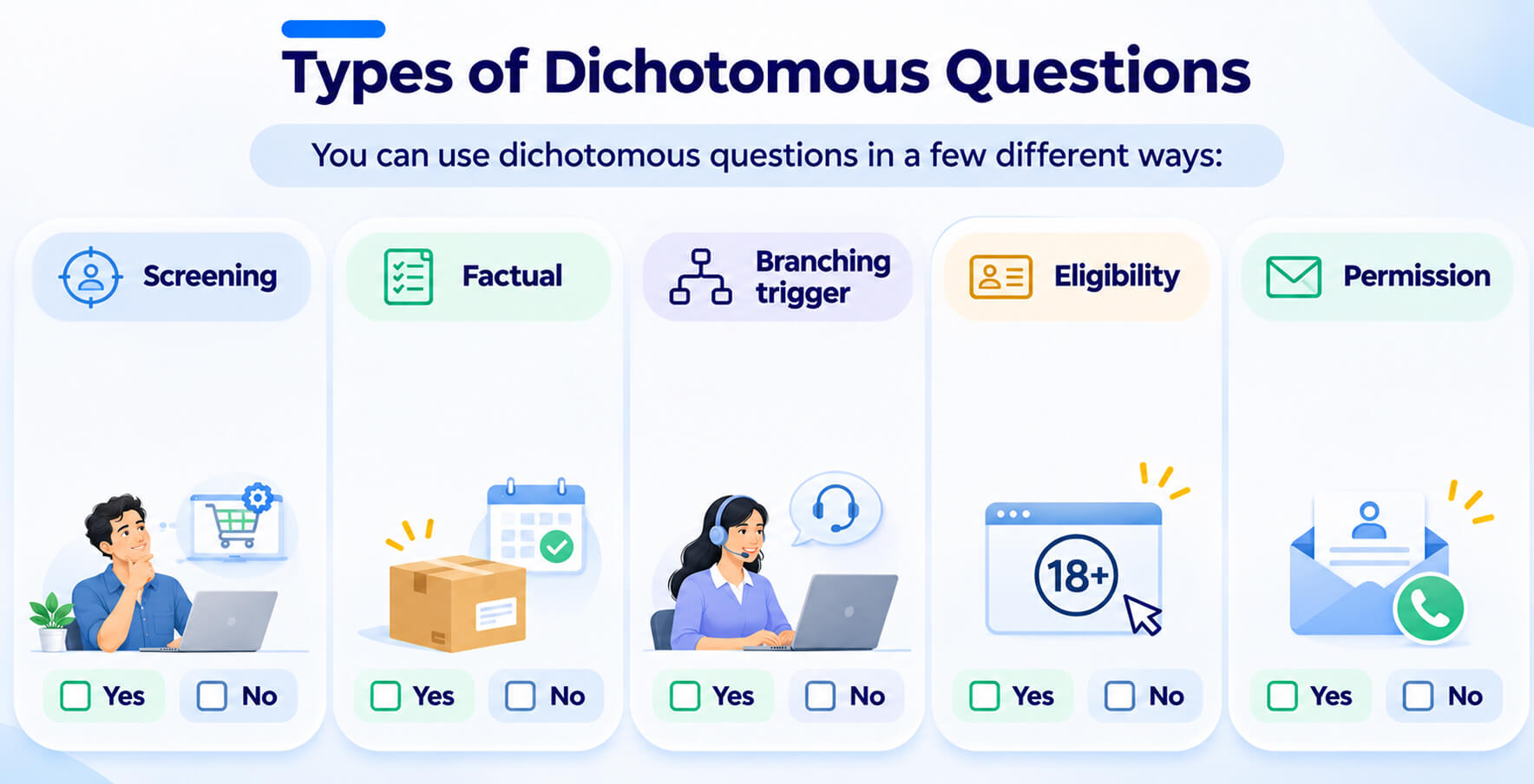
You can use dichotomous questions in a few different ways:
- Screening: “Are you responsible for software purchases at your company?”
- Factual: “Did your order arrive on the promised date?”
- Branching trigger: “Have you contacted support in the last 30 days?”
- Eligibility: “Are you 18 or older?”
- Permission: “Would you be happy for us to contact you for a follow-up conversation?”
In Zoho Survey, dichotomous survey questions like these map to the Boolean (Yes/No) question type, which you can show as a toggle or a checkbox. The labels are customizable. So, “On” and “Off” can read whatever suits the question.
One detail deserves attention here. The Boolean question’s answer is taken as No by default. A respondent who never touches the toggle may therefore show up as a No in your data. When you need to tell “No” apart from “didn’t answer,” build the question as Multiple Choice (One Answer) with Yes and No as the two options instead.
Where yes or no falls short
Binary questions leave little room for nuance. Someone who is only somewhat happy with your service still has to answer yes or no to “Are you satisfied?” For opinions, a rating scale gives people more room to answer honestly.
They can also lead to response bias. Pew Research Center notes that less educated and less informed respondents are more likely to agree with statements in agree-disagree questions. This is known as acquiescence bias. Pew recommends giving respondents alternative statements to choose from instead. Another Pew study suggests using options that match the question, such as “Yes, have done this” and “No, have not done this,” rather than just “Yes” and “No.” With Zoho Survey, you can easily set this up by customizing Boolean labels.
How to write multiple choice questions
Multiple choice survey questions give respondents a fixed list to choose from. Zoho Survey offers them as Multiple Choice (One Answer), which gives you single-select questions, and Multiple Choice (Many Answers), which gives you multi-select questions.
A few best practices separate a clean question from a muddy one.
First, make the options mutually exclusive and exhaustive. Pew’s guidance is that choices shouldn’t overlap and should cover every reasonable answer. If a respondent can fit two options, or none, the noise stays in your data.
Also, add an escape hatch. An “Other” field catches answers you didn’t predict, and Zoho Survey lets you add one with a custom label. For multi-select questions, “None of the above” matters just as much, and Zoho’s “Mark choices as exclusive” setting disables the other choices once someone picks it. So, nobody ends up selecting “None of the above” plus three other options.
Keep the list short. Pew suggests four or five answer choices at most for most questions, with more room for factual items like demographics.
In addition, randomize when order carries no meaning. In a Pew panel survey, 57% of respondents endorsed whichever personal trait appeared first in a list, compared with 42% for the trait listed last. Zoho Survey can randomize, flip, or rotate choices for each respondent, and its “Don’t randomize the last few choices” option keeps choices like “None of the above” at the bottom. Scales with a built-in order, such as “poor” to “excellent,” shouldn’t be shuffled.
Ask one thing at a time. Pew also warns against double-barreled questions, which ask about two ideas at once and produce answers that are hard to interpret.
Related: Essential survey questions: 25 types you should know
Mistakes to avoid in multiple choice survey questions
Here are some common mistakes in multiple choice questions and how to fix them.
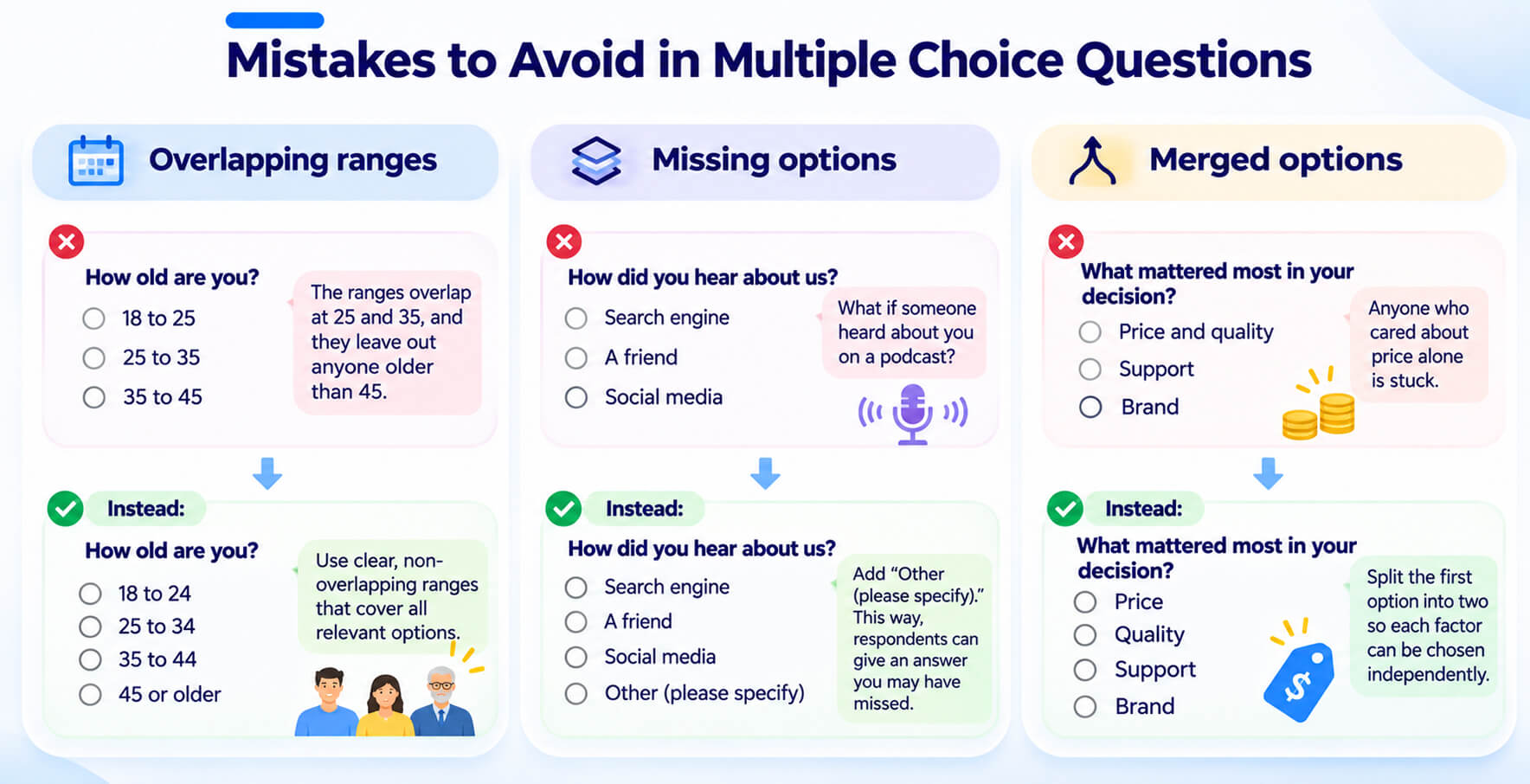
- Overlapping ranges: “How old are you? 18 to 25, 25 to 35, 35 to 45.” The ranges overlap at 25 and 35, and they leave out anyone older than 45. Instead, you can use 18 to 24, 25 to 34, 35 to 44, and 45 or older to avoid any further confusion.
- Missing options: “How did you hear about us? Search engine, a friend, social media.” What if someone heard about you on a podcast? Add “Other (please specify).” This way, respondents can give an answer you may have missed.
- Merged options: “What mattered most in your decision? Price and quality, support, brand.” Anyone who cared about price alone is stuck. Split the first option into two.
Single-select questions vs multi-select questions
Use single-select when only one answer makes sense or you want people to pick their top priority. Use multi-select when people may have several answers, such as different habits or preferences.
The trade-off is subtler than it looks. In a randomized Pew experiment with 4,581 U.S. adults, half the respondents answered a select-all-that-apply list and half answered a series of yes/no questions on the same items. Yes/no endorsement rates were higher on all twelve items, by an average of 8 percentage points. Being overcharged by a mechanic or home repairman, for example, was reported by 52% of respondents in the yes/no format and 36% in the checklist format. Pew now uses the forced-choice format instead of select-all lists in its online surveys whenever possible.
Pew also pointed out a few drawbacks. Asking separate yes/no questions takes more time and can tire respondents, while the format may be more prone to acquiescence bias. For concrete behaviors, both formats produced almost the same ranking of items. So, if you only need to know which behaviors are most common, either format can work. A good middle ground is to keep select-all lists short and use separate yes/no questions for behaviors where accuracy matters most. Zoho Survey lets you group several Boolean questions together.
With Zoho Survey, you can also decide how many answers people must select in a mandatory multi-select question. Set a minimum or maximum, require an exact number,, or specify a range. This makes it easier to avoid unanswered questions and people ticking every option without much thought.
Closed-ended survey questions have blind spots
A list shapes the answers it receives. In a Pew poll after the 2008 presidential election, respondents were asked which issue mattered most in deciding how they voted. When “the economy” was one of five listed options, 58% chose it. When another group answered in their own words, only 35% volunteered it, and 43% named something that wasn’t on the closed list at all.
You don’t have to give up the speed of closed questions to avoid this. Zoho Survey allows you to pilot an open-ended version first, build your options from the most common answers, then keep an “Other” field and an optional comments box on the final question.
Survey design best practices that protect response and completion rates
Respondent fatigue works against your survey response rate and survey completion rate, and long lists add to it. Gartner’s research on customer experience data collection found that consumers increasingly experience survey fatigue, with response rates declining for each subsequent survey they receive.
Order your questions so that they make sense to the person answering. You should start with something simple and save demographic questions for later unless you need them for eligibility or routing. You may add a yes/no screener to send people to the right sections and hide answer options that don’t apply.
Zoho Survey’s preview and review link lets you test the whole thing before it goes live.
Reading the results
Before comparing survey results, check how the question type affects the numbers. Single-select responses add up to 100%, but multi-select responses don’t have to (since one person can choose multiple options). Calculate percentages using the number of respondents as the base, and check whether unanswered Boolean questions are counted as “No” by default.
Once you have the results, compare groups using Zoho Survey’s cross-tab reports or look at changes across survey rounds with trend reports. Keep the questions and answer options the same each time.