
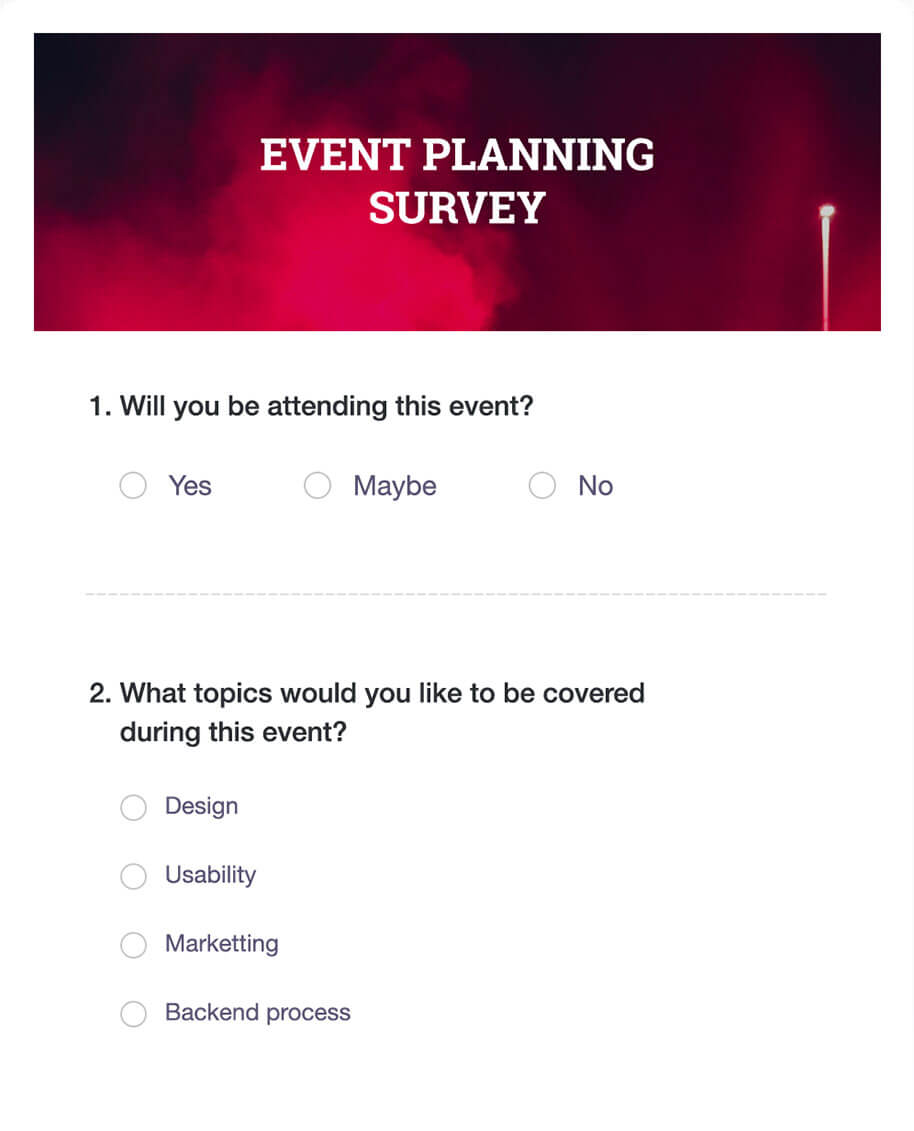
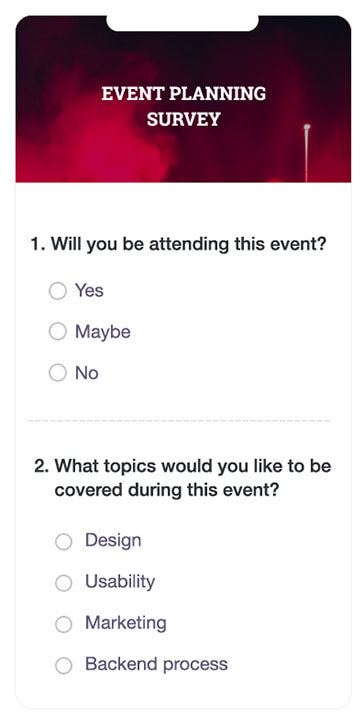










Easy questionnaire

setup boosted with advanced analytics

Customize your surveys to suit your brand guidelines, send them using secure web links, campaigns, emails, social media, custom domain links and QR codes.

Create different question types to keep your surveys interesting, and track them using Google analytics, Tag Manager or Facebook Pixel. Seamlessly monitor NPS score, average rating, CSAT score, trend over a period of time and more using a powerful dashboard.

1

Build smart online survey questionnaire using AI in seconds

2

Upload your file and we will turn it into a professional questionnaire

3

Ready-to-use templates for every need. Start instantly with zero anxiety

4

Add scoring, skip logic, and branch questions to keep the flow more personal

5

Check out your reports almost instantly and export it anywhere.

6

Enjoy end-to-end encryption, GDPR & HIPPA compliance with built in accessibility

7

Keep automated responses at bay using captcha

Effective Questions

An important factor in creating an effective questionnaire is that you should be clear on what to ask and what not to ask. Here are a few tips to get you going.

  • #1 Always avoid the use of leading language, where the response can lead only to a specific answer.
  • #2 Never confuse your respondents by combining two or more questions.
  • #3 Include comments column to help the attendees to respond without any restrictions.
  • #4 Try to avoid questions that would require lengthy answers.
  • #5 Use likert and rating scales, which are people's favorites because they are easier to answer.

Trusted by HR teams worldwide

Zoho Survey has significantly enhanced my workflow efficiency. The platform's ability to collect rapidly and analyze data reduced the time from survey launch to decision-making. Its impact on my ability to interpret quickly and act on survey results cannot be overstated.

Geetha Priya Thiyagarajan

Transformation Manager - Products and Projects

Zoho Survey helped Starling Ltd launch and analyze complex projects with ease. Custom reporting was a game-changer.

Dr. Michael Dyson

Starling Ltd.

Advanced Options

1

Cut down on incomplete or irrelevant responses and be confident about getting the right data with in-built answer validation.

2

Get richer and more representative data across different regions with no extra tool by translating your survey into multiple languages.

3

Automate your workflows right from smart branching to scoring and qualification, so you save time while creating truly professional-grade surveys.

Preview

1

Save costly mistakes before you roll out your surveys, use previews so you can edit, troubleshoot and launch questionnaires that are clean and flow logically well.

2

Preview how your survey questionnaire works across multiple devices so you are sure all respondents enjoy a glitch-free experience.

3

Run test collectors across teams and clear answers and visitors even before you send it to your respondents for additional quality confirmation.

Tags

1

Keep every survey project organized and under control even though you grow by tagging questions, responses, and sections for easy searching, updating, and quality assurance.

2

Reuse proven questions from your Question Bank or previous projects cutting down time on set up and increasing consistency.

3

Deliver consistency and accuracy in multi-section or multi-author projects, making large-scale survey management a breeze.

Online Questionnaires

An effective questionnaire captures the attention of the respondent, and prompts them to read through each and every question. Online questionnaires are the perfect platform that can uniquely and dynamically interact with your respondents, no matter how large their number.

Another major aspect of your questionnaire is finding the right audience. First, you'll need to calculate your ideal sample size. Next, you need to find your respondents who are very likely to be mostly online. But if you find yourself falling short, Zoho Survey can step in with Research Panels.

And finally, online questionnaires can also help with analysis. Responses are typically updated instantaneously and reports are real-time. Zoho Survey even provides options to export your responses and reports in multiple formats and to multiple productivity and analysis software.

Questions and Pages

1

Keep your participants engaged from start to finish with custom themes, multiple pages, and logical question grouping to deliver them a great experience.

2

Increase completion rates and quality responses by guiding your respondents intuitively through complex topics without overwhelming.

3

Make even your longest questionnaires easy to navigate with cues like section headers, so that each part of your survey is clear and purposeful.

10 Commandments of language

As a final note, follow these 10 commandments of language.
We assure that none of your future questionnaires will ever be boring.

  • Be clear and concise.
  • Be specific and to-the-point.
  • Avoid jargons and technical terminologies.
  • Keep the language simple and straight forward.
  • Use active voice.
  • Use polite tone in your questions.
  • Watch your grammar, spelling, and punctuation.
  • Use the five Ws (what, who, where, which, and when) and one H (how).
  • Avoid ambiguous and vague language.
  • Keep your questions gender neutral.

Frequently Asked Questions

If someone doesn't complete my survey, can I record and analyze partial responses? Yes. Zoho Survey saves and reports partially completed responses too. You can recover insights from every participant, find out where they drop-off the most and improve your overall completion rate.

Yes, our questionnaire form maker helps you analyze open ended, long questions using AI and gives you sentiment analysis. We also integrate with Zoho Analytics and Zia AI for additional insights.

Yes, you can schedule surveys, automate reminders, and trigger follow-ups based on responses and ensure higher engagement and less manual follow-ups, even for long-term or recurring studies.

Yes! Our online questionnaire builder lets you run anonymous surveys which is very much helpful for encouraging honest feedback and reliable data especially for HR, compliance and consumer research.

You can combine classic surveys with different types such as voting, ranking, open text, and more and have a common analysis workflow making it easy for the survey creator.

Zoho Survey

Join 14,000+ businesses who are already leveraging smarter insights.