Simplify work with intelligent automation
Zoho Tables lets you build simple and structured bases with connected tables for your work data without any coding. With automations, you can trigger workflows that add or update data and notify your team when things change.
Eliminate repetitive work
Save time and effort
Eliminate manual errors
Keep teams instantly notified
Where your automations start
Each trigger sets an automation in motion, helping your team act faster and reduce manual work.
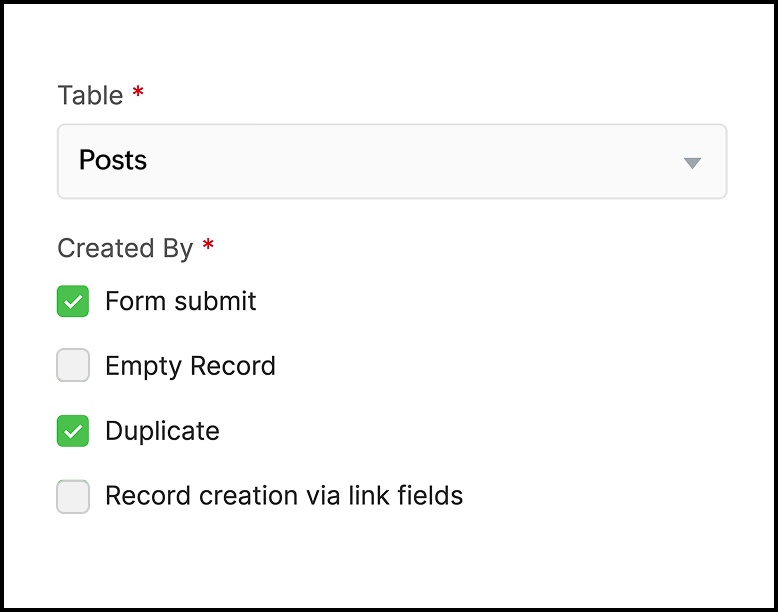
When a record is created
Start your workflows the moment new data is added.
When a record is updated
Trigger follow-up actions whenever key details change.
When a record enters a view
Act instantly when records match specific filter conditions.
Run on schedule
Put routine tasks on autopilot.
Add precision with conditions
Run automations only when they're needed. Apply conditions like "Priority = High" or "Status = Pending" to make sure actions fire for the right reasons.
What your automations actually do
Once your triggers and conditions are met, Zoho Tables performs the actions you define.
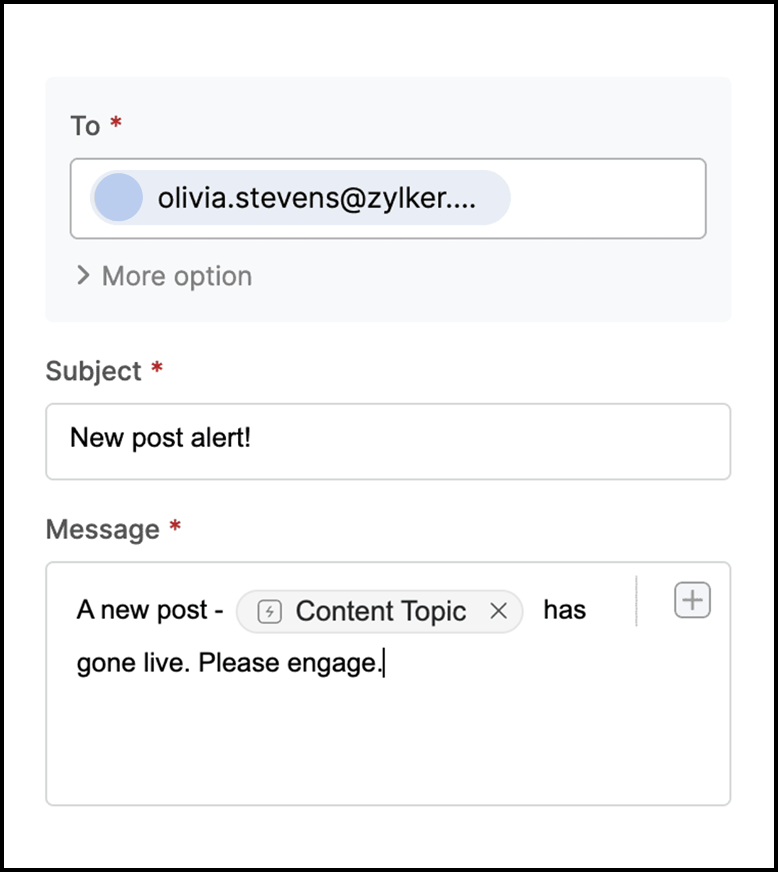
Send an email
Share updates, confirmations, or summaries right when they matter.
Create a record
Generate new entries across connected tables effortlessly.
Update a record
Automatically edit related fields when values change elsewhere.
Send a Cliq message
Instantly notify your team in Zoho Cliq without missing key updates.