
What are passkeys?
Passkeys offer a quick and secure way to create and sign into accounts, eliminating the need for weak passwords. Passkeys are more secure and easier to use than both traditional passwords and two-factor authentication methods. If you encounter a fake (phishing) website, your passkeys won't work, preventing you from accidentally sharing sensitive information.
Why passkeys?
Managing strong passwords is a struggle without a password manager. People often resort to weak passwords or reuse them across multiple accounts. Despite our best efforts, we still forget our passwords and have to go through the hassle of resetting them, wasting valuable time.
68%
According to Verizon’s 2024 Data Breach Investigations Report, 68% of breaches involved the human element such as stolen credentials, phishing attacks, password misuse, and basic human errors.
Learn moreSecure your business with passkeys
- Passkeys offer fast, secure logins that work seamlessly across all of your devices.
- Passkeys are unique and cryptographically secure, offering an unbreakable defense against unauthorized access.
- Passkeys are unique to each platform, making them impossible to steal or use on fake websites.
- Using passkeys can help reduce the need for password reset requests, which can save your team's resources and funds.
What’s the difference betweenpasswords and passkeys?
Passwords
- The strength of a password might vary, leaving your accounts vulnerable.
- They must be remembered and protected to prevent unauthorized access.
- They can be reused on multiple apps or websites, posing a security risk if they’re compromised.
- They’re shared with apps and websites, raising the possibility of interception.
- They’re vulnerable to phishing attacks, jeopardizing account security.
Passkeys
- Passkeys are inherently strong, providing robust protection without any extra effort.
- They make logging in easier by eliminating the need to create long strings of characters or memorize them.
- Each passkey is unique to a service, reducing the risk of using the same login across multiple accounts.
- The private key stays hidden, making your accounts more secure.
- Passkeys are resilient against phishing, brute-force attacks, and other cyber threats.
How do passkeys work?
A passkey is made of two parts
Private key
Stays in your passkey vault
Public key
Stored on website
(They're cryptographically linked)
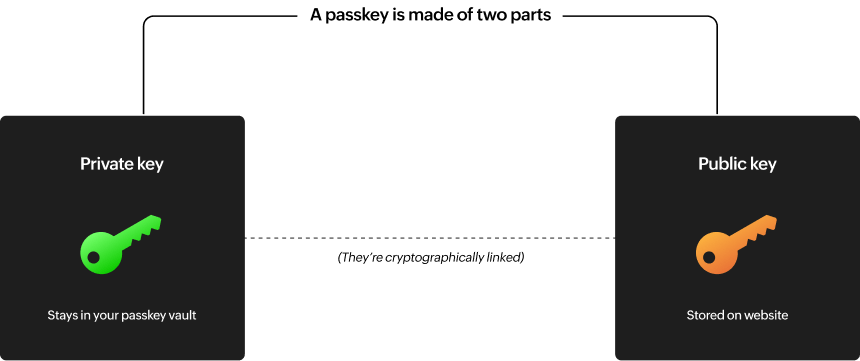
Each passkey has two asymmetric cryptographic keys. These are long, random sequences of characters, each unique to its passkey. Although these keys are different from each other, they share a special relationship: One can decrypt messages encrypted by the other. This feature is used for user verification and authentication.
The set comprises a private key that remains safely on your device within a password manager that supports passkeys, often referred to as a passkey provider. This private key stays on your device, and the password manager protects it using fingerprints, a PIN, or a password. Meanwhile, the website you’re signing into keeps the public key. This key can be openly shared. Even if the website experiences a data breach, your security remains uncompromised as long as the private key remains protected.
To access a passkey-protected website, the site sends a long, random number for a login challenge. Your private key uses encryption to sign the challenge with a response. The website will verify the signature using its public key to ensure authenticity. Upon confirmation, the website can securely grant access to your account.
How a passkey logs you in
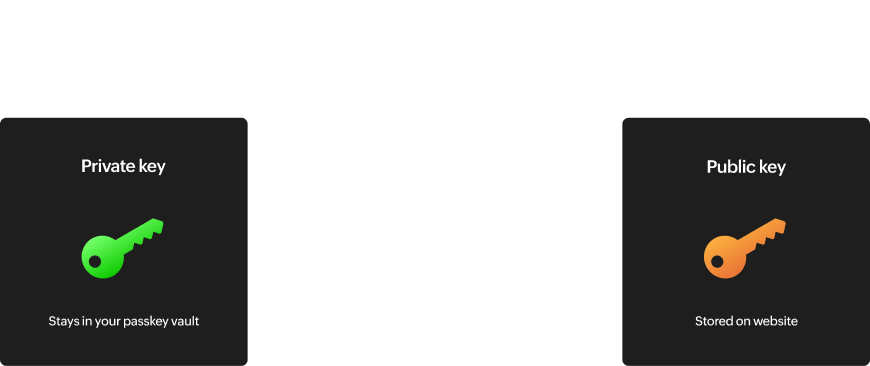
A passkey is made of two parts
Private key
Stays in your passkey vault
Public key
Stored on website
(They're cryptographically linked)
Phishing-resistant
Your private key never leaves your device and can't be entered into fake websites.
How a passkey logs you in
- 1. User visits a website and starts to log in.
- 2. Website sends a large, random number as a login challenge.
- 3. User activates biometrics, PIN or a password to unlock the passkey vault and stored private key.
- 4. Private key creates a cryptographic signature, based on the random number.
- 5. Website verifies signature with the public key, proving the user is legitimate.
- 6. Website logs the user in.
FAQs about passkey management
The FIDO Alliance, founded in 2013, is an industry association that aims to promote the development of authentication technology. Through its open standards for passkey-based sign-ins, the alliance is working to combat phishing attempts and enhance online security. These standards offer a more robust alternative to traditional passwords and SMS one-time passwords, and are designed to be simple for service providers to adopt and convenient for users to use.
Passwords rely on users creating their own mix of characters, whereas passkeys are created automatically and stay on users' devices. For passkeys, users don't need to remember anything as long as they have their device with them, and they’re resilient against phishing and brute-force attacks.
The shift to passkeys won't happen overnight. Passwords will stick around for a while, but as users discover how much easier and safer passkeys are, they're likely to become the go-to method for logging in. Although the future of authentication is unclear, passkeys are a strong contender.
Password managers are essential for managing your digital secrets, and this will become even more crucial for passkeys. Zoho Vault will help you create passkeys and store them securely alongside your passwords, credit cards, and other confidential information. It will also synchronize them securely across all of your devices.
Hacking a passkey is impossible. Third parties cannot access the private component of the passkey, which is securely stored on your device. Even if the device with a passkey is taken, it can't be turned on without your biometric authentication, making it a more secure option.
Simple and securesign-ins, every time.
Passkeys are just one part of the solution. Whether you're early adopters or still need to use passwords for a while, we’ve got you covered. With Zoho Vault, you can concentrate on your tasks without worrying about signing in.
Sign up for freeContact sales