Intelligent security
A smart, safe, and centrally managed platform for storing, sharing, and collaborating on files. Zoho WorkDrive helps you prevent breaches via smart access controls, data protection, DLP, and centralized governance.
GOVERNED.PROTECTED.TRUSTED.
"We were looking for a centralized file repository with enterprise-grade security, which Zoho WorkDrive has provided."



Zoho recognized in Gartner® Magic Quadrant™ for Document Management 2026
Read moreIdentity and Access
Before a single file is opened, WorkDrive ensures the right person has access.
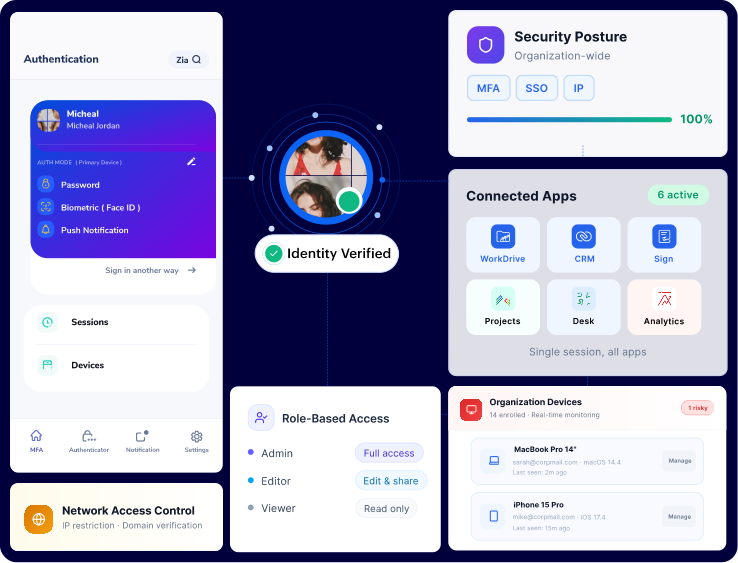
Multi-factor authentication (MFA)
Even if passwords are compromised, an additional verification step stops unauthorized access, helping prevent breaches based on stolen credentials.
Single sign-on (SSO)
A single set of login credentials grants access to all apps, reducing password fatigue and the risk of using weak passwords. It seamlessly connects with your current Identity Provider (IdP).
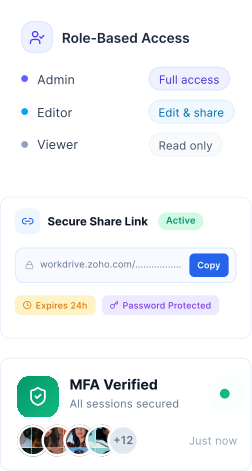
Granular, role-based access control
Set exactly who can view, comment, edit, or share at the file, folder, or team level. This stops over-permissioning before it becomes a liability.
IP restriction and domain verification
Restrict logins to your office network or trusted corporate domains. Block all other access to secure remote and hybrid work environments.
Device management and remote wipe
Monitor all devices linked to your organization's account. Remove or remotely erase data immediately if a device is lost or stolen. Respond instantly without having to wait for IT intervention.
Secure Sharing
Sharing shouldn't imply losing control. Every external link WorkDrive generates can be locked, timed, and tracked.
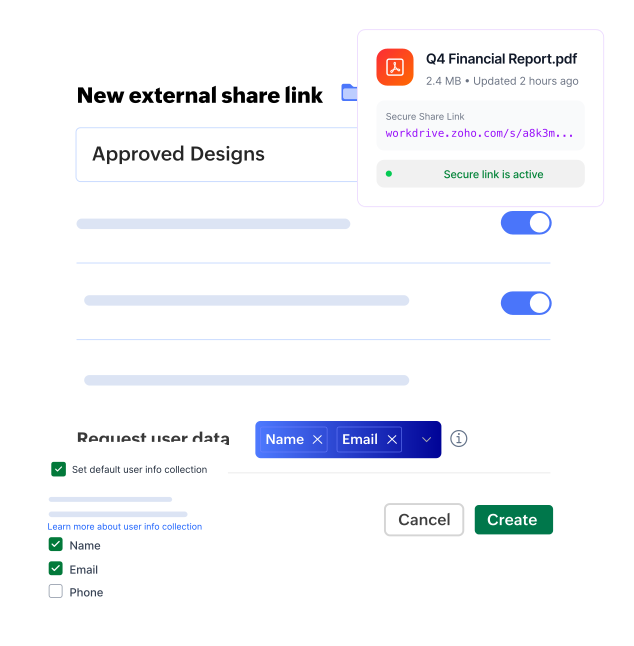
Secure external sharing
External links can be password-protected, limiting access to intended recipients. Easy to set up, password protected, can restrict downloads and set expiration dates on links. Perfect for sharing sensitive documents, confidential files like reports or RFPs.
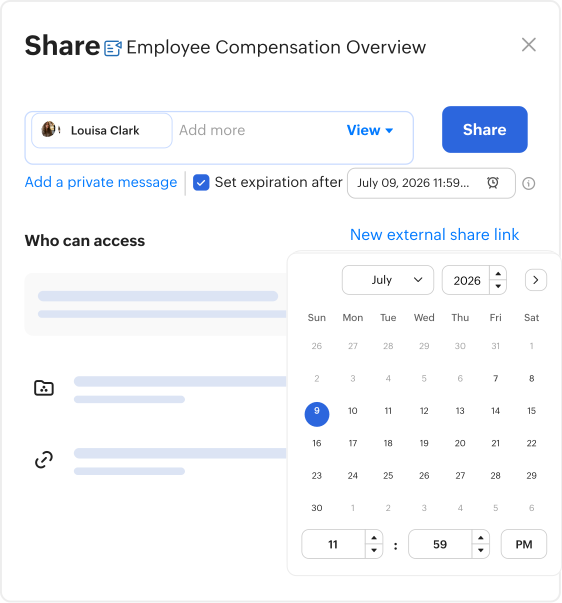
Limit download and expiration dates
Set the exact number of times a file can be downloaded and when a link should expire. Perfect for sharing confidential reports, RFPs, or any time-sensitive documents.
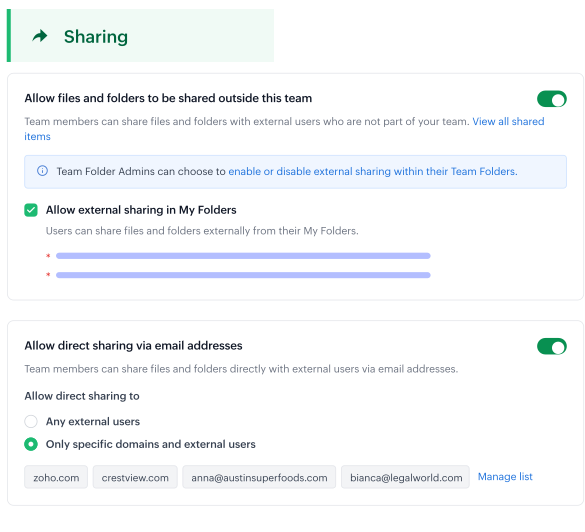
Control who creates share links
Admins decide which users can generate external links. Minimize exposure and block unauthorized shadow sharing by users outside of IT-approved channels.
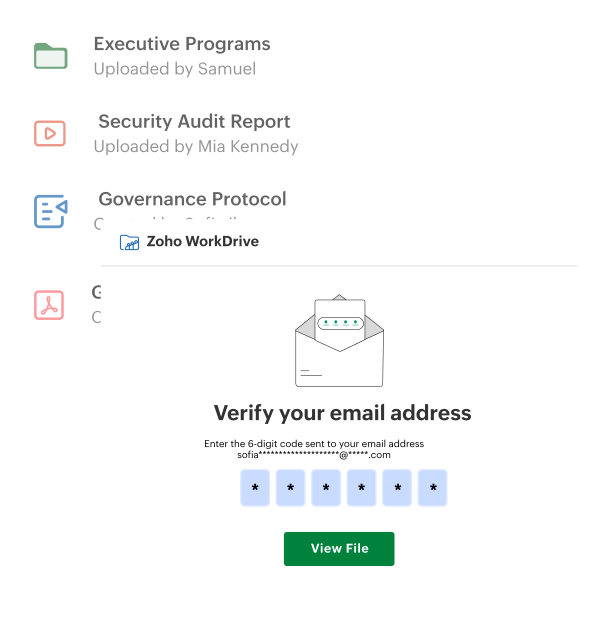
OTP-verified external collaboration
External collaborators must verify identity via an OTP before accessing any shared files. This verifies the user's identity, ensuring it's not just a shared or redirected link.
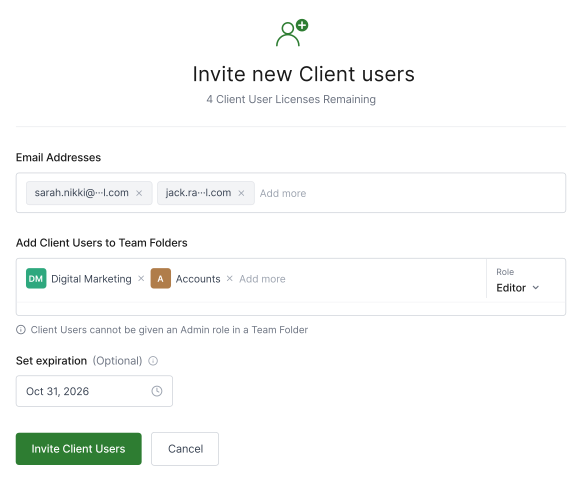
Client user portals
Invite external partners or clients with pre-defined access levels so they only view what's essential and relevant. This helps build collaboration without exposing internal assets.
Data Loss Protection and Classification
Automatically detect, classify, and restrict sensitive content with WorkDrive before it leaves your premises.
Data Loss Prevention (DLP) engine
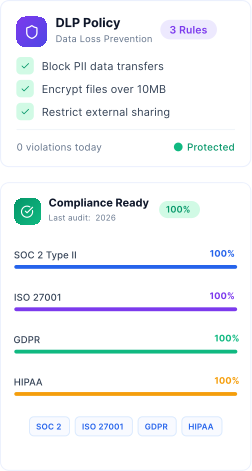
Automatically detect sensitive content like PII, financial records, and IP, and block it from being downloaded, printed, or shared externally without authorization. This is enforced at the system level and isn't dependent on user behavior.
Explore DLP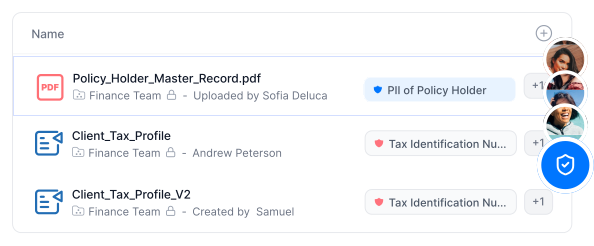
Data classification
Label files as Confidential, Internal, or Public. Automated checks flag sensitive content before it's shared outside your organization. Bring structure and accountability to your file ecosystem.
Explore Data Classification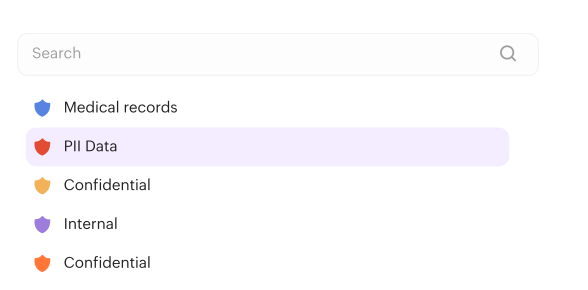
Dynamic watermarking
Sensitive files are marked with visible watermarks, deterring screenshots, leaks, and unauthorized reproduction. Prevent misuse without disrupting legitimate access.
Explore Watermarking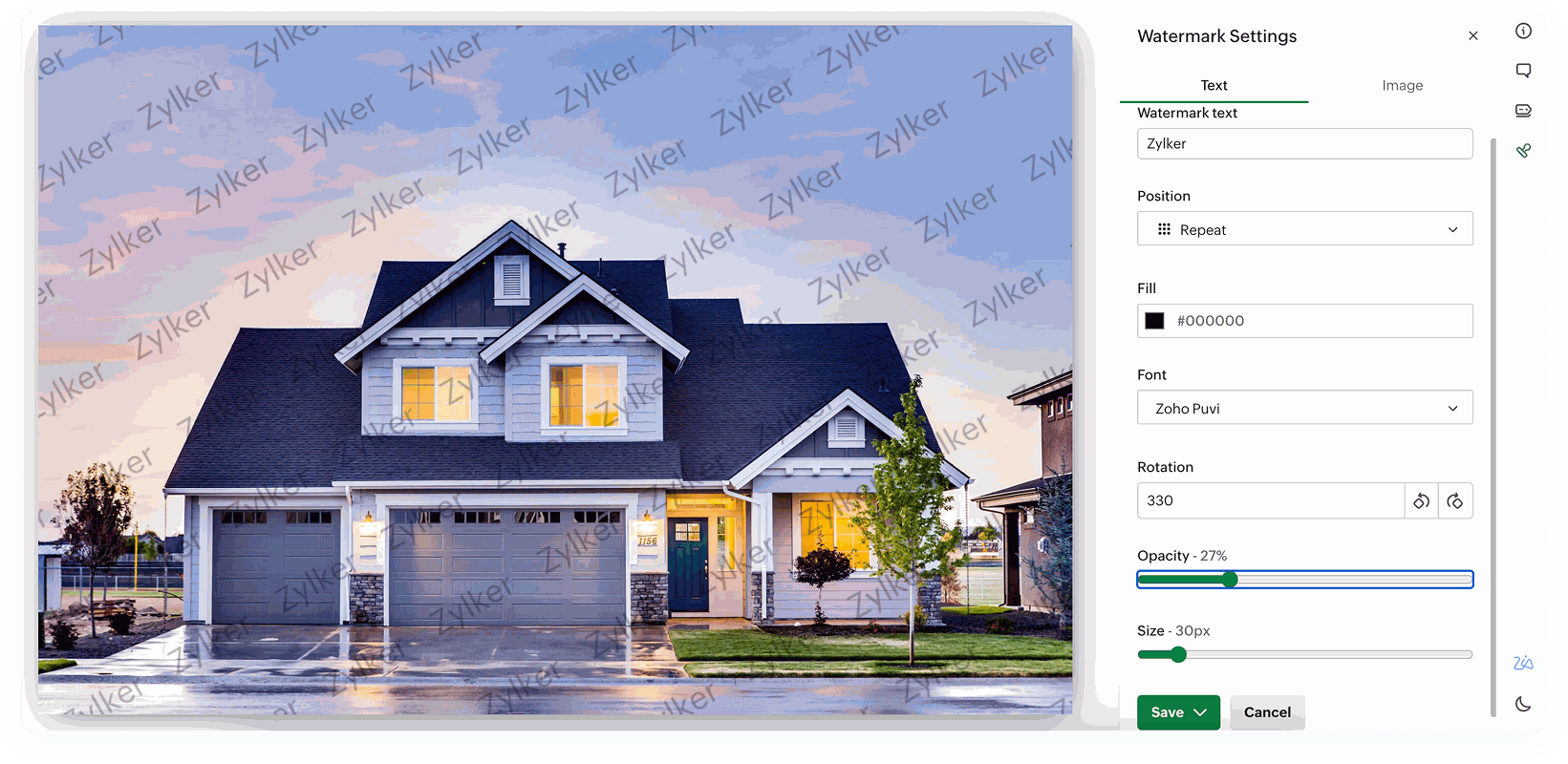
Folder restriction
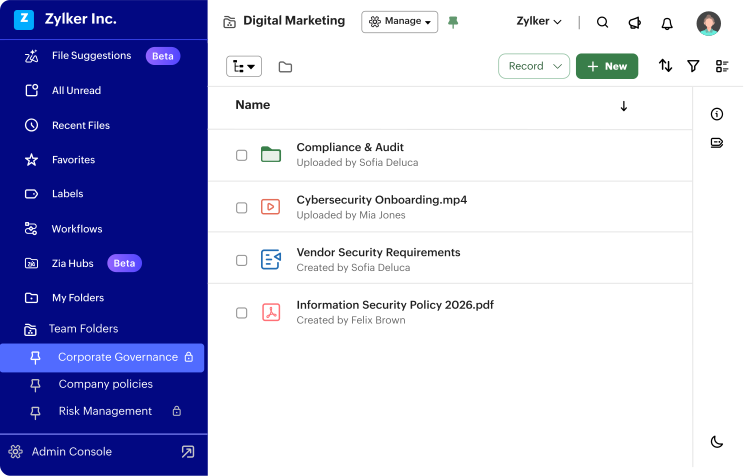
Restrict which sub-folders team members can open or even view. Keeping information hidden prevents unnecessary exposure and minimizes cross-departmental risk.
Explore Team Folders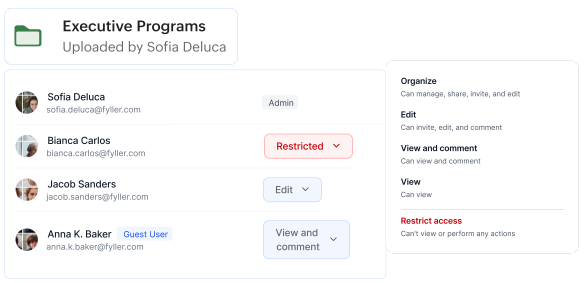
Encryption and Threat Protection
Your data remains unreadable to unauthorized individuals, whether it's stored on our servers or being transferred between them.

View WorkDrive's full security architecture
View WorkDrive's full security architectureEncryption at rest
All stored files are encrypted with the same standard used by banks and defense organizations worldwide. No readable file ever exists on disk unprotected.
Encryption during transit
A unique encryption key is generated for every single session. Even if one key is compromised, past sessions remain fully protected. Each transfer is isolated—zero cascading risk.
Malware scanning
Every file is scanned for malware before it ever reaches a user's device. Infected files are flagged before download. This prevents your network from becoming a malware distribution point.
Intrusion detection and prevention (IDP/IPS)
WorkDrive uses active monitoring systems to detect and block unauthorized access attempts—including DDoS attacks—in real time. Proactive defense, not reactive response.
Compliance and Governance
Compliance isn't a checkbox—it's an ongoing operating standard. WorkDrive is built to meet it, document it, and prove it.
View WorkDrive's compliance certifications


ISO 27001 certified
WorkDrive's information security management systems meet the most rigorous international standard. Verified by independent third-party auditors.
SOC 2 Type II compliant
WorkDrive's security controls have been independently tested and verified over time, not just on paper. Proven consistency, not just capability.
GDPR ready
Data residency, consent controls, and right-to-erase support are built into the platform. Critical for any organization operating in or with the EU.
HIPAA compliant
WorkDrive meets the federal requirements for protecting health information, securely and legally. Essential for healthcare, insurance, and allied sectors.
Full audit logs
Every file action, by every user, is logged for the complete life of the record—who viewed and edited it, when, and from where. Your single source of truth during any audit or investigation.
Custom activity reports
Generate detailed reports on any user or team on demand, sorted by time period, file, or action type. IT admins get visibility; auditors get evidence.
Backup and Recovery
Incidents occur, and the key difference between prepared organizations and those that are exposed lies in their ability to recover—quickly and fully.
Explore RecoveryManager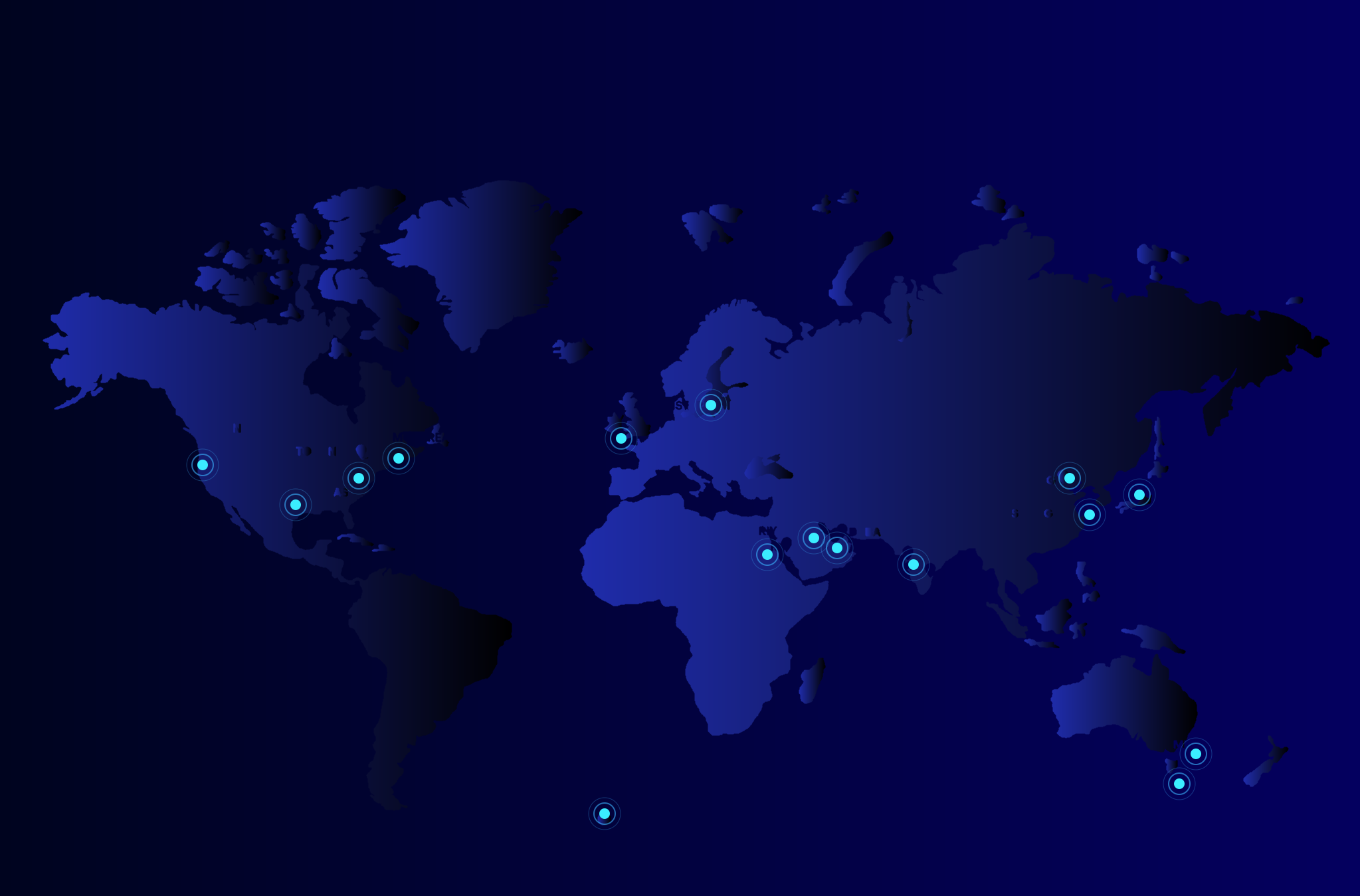

Daily incremental and weekly full backups
Backups occur daily, with complete snapshots scheduled weekly—no manual intervention, no missed periods. Recovery is guaranteed, not just a possibility.
Cross-data center replication
Files are mirrored across multiple geographically separated data centers, simultaneously. If one goes down, another takes over, with no noticeable delay. This eliminates single points of failure.
ManageEngine RecoveryManager Plus integration
For teams needing enterprise-grade, third-party backup orchestration, WorkDrive integrates with ManageEngine's dedicated recovery platform. It easily fits into your existing IT disaster recovery playbook.
Admin Controls
One console, complete control. Admins get the visibility and power to manage users, devices, and storage—before small issues become security incidents.
Explore Admin Console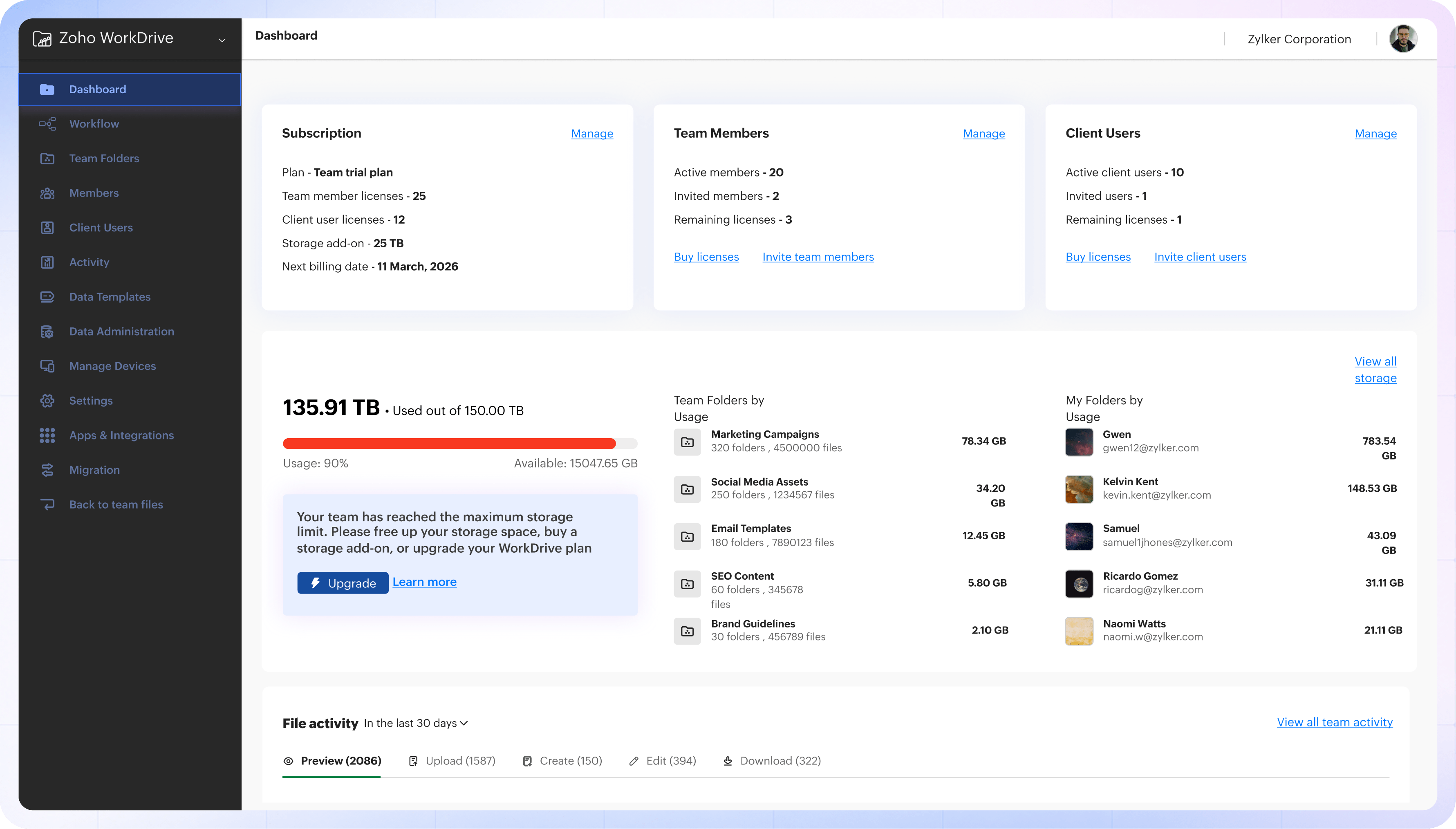
Centralized device management dashboard
View every device connected to your organization's WorkDrive account from one admin console. Instant visibility across a distributed, remote, or hybrid workforce.
User suspension, deletion, and access revocation
Remove access instantly and suspend, delete, or revoke individual user permissions without affecting anything else. Critical for rapid response to security incidents or HR actions.
Off-boarding file transfer
When a team member leaves, transfer all their files to another user, instantly. No data is discarded, abandoned, or forgotten. Eliminate off-boarding risk in a single action.
Custom storage allocation
Set individual storage limits. Enforce usage policies to avoid excessive consumption. This keeps costs predictable and usage accountable.
Real-time file activity alerts
Get instant notifications when a file is accessed, edited, shared, or deleted so you catch anomalies before escalations. Active monitoring without manual surveillance.
Trusted globally
Million of users. One platform.
0
0
0
0
your global enterprise with WorkDrive. Move now.
asked questions
Your files are stored in Zoho's own data centers in the region you choose during sign-up, and are mirrored across multiple, geographically separated data centers. Zoho owns and operates its data centers rather than relying on third-party cloud providers.
Yes. Granular, role-based access control lets you set exactly who can view, comment, edit, or share at the file, folder, or team level. Admins can also decide which users are allowed to create external share links.
Yes. IP restriction and domain verification let you limit logins to your office network or trusted corporate domains and block access from everywhere else—useful for securing remote and hybrid teams.
Admins can instantly suspend, delete, or revoke individual user access, and transfer a departing member's files and folders to another user during off-boarding, so essential business data stays within the organization.
Yes. External share links can be password-protected and require OTP verification, and you can invite partners or clients through user portals with predefined access levels so they only see what's relevant.
Yes. You can set expiration dates on share links and limit the exact number of times a file can be downloaded—ideal for confidential reports and time-sensitive documents.
Yes. Full audit logs record every file action—who viewed, edited, shared, or downloaded a file, when, and from where. You can also generate custom activity reports and set real-time file activity alerts.
WorkDrive's DLP engine automatically detects sensitive content such as PII, financial records, and IP, and can block it from being downloaded, printed, or shared externally. Data classification labels, folder restrictions, and dynamic watermarking add further protection.
Yes. WorkDrive is ISO 27001 certified and SOC 2 Type II compliant, and supports GDPR and HIPAA requirements, verified by independent third-party auditors.
Yes. Every file is scanned for malware before it reaches a user's device, and infected files are flagged before download. Intrusion detection and prevention systems add another layer of threat protection.
WorkDrive encrypts files at rest using AES-256 and protects data in transit with Transport Layer Security (TLS) and Perfect Forward Secrecy (PFS), generating a unique key for each session. Learn more about WorkDrive security.
Yes. Detailed audit logs capture every user and file action for the full life of the record, and admins can generate custom reports by user, team, time period, file, or action type—giving auditors the evidence they need.