

Intelligence meetsEnterprise
Zoho WorkDrive for Enterprises brings collaboration, automation, and compliance into one central, secure, and intelligent content management platform.

Every capability your enterprise requires built-in, not bolted on.
Secure by architecture
AES-256 encryption, DLP, and compliance controls baked in, not added later.
Built to scale
Supports thousands of users, terabytes of storage, and enterprise SSO out of the box.
Automated workflows
Approvals, reviews, and content routing—built without a single line of code.
AI-powered
Summarize, transcribe, and extract insights directly from your files, with our homegrown AI: Zia.
Governance at every step
Auditability, retention policies, and granular permissions so every file action is tracked, controlled, and defensible.
Security, encryption, and threat protection—built-in
Explore WorkDrive Enterprise securities
Encryption at rest and transit
Encrypt files at rest with AES 256 and in transit with Transport Layer Security (TLS) and a Perfect Forward Secrecy (PFS) unique key, every session.

Malware protection
Scans files for viruses and prompts users before downloading flagged files.

Platform defense
Intrusion detection systems (IDS) and intrusion prevention systems (IPS) protections designed to secure against distributed denial-of-service (DDoS) attacks.

Watermarking
Add visible deterrence to discourage unauthorized reuse when sharing business content.

Compliance
Independently certified and compliant across major global standards.
Document Management
Leader 2025
Nucleus Research

Document Management
Champion 2025

Info-Tech Research

Document Management
Everything your enterprise needs
Your files, working smarter
Zia, Zoho's built-in AI, can summarize documents, generate transcripts from audio and video, and unfold key insights from lengthy files. AI processing stays within your data boundary—no training on your content, no third-party exposure.
Explore Zia AI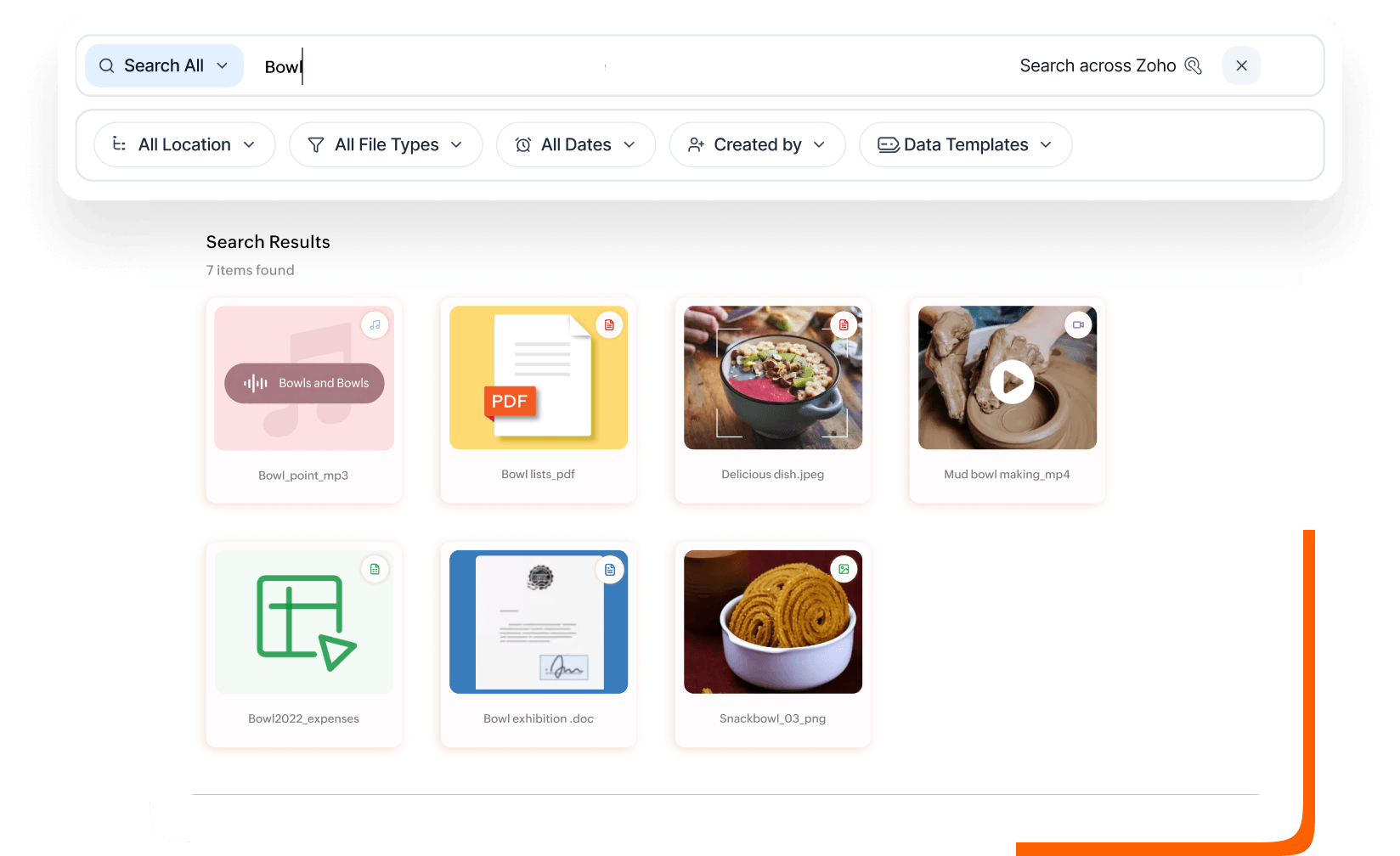
Search smart to discover fast
Search for content across the entire enterprise by filename, keywords, full text inside documents, text extracted from scanned files and images, or by objects visible in an image.
Explore Smart search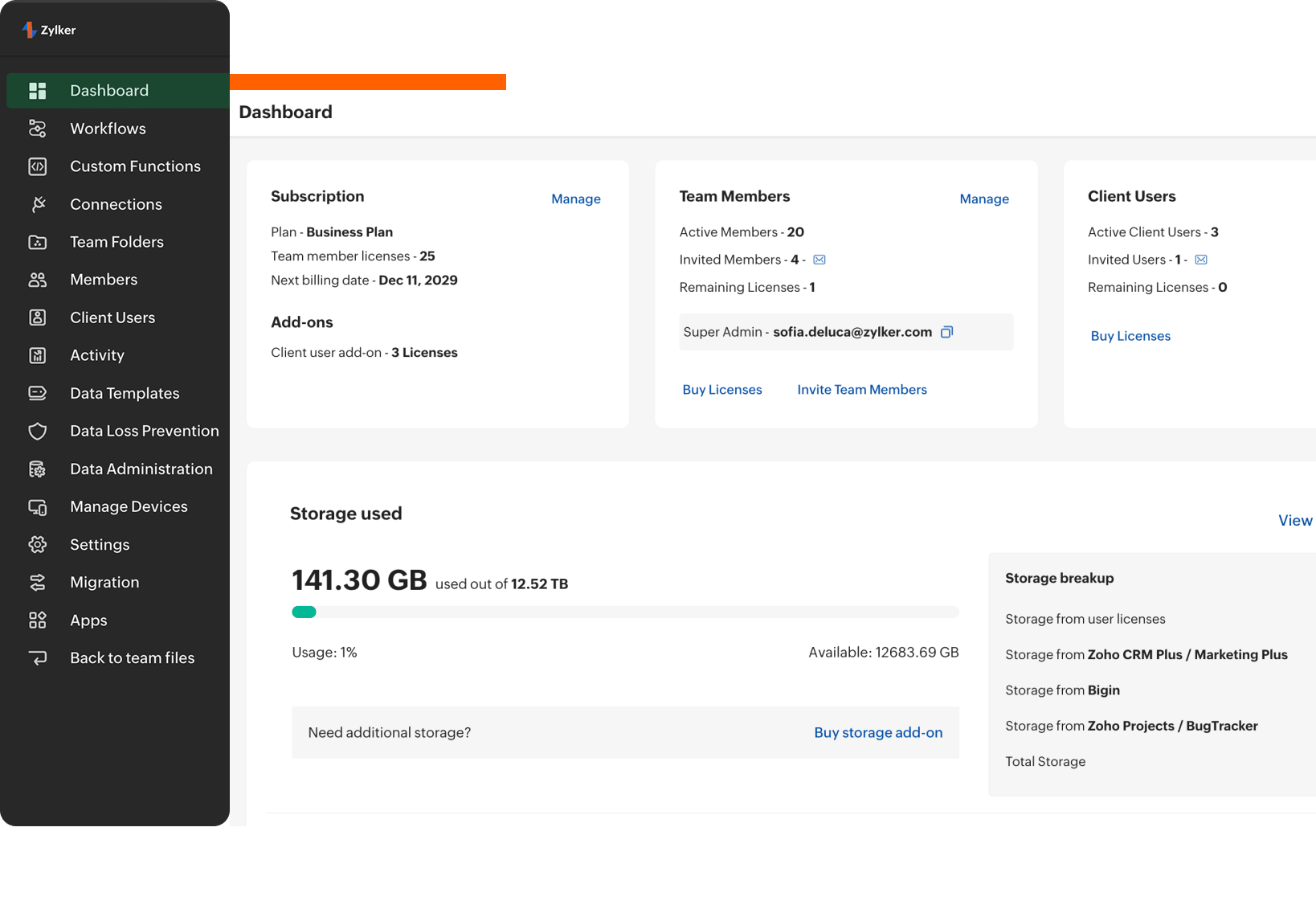
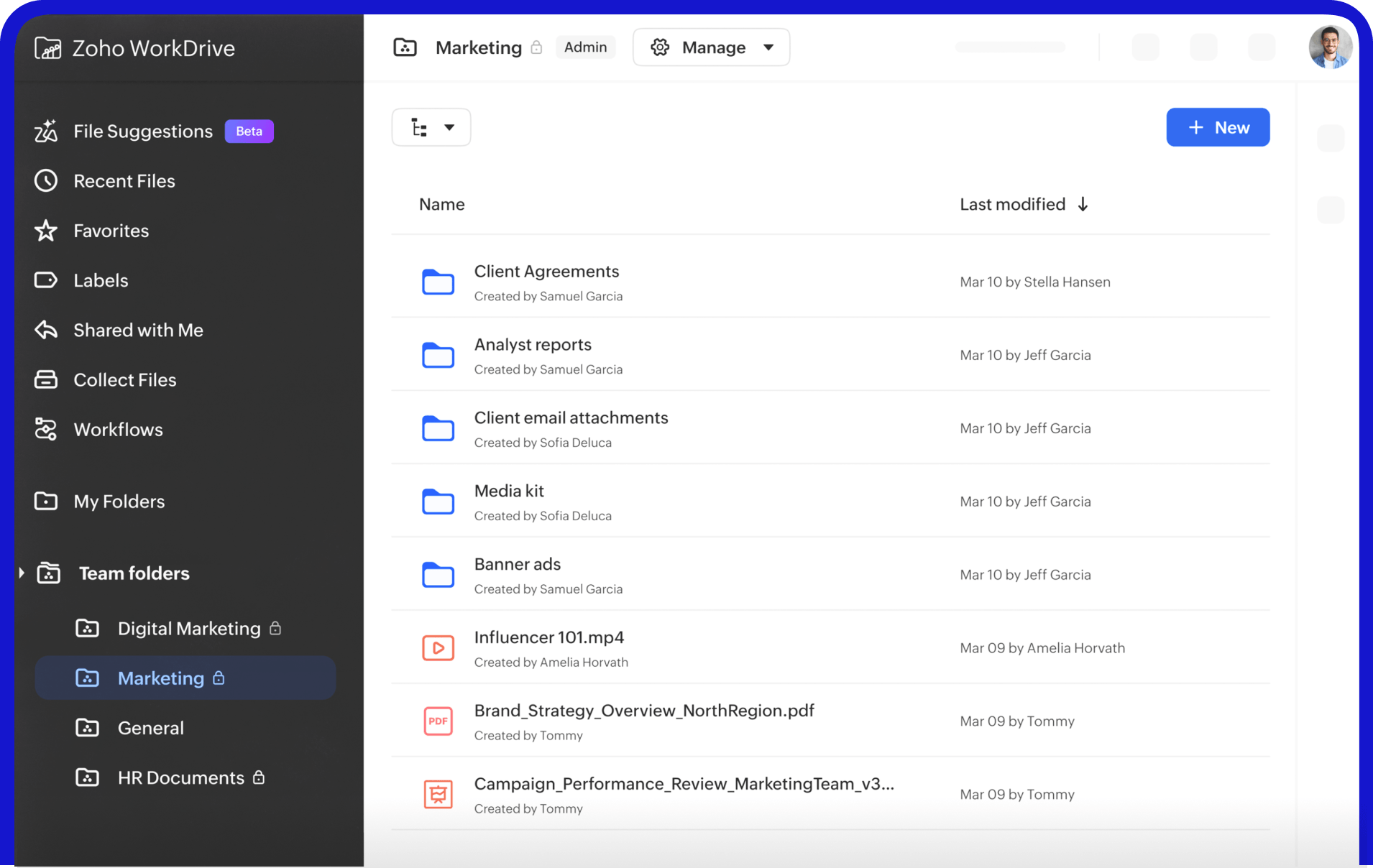
Centralized admin console for complete control
Manage users, devices, storage, and security policies from a single admin console. Remotely wipe data from a lost device, suspend departing employees, and generate audit reports—all without raising a support ticket.
Explore Admin dashboard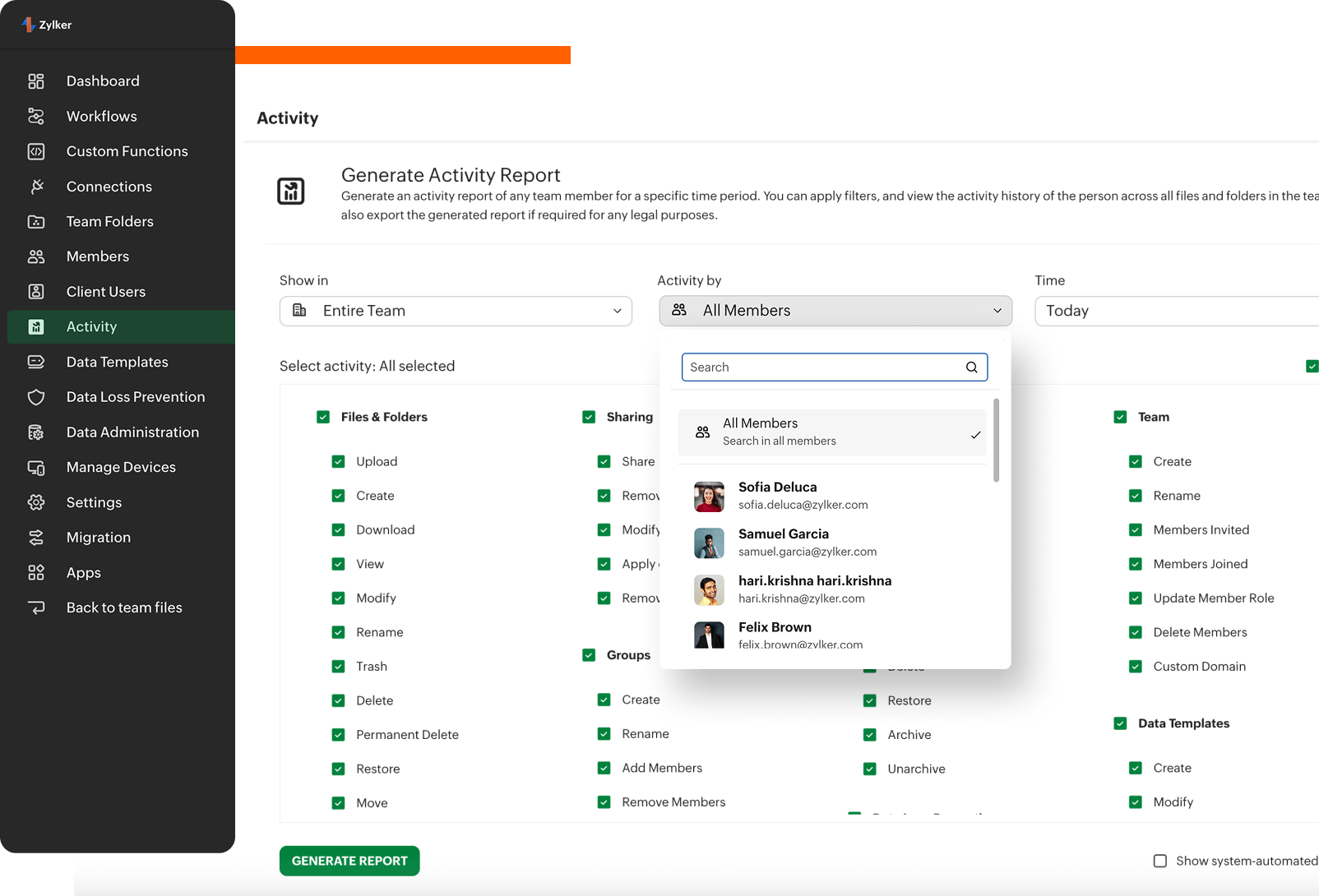
Make every user action easier to trace
Every access, edit, share, download, export and deletion is permanently timestamped and logged to be unalterable by anyone. Filter, search, and export audit-ready reports in minutes for compliance reviews or legal discovery.
Explore Activity reports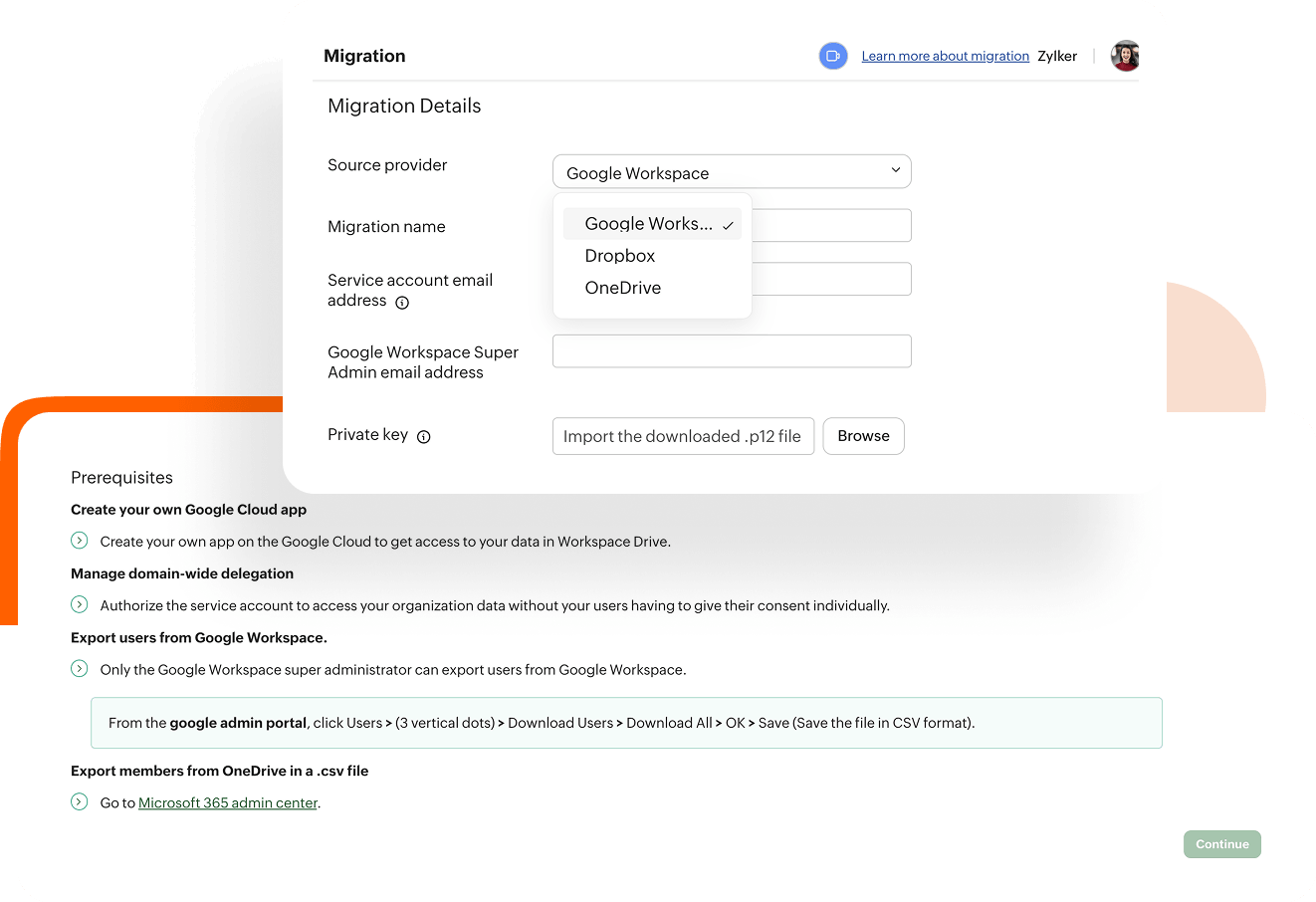
Move your corporate data without disruption
Migrate files from your desktop, G Suite, Dropbox, or OneDrive directly into WorkDrive. Your folder structure, permissions, and content are kept intact from day one.
Explore Migration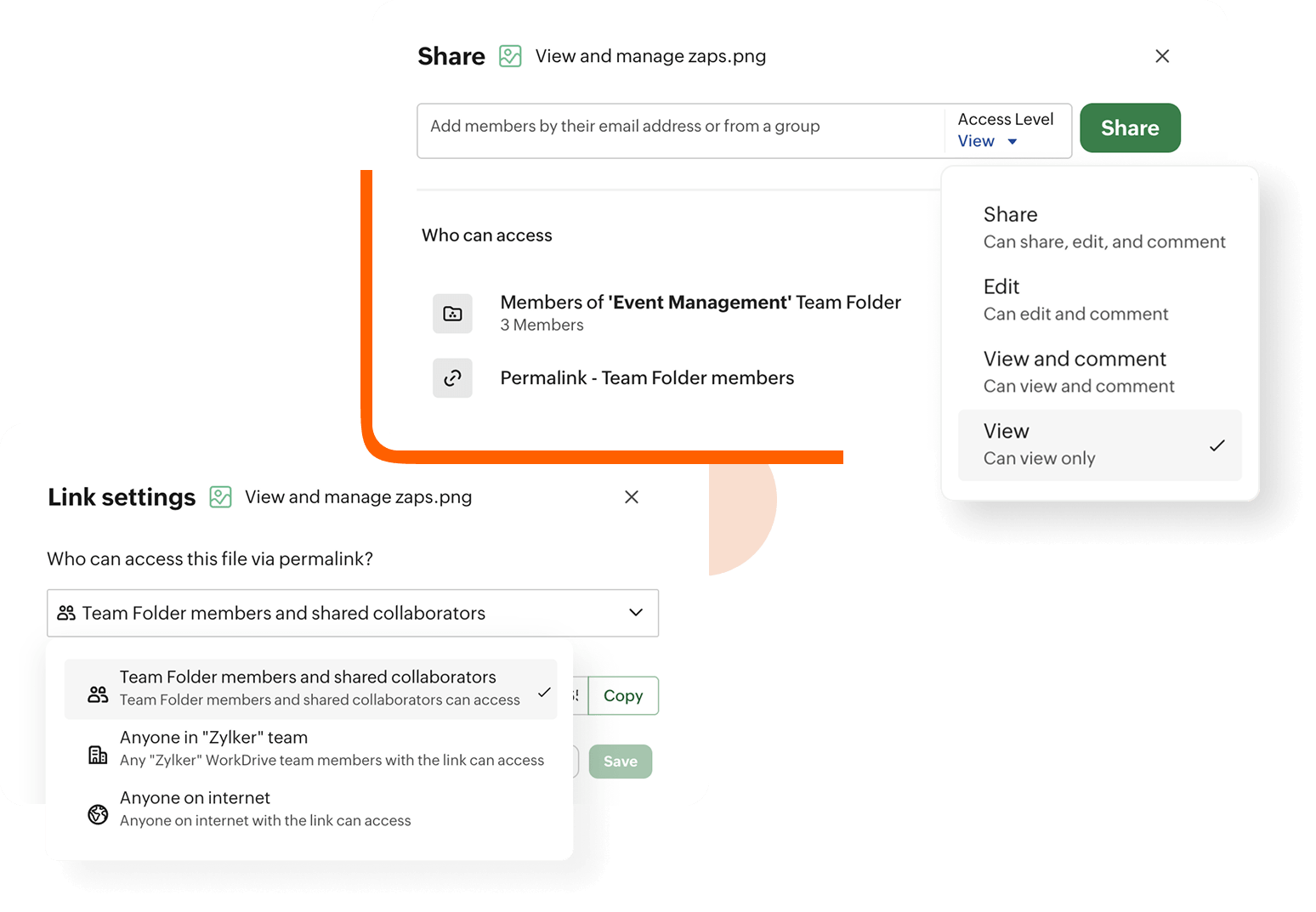
Control sharing for secure governance
Admins control whether users have the ability to share files externally. They can also restrict link creation, enforce passwords, set expiration dates, and add approved domains and users to the allowed list—organization-wide or at the folder level.
Explore Admin controlPrevent sensitive data leaks with data loss prevention (DLP)
Scan sensitive content, alert admins, and quarantine files when policy conditions are met. Teams can use classification and DLP policies to restrict sharing, copying, printing, or downloads on sensitive files before a routine mistake turns into an incident.
Explore DLP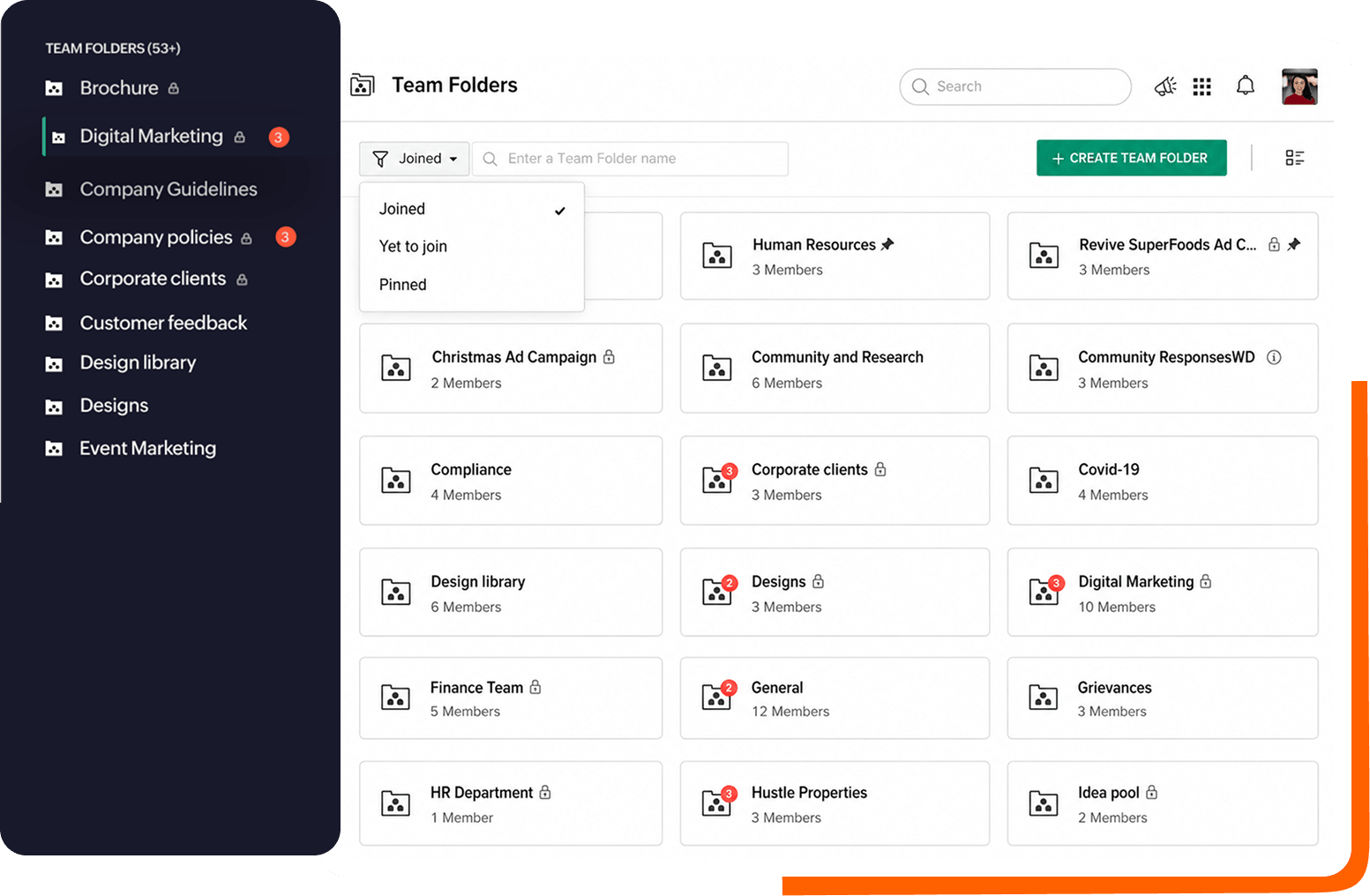
Collaboration with granular controls for secure workspaces
Create Team Folders with granular file-level permissions to control who can view, edit, or share. Restrict folder visibility and enforce security with MFA, strong passwords, IP restrictions, and SSO. Admins maintain full control to revoke access and ensure data integrity during transitions.
Explore Team folders and controls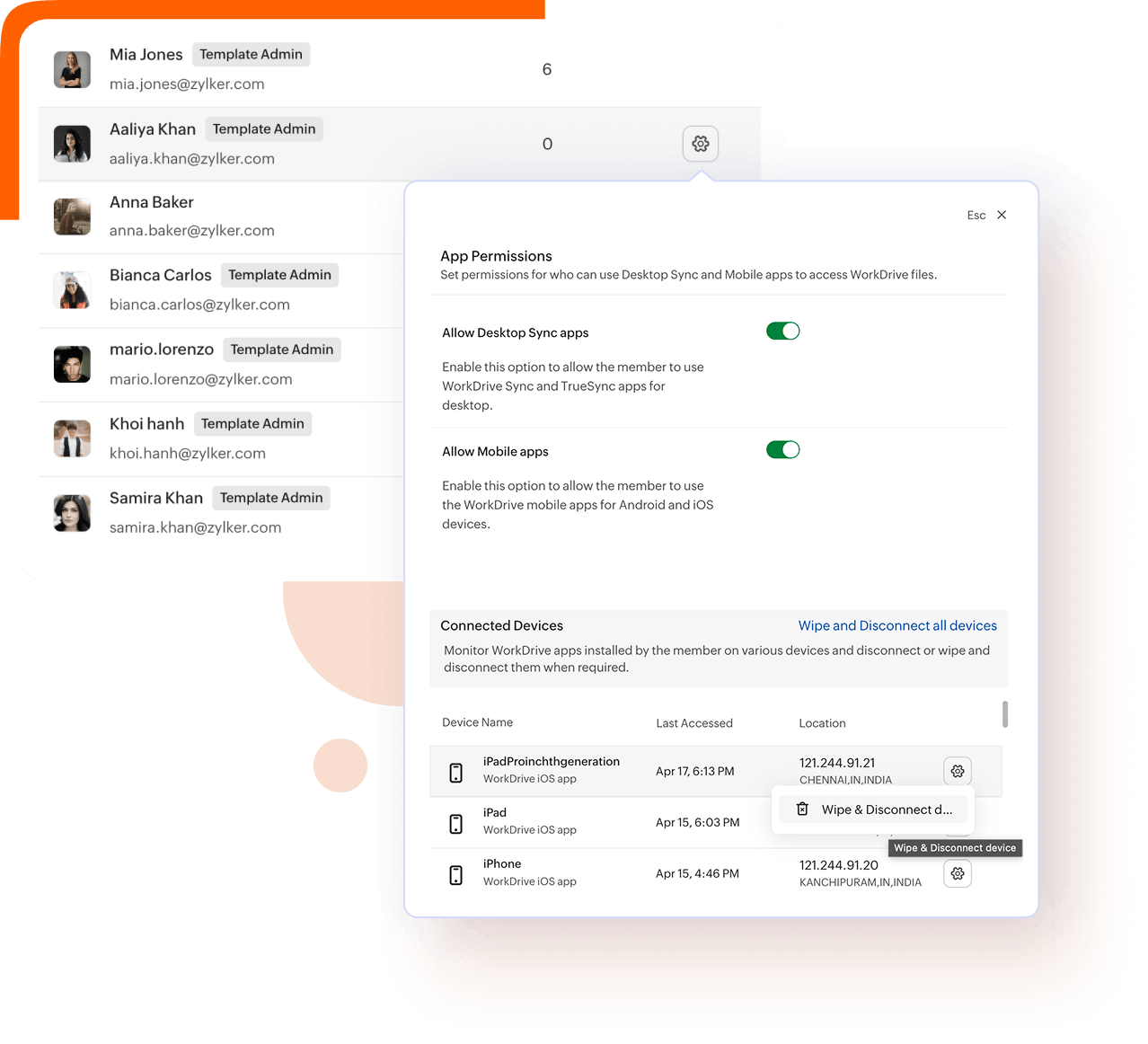
Manage endpoint access and reduce offboarding risk
View connected devices associated with each user, including device name, app type, access time, IP address, and location. Enable or restrict desktop and mobile sync apps. Disconnect devices to log users out and remotely wipe offline files—individually or across groups. Seamlessly transfer file ownership to secure business content.
Explore Device connectionsSet retention and recovery policies
Define the duration that files remain in trash before being permanently deleted. WorkDrive performs daily incremental and weekly full backups, replicating across multiple data centres to ensure data can be recovered whenever needed as disaster recovery.
Explore Backup and restorationCreate, edit, and collaborate without leaving WorkDrive
WorkDrive comes with a built-in office suite: Zoho Writer, Sheet and Show. Teams can create, co-edit in real time, and comment directly, with every version automatically saved and tracked.
Explore Office suite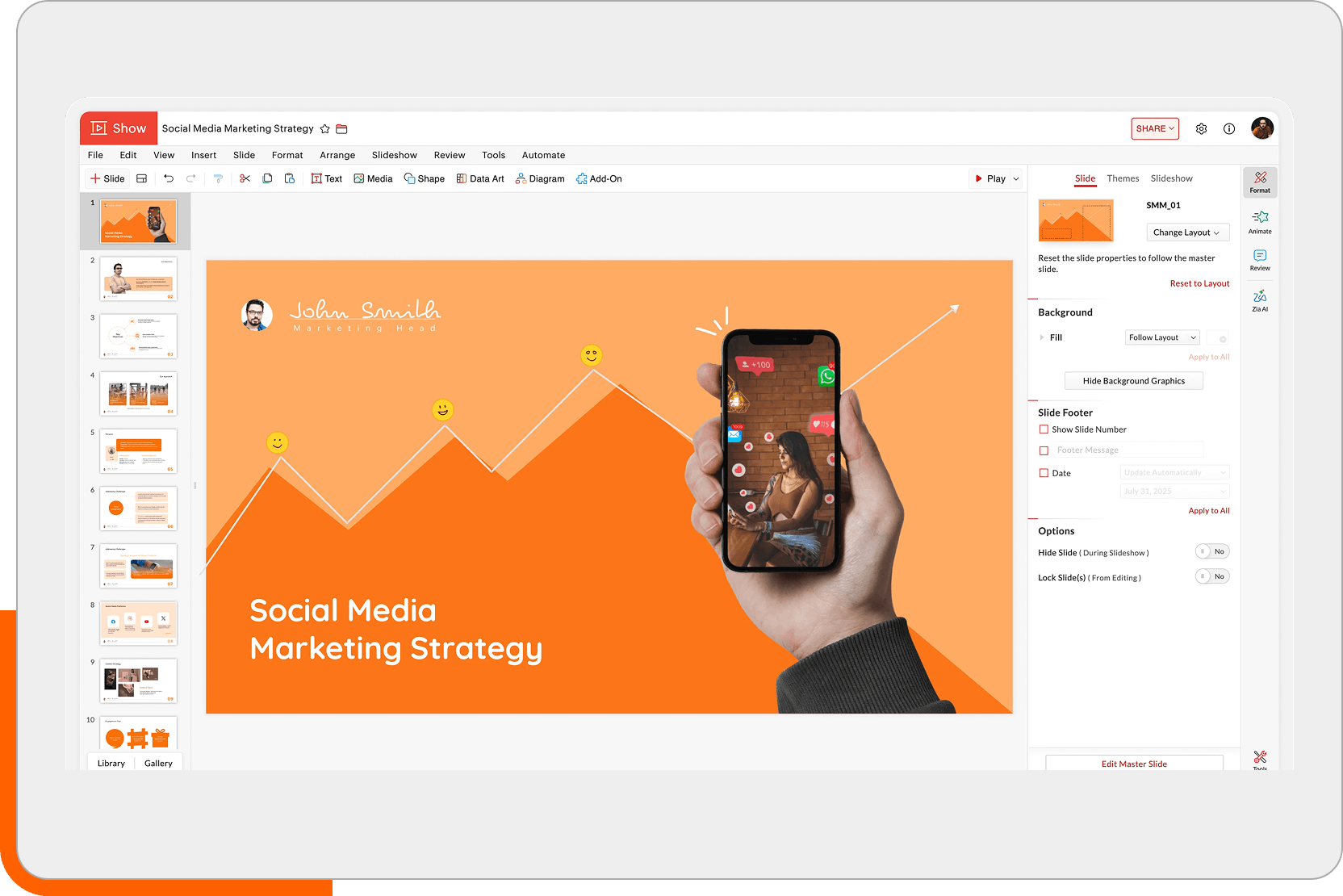
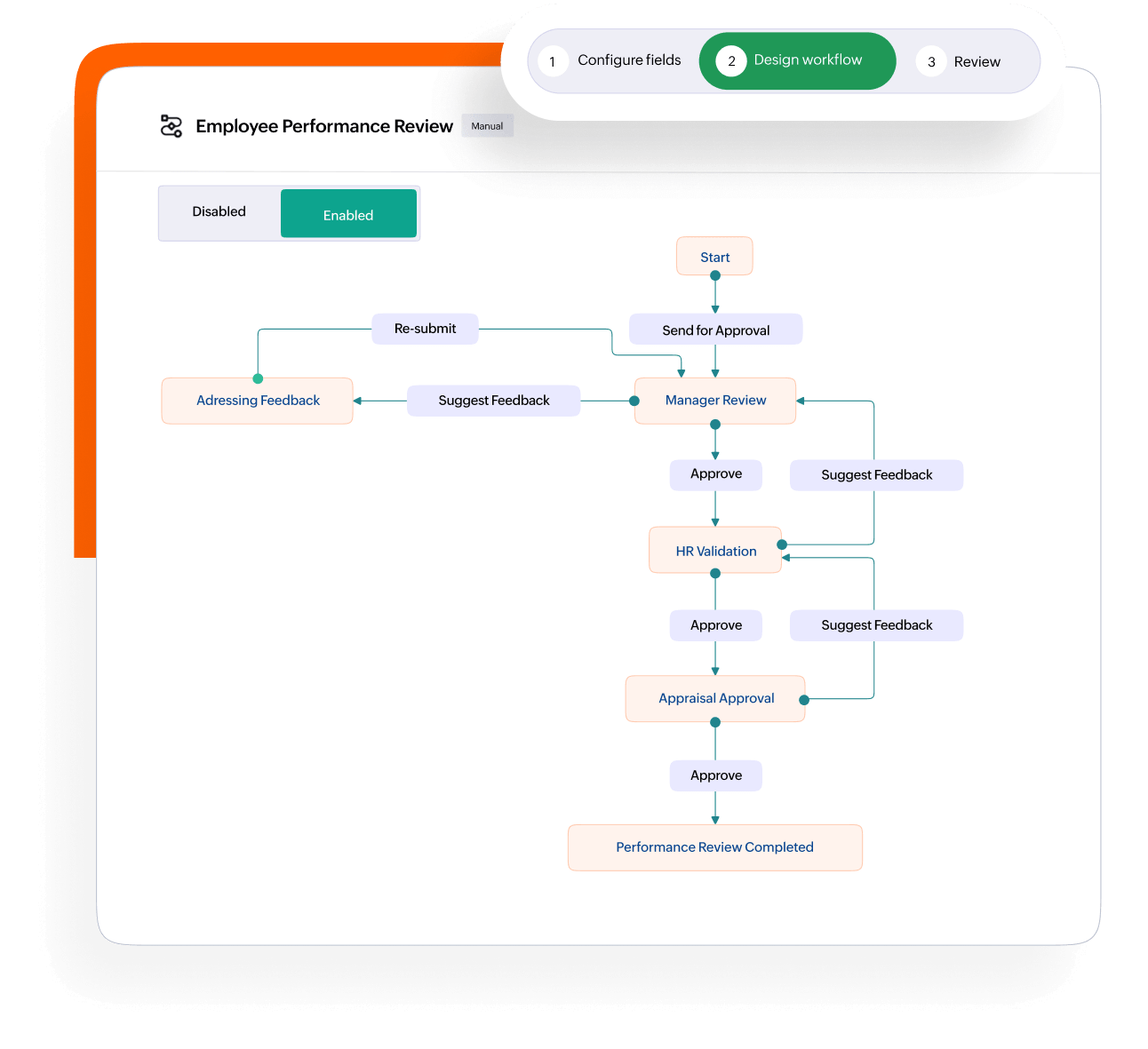
Build custom document workflows, including reviews, approvals, and archiving, via a visual, no-code builder. Files move through stages automatically, stakeholders get notified—nothing gets lost in someone's inbox.
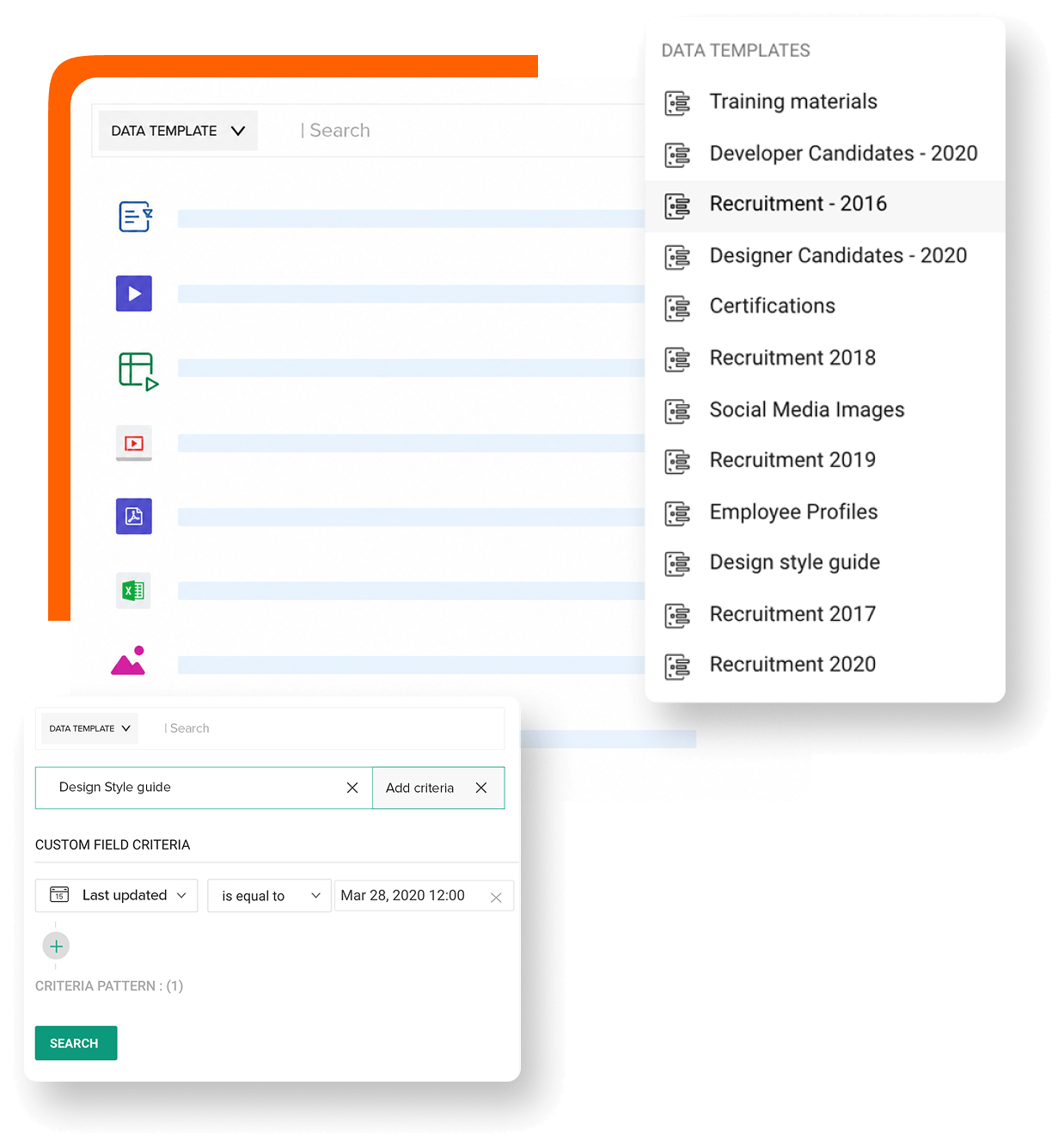
Explore WorkflowsCreate custom metadata fields such as contract value, renewal date, client name, and project code in a Data Template and make them mandatory at every folder level. This allows your entire document library to be filtered, searched, and reported based on the relevant fields.
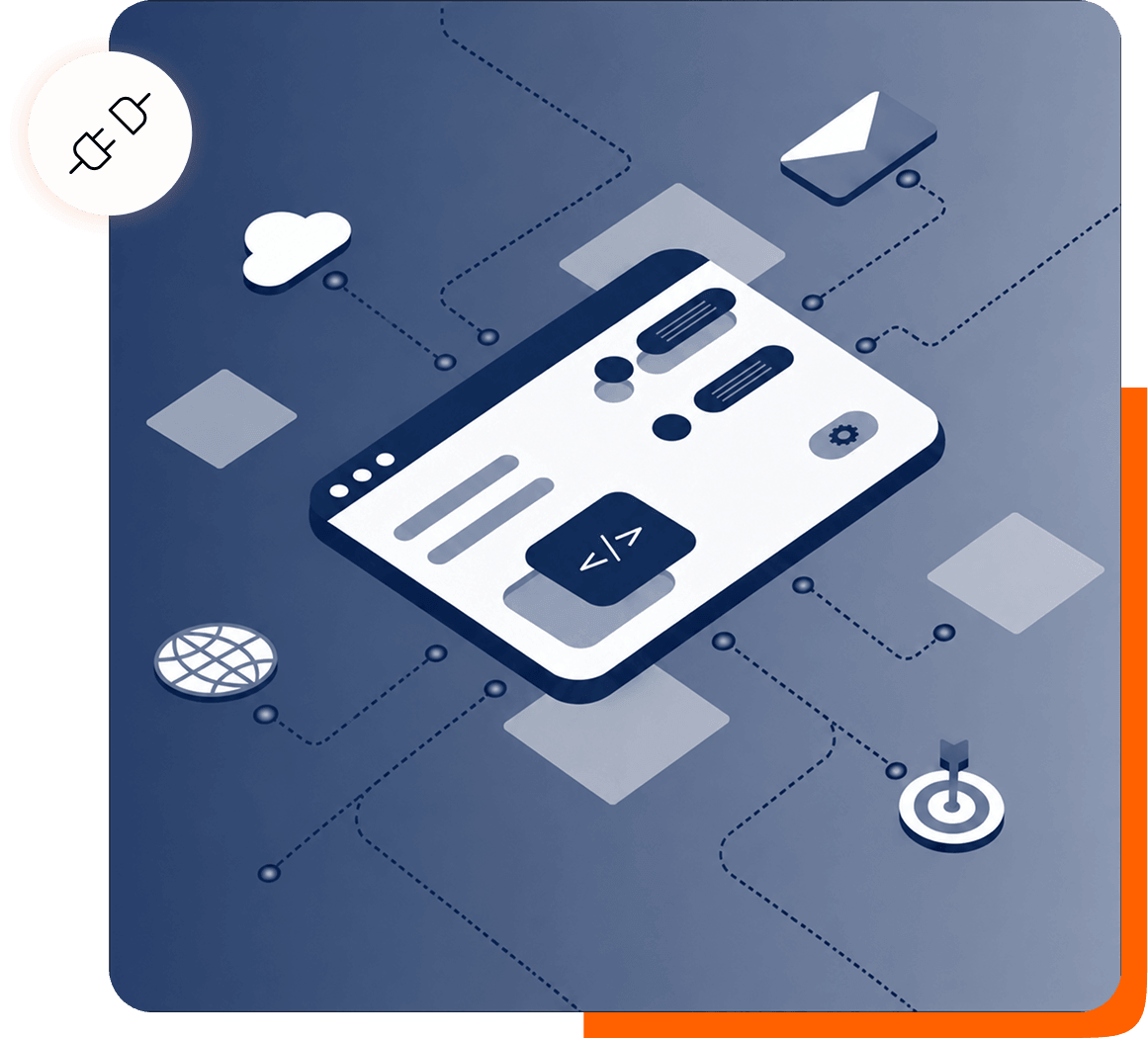
Explore Data templatesBuild custom apps and configure webhooks to push real-time alerts to any internal tool. Connect with any of our 1,000+ integrations and eliminate manual data entry, without switching.
Explore Custom appsAccess WorkDrive, from anywhere, any device
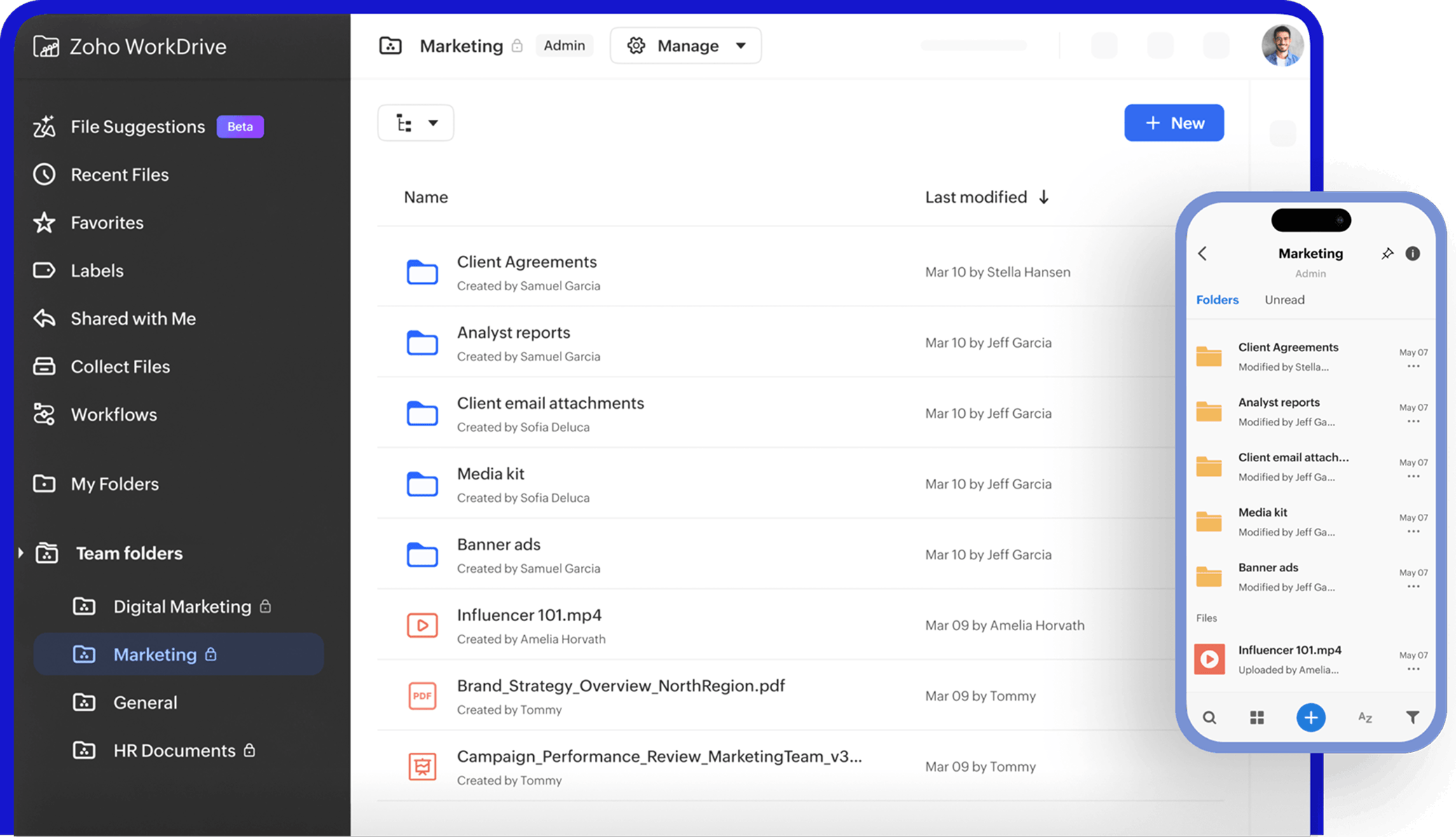
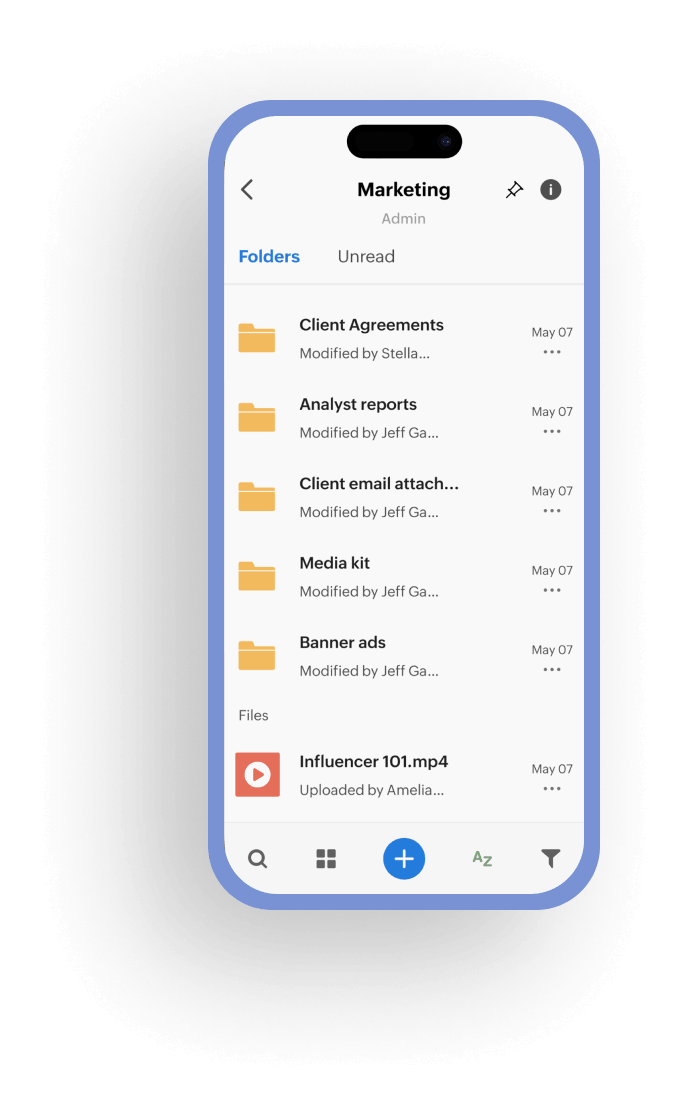
TrueSync, your local virtual drive across desktops, lets you access files, mark folders for offline use, and deploy quickly. Our mobile app delivers full file management with offline access, camera scanning, real-time alerts, secure biometric login, and remote wipe.
Always be ready for audits
Every certification is independently audited and renewed across major global standards. Documentation is available on request for procurement and vendor assessment processes empowering your team to work freely.
Explore Compliance
24/7 customer support
Get prompt responses on your queries via phone, email, or chat 24/7. Enterprise plans include priority support with guaranteed SLAs, onboarding assistance, and a dedicated account manager.
Contact Support
Millions of users. One platform.
Built by us. Trusted by you.

We were looking for a centralized file repository with enterprise-grade security, which Zoho WorkDrive has [provided].

Vishal P. Shirke,
Ex-Vice President - CRM Product Head at IIFL

The structure of WorkDrive is identical to Zoho CRM. This means data integrity is preserved between our data and file management platforms.

Melanie Cope Machial,
Head of Marketing & Technology

As a super admin, I rely on the audit trail the most since it helps me track how each user manages their files.

Akshay Bhatt,
Head of Technology

As an online learning platform, we needed an efficient way to review teaching demos during hiring. WorkDrive automated this, saving us time and streamlining hiring.

Shobhit Verma,
Senior Manager

One of the things I personally like about WorkDrive is it has an option where you can auto sync files.

Jeff Anderson,
Integris Credit Union.
Integris Credit Union simplifies document digitization for its 30,000-member base using Zoho WorkDrive's API, saving 1 FTE in labor costs.
Riyas Parat,
CEO
We use WorkDrive to organize and centralize our digital assets. Now, it also helps us with the archiving process.

Hardik Jain,
Founder
Migrate now!
The intelligent content management platform your enterprise has been waiting for.
Frequently asked questions
WorkDrive encrypts files at rest using AES 256. It uses Transport Layer Security (TLS) and a Perfect Forward Secrecy (PFS) in transit to generate a unique key for each session. Learn more about WorkDrive security.
WorkDrive stores all data under the full ownership and control of your organization. Zoho does not sell, use, or exploit customer data for advertising or AI model training. Your content stays private and is fully subject to your organization's policies.
WorkDrive supports multi-factor authentication (MFA). It also has domain verification, password policies, and IP restrictions.
Zia AI can summarize documents, generate transcripts from audio and video files, and surface key insights from lengthy files. You can also extend Zia's capabilities using your own API key. Zoho's Zia AI processing does not use your content for model training.
Zoho adheres to a privacy-focused principle and does not leverage customer data for training AI models. The Zia AI features in WorkDrive function strictly within the organization's defined permissions and governance policies.
Admins can transfer file ownership, reassign folders, and revoke access, ensuring that essential business information stays secure within the organization.
WorkDrive connects with various Zoho applications and offers APIs to integrate with existing tools and processes, enabling it to serve as a secure content layer within enterprise environments rather than a standalone app.
WorkDrive is built to serve organizations with diverse departments and geographically dispersed teams. Admins can oversee users, teams, policies, and storage from a single, centralized admin console, enabling scalable growth while maintaining control and oversight.
Yes. DLP classification labels and DLP policies can block users from downloading, copying, printing, or externally sharing files.
Admins can view connected devices and remotely wipe offline files and disconnect devices. Admins have full control over device management and security settings. Learn more about device management.
Yes, businesses in industries like finance, healthcare, and government utilize WorkDrive to ensure secure collaboration and uphold internal governance and compliance standards.