Domains section
The Domains section lets you manage all the domains added to your ZeptoMail account. Here, you can verify domains, associate them with Agents, configure sender addresses and view domain-level reports.
Associate Agents to domains
Every domain you add in ZeptoMail should be associated with an Agent. This helps in segmenting your emails and creating a separate email-sending stream. You can associate one or more Agents with a domain. Follow the steps below to associate a new Agent.
- Navigate to the domain to which you want to associate the Agent.
- Click the Modify or associate Agent button.
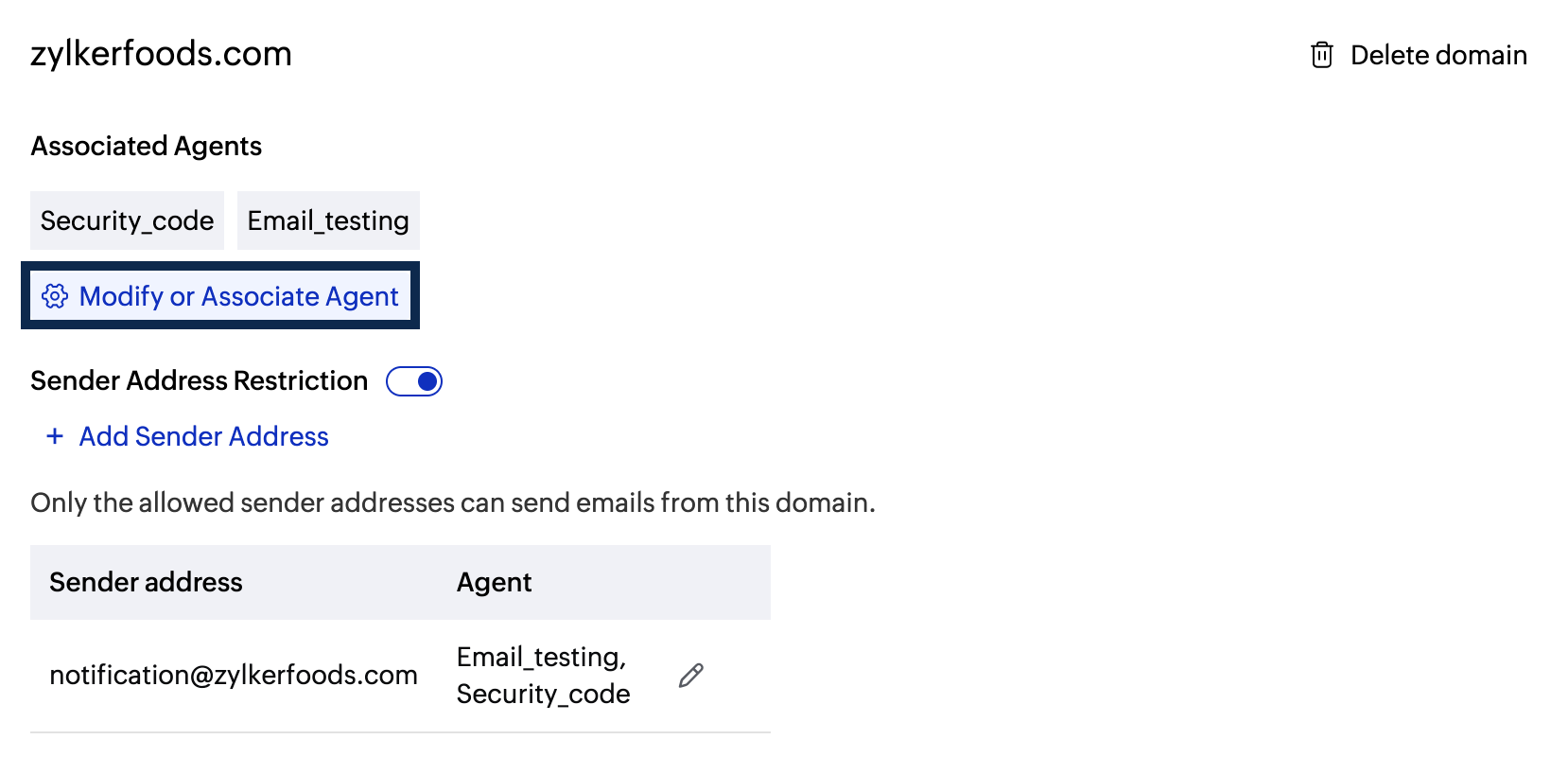
- You will be able to associate the Agents per your preference.
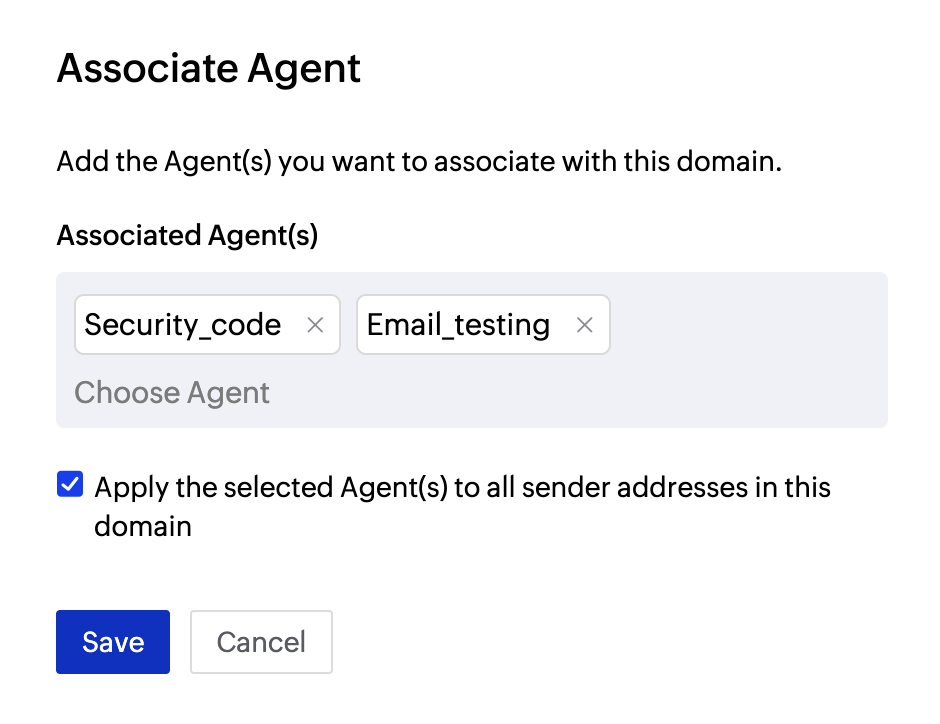
- If you have configured Sender addresses for the domain, you can choose to associate them with the Agents that are added.
Sender address configuration
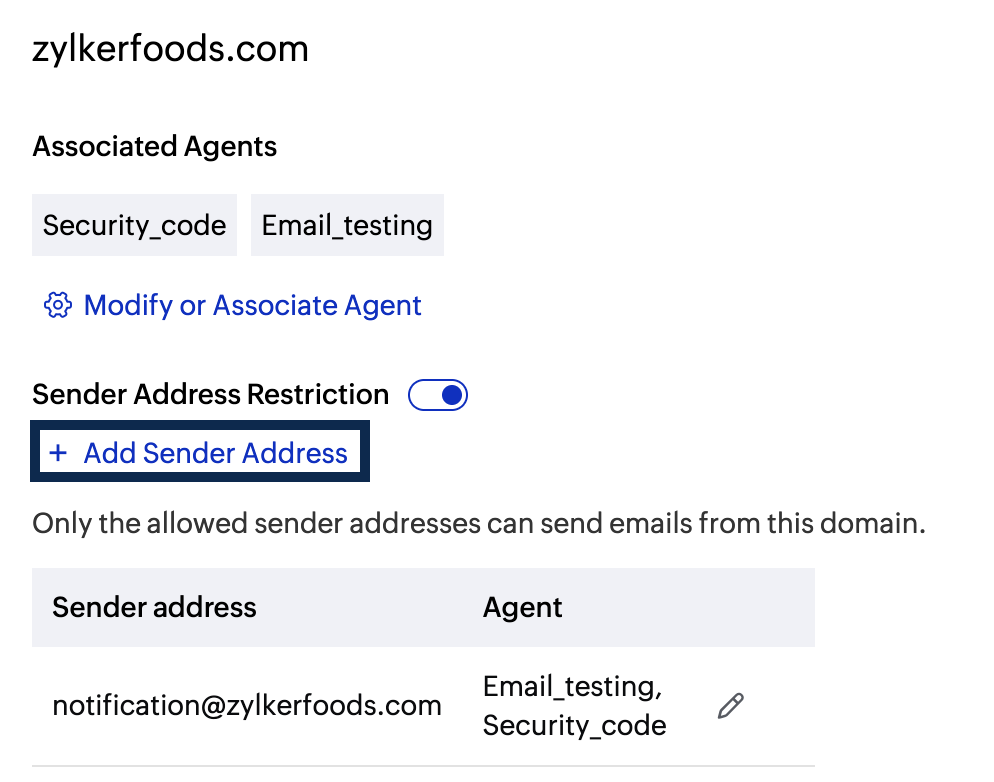
Sender addresses are specific email addresses created using verified domains in ZeptoMail. You can configure them to control which email addresses are allowed to send emails from a domain.
To enable sender address configuration:
- Choose the domain for which you wish to enable the sender address.
- Toggle the Sender Address restriction button.
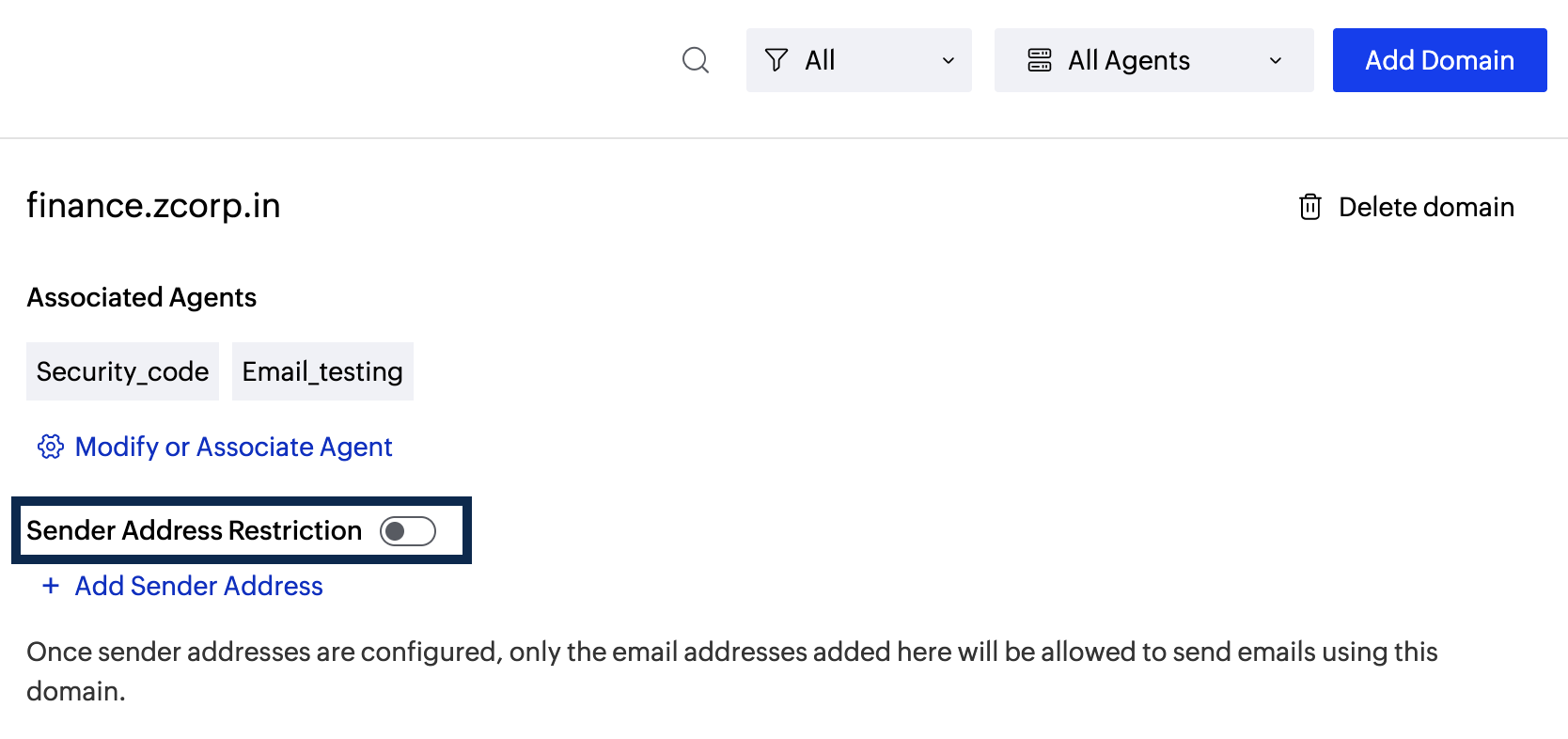
- Select the checkbox to enable sender address restriction.
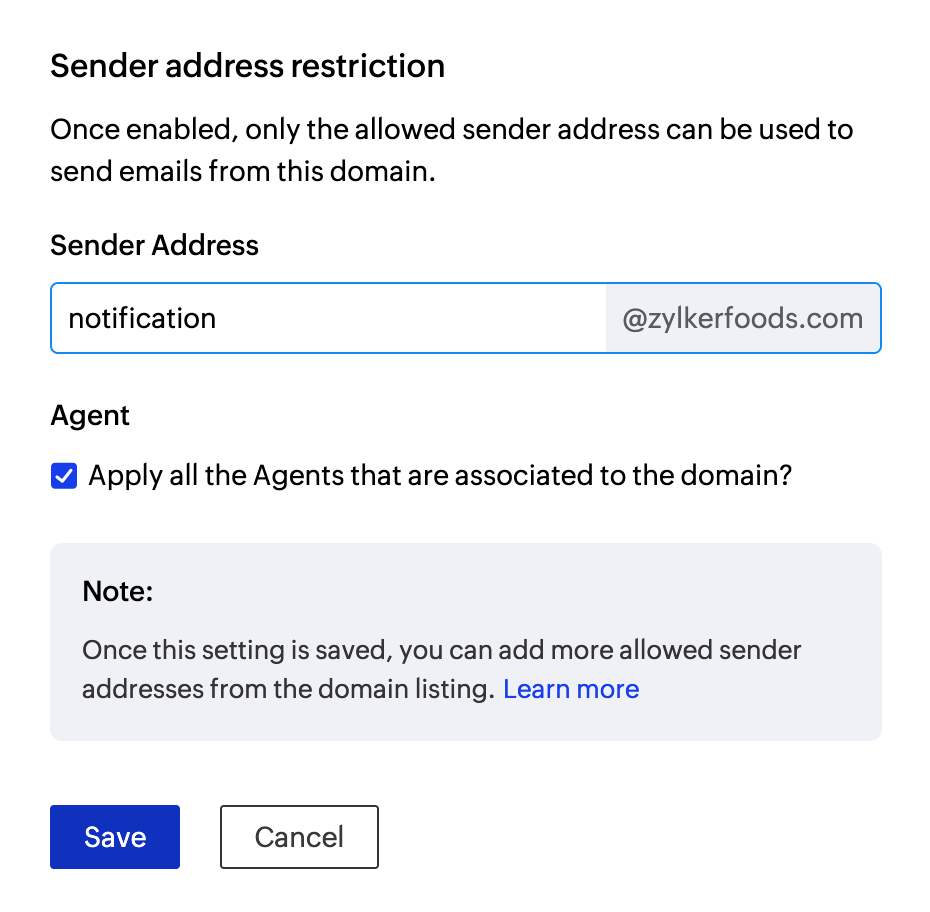
- If you are adding this restriction for the first time, enter the first sender address in the dialog box and click Save.
- Subsequently, you can add sender addresses using the Add sender address button.Enter a suitable prefix and click Save.
Domain Overview
The Overview section provides a performance summary for all the domains used for email sending. It displays reports of email activity over a time range. 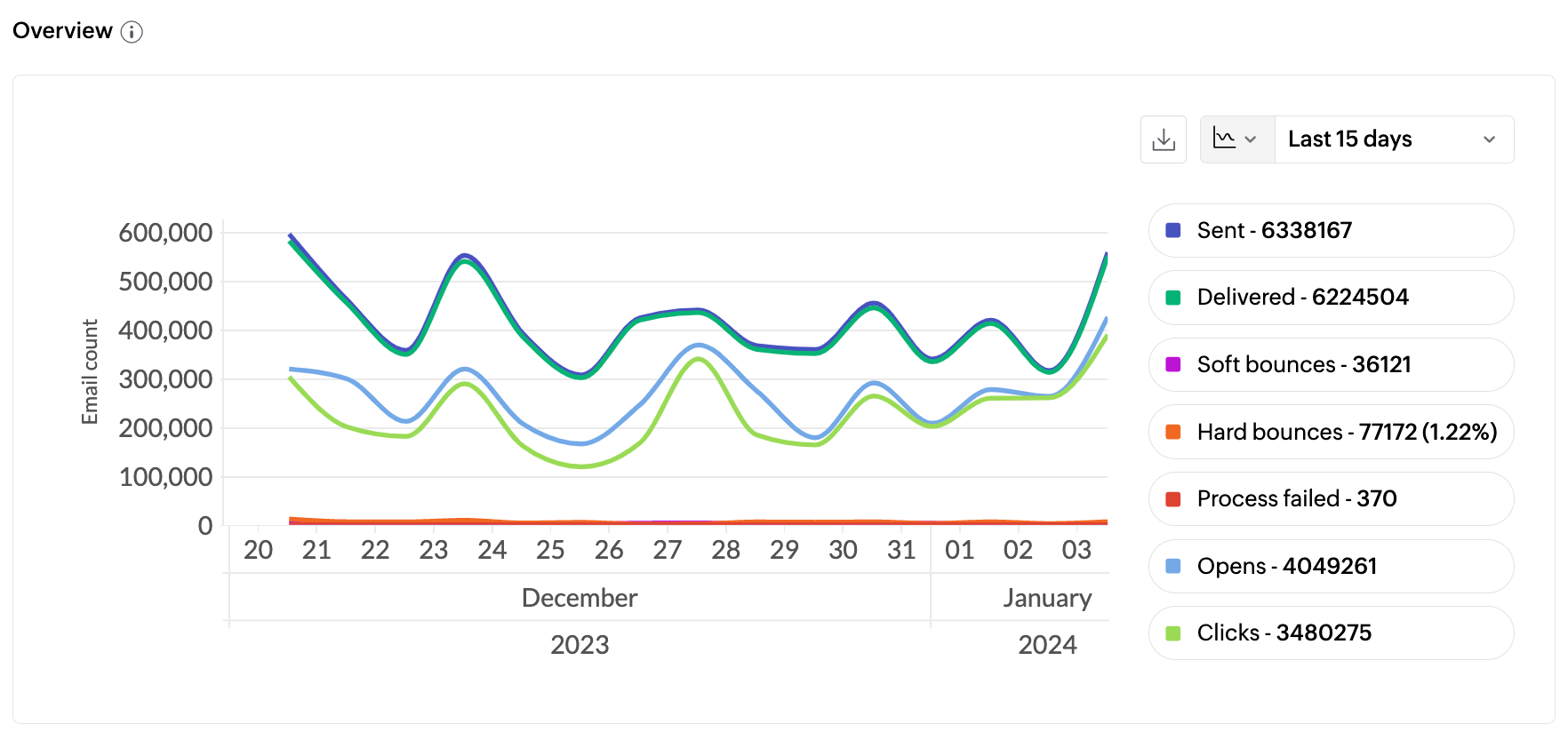
The count of the below-mentioned parameters are shown:
- Sent - Total number of emails processed. If your email has 1 recipient in the 'to' field, 1 recipient in the 'cc' field, and 1 recipient in the 'bcc' field; then the total count of emails sent is 3.
- Delivered - Number of emails that have been delivered to the recipient's inbox.
- Hard Bounces - Number of emails that did not deliver due to permanent reasons like invalid recipient address.
- Soft Bounces - Number of emails that did not deliver due to temporary reasons like the recipient server being down or the recipient's inbox being full.
- Clicks - These clicks are for the links embedded in your email body.
- Opens - Number of times the recipient opened your emails
- Process failed - Emails that have not been sent out due to various reasons.
Search and filter options
Search option
The search button available at the top pane helps you locate specific domains. 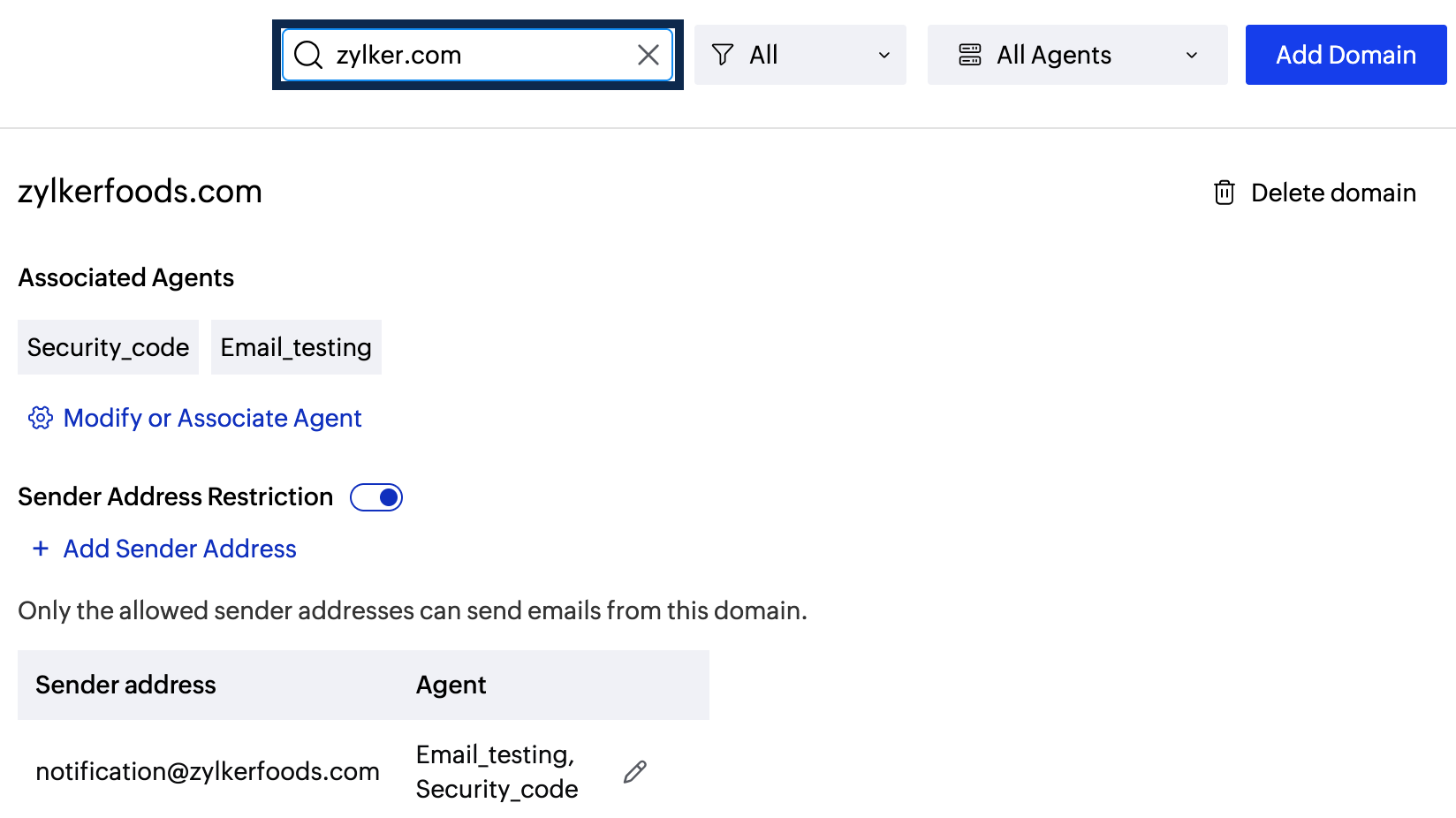
Filter options
You can filter the domain based on three filter options: verified, pending and unverified.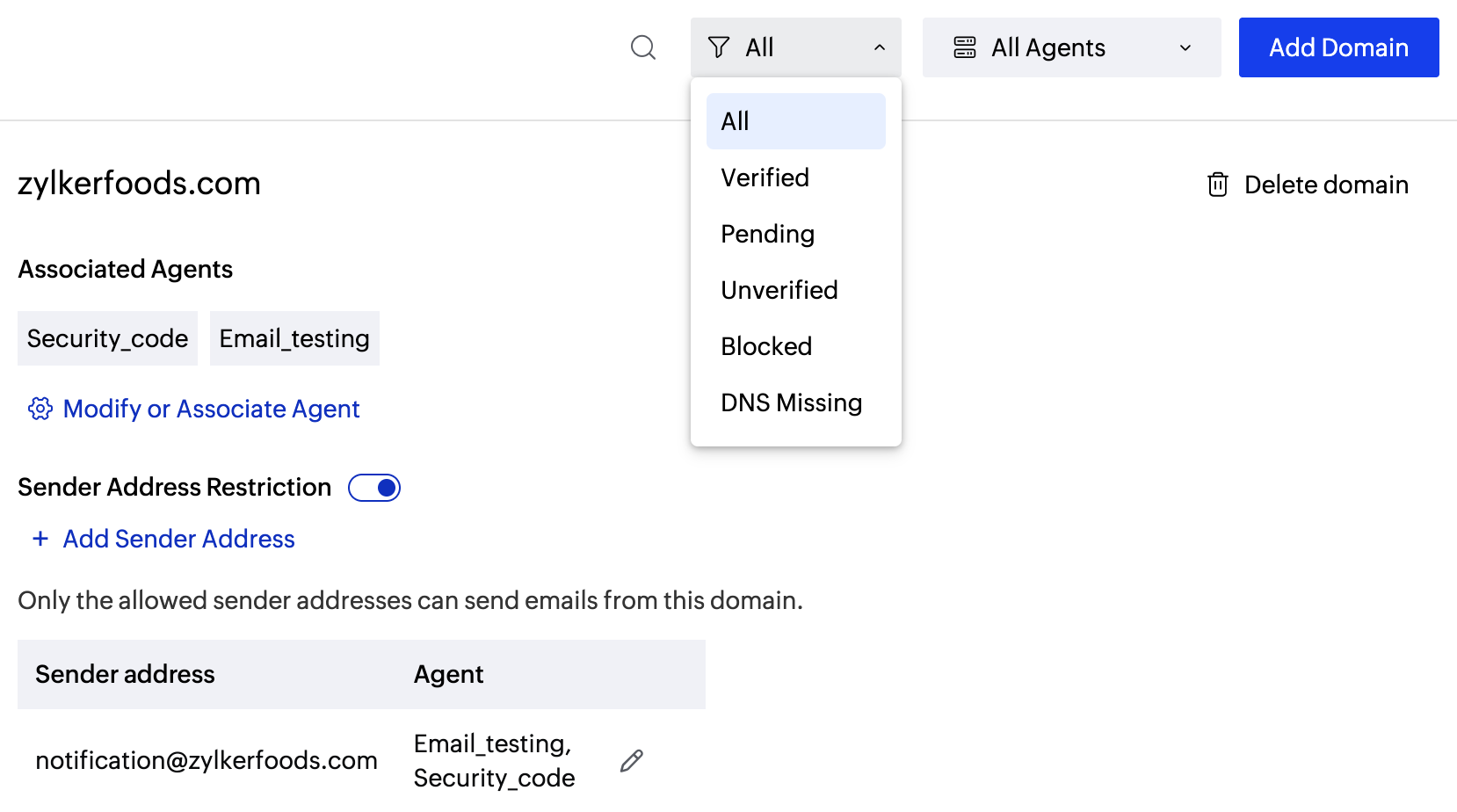
- Verified: Domains whose DNS records are added to the DNS settings and are upto date.
- Pending: Domains whose DNS records are yet to be added to the DNS settings.
- Unverified: Domains whose DNS records have been modified and are yet to be re-verified. This mostly occurs when you switch the DNS servers.
You can also filter the domains based on the Agents they are associated with. 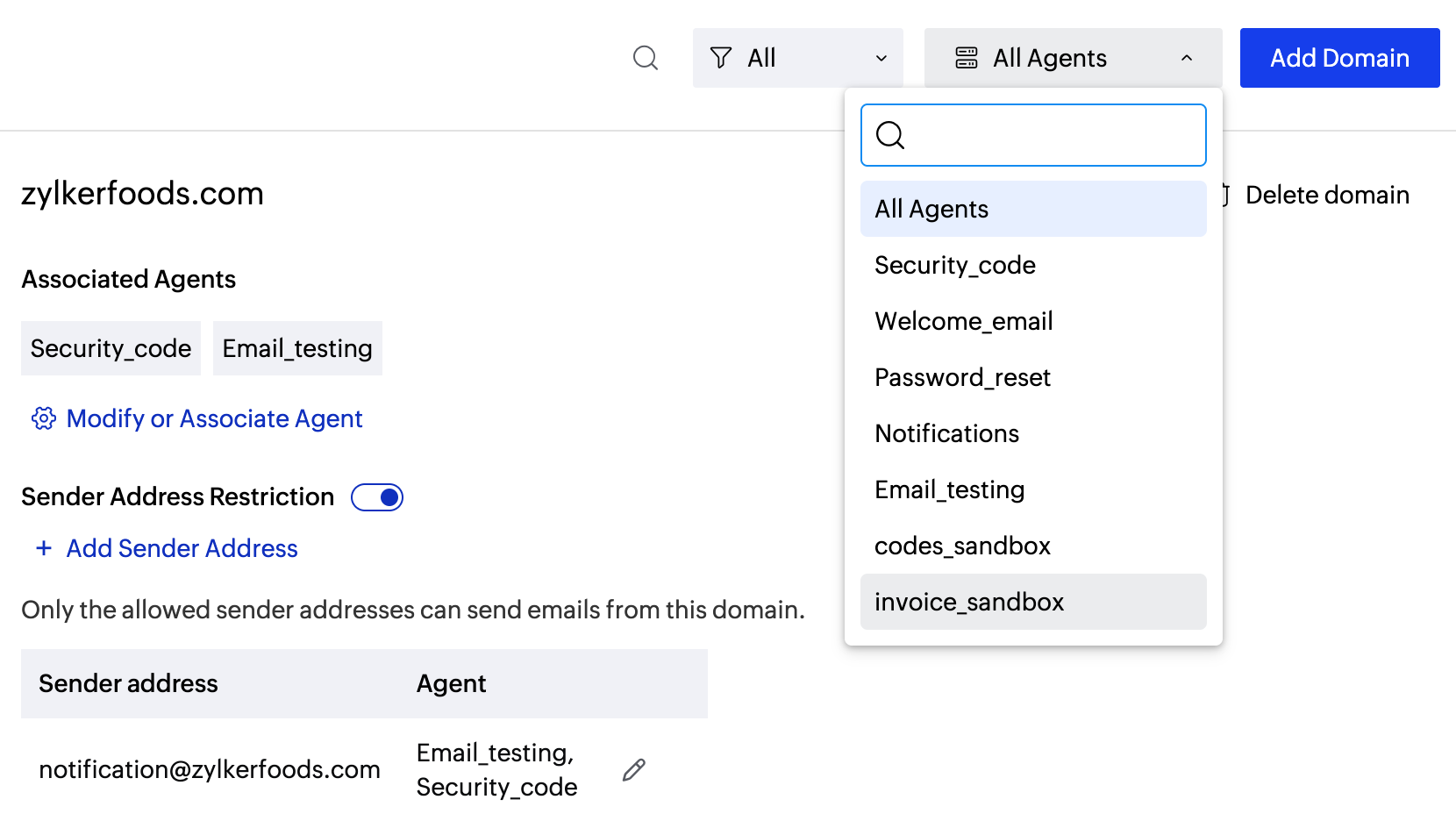
Delete your Domain
Only a user with the Postmaster role can delete a verified domain from the Agents. Once deleted:
- You will NOT be able to send emails using the deleted domain.
- Any attempts to send emails from the deleted domain will return an error message. Refer here for API/ SMTP error codes.
- To use this domain again, you should re-verify it.
Follow the steps given below to delete a domain:
- From the left panel, click on Domains.
- Navigate to the domain in the listing you want to delete. Click the delete icon on the top right corner.
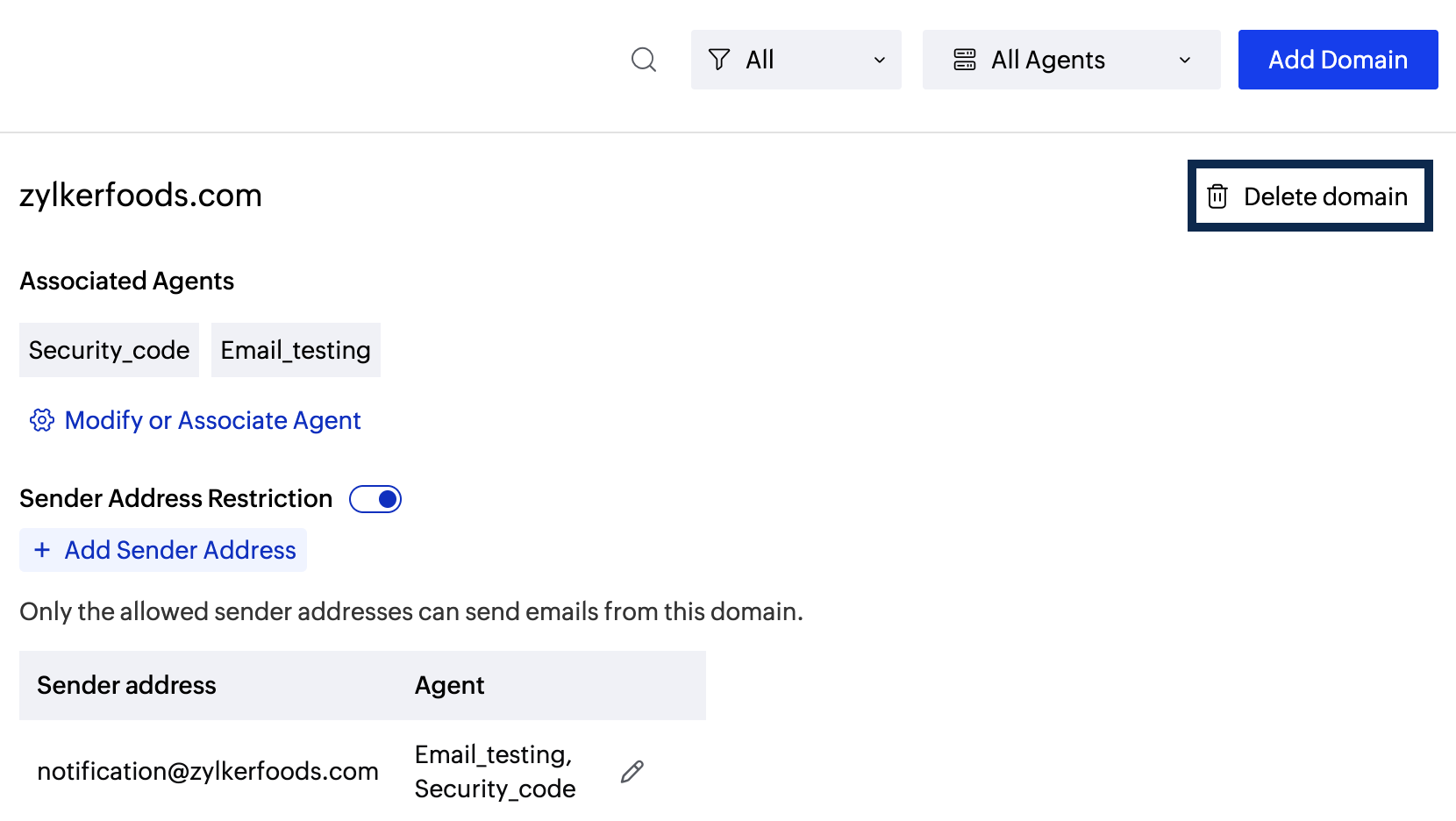
- Click on Yes, delete to confirm the deletion.
Note
Before you get started it is important to know that ZeptoMail is for sending transactional emails like welcome emailers, password resets emails, OTPs. We do not support sending of bulk emails or promotional emails like newsletters or marketing campaign emails. If you are looking for a bulk email provider, you can visit Zoho Campaigns.