ZeptoMail for Frappe ERPnext
ERPNext (Enterprise resource planning) is an open source resource planning software that allows businesses streamline their processes like HR, manufacturing, supply chain, finance and procurement all from a single place. With unified activity view, businesses can tailor ERPNext to fit their unique business needs. ZeptoMail users building their business with ERPNext can send their transactional emails from the service.
Integrating ZeptoMail's SMTP with ERPNext
To use ZeptoMail with ERPNext, you should create a new email account in the ERPNextSettings section. You will be adding ZeptoMail's SMTP credentials here, that will be used to send transactional emails.
Before you begin, make sure you have access to your ZeptoMail's SMTP credentials. You can obtain your SMTP credentials from:
ZeptoMail >> Agent >> SMTP/API >> SMTP tab
To add a new email account:
- In your ERPNext account, go to ERPNext Settings > Email account.
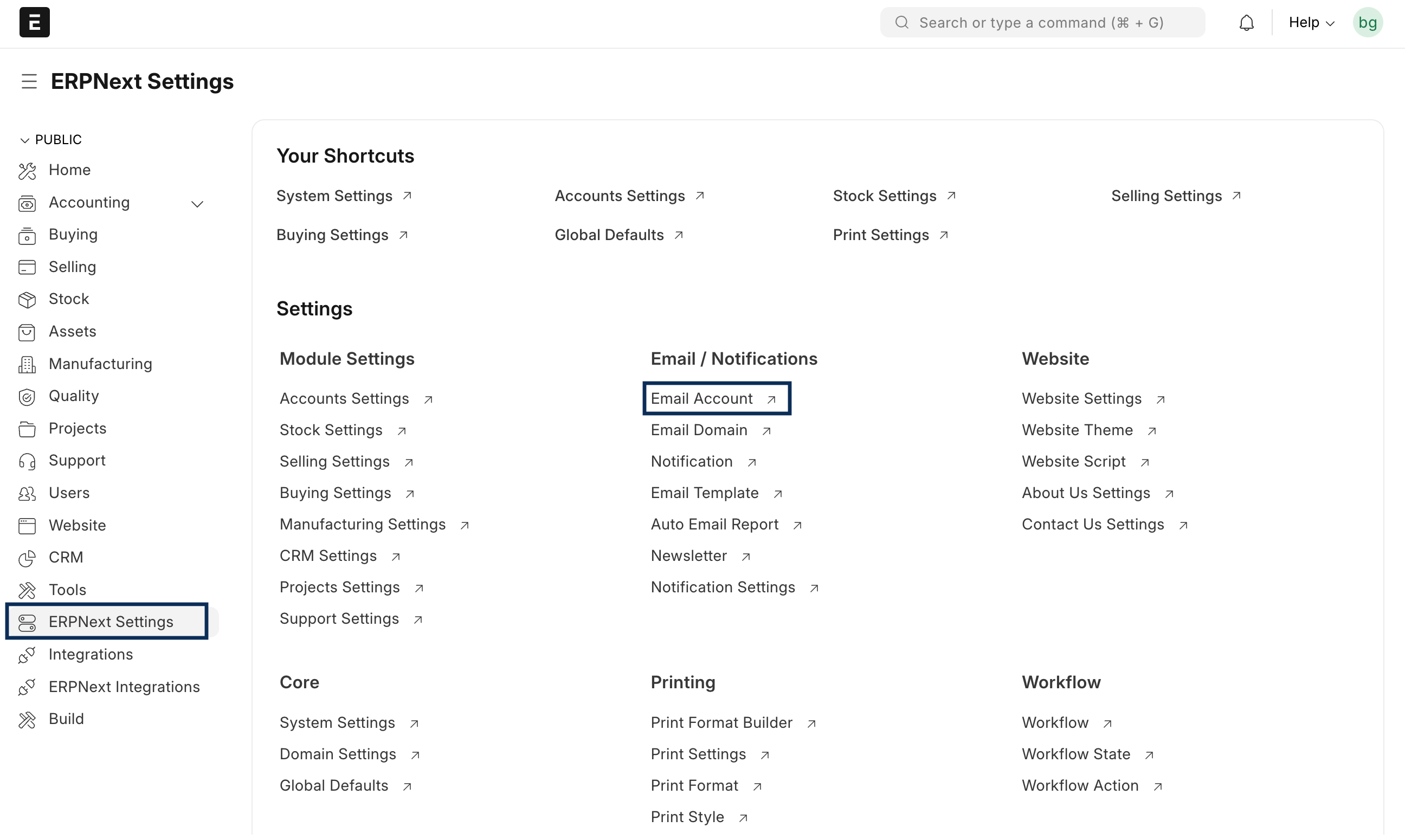
- Click on Add email account.

- Fill out the following:
- Email address: FROM address created in ZeptoMail.
- Email account name: FROM name.
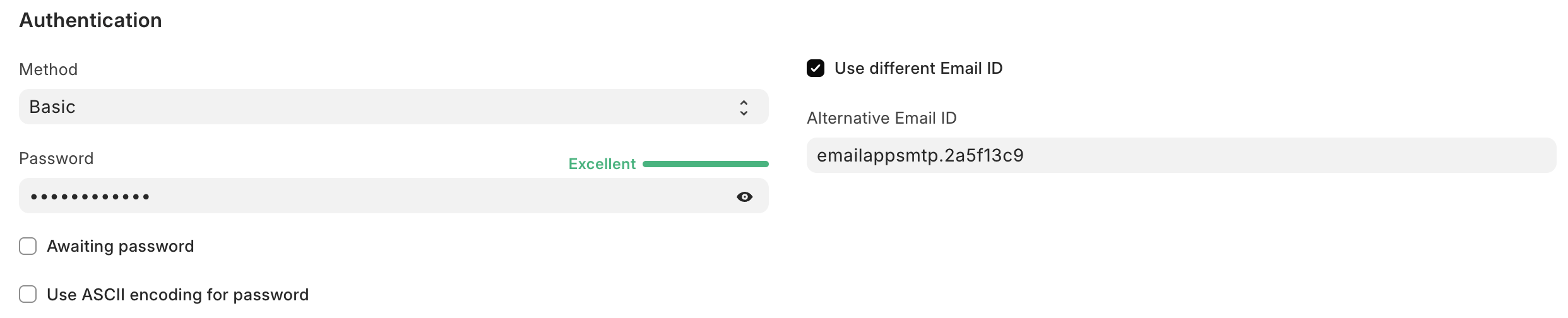
- Enter the following details in the Authentication section:
- Select the Method as the Basic.
- Choose the Use different Email Id checkbox. Paste the username copied from your ZeptoMail account's SMTP section.
- Next, paste the SMTP password copied from ZeptoMail, in the Password section.
- This will connect your ERPNext account with ZeptoMail.
- Next, you should configure additional SMTP settings. You can do this in the Outgoing Settings section:
- Choose the Enable outgoing checkbox.
- Choose one of the two certifications — SSL or TLS.
- Enter the outgoing server details. This will be the server name in the SMTP section of your ZeptoMail account.
- Next, you should enter the corresponding port values: SSL - 465, TLS - 587.
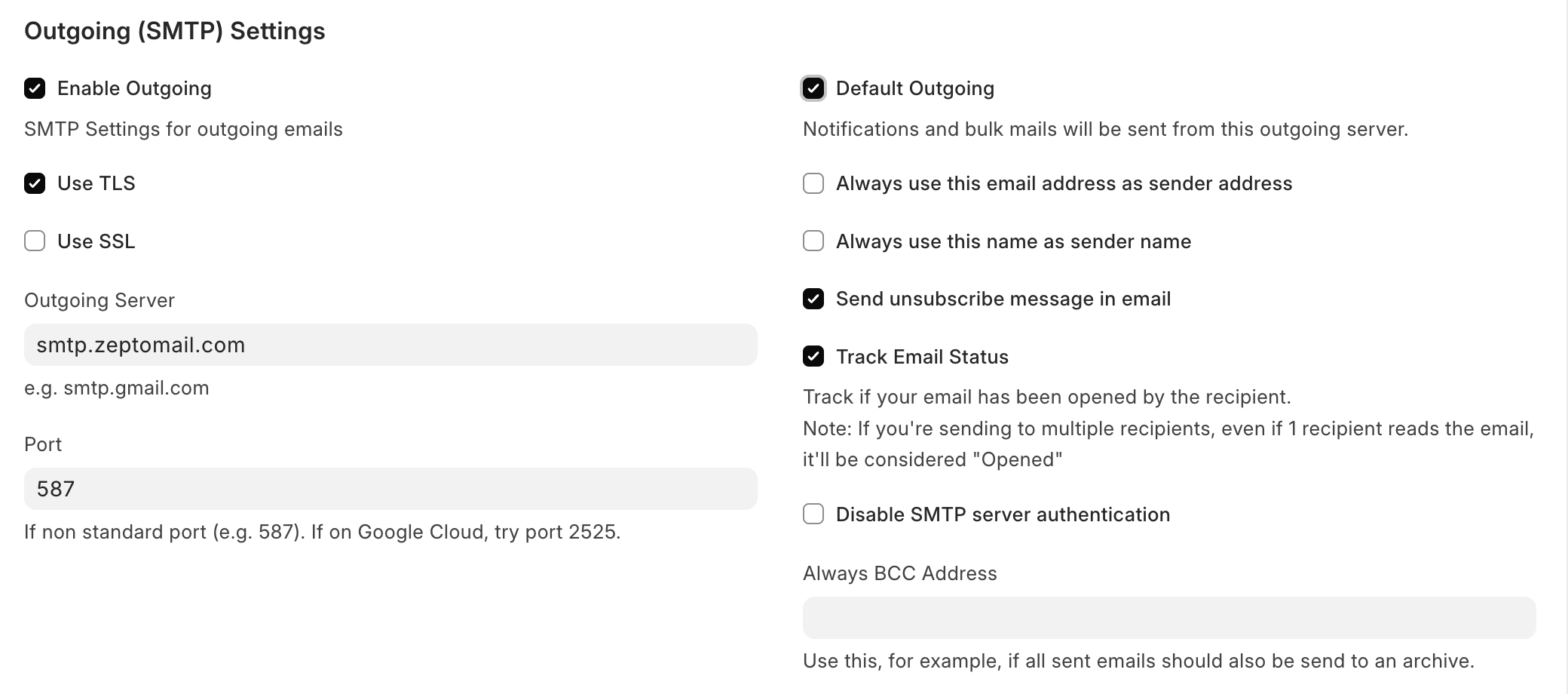
- To use ZeptoMail's SMTP for all outgoing emails, check the Default outgoing checkbox. If you are using ZeptoMail for all the outgoing emails, then make sure you don't send any marketing emails as it can affect your transactional emails' deliverability.
- Confirm your changes and select Save.
You have successfully configured ZeptoMail with ERPNext.
Note:
Before you get started it is important to know that ZeptoMail is for sending transactional emails like welcome emailers, password resets emails, OTPs. We do not support sending of bulk emails or promotional emails like newsletters or marketing campaign emails. If you are looking for a bulk email provider, check out Zoho Campaigns.