
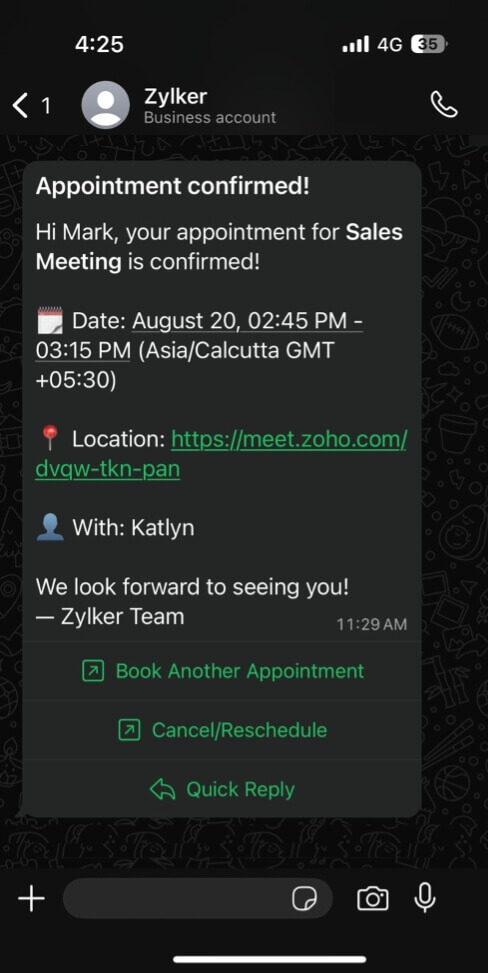
- Get bookings through WhatsApp.
- Send real-time updates.
- Reduce appointment no-shows.
What can you do with the WhatsApp integration?
- Book appointments through WhatsApp with Zoho SalesIQ
- Send booking confirmations automatically
- Schedule up to three appointment reminders
- Send automatic updates for rescheduled, cancelled, or completed appointments
- Let customers reschedule or cancel appointments
- Personalize messages with booking details
Schedule appointments and keep customers updated via WhatsApp
Book appointments through WhatsApp
Connect Zoho Bookings with Zoho SalesIQ to automate appointment booking through WhatsApp. Configure a chatbot to show available slots in real time, collect customer details, and send instant booking confirmations. Once set up, customers can book appointments around the clock through your WhatsApp Business number.
- Share different booking types
- Show available slots in real time.
- Send instant booking confirmations via WhatsApp.
Create personalized WhatsApp appointment notifications
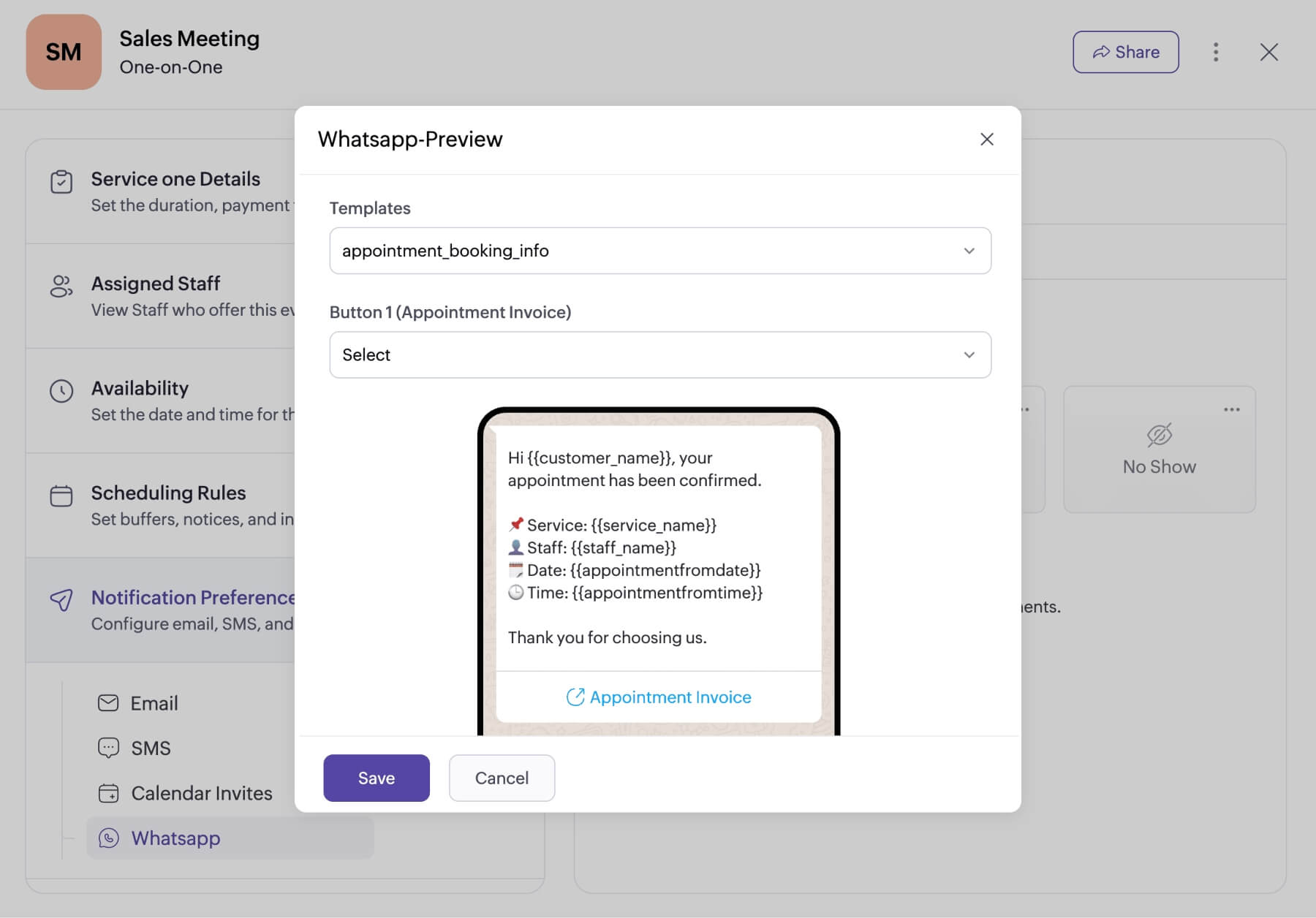
Set up your preferred notification templates in Meta Business Suite and then choose them inside Zoho Bookings when configuring WhatsApp notifications. Use dynamic fields—like appointment name, date and time, virtual meeting link, staff or customer name, and more—to automatically fill in tailored details for your messages.
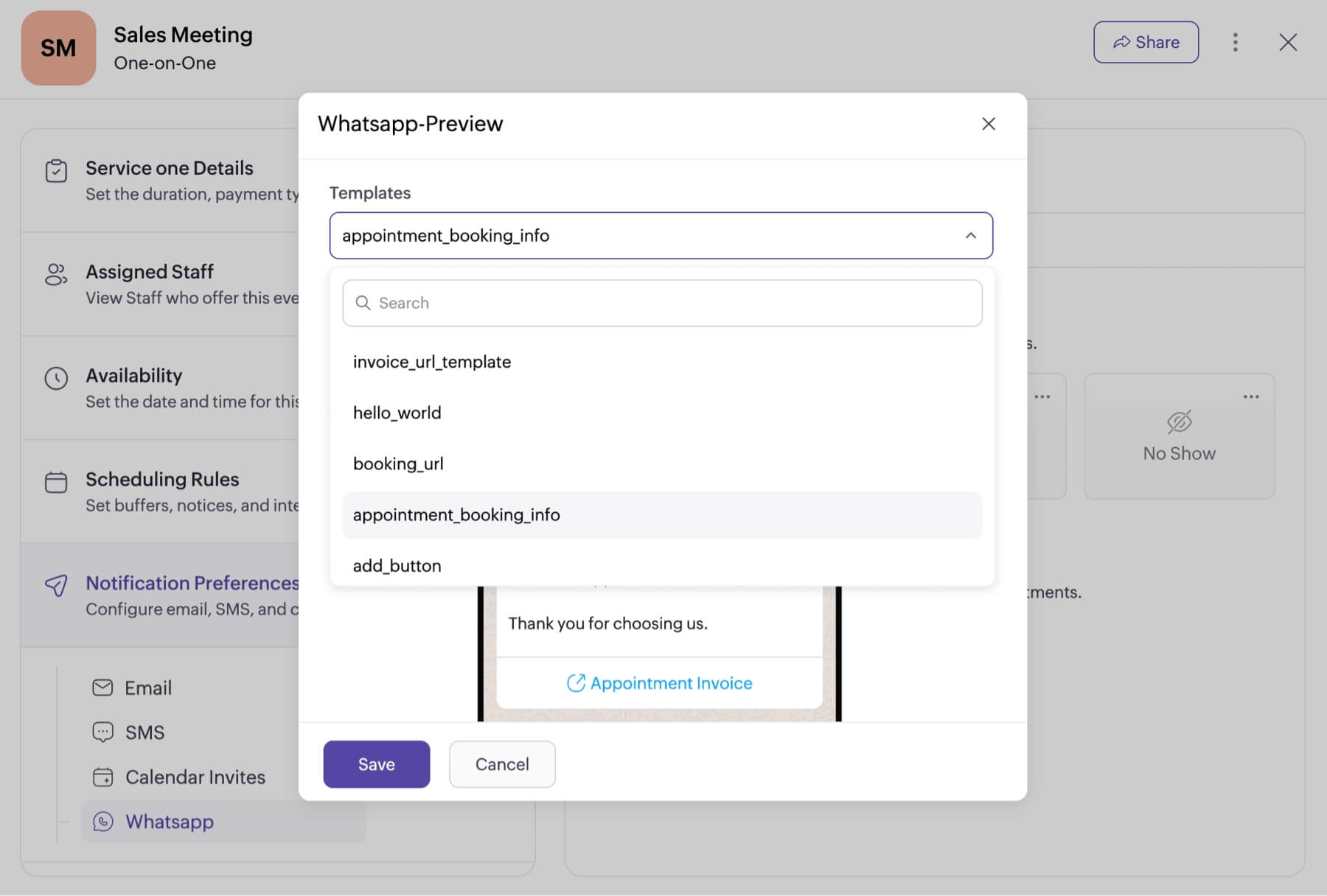
Let customers reschedule or cancel from WhatsApp
Give customers quick ways to take action right from your WhatsApp notification messages. Add custom links as buttons so that they can:
- Schedule another appointment from your booking page.
- Visit your website or other web pages.
- Reschedule or cancel their appointment.
- View their appointment summary.
- And more!
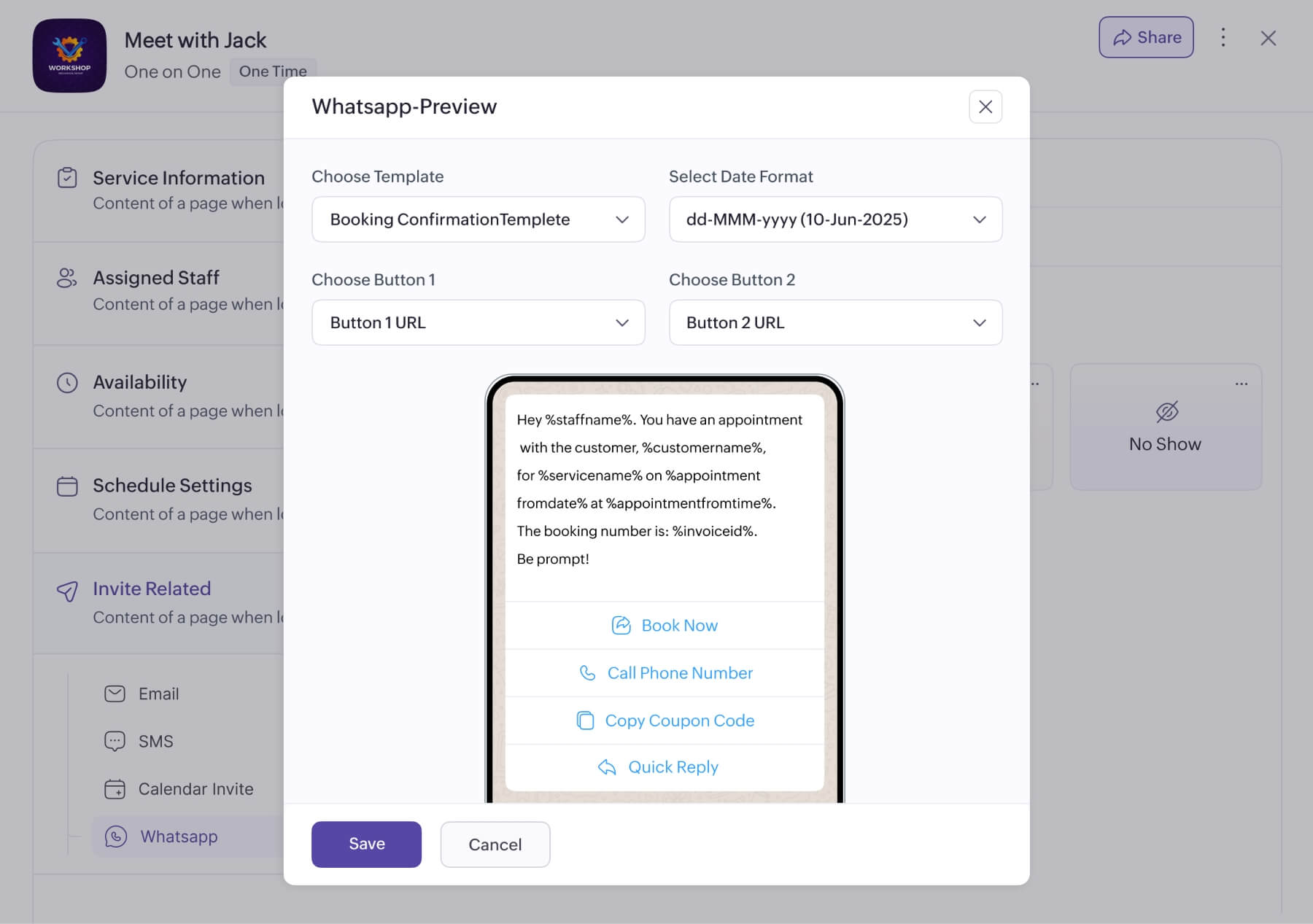
Customize WhatsApp notifications for each event type
Tailor notifications for each of your event types. Select custom notification templates, configure unique triggers for notifications or reminders, add different action buttons, and send notifications from different WhatsApp numbers registered in Meta Business Suite.
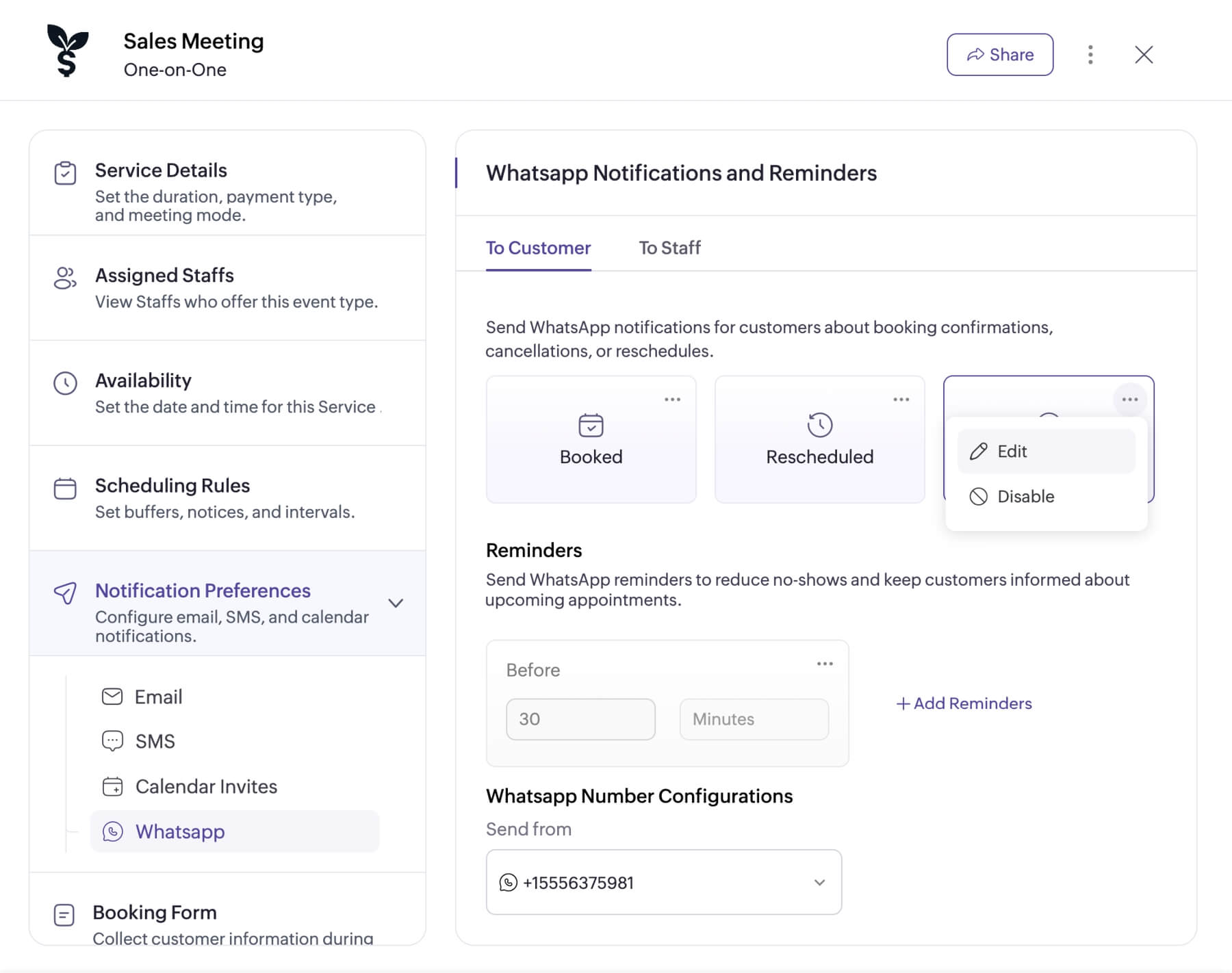
Trigger notifications for different appointment updates
With Zoho Bookings, you can configure WhatsApp notifications for appointments that are booked, rescheduled, cancelled, completed, or marked as a no-show. Each of these notification triggers can have unique message templates and navigation buttons. You can also schedule up to three reminders with different time intervals before each appointment to reduce no-shows.
Explore relevant features
Trusted by leading businesses worldwide
22M+ appointments scheduled around the world
With a new appointment scheduled every 4 seconds

Scheduling stories from businesses like yours

Lokesh Mittal, Director, Mintskill HR Solutions LLP
"Zoho Bookings helps to do online interviews on time and every time. Today, we can handle the scheduling of hundreds of interviews with a single click."

Morgan DiGiorgio, Senior VP Sales & Marketing, Directmail 2.0
"Zoho Bookings is a fantastic platform for scheduling and managing appointments. I've been using it for my business and it has completely transformed the way I handle my appointments."
Simplify appointment scheduling and notifications for your business
Get started with a free 15-day trial. Continue using the free plan after the trial, or upgrade to a paid plan.
TRY ZOHO BOOKINGSFrequently Asked Questions
1. What is WhatsApp appointment scheduling?
WhatsApp appointment scheduling lets businesses manage appointment communication through WhatsApp, including booking actions, confirmations, reminders, rescheduling, cancellations, and appointment updates.
2. What's the difference between WhatsApp reminders and SMS reminders?
WhatsApp reminders can include richer content and interactive actions, such as links or buttons to reschedule, cancel, or view appointment details, while SMS reminders are typically limited to simpler text-based messages.
3. Which businesses benefit most from WhatsApp appointment notifications?
Appointment-based businesses such as healthcare providers, salons, consultants, fitness studios, education services, and professional service teams can benefit from WhatsApp notifications to keep customers informed and reduce missed appointments.
4. What is the benefit of integrating Zoho Bookings with WhatsApp?
Integrating Zoho Bookings with WhatsApp helps businesses manage appointment communication in one familiar channel. You can send confirmations, reminders, and updates, while giving customers quick options to reschedule, cancel, view appointment details, or book again.
5. Can customers reschedule or cancel appointments from WhatsApp?
Yes. You can add action buttons to WhatsApp notifications that let customers reschedule, cancel, view their appointment summary, or schedule another appointment.
6. How do I integrate WhatsApp with my Zoho Bookings account?
To integrate WhatsApp with Zoho Bookings, you'll need an active WhatsApp Business Account, a verified Meta Business Manager account, and a verified business phone number. Follow our step-by-step guide to complete the connection and configure notifications.
7. Is the WhatsApp integration available across all Zoho Bookings pricing plans?
WhatsApp is only available for the Premium plan.