
Survey creation
Start your journey with the essentials that make creating surveys effortless. From choosing the right question types to organizing content, these foundational tools set you up for insightful and efficient data collection.
Create surveys with AI
Building surveys no longer have to start with a blank screen. With AI powered survey forms, you can create complete, ready-to-send surveys in minutes, just by describing what you need.
Templates
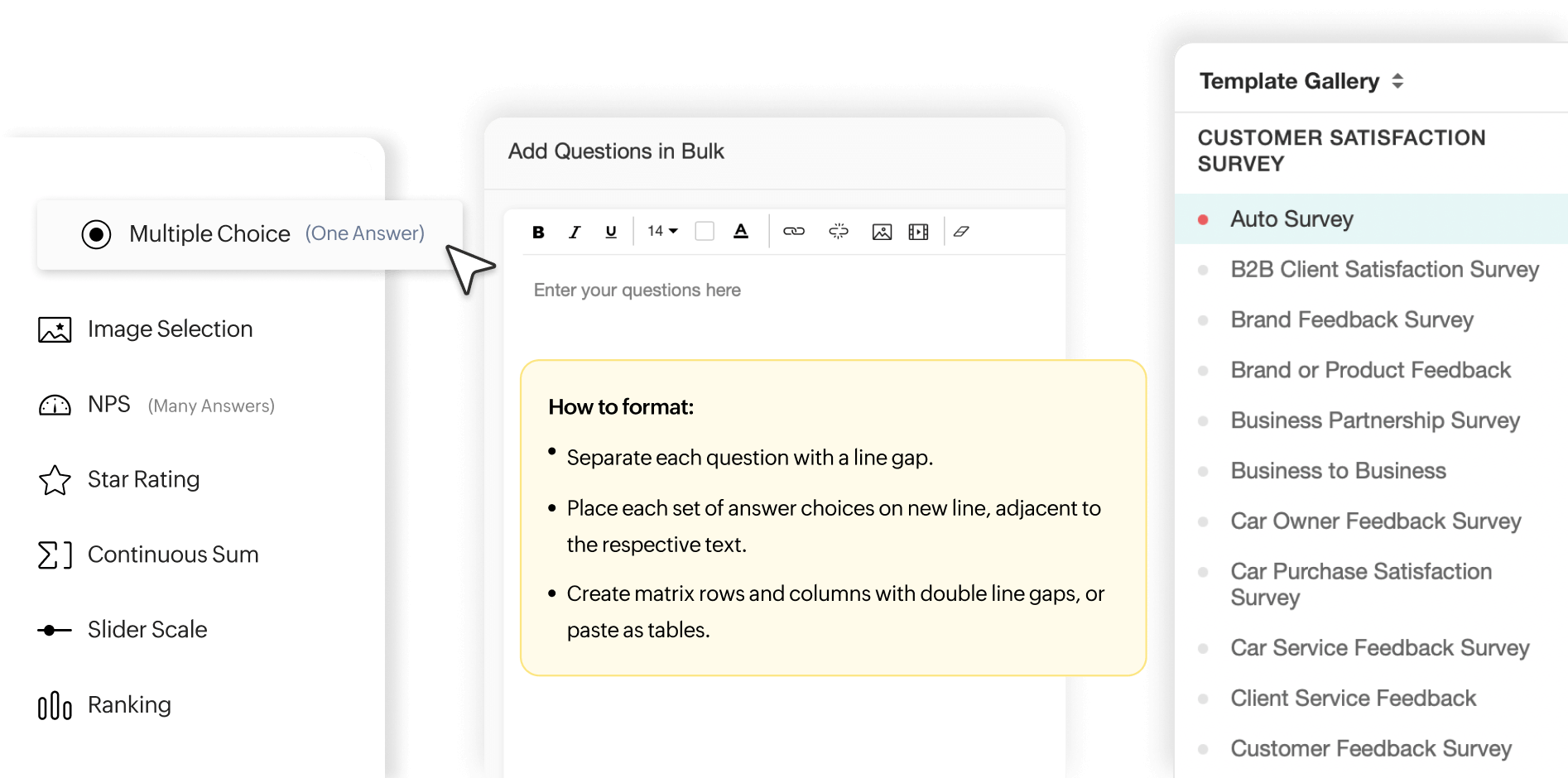
Start with a strong structure. Our templates cover various industries and survey types, so you can build targeted surveys quickly and effectively.
Bulk question builder
Speed things up by pasting all your questions at once. It's like using a built-in word processor that instantly organizes everything, making it easy to refine, edit, and launch your survey without the usual hassle.
Import survey
Got a survey already drafted? Easily import your document, and turn it into a fully functional online survey in minutes.
Question bank
Find the questions you need in no time. With a selection of templates, past surveys, and the bulk builder, the question bank makes it easy to pull in relevant questions and build your survey faster than ever.
Question types
Capture exactly what you need. Gather both quantitative and qualitative insights with a variety of question types—from multiple-choice for quick answers to open-ended questions for deeper feedback.
Drag-and-drop
Create surveys effortlessly. Simply drag, drop, and rearrange questions to design the perfect flow.
Multiple pages
Keep your survey organized and relevant by using multiple pages. Plus, use page logic to direct respondents to the appropriate next step based on their answers.
Diverse survey logic
Make your surveys work smarter, not harder. With these diverse tools to apply logic in your surveys, you create seamless flows and make your surveys more relevant to your audience.
Question logic
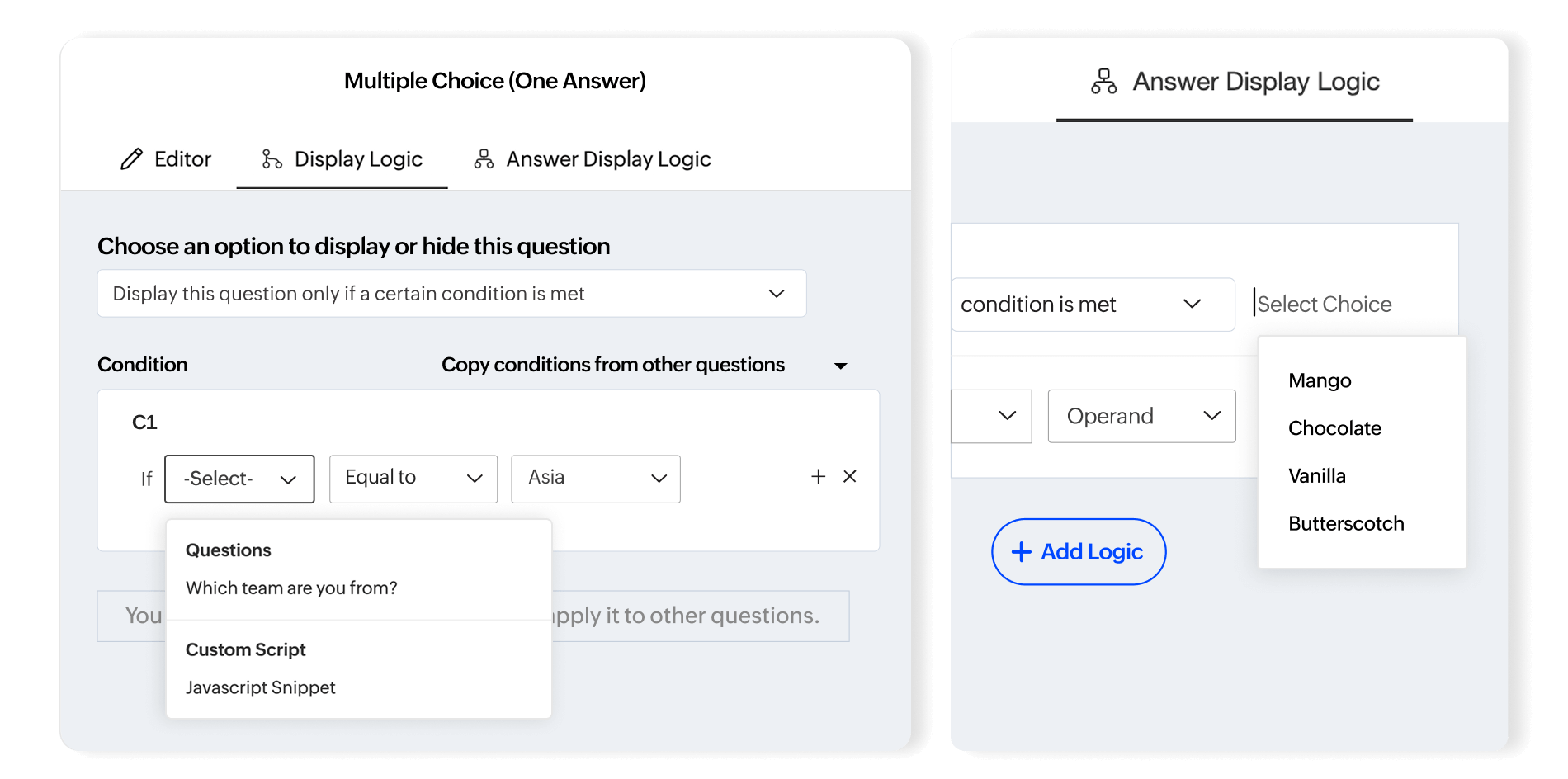
Show or hide questions based on responses to keep your survey focused and relevant. Tailor the survey path based on responses to keep each question purposeful and make the experience seamless.
Answer logic
Tailor answer choices based on previous responses with answer logic. Show only those options that are relevant to the user and streamline the process for your respondents.
Page logic
Direct respondents seamlessly through your survey by displaying pages that are relevant to them. You can also prescreen participants to ensure only those who qualify continue on, which helps gather genuine insights.
Custom script
For complex survey flows that standard logic can't handle, custom scripts come to the rescue. Tailor intricate paths and workflows with JavaScript or Deluge for precise control over each step of the respondent's journey.
Carry forward
Carry forward selected or unselected answers to follow-up questions. It streamlines the process, saving time and effort.
Survey question customization
Refine every detail of your survey questions to align with your specific needs. These customization features empower you to create secure, focused, and responsive surveys that capture exactly the data you need.
Rich text editor
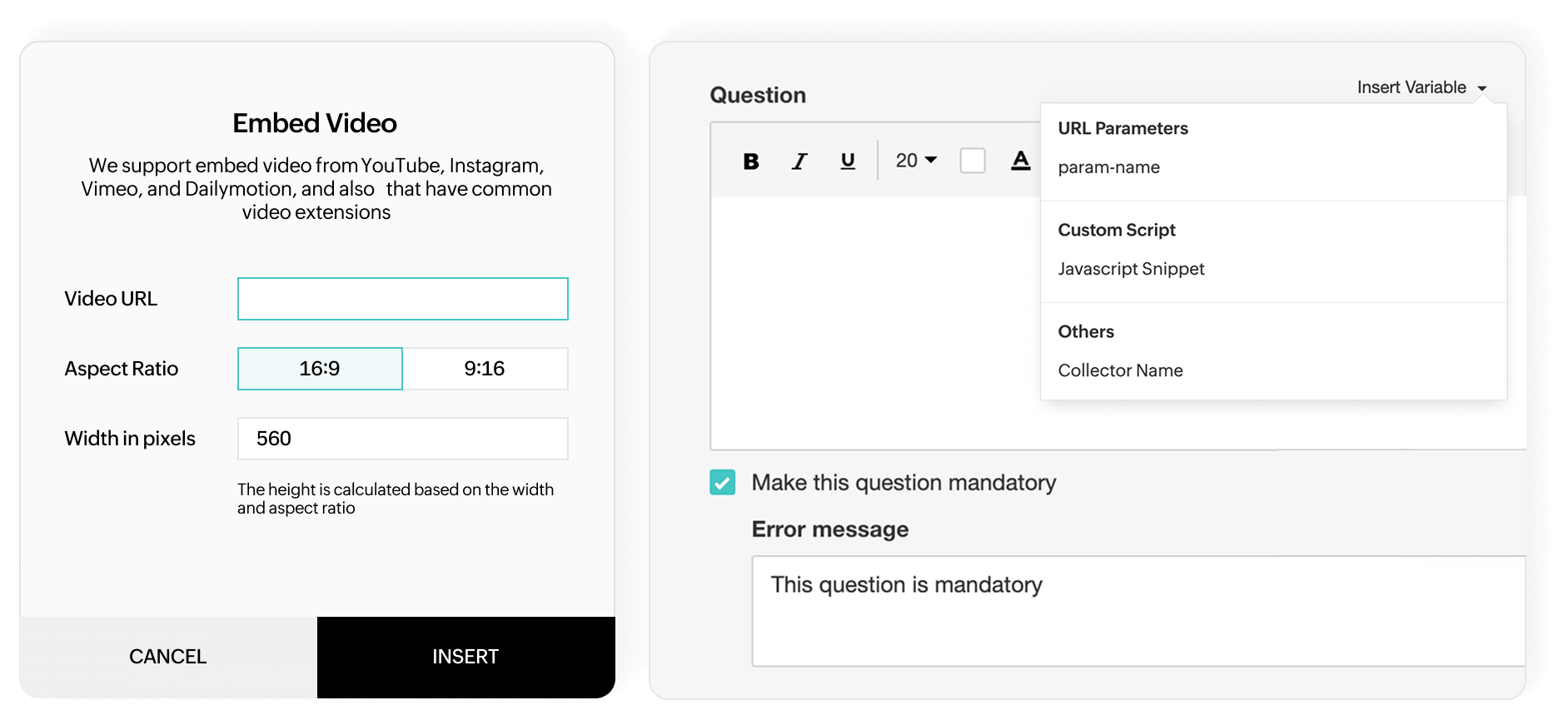
Customize your survey’s look with a range of editing tools in the rich text editor. Adjust font sizes and color, add bullet points, and insert images or URLs, to create a well-structured and visually engaging experience that matches your style.
Embedded video
Bring your surveys to life by embedding videos directly into questions. Videos can provide context, instructions, or a more engaging way to interact, which helps respondents be more informed as they answer.
Mandatory questions
Make sure your survey captures essential information by marking key questions as mandatory. This feature ensures respondents provide the insights you need, helping you gather complete and reliable data.
Field encryption
Protect sensitive data effortlessly with field encryption. By encrypting responses in open-ended fields, you ensure that personal or confidential information stays secure, giving respondents peace of mind while preserving data integrity.
Answer validation
Ensure data accuracy with answer validation. This feature lets you set specific formats for responses in short answer fields, so entries like email addresses, postal codes, phone numbers, or IP addresses are correctly recorded every time.
Custom variables and personalization
Crafting a survey requires more than just asking questions—it’s about making each respondent feel like they’re having a conversation. With these advanced data handling capabilities, you can effortlessly tailor every interaction to provide a seamless experience.
Custom Variable
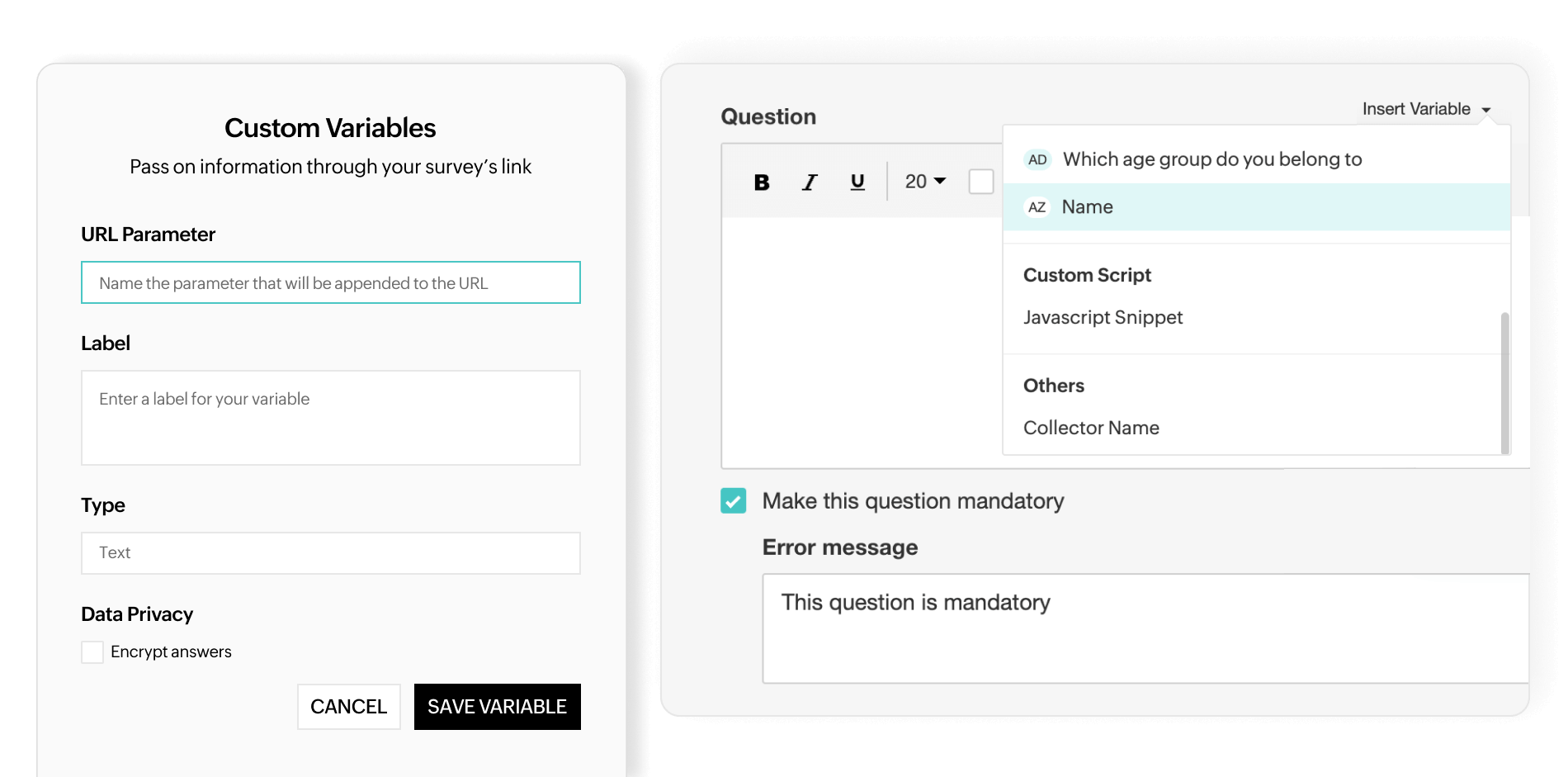
Capture key information by embedding custom variables into your survey URL. It’s a smart way to collect details like names or emails behind the scenes, reducing friction for respondents and keeping your surveys sleek and streamlined.
Respondent variable
Seamlessly capture details from your integrated systems. With respondent variables, data like names, emails, or customer IDs are automatically pulled from your CRM, email tool, or support ticketing systems, which lets you personalize the survey experience without lifting a finger.
Autofill
Save your respondents' time with autofill. Automatically prefill known details like their name or company, so they don’t have to retype what you already know. This little touch speeds up responses and makes your surveys feel more personalized.
Quizzes and polls
Sometimes, it’s not just about gathering answers; it’s about keeping your respondents truly engaged. With these advanced quiz and poll features, you can elevate your surveys into interactive experiences. Whether you’re testing knowledge, measuring opinions, or diving into deeper insights, your surveys will be dynamic, engaging, and effective.
Scoring
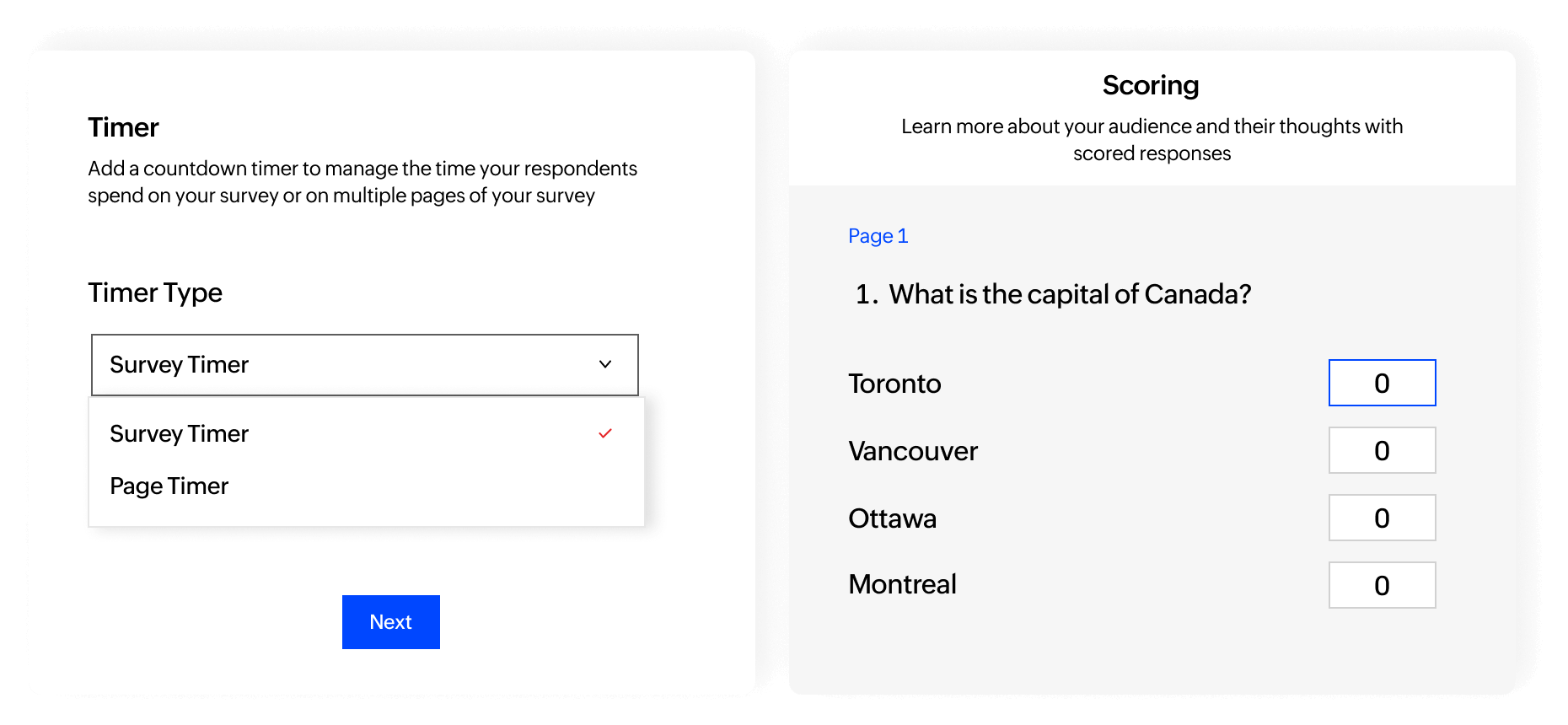
Assign points to your survey responses and turn them into meaningful quizzes. Whether it's a personality test, a skills assessment, or a quick knowledge check, scoring transforms your survey into an engaging experience that gives instant feedback and insightful results.
Timer
Add a sense of urgency by setting a countdown for your survey or specific pages. Perfect for timed quizzes, assessments, or simply nudging respondents to complete their answers without overthinking. Keep engagement high and responses sharp!
Answer randomization
Shuffle up your answers to keep things fair. Whether it’s for reducing bias in assessments or ensuring genuine responses in market research, randomizing the order of answer options helps you gather more reliable data by preventing predictable patterns.
Question randomization
Keep your assessments fair and unbiased by shuffling the order of your questions. Whether it’s a quiz, an evaluation, or market research, randomizing questions ensures respondents engage with each one individually, which reduces the risk of patterned or biased answers.
Branding and white-labelling
Your brand is more than just a name—it’s an experience. Zoho Survey’s white-labeling features let you infuse every survey with your brand’s personality, from the URL to the final thank-you message. Because when it comes to building trust and deepening connections, every detail matters.
Add logo
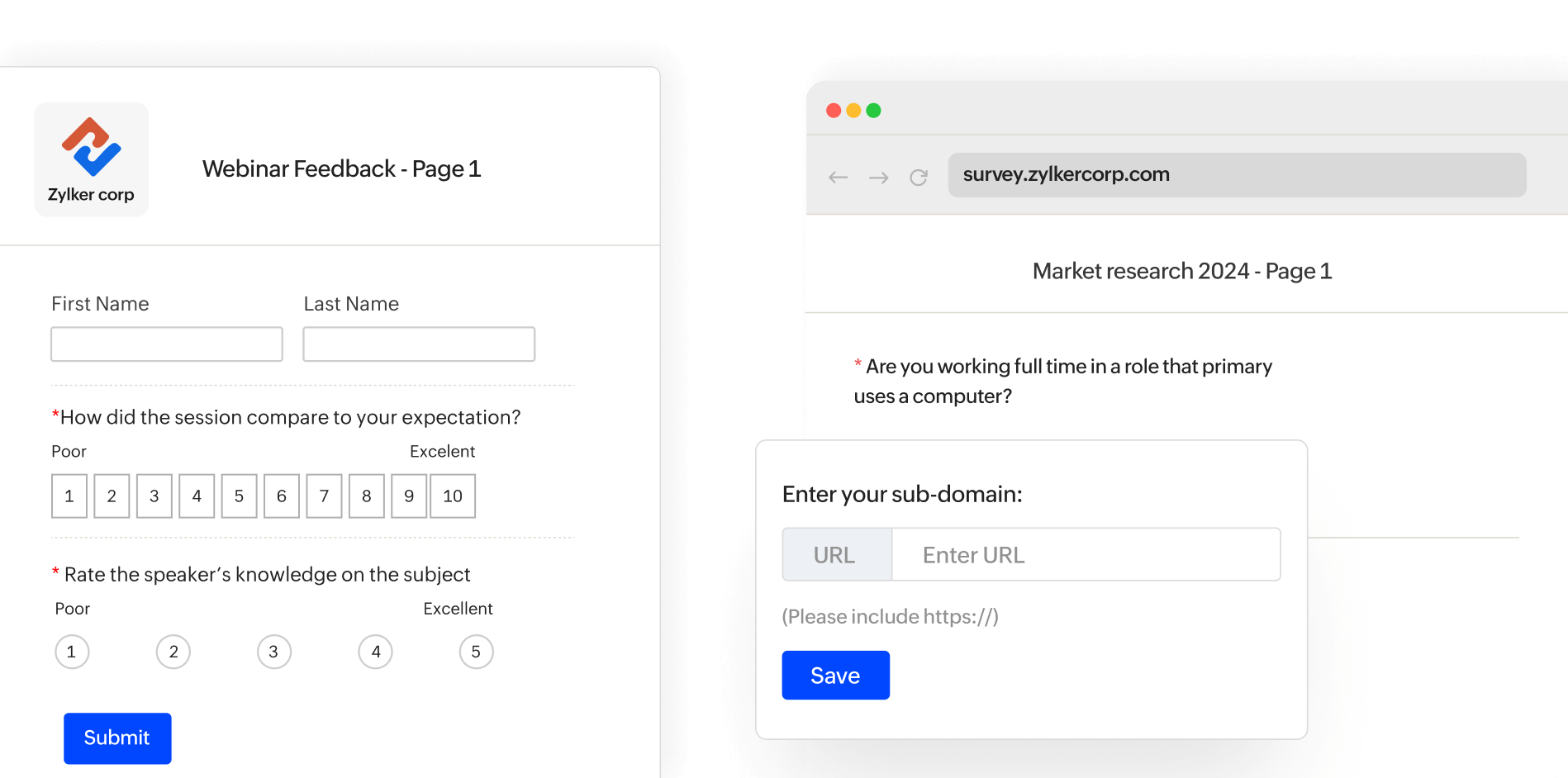
Add your company’s logo to every survey to reinforce brand identity. A simple logo placement helps respondents instantly recognize your brand, creating a sense of trust and consistency that aligns with your overall messaging.
Customized footer
Tailor the footer of your surveys with customized text, legal disclaimers, or brand signatures. Whether it’s reinforcing your company’s professionalism or ensuring compliance, a branded footer ties everything together.
Introduction page
Set the tone from the start with a tailored introduction page. Use this space to welcome respondents, outline what the survey is about, and provide any necessary context. A thoughtful intro helps set expectations and encourages active participation, right from the first click.
Domain mapping/custom domains
Replace the default Zoho Survey URL with one that features your company’s domain so your respondents feel they’re interacting directly with your brand, not a third-party platform. It’s a subtle, yet powerful way to build trust and keep your brand’s presence consistent throughout the survey journey.
Sender email verification
Ensure your survey emails come from a verified source by authenticating the 'from' address. Verifying the sender email address also allows you to receive replies and track any bounced messages without a hitch.
Domain authentication (DKIM)
Ensure your survey emails land in your respondents' inboxes, not their spam folders. By setting up DKIM (DomainKeys Identified Mail), you align your email communications with your brand’s verified domain, boosting deliverability and enhancing trust.
Survey Themes
Why settle for a generic survey when you can make it distinctly yours? With these comprehensive theme options, every detail can be adjusted to fit your brand’s style—from the header to even the buttons respondents click.
Predesigned themes
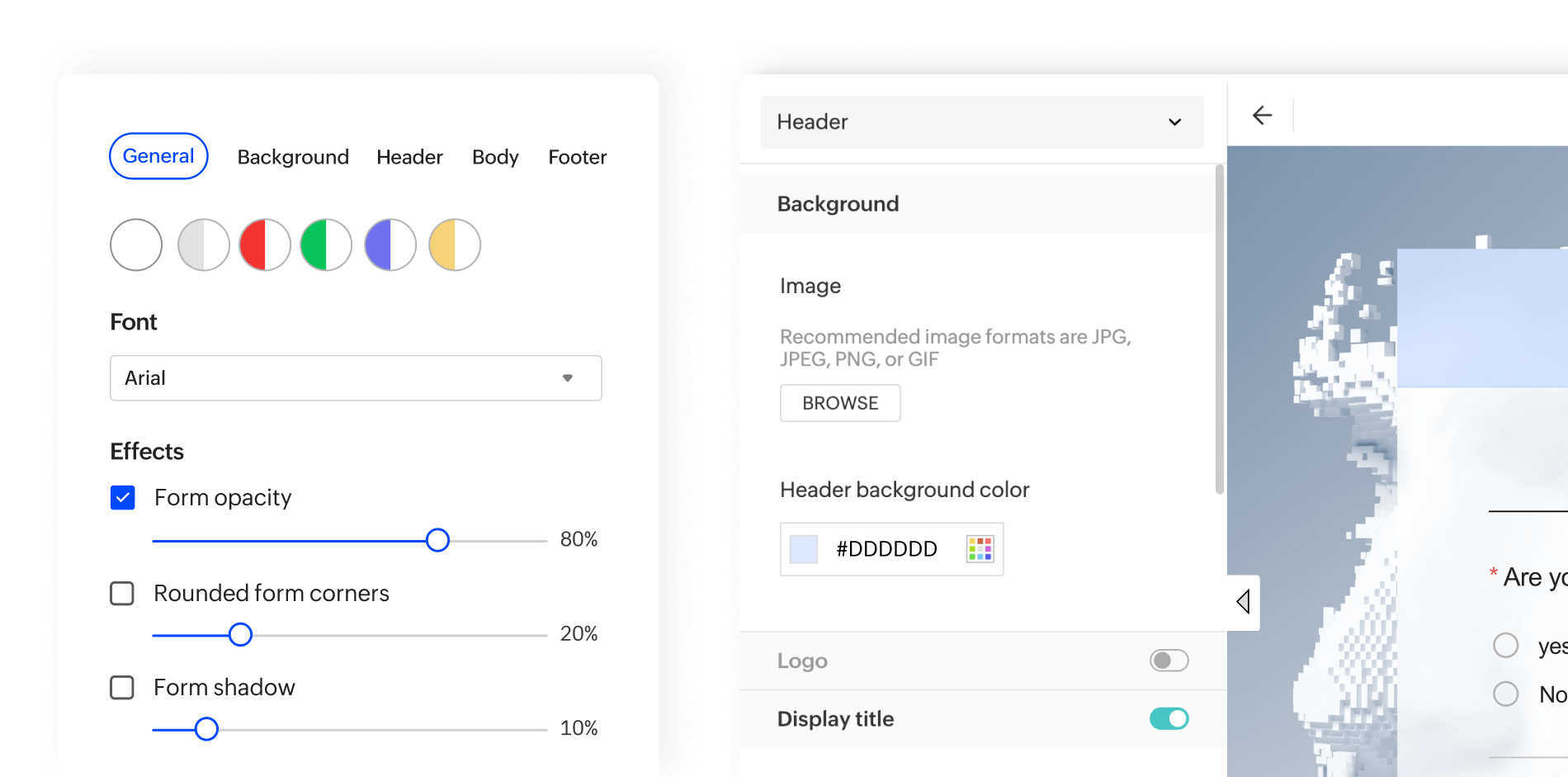
These ready-made styles come with carefully selected colors and backgrounds to instantly give your surveys a polished, professional appearance—no design skills required. They're perfect for when you want to hit the ground running and start making an impact.
Personalized themes
With personalized themes, you have full creative control—customize everything from the header to the background, colors, and fonts. Craft a design that resonates with your brand’s identity to make each survey feel unique and engaging for respondents.
Mobile-friendly themes
Your surveys look just as stunning on mobile as they do on desktops. All our themes are fully responsive to ensure that your custom designs translate seamlessly across phones and tablets. No matter which devices your audience uses, your surveys will always feel polished and professional.
Survey font
Set the tone with the perfect font! Choose from a variety of fonts to match your brand’s voice and make sure your surveys are not only visually appealing but also aligned with your overall messaging. Because every detail, even the text, matters in creating a cohesive experience.
Custom backgrounds
Make your surveys stand out by setting the perfect backdrop. Whether you choose from preexisting patterns or upload your own image, custom backgrounds let you create a survey environment that aligns perfectly with your brand’s aesthetic.
Color schemes
Whether you’re going for a vibrant palette or a subtle, professional look, adjusting the color scheme allows you to align the survey’s appearance with your brand’s identity.
Header personalization
Make a lasting first impression by customizing your survey header. From selecting the perfect image to adjusting alignment and font, you can ensure the top of your survey reflects your brand’s personality.
Body personalization
Adjust textbox colors, button alignments, and error message placement to create a seamless user experience. Customize fields with your choice of background colors, borders, and fonts to ensure every element reflects your design preferences.
Language-specific styles
With language-specific styles, you can adjust font type, size, color, and more for each translated version of your survey. This feature allows you to choose styles that best suit the nuances of different languages and ensure your surveys remain clear and professional across diverse audiences.
Survey settings and preferences
Master the finer details of your survey setup. With these rich customization options, you have the power to control how respondents interact and navigate through it.
Numbering questions and pages
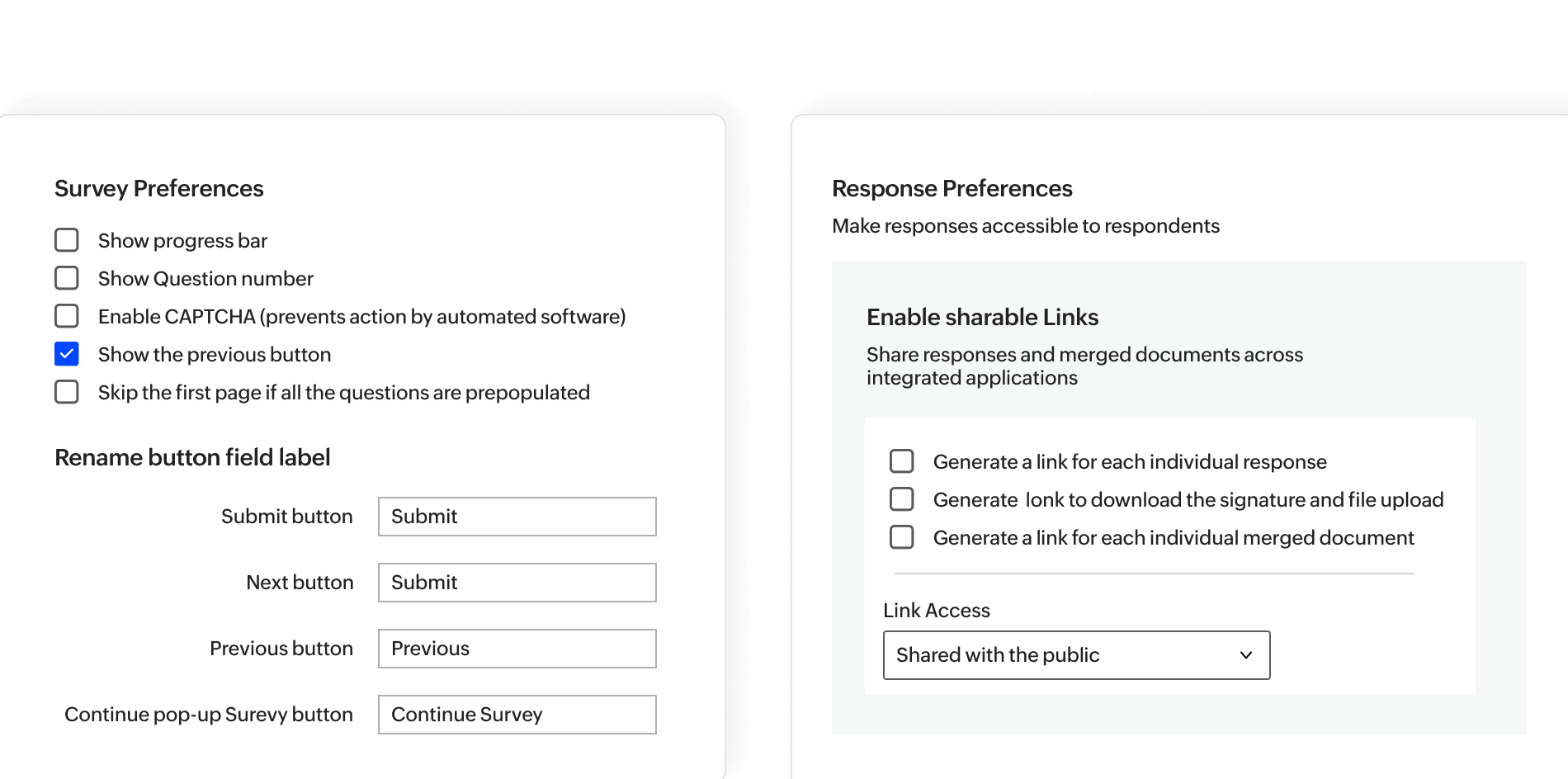
Keep your surveys organized and easy to navigate by numbering questions and pages. This simple touch helps respondents track their progress, making the survey flow smoother and enhancing completion rates.
Progress bar
Guide your respondents with a visual progress bar that shows how far they've come. It helps keep them motivated to finish, reduce drop-offs, and ensure you collect complete responses.
Navigation options
Give respondents the flexibility to navigate your survey with ease. Adding a "Previous" button lets them revisit and refine their answers, enhancing accuracy and respondent satisfaction.
Save and continue later
Give your respondents the flexibility to take their time. With the "Save and Continue" option, they can pause, save their progress, and pick up right where they left off. An email reminder ensures they can easily return to complete the survey, so you get more thoughtful and complete responses.
CAPTCHA verification
Protect your survey from spam and automated responses with CAPTCHA. Ensure that only genuine respondents can complete your survey, safeguarding the integrity of your data.
Enable shareable links
Empower respondents to access individual response links or downloadable files like signatures or merged documents. Make the link public or restrict access to control visibility and secure sharing.
Survey language preferences
Speak the same language as your audience—literally. With flexible language settings, your surveys become accessible, adaptable, and resonate with respondents no matter where they’re from.
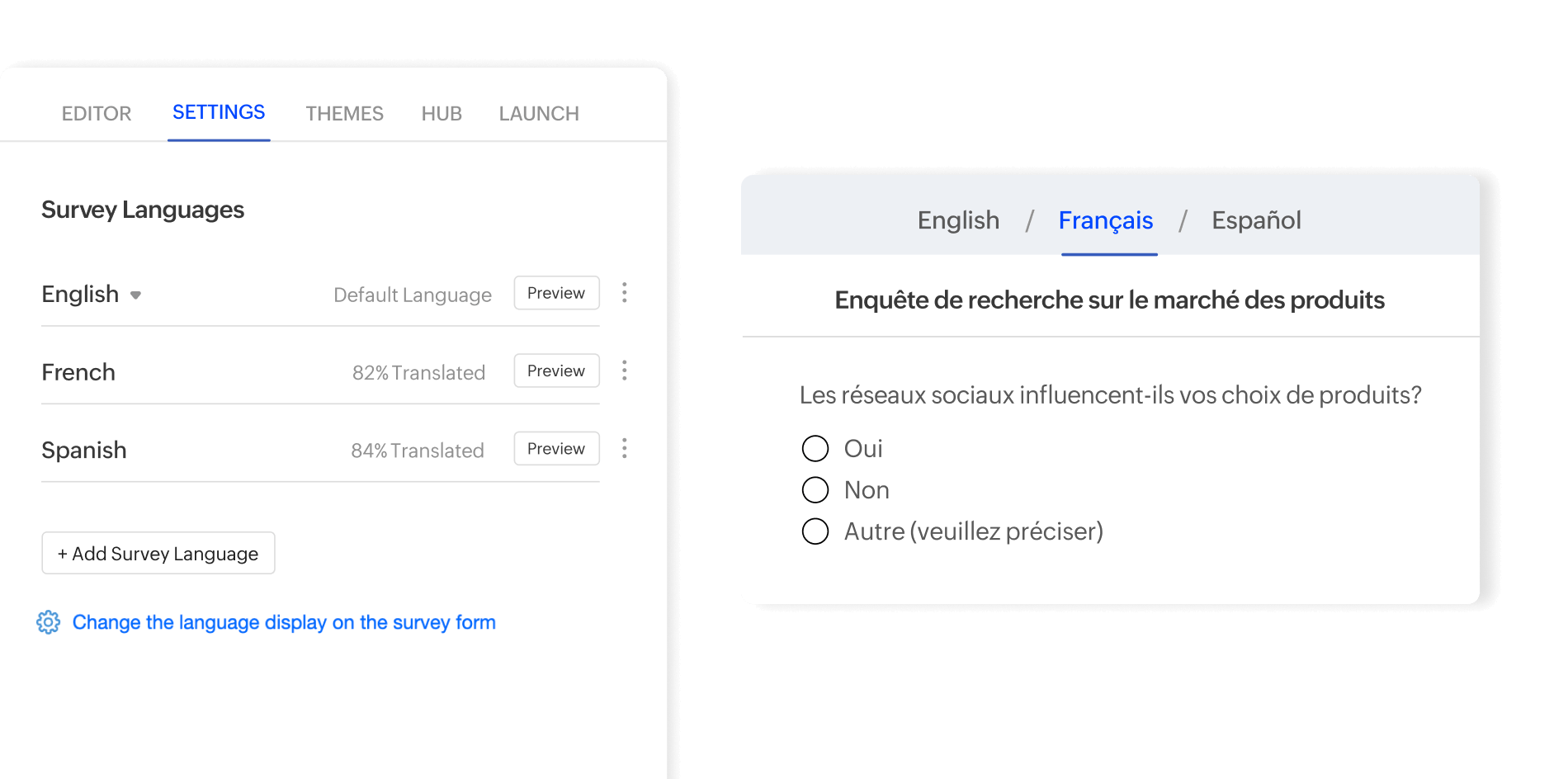
Default language
Set a default language for your survey’s interface to ensure every interaction—from navigation buttons to error messages—feels seamless and consistent for your audience.
Survey translation
Effortlessly reach a global audience with multilingual surveys. Translate and edit your entire survey into multiple languages with just a few clicks.
Response translation
Break language barriers in open-ended responses. Translate feedback provided by respondents into your preferred language, making analysis easy, no matter where your audience is from.
Edit survey pages
Survey pages are crucial touchpoints in your respondents' journey. It's important to align every interaction, from disqualification notifications to social media previews, with your survey's purpose.
Disqualification page
When respondents don’t meet your survey criteria, you can guide them appropriately. Display a custom message, provide additional resources through a downloadable file, or redirect them to another page to keep the interaction purposeful and constructive—even if they don’t qualify to participate in the survey.
Social media preview
Control how your survey appears when shared on social media or messaging platforms. Customize the preview image, caption, and description to ensure your survey link grabs attention and aligns with your brand’s messaging.
Response editing restriction page
Display a clear explanation when respondents try to revisit and edit their submitted responses. Customize this page to set the right expectations and inform them why further changes aren’t allowed.
Survey closed page
Let respondents know when your survey is no longer accepting responses. Use a customized message on the survey closed page to express appreciation or guide them to other resources.
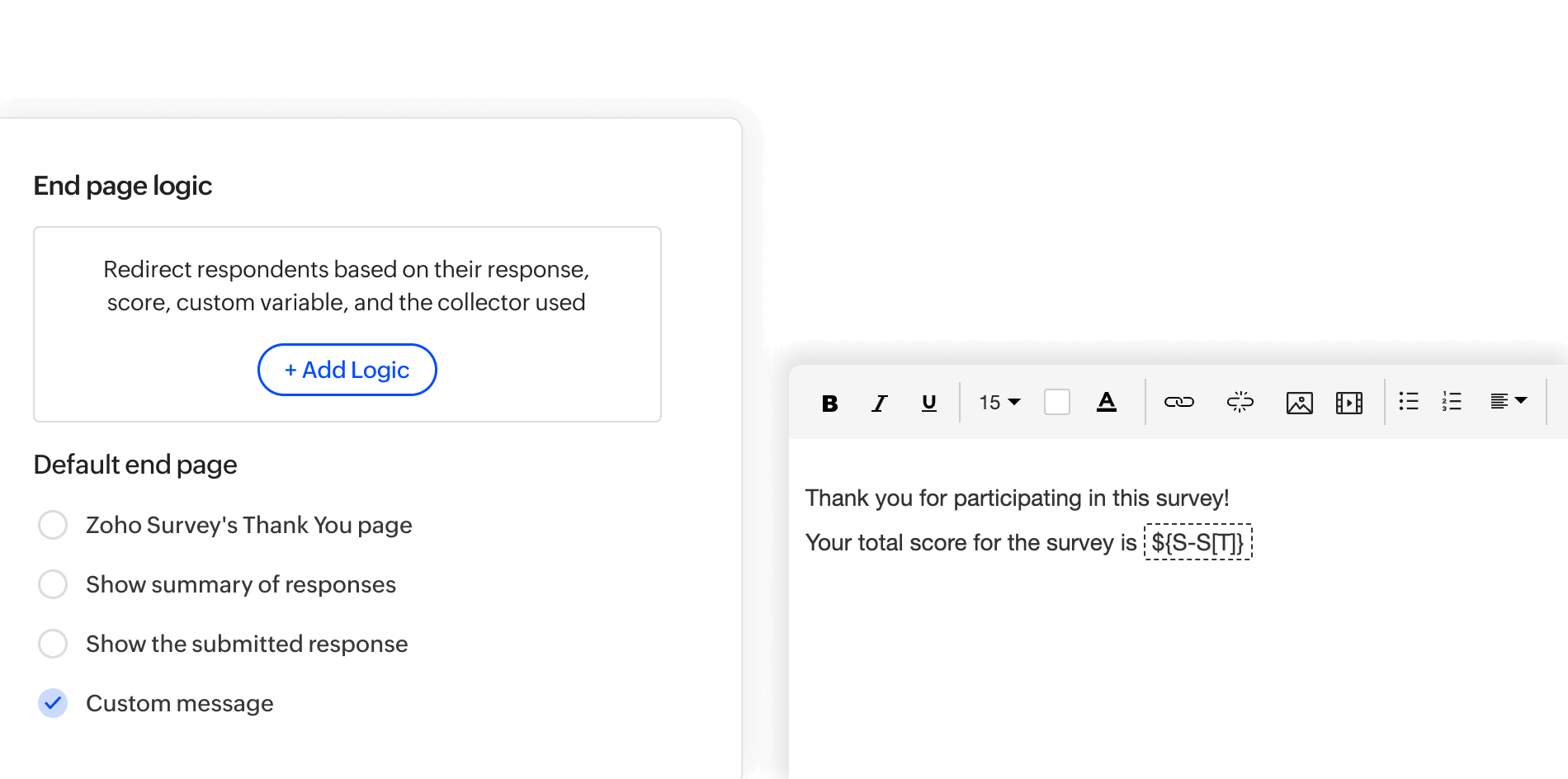
Survey end page
Tailor the final touch of your survey experience. Choose from displaying a thank-you message, sharing respondents’ answers, showing personalized documents, or redirecting them to a specific page. You can even set conditional redirects to guide respondents to relevant content based on their responses, maximizing the impact of your interaction with each respondent.
Response management
Managing survey responses isn’t just about collecting data—it’s about making every response count. With Zoho Survey’s powerful response management tools, you can control access, set limits, and ensure quality at every step.
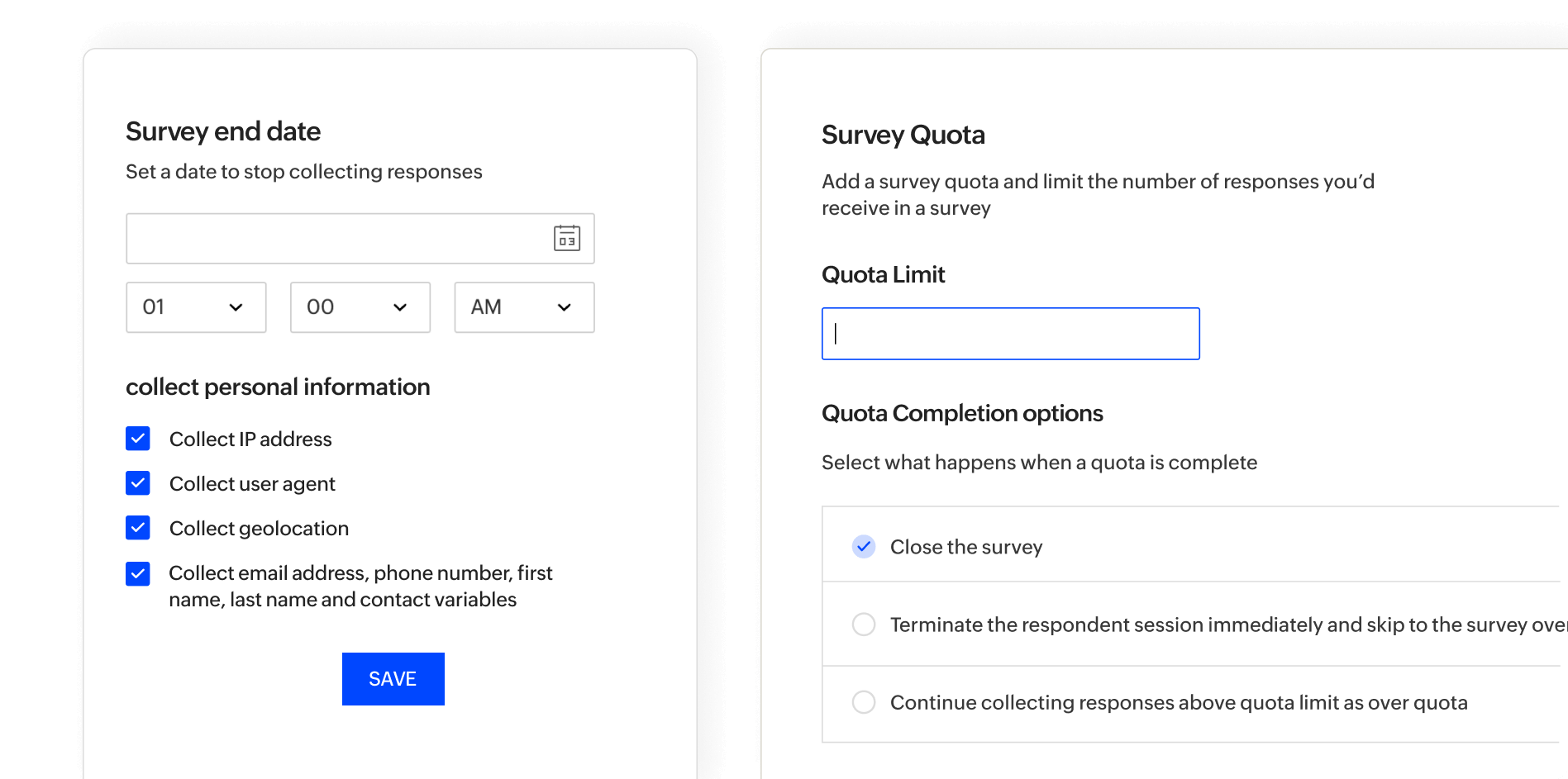
Set survey end date
Control your survey's lifespan by setting an end date. This ensures you gather just the right amount of data, on your schedule, without overshooting your goals.
Cut off response collection anytime
Take control of your survey's timeline by closing it whenever you're ready. Whether you've reached your response goal or need to pause data collection, Zoho Survey lets you stop responses in just a click—keeping your data collection precise and on point.
Survey quota
Control the flow of your data with survey quotas. Easily set a cap on the number of responses to gather just the right amount of data. You can also allow over-quota responses if needed to capture those extra insights while keeping survey groups organized.
Collector quota
Fine-tune your response collection with collector quotas. Assign specific limits to each survey collector link, so you can manage and monitor responses from different sources without overwhelming any single channel.
Conditional quota
Refine your data collection with conditional quotas. Set limits based on specific conditions, like demographics or answer choices, to ensure you gather the most relevant insights without oversampling any segment.
Survey response access controls
Take charge of who gets to participate in your surveys. With robust access control features, you ensure that your surveys are targeted, secure, and free from redundant or unauthorized responses.
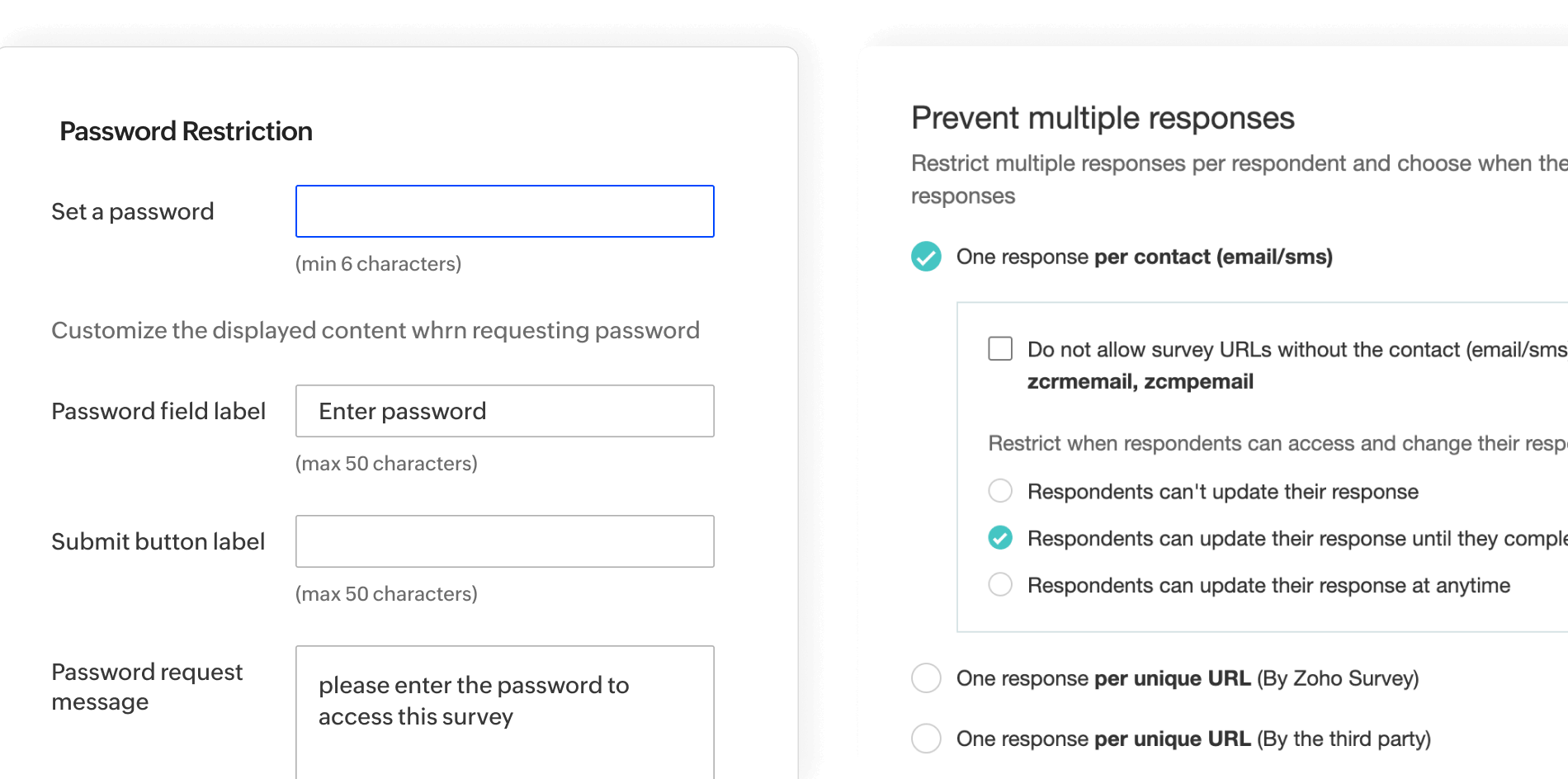
Prevent multiple responses
Avoid skewed data by preventing multiple entries from the same respondent. Choose from options like restricting responses by contact, device, or IP address to keep your survey results authentic and accurate
Restrict by password
Add an extra layer of security with password protection. Share your survey exclusively with authorized respondents to ensure only the right audience contributes their feedback.
Restrict by IP address
Keep your survey results authentic by blocking multiple responses from the same IP address. This ensures fair and unbiased data collection, perfect for sensitive or high-stakes surveys.
Workflows
Turn your surveys into a dynamic, automated experience that goes beyond just collecting responses. By leveraging smart workflows, you can seamlessly engage with respondents, streamline follow-ups, and add layers of personalization.
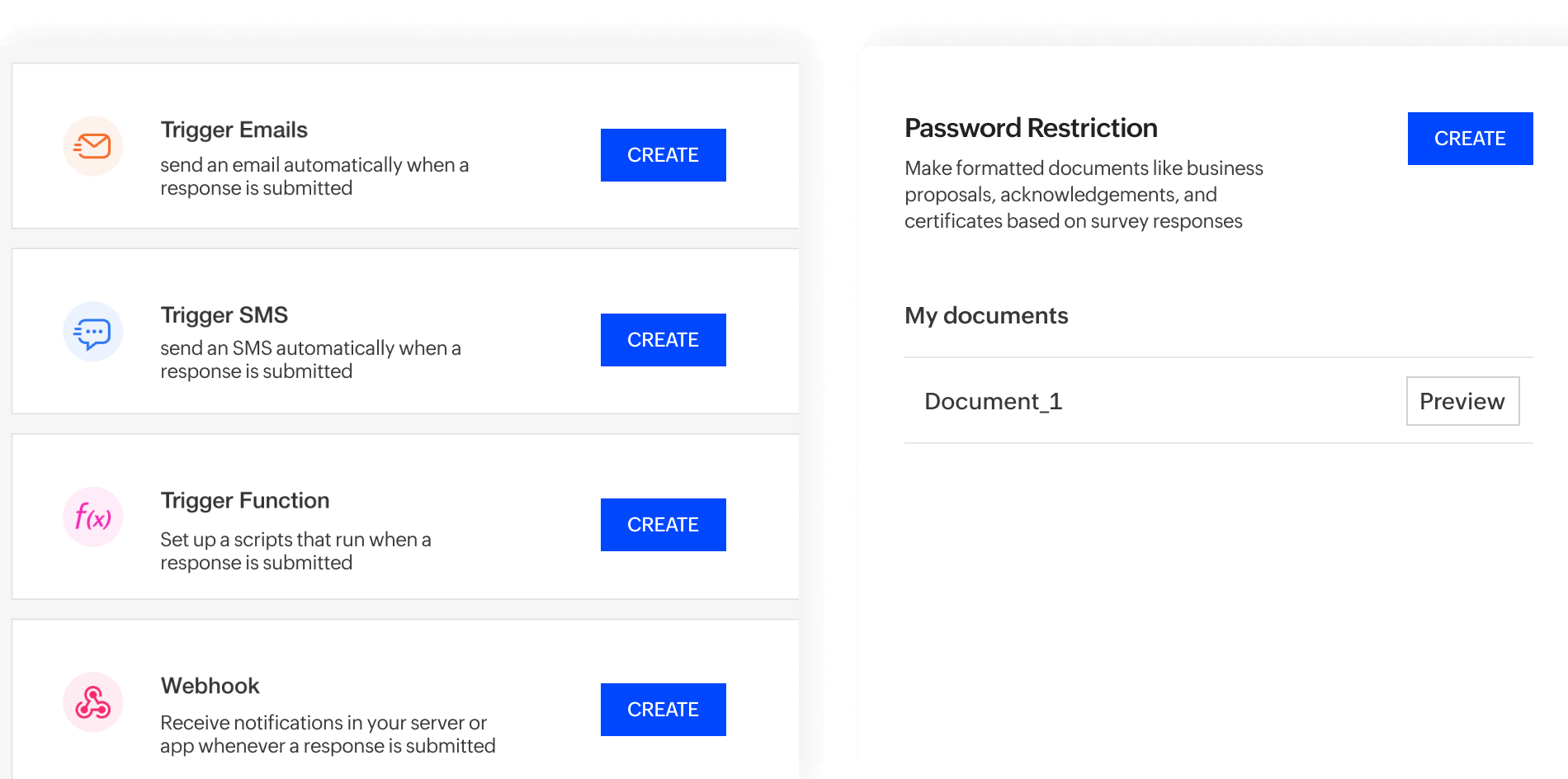
Trigger emails
Automate follow-ups by setting up email triggers. Whether it’s thanking participants for completing a survey or sending a personalized email based on their answers, you can engage respondents at just the right moment to strengthen relationships and drive action.
Trigger functions
Automate actions seamlessly when specific conditions are met using Deluge scripting. Trigger functions let you schedule tasks, update databases, or send notifications instantly, turning your survey data into real-time, actionable insights.
Document merge
Create personalized documents in real-time by merging survey responses into a tailored document. Whether it’s generating a certificate, an agreement, or a personalized report, respondents receive a document with the information they’ve just provided, instantly.
Survey distribution
It’s all about meeting your audience where they are. Discover how seamless, multi-channel distribution can elevate your response rates and connect you more effectively with the people that matter most.
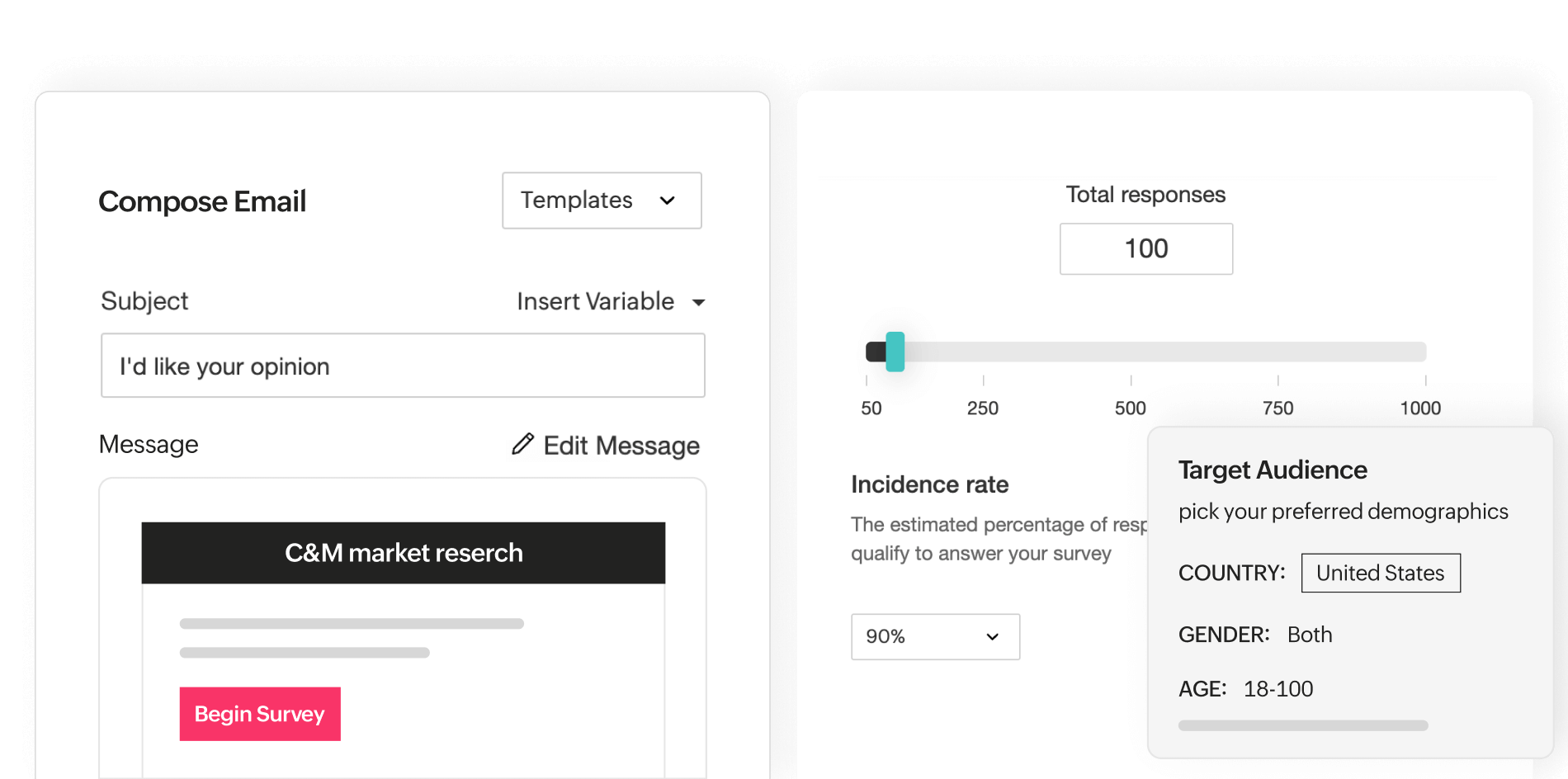
Email distribution
Reach your audience directly with built-in email distribution. Schedule your surveys to go out at a precise date and time or set them up for recurring sends at specific intervals. Keep your respondents engaged with automated reminders—all without leaving the platform.
SMS distribution
Reach your audience instantly with SMS distribution integrated into Zoho Survey. Seamlessly send surveys via platforms like Clickatell, Twilio, and SMS Magic to ensure your message gets delivered directly to respondents’ phones, perfect for quick, real-time feedback collection.
QR code surveys
Turn your surveys into scannable experiences with QR codes. Effortlessly share surveys at events, on product packaging, or even in-store to capture feedback instantly. All it takes is a quick scan, and your respondents are ready to engage.
Offline surveys
Collect responses anytime, anywhere—even without internet access. With offline surveys, you can gather feedback during events, in remote locations, or on-the-go, ensuring you never miss a chance to capture valuable insights.
Survey audience panel
Need targeted responses? Access Zoho Survey’s audience panel to reach a curated pool of respondents who fit your criteria. Whether you’re conducting market research or testing a new product, effortlessly connect with a specific demographic to get the accurate insights you need, fast.
Website embedded surveys
Effortlessly embed surveys into your website to capture feedback during interactions. Whether it’s gathering contact details for a newsletter sign-up, or running post-webinar feedback forms—embedding surveys ensures you capture data in context, right where it counts.
Pop-up surveys
Grab your visitors' attention with pop-up surveys that appear at just the right moment. Perfect for e-commerce stores, this feature helps gather insights on product satisfaction, checkout experiences, or any stage of the customer journey.
Collectors
Easily manage survey distribution with collectors—unique URLs for the same survey. This lets you track responses from different sources, while keeping the data neatly organized for easier management and analysis.
Share via social media
Effortlessly share your surveys across social media platforms with a single click. Reach a wider audience, gather instant feedback, and spark conversations to boost engagement.
Mobile apps
Gathering feedback doesn’t have to be tied to a desk. With Zoho Survey’s mobile apps, you can create, distribute, and collect responses from anywhere.
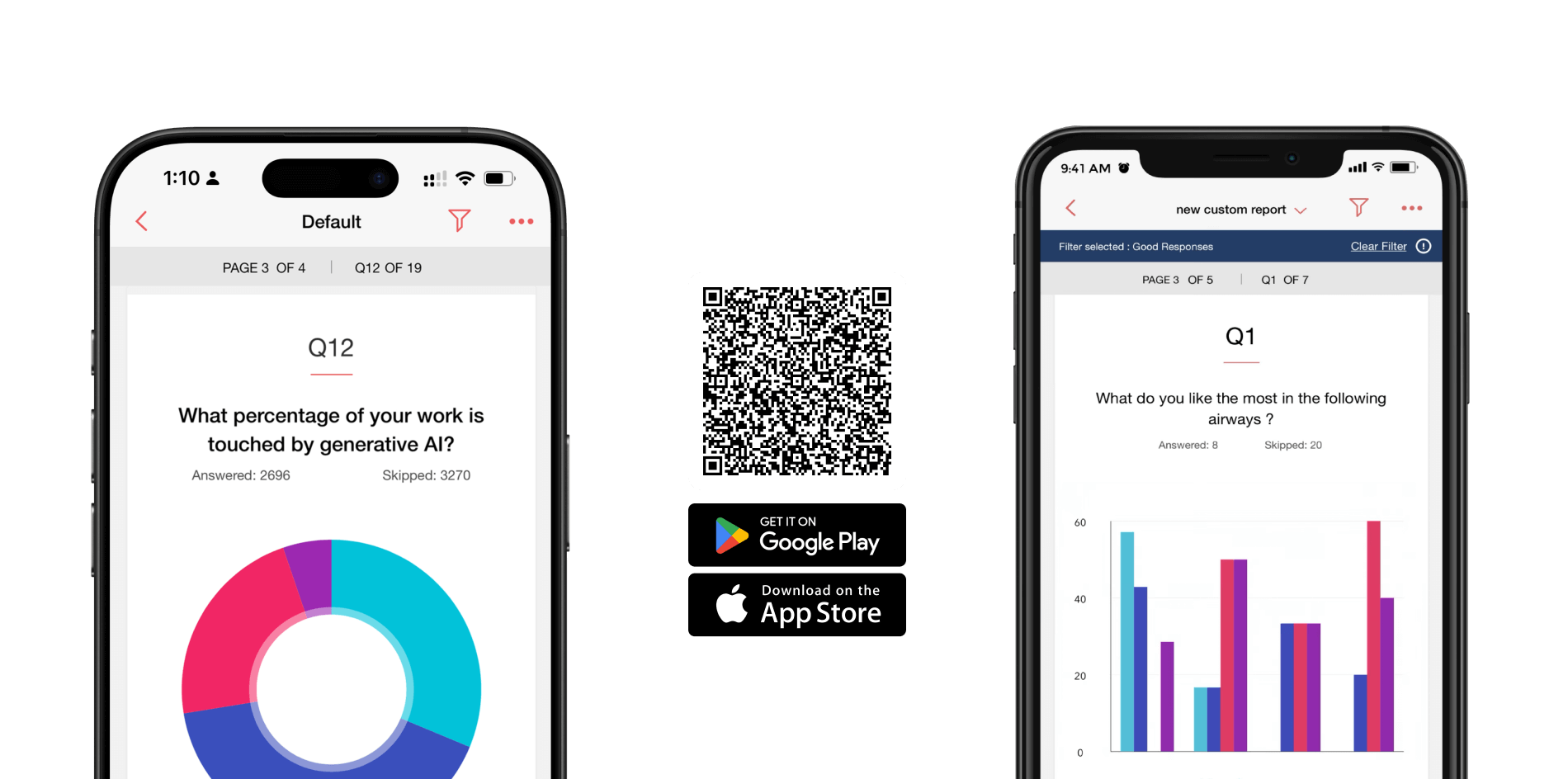
Zoho Survey app
Access and manage your surveys on the go with the Zoho Survey mobile app. Whether you’re tweaking questions, viewing real-time responses, or launching a new survey, you have the full power of Zoho Survey right in your pocket.
Offline feedback collection app
Collect feedback seamlessly, even without internet access, using the offline feedback collection app. Perfect for events, trade shows, or remote locations—capture responses on the spot and sync them once you're back online.
Report analysis
Turn raw data into meaningful insights with Zoho Survey's powerful analysis tools. These reporting features empower you to dive deep into your data, customize visuals, and uncover patterns that drive smarter decisions.
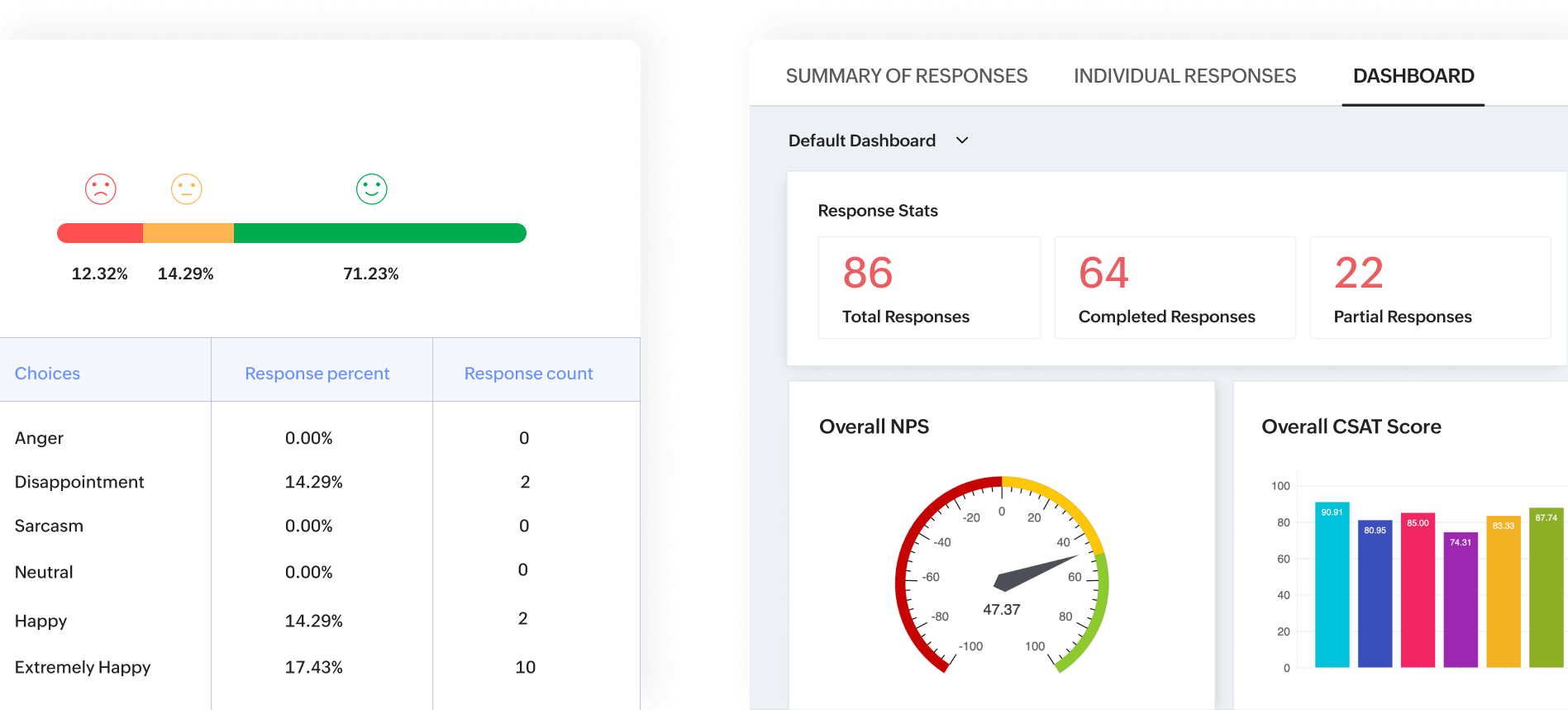
Dashboards
A one-stop snapshot of your data, tailored to your priorities. Customize the view by adding reports showing the details that matter most to you, applying custom filters, or fine-tuning individual reports with simple filters.
Summary report
From response counts to key statistics, the summary report gives you a quick yet comprehensive glance at the data that matters most. Perfect for instant insights at a glance.
Individual responses
Dive into the details with individual response analysis. Explore each respondent’s answers one at a time to uncover personal insights and unique perspectives.
Survey completion time
Monitor the duration each respondent spends on your survey. Also analyze start and end times to identify trends and optimize your survey's length and flow for better engagement.
Text analysis: Sentiment and word cloud
Gain a deeper understanding of your respondents' thoughts with advanced text analysis. Sentiment analysis deciphers the tone of feedback—positive, negative, or neutral—while word clouds bring the most frequently mentioned terms to life.
TURF analysis
Total unduplicated reach and frequency (TURF) analysis identifies the combination of options that resonate with the widest audience, helping you pinpoint opportunities and optimize offerings. Whether you’re launching a product or testing preferences, TURF ensures you make data-driven decisions that align with your market.
Filter responses
Zero in on the data that matters with custom filters. Narrow your analysis by choosing specific collectors or isolating responses based on selected answers. Refine your insights with these filters to ensure every detail aligns with your survey goals.
Custom reports
Focus on what matters most by selecting only the questions you want to include in your report. Custom reports let you streamline your analysis, making it easier to extract meaningful insights without distractions.
Cross-tab reports
Dive deeper into your data by comparing responses across multiple variables. Cross-tab reports help you uncover relationships and trends, making your analysis sharper.
Trend reports
Monitor how response rates evolve over time or dive into the specifics of how individual answers shift. Trend reports let you monitor changes in preferences, opinions, or behaviors, which can offer valuable insights into shifts and trends across your survey data.
Customize charts
Tailor your visualizations to suit your analysis. Choose from a variety of chart types, toggle data tables, and adjust other elements to highlight the insights that matter most.
Edit labels
Refine your survey reports by customizing labels to fit your needs. Assign colors to answer options, add descriptive text to questions, and tailor individual report elements for clearer and more impactful insights.
Average ratings
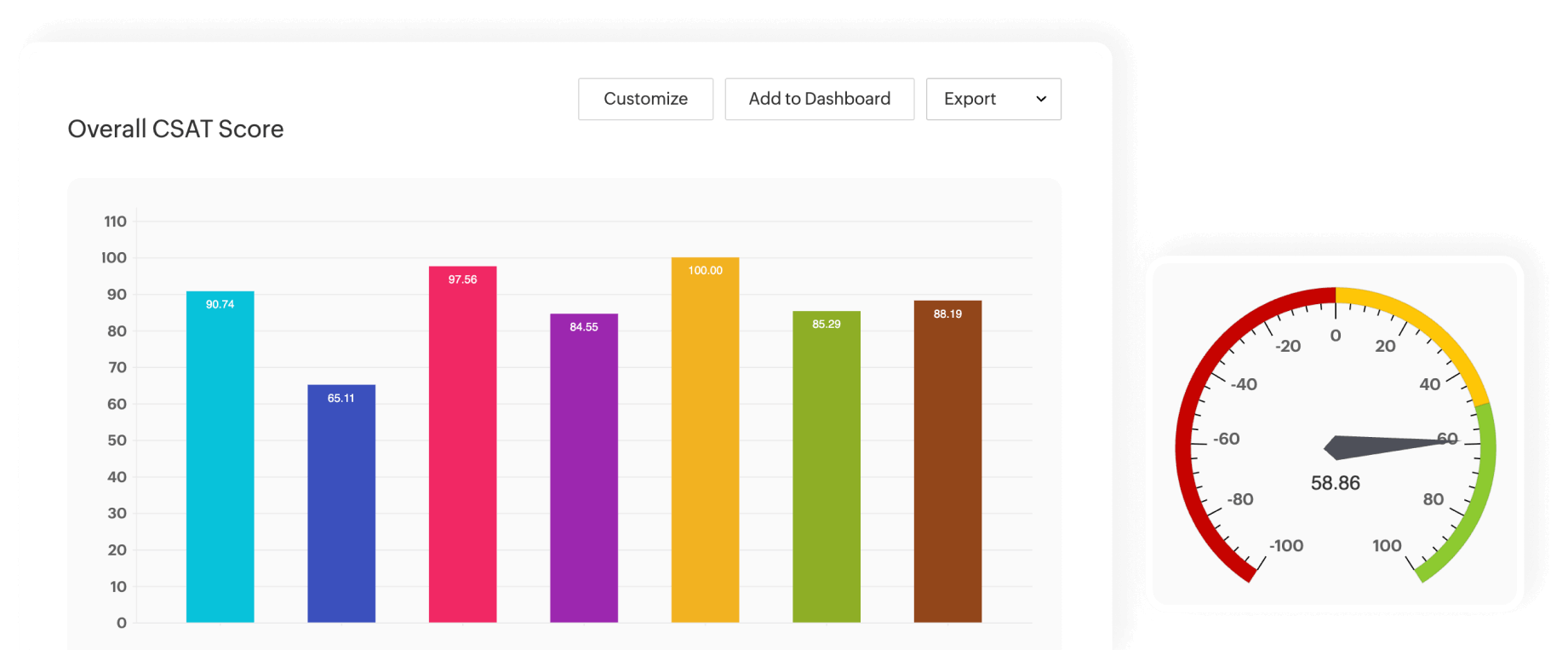
Quickly calculate and view average ratings for questions with rating scales, including essential metrics like NPS and CSAT scores. Gain a clear understanding of respondent preferences, customer satisfaction, and loyalty trends at a glance.
Edit and delete responses
Maintain data accuracy with the ability to edit or remove individual responses. This feature ensures your survey results stay relevant and error-free for better analysis.
Add tags to responses
Assign custom tags to individual responses for better organization and quick reference. Easily label responses to categorize them by trends or priorities, making it simpler to revisit and analyze specific insights.
Add notes
Enhance your survey analysis by adding personalized notes to individual responses. Highlight key observations, flag important details, or jot down follow-up notes to ensure no valuable insights slip through the cracks.
Key performance indicators (KPIs)
KPIs are your compass in a sea of data, turning numbers into clear insights. These indicators reveal what’s working, what isn’t, and where to fine-tune your strategies.
Net Promoter Score (NPS)
Gauge customer loyalty with precision. NPS helps you identify promoters, passives, and detractors, giving you a clear understanding of how likely your audience is to recommend your brand.
Employee Net Promoter Score (eNPS)
For internal surveys, eNPS tracks employee sentiment and loyalty to your organization.
Customer satisfaction (CSAT)
Measure how happy your customers are with specific aspects of your service or product. CSAT surveys let you gather direct feedback, ensuring actionable insights to improve satisfaction.
Customer effort score (CES)
How easy is it for your customers to interact with your business? CES tracks the effort they put in to help you identify pain points and streamline customer experiences.
Dissatisfaction score (DSAT)
Focus on what’s going wrong. DSAT pinpoints dissatisfaction levels, giving you a chance to fix issues before they escalate.
Net satisfaction (NSAT)
Combine the power of satisfaction and dissatisfaction metrics to get a balanced view of how well you’re meeting expectations.
Data charts and visualization
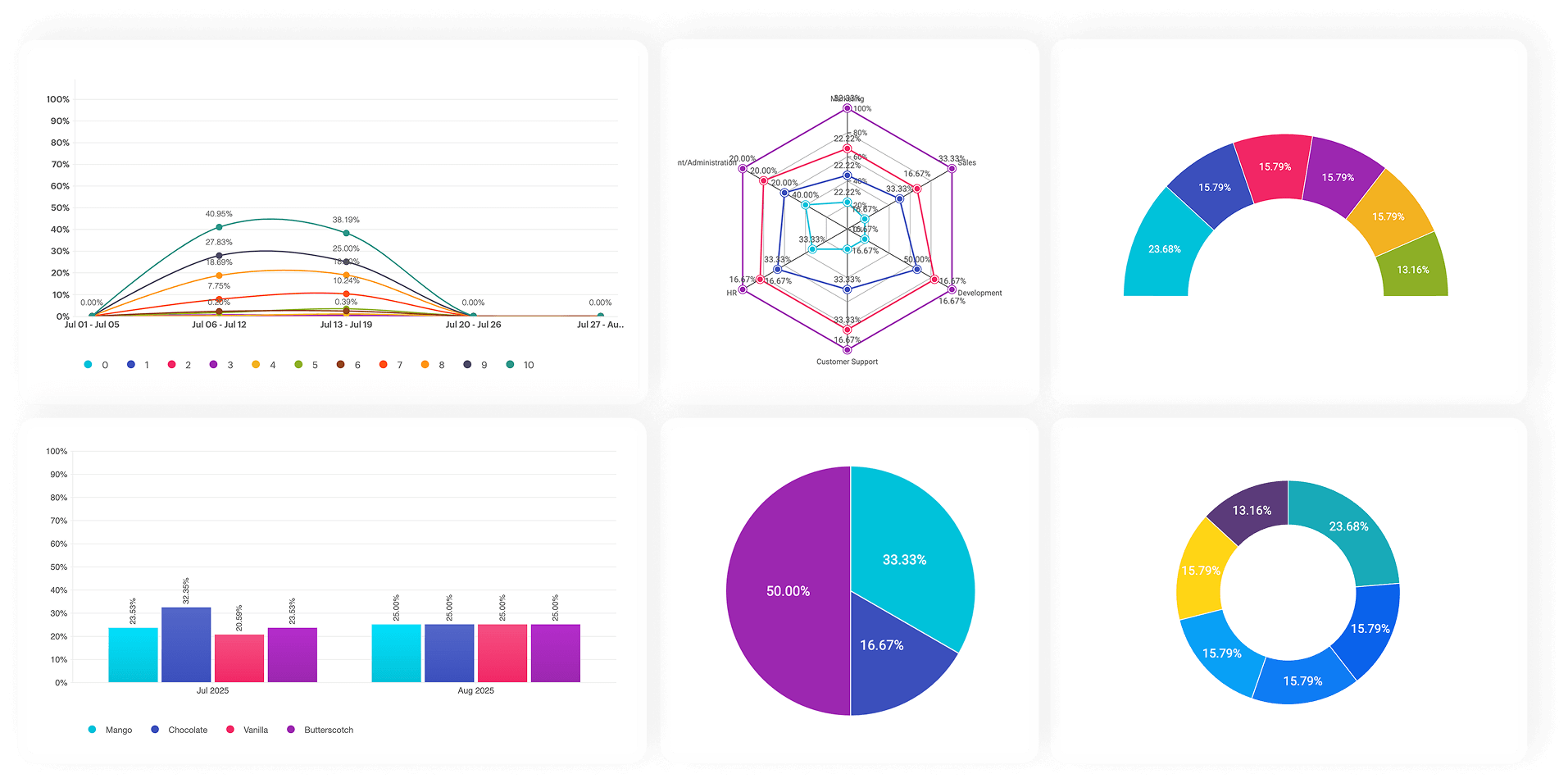
Turn numbers into compelling visuals that tell a story. Zoho Survey offers a diverse range of chart options designed to highlight trends, comparisons, and insights with precision and clarity. Whether you’re presenting year-over-year performance, breaking down complex categories, or showcasing sentiment trends, these charts make it easy to communicate the bigger picture at a glance.
Meter gauge for NPS
Visualize your Net Promoter Score to get a clear snapshot of customer loyalty. The meter gauge breaks responses into promoters, passives, and detractors.
Pie chart
Visualize data proportions with clarity. The pie chart divides responses into easy-to-read segments, making it perfect for understanding percentages or categorical distributions.
Horizontal bar
Present survey data clearly with bars plotted along the Y-axis. Horizontal bar charts are perfect for comparing categories with long labels, ensuring readability and precise insights.
Vertical bar
Line up your data for straightforward comparisons. Vertical bar charts bring clarity to trends and category-based responses, perfect for quick insights.
Line chart
Track changes over time with precision. Line charts illustrate trends and patterns, making them ideal for analyzing evolving responses or behaviors.
Arc chart
Add a touch of elegance to your data. Arc charts provide a unique, semi-circular visualization of survey results, offering an alternative to traditional pie or bar charts.
Donut chart
Add a touch of elegance to your data. Arc charts provide a unique, semi-circular visualization of survey results, offering an alternative to traditional pie or bar charts.
Donut chart
Like a pie chart, but with added flair. Donut charts provide a clean, modern way to display proportions while leaving room for additional data in the center.
Spider web
Highlight multiple data points in one view. Spider web charts visualize relationships and comparisons across various categories, offering a holistic perspective.
Area chart
Layer your data for depth and clarity. Area charts show cumulative trends over time, perfect for visualizing growth or decline in responses.
Stacked horizontal bar
Break down each category into subcategories, displayed as stacked segments along the Y-axis. This chart is ideal for comparing proportions within a category while visualizing how each subcategory contributes to the whole. Particularly useful for analyzing demographics or multi-choice survey results.
Stacked vertical bar
Highlight cumulative data trends with stacked segments along the X-axis. This chart allows you to see the overall totals while understanding the contribution of each subcategory. Perfect for tracking changes in sales figures or budget allocations across different time periods.
Clustered vertical bar
Display grouped categories side by side on the X-axis for easy comparison. Each group shows subcategories in distinct bars, making it simple to analyze patterns and differences. Ideal for comparing product performance across multiple regions or customer satisfaction levels by age group.
Longitudinal line
Longitudinal line charts plot data points connected by straight lines, making it easy to track changes and patterns across extended periods. Ideal for year-over-year performance tracking, such as revenue growth or survey participation rates.
Longitudinal area
Highlight cumulative trends with impactful visuals. Longitudinal area charts fill the space beneath the data line to emphasize the magnitude of change over time. Perfect for illustrating progress or cumulative data, such as total sales or engagement levels.
Longitudinal spline
Present smooth, flowing trends with finesse. Longitudinal spline charts connect data points with curved lines, offering a polished representation of gradual shifts. Particularly useful for visualizing subtle changes over time, such as satisfaction levels or sentiment trends.
Export reports
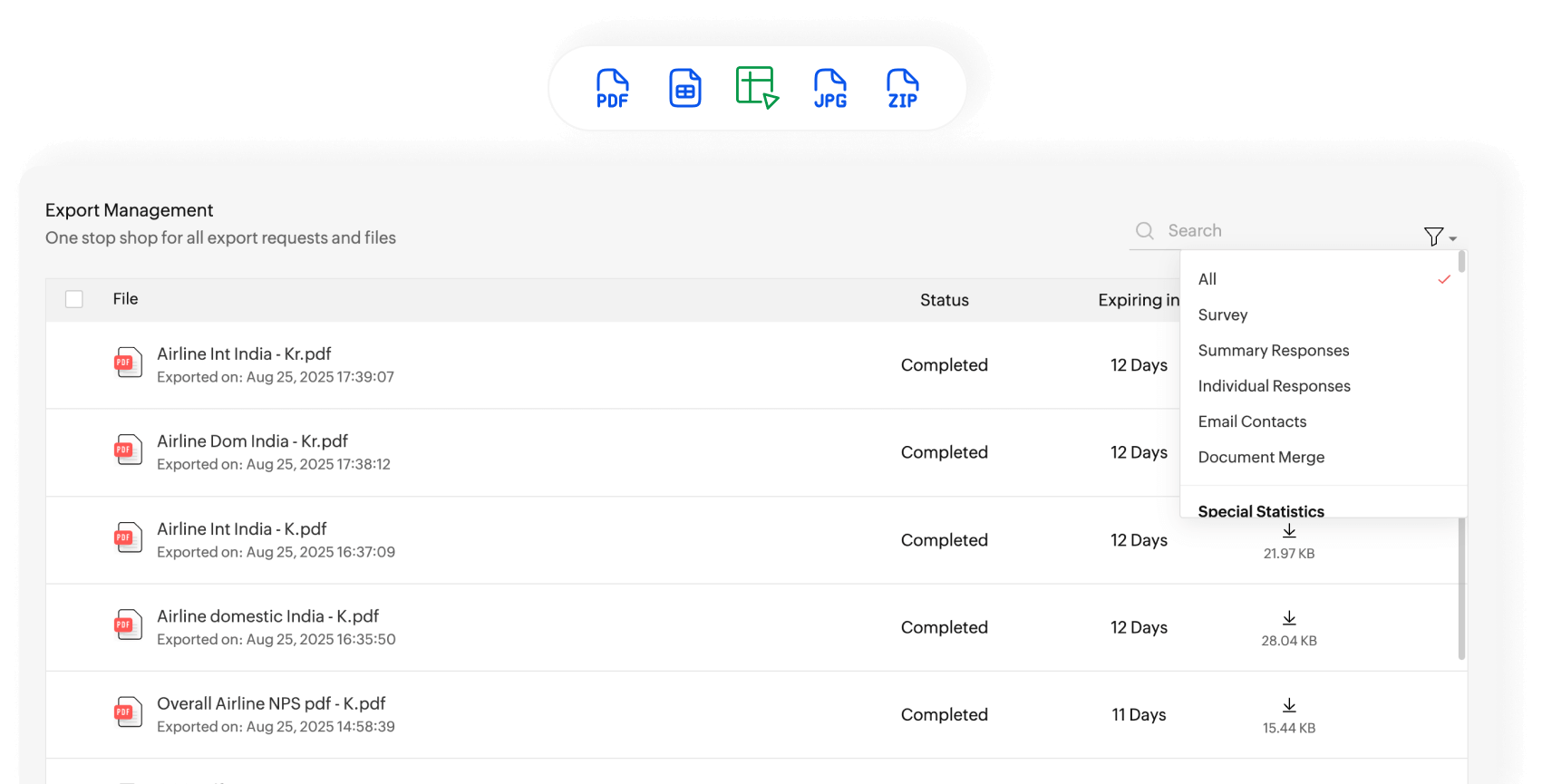
With these versatile export options, seamlessly transfer your data to the tools you trust. Whether it’s statistical analysis, custom visualizations, or simple sharing, we’ve got every format covered to make your data work harder for you.
Export as a spreadsheet
Export your survey data seamlessly into XLS format for a comprehensive overview. Ideal for deep analysis, custom calculations, and flexible data manipulation
Export as PDF
Generate professional PDF reports of your survey results. Ideal for sharing polished insights with stakeholders or archiving key findings.
Export as CSV
Export individual survey responses into a CSV file for maximum compatibility with analytical tools. This lightweight format is perfect for importing raw, respondent-level data into platforms like Excel, Google Sheets, or other database management systems.
Export as ZIP
Need all your data and reports in one place? Export them as a ZIP file for easy storage and sharing without losing any detail.
Export as SPSS
Export your survey data into SPSS format to unlock the full potential of statistical analysis. With SPSS, you can run complex statistical tests, apply predictive models, and uncover nuanced patterns in your data. This feature is particularly beneficial for market researchers and academic professionals who need precise, in-depth insights.
Export as Tableau extract
Exporting as a Tableau extract helps you push your data to Tableau, allowing you to create interactive dashboards, drill down into specific metrics, and visualize trends with precision. This feature is ideal for businesses and analysts seeking to generate actionable insights through dynamic and visually impactful reporting tools.
Export as image
Highlight key insights in presentations and reports. Export charts and graphs as high-resolution images that make your data pop.
Open and view in Zoho Sheet
Prefer working within the Zoho ecosystem? Open and view your survey data directly in Zoho Sheet for a streamlined, collaborative analysis experience.
Manage exported files and data
Keep track of all your exports in one place. Whether it's spreadsheets, PDFs, images, or document merges, view them all in a neatly organized list. Use filters to narrow it down and find exactly what you need.
Track survey response rates
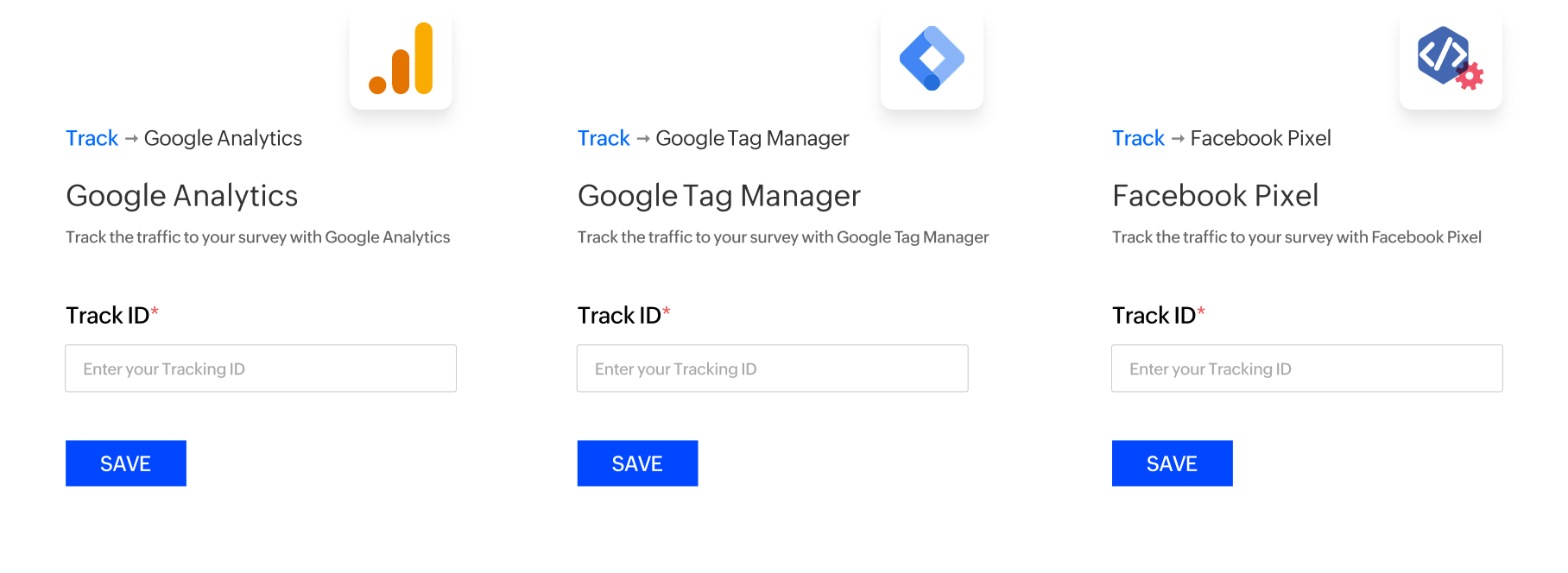
Unlock the power of visitor insights with seamless tracking integrations. These traffic-tracking tools let you connect the dots between your surveys and your audience’s journey to stay informed and make data-driven decisions.
Google Analytics
Integrate your surveys with Google Analytics to monitor respondent behavior and engagement. Track key metrics like bounce rates, time spent on pages, and completion rates to fine-tune your surveys for maximum impact.
Google Tag Manager (GTM)
Seamlessly connect your surveys with Google Tag Manager to manage and deploy marketing tags without modifying code. Monitor interactions, track conversions, and gain actionable insights—all from one streamlined interface.
Facebook Pixel
Seamlessly integrate Facebook Pixel with Zoho Survey to bridge the gap between your surveys and Facebook ads. Track how many visitors start or complete your survey, and see if they arrived via your Facebook ads. Use this data to identify high-performing campaigns and optimize ad targeting.
Collaboration
Whether you're refining your survey, sharing insights, or gathering team input, ensure effortless collaboration. Every feature is designed to keep your team in sync and your process smooth.
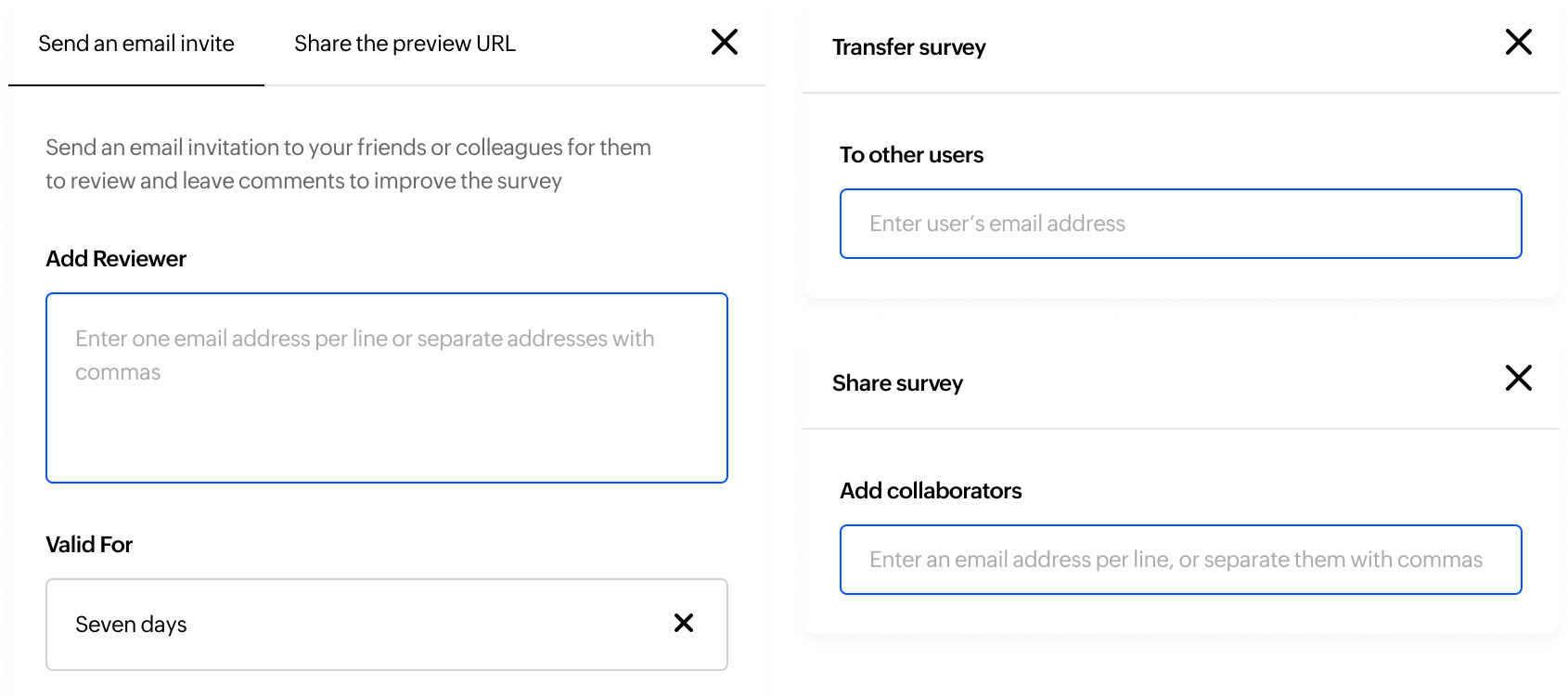
Share surveys
Easily collaborate by sharing your surveys with other Zoho Survey users. While you retain ownership, your team can access and contribute, streamlining teamwork without compromising control.
Transfer surveys
Hand over full ownership of your surveys seamlessly. With Zoho Survey, you can transfer surveys to another account to ensure a smooth transition while maintaining complete data integrity.
Send a copy
Share a fresh start by sending a copy of your survey to another account. The recipient gets the structure without any previous responses, allowing them to reuse or customize it as needed.
Export survey as PDF
Easily convert your entire questionnaire into a PDF file. Ideal for keeping a print-ready copy or sharing the survey structure with stakeholders who prefer to review it on their devices, without accessing the platform directly.
Print survey
Need a physical copy? Easily print your entire questionnaire for offline distribution, team discussions, or archiving purposes. Perfect for traditional workflows that require a tangible format.
Preview survey
Test before you launch! Preview your survey to experience it just as your respondents will. Check the flow, layout, and functionality to ensure everything is perfect before going live.
Send preview URL
Share a unique preview link to allow your team to test the survey and provide feedback before it launches.
Invite reviewers
Collaborate effectively by inviting team members via email to review your survey. Reviewers can provide insightful comments directly on the survey, ensuring every detail is refined before launch.
Surveys shared with me
Apart from the surveys within your assigned departments, you also have a dedicated section—Shared with Me—that lists all the surveys shared with you by other users. Stay organized and seamlessly collaborate on projects, all in one convenient place.
Schedule reports
Schedule your survey reports to be delivered daily, weekly, or monthly. Choose to send everything or just the latest data collected during the set interval—keeping your team updated effortlessly.
Share reports
Select specific reports to share and also set access permissions (private emails, within your organization, or open to the public). These flexible options ensure the right people see the right data.
Account management
Your account is the foundation of your survey operations, and effective management is key. With these powerful options, you can organize, delegate, and oversee all actions in Zoho Survey. From structuring access to monitoring key activities, you always stay in control.
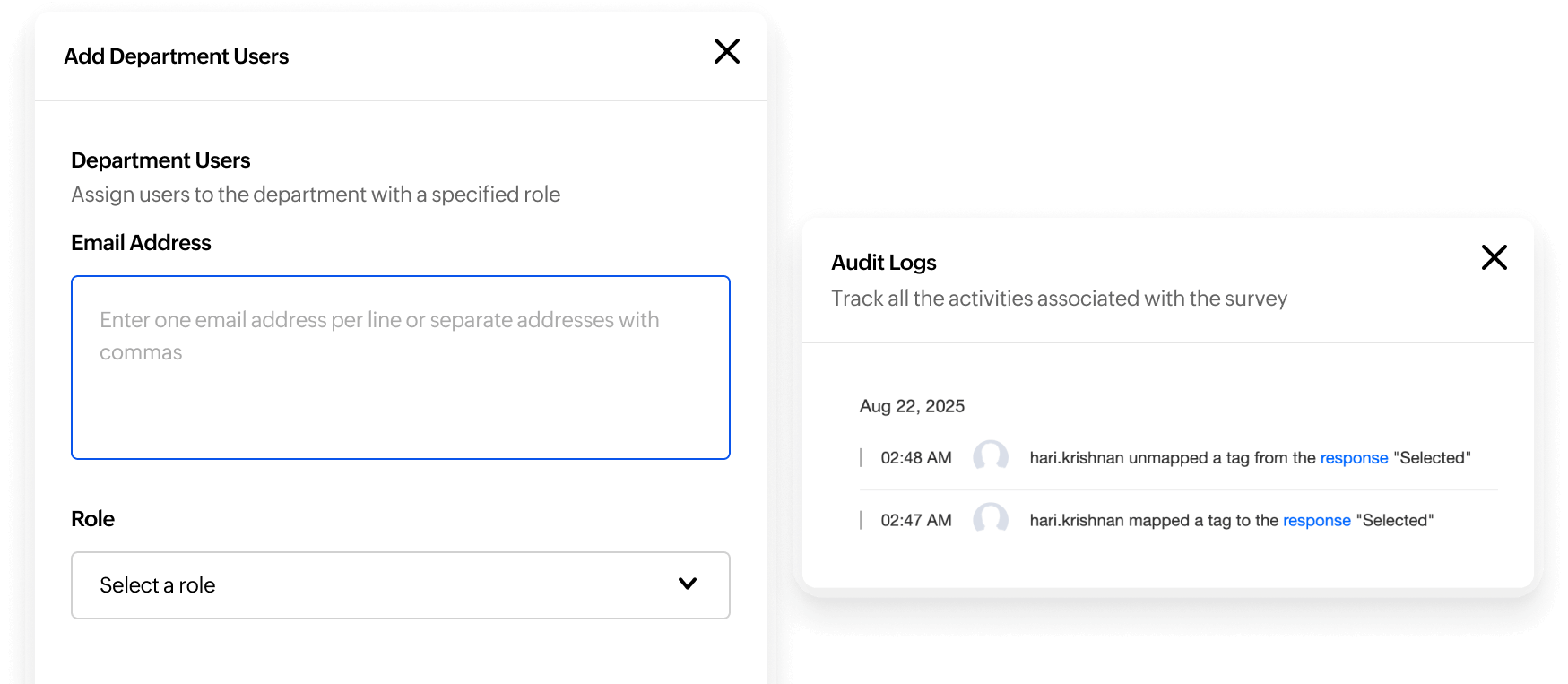
Portal and department creation
Whether you’re managing separate brands, handling diverse teams, or just keeping personal projects distinct, portals and departments give you the flexibility to structure your workspace exactly as you need.
Add users
Assign users to specific portals or departments. As a super admin or portal admin, you control who gets access and define their roles and permissions.
User management
Designate users as Department Admins, Users, Contractors, or Report Viewers, each with defined access levels and responsibilities. From managing departments to creating surveys or reviewing reports, you can ensure every team member has the right level of access to contribute effectively.
Audit logs
Stay on top of every action with comprehensive audit logs. Track who did what and when, with options to filter by user, date, or action type. Need to share or analyze the data? Export the logs effortlessly in CSV or XLS format for a clear view of your survey activity.
Privacy and security
Your respondents trust you with their thoughts, opinions, and data—and safeguarding that trust is non-negotiable. At Zoho Survey, privacy and compliance aren’t just features; they’re foundational principles. Protecting privacy isn’t just good practice—it’s the backbone of a system for receiving meaningful feedback.
HIPAA compliance
Zoho Survey is HIPAA compliant, making it a trusted choice for healthcare organizations to collect and manage patient information securely. Safeguard every response with advanced encryption and robust data protection protocols.
Mark e-PHIs
Protect sensitive health information with precision. Mark specific fields in your survey as e-PHIs to ensure they're handled with enhanced security protocols and full HIPAA compliance. From patient names to medical records, Zoho Survey keeps your data safe and audit-ready.
GDPR compliance
Prioritize privacy and stay compliant with global standards. Our platform adheres to GDPR regulations, ensuring your respondents' data is collected, processed, and stored transparently and securely. Build trust with your audience by demonstrating your commitment to their privacy rights.
SSL certification
We ensure your surveys and data exchanges are always secure with SSL encryption. This added layer of protection encrypts the connection between your respondents and the survey to safeguard sensitive information and reinforce trust in your platform.
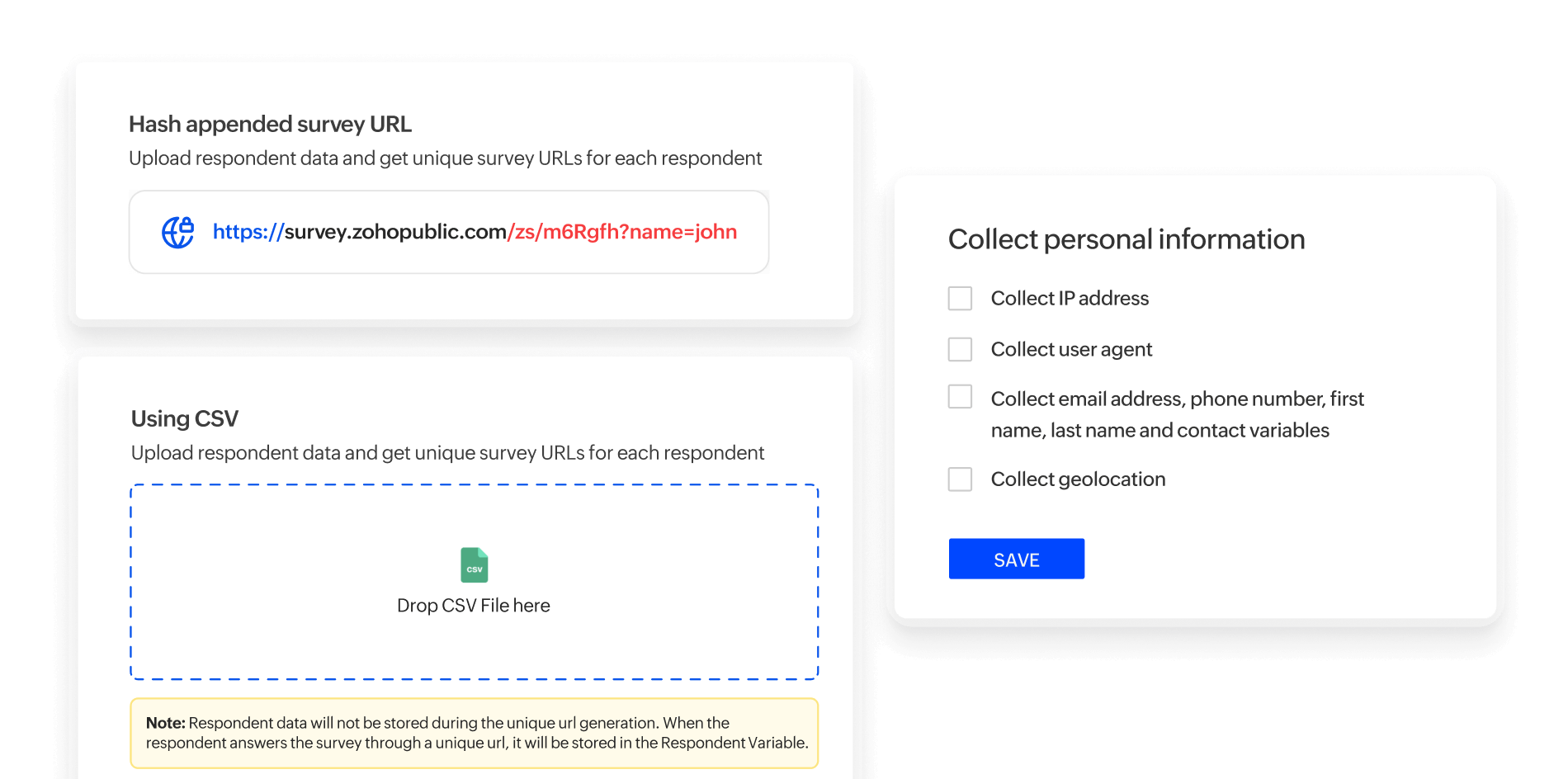
Generate unique URLs
Keep your appended survey variables private and secure with unique URLs. This feature ensures that sensitive information embedded in your survey links remains hidden, offering a tamper-proof way to collect accurate and confidential responses.
Hash URLs
With hash URLs, create highly secure, tamper-proof survey links. By generating a unique hash key for each survey and combining it with an appended parameter using third-party tools, you ensure that every link is encrypted and personalized.
Enable or disable geolocation collection
Take control of location-based insights. Enabling geolocation collection can provide valuable regional insights for targeted strategies, while disabling it ensures respondent anonymity to give them an extra layer of privacy when required.
Enable or disable PII collection
When distributing surveys to a contact list, you can choose whether to collect personally identifiable information (PII) like names or emails. Keep responses anonymous to respect privacy, or enable PII collection when you need to attribute feedback to specific individuals.
Enable or disable IP address collection
Take control of respondent anonymity by choosing whether to collect IP addresses. While IP data can provide insights into geographic trends, disabling it ensures greater privacy for respondents.
Customer support
We believe that great tools deserve equally great support. Whether it's a quick query or an in-depth demo, we're here to help you make the most of your survey experience.
Email and call support
Need help? Our dedicated support team is just an email or call away. Whether it’s resolving technical issues or answering your questions, we’re here to ensure your Zoho Survey experience is seamless and stress-free.
Free demo
Curious about Zoho Survey? Schedule a free demo to explore its features firsthand. Get guided walkthroughs and personalized insights to see how it fits your needs before you commit.
Personalized training and onboarding
Make the most of Zoho Survey with tailored training sessions and onboarding support. Whether you're setting up your first survey or exploring advanced features and integrations, we ensure you’re fully equipped to succeed.
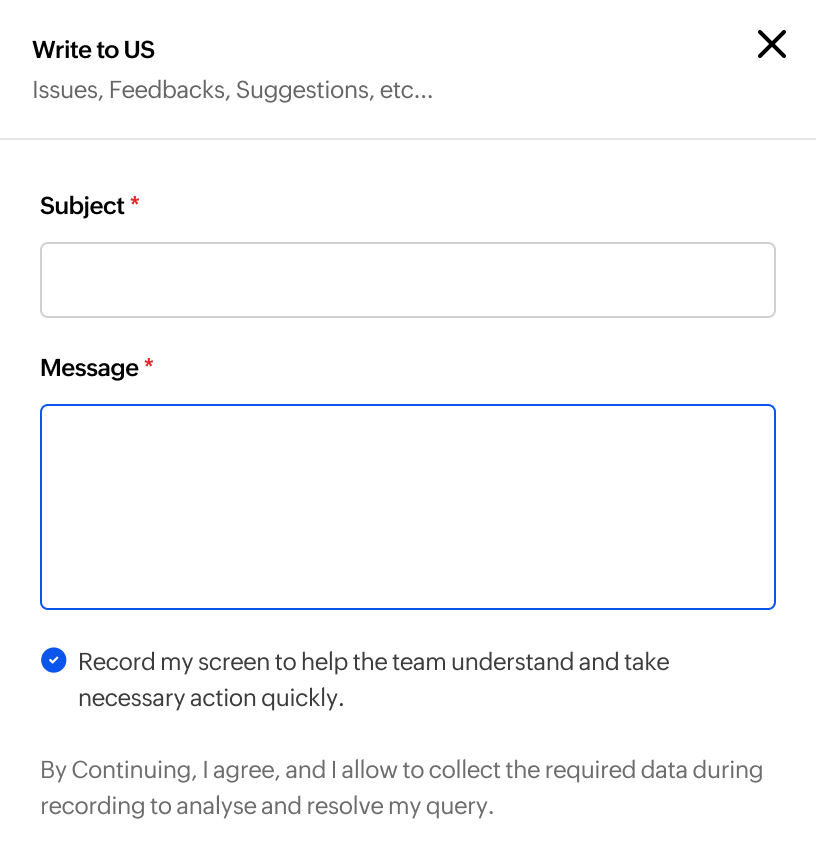
Screen recording
Easily capture and share any issues you encounter by recording your screen directly within Zoho Survey. This feature streamlines troubleshooting by providing the support team with clear insights to resolve your concerns faster.