MCP Permissions
Control who can access Zoho CRM through MCP and who can manage MCP servers using profile-level permissions.
Configure MCP permissions for each profile from Setup > Security Control > Profiles > Developer Permissions. These permissions control whether users with the profile can access Zoho CRM through MCP and manage MCP servers.
API Access for Zoho MCP
Enable API Access for Zoho MCP to allow users to connect AI tools to Zoho CRM through MCP. You can assign the following access levels:
- Get Data: Allows users to retrieve data from Zoho CRM through MCP.
- Execute Actions: Allows users to perform actions in Zoho CRM through MCP.
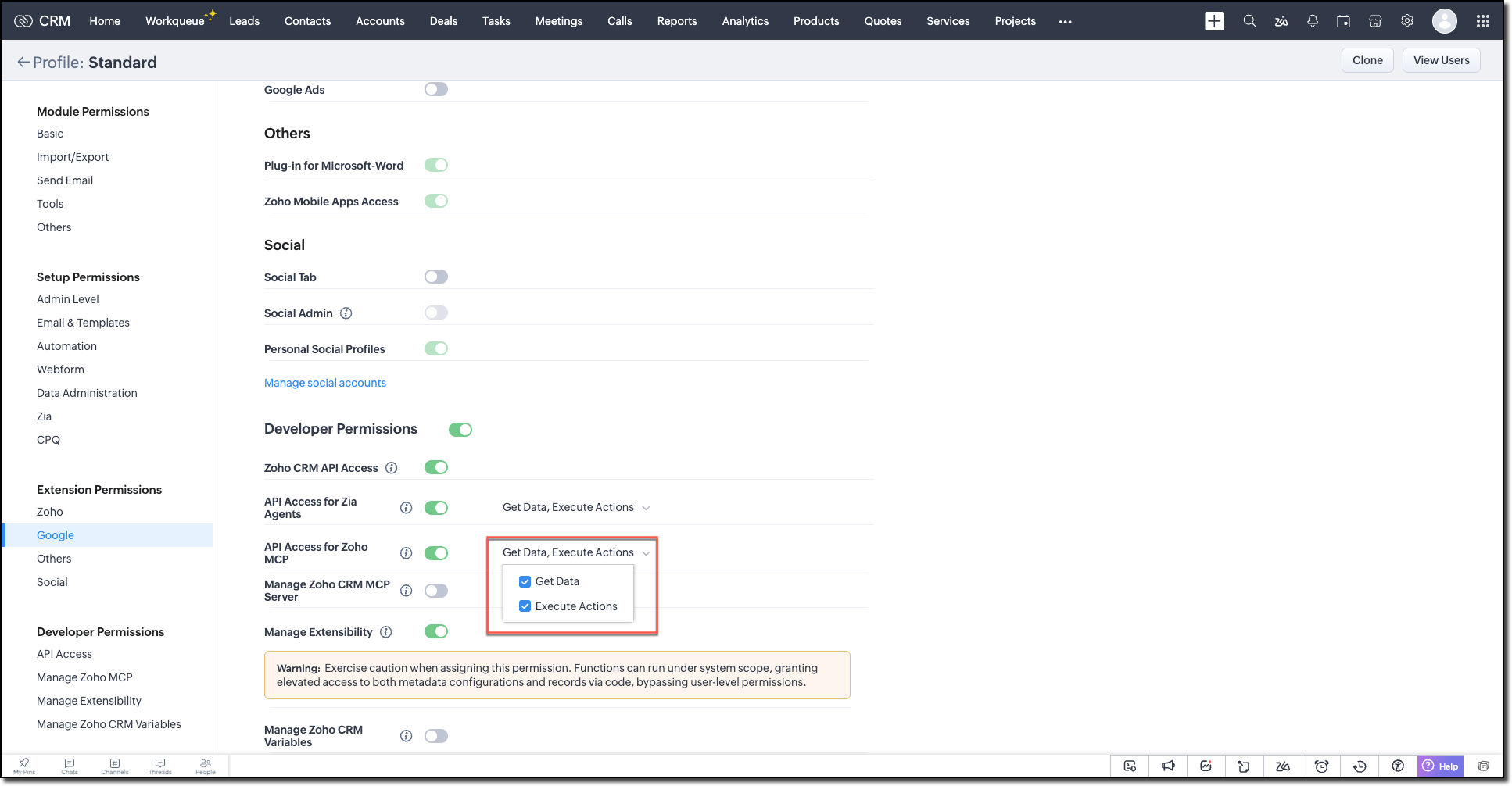
To configure and use an MCP server, a user must meet the following three requirements:
- The user’s profile must have API Access for Zoho MCP enabled with the required access level.
- The user must be included in the server’s Access setting.
- The user’s profile must have the required CRM permissions to read or write the relevant CRM data.
For example, to create a Lead through an MCP server, a user must have Execute Actions access, access to the server, and the required CRM permissions to create Leads. If the user’s profile does not allow Lead creation, MCP cannot perform the operation even if the user has Execute Actions access.
Check out Managing Profile Permissions for more information on configuring CRM permissions for user profiles.
Note
- API Access for Zoho MCP does not override the user’s existing CRM permissions. Zoho CRM applies the user’s profile permissions to every operation performed through MCP.
- Get Data allows users to retrieve data, while Execute Actions allows users to perform actions through MCP. The actual operations a user can perform also depend on the tools available on the server and the user’s CRM permissions.
Manage Zoho CRM MCP Server
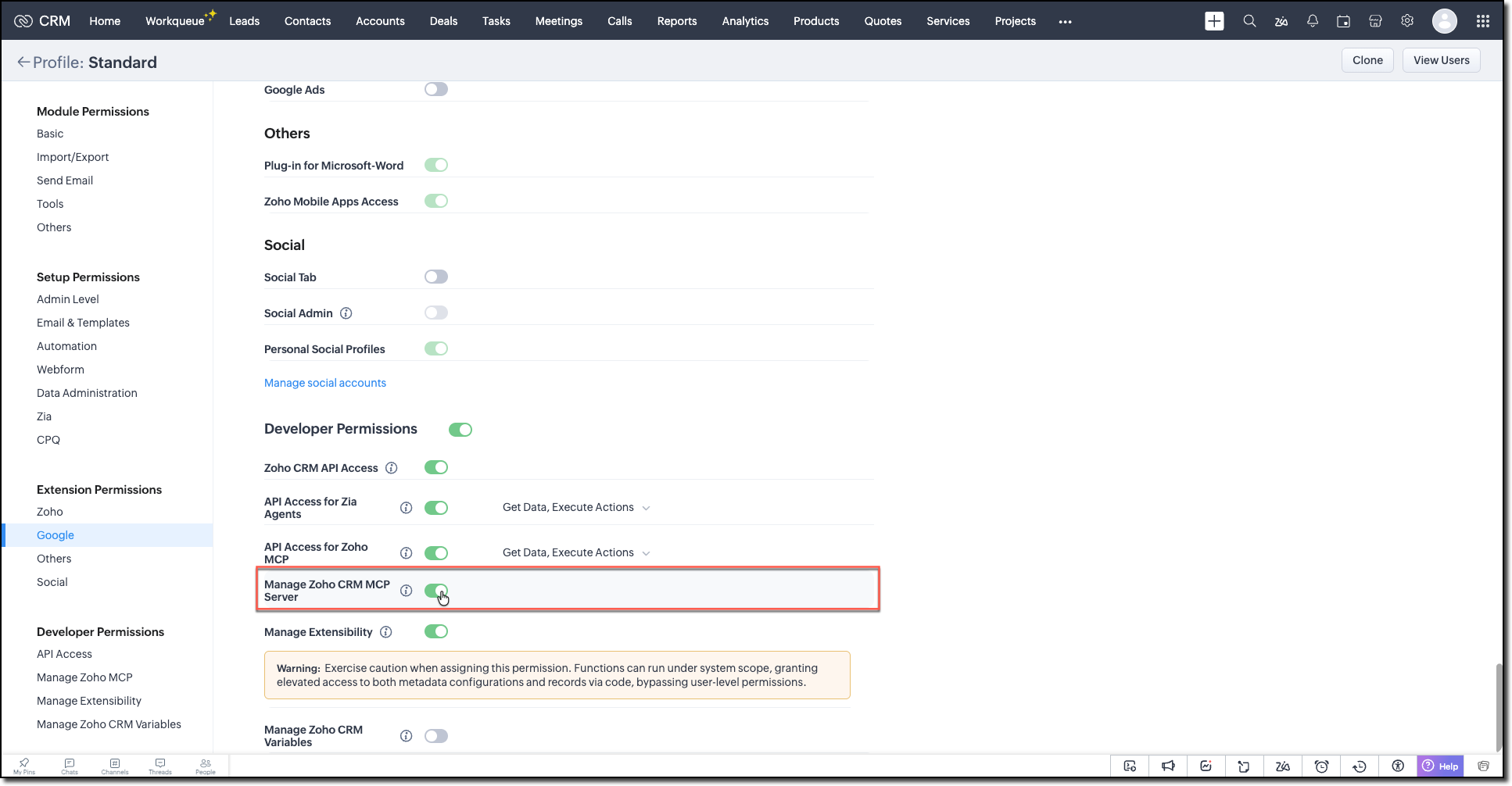
Zoho CRM enables this permission by default for administrators. You can enable it for other profiles when you want those users to manage MCP servers.
Users with this permission can:
- Create custom servers.
- Add or remove tools from servers.
- Update server access settings.
- Edit and delete servers.
Note
Manage Zoho CRM MCP Server is an administration permission. Users do not need this permission to use an MCP server.
What's Next?
- Managing Servers:Regenerate server URLs and review activity through server logs.
- Creating a Custom Server:Create custom servers based on your requirements.
- Setup:Connect Zoho CRM MCP servers to your AI tool.