Zia for Mail
Zia for Mail is an AI integration in Zoho Mail designed to support email interactions by assisting with the interpretation and composition of message content. It operates within the Zoho Mail interface and applies AI-driven linguistic processing to help users work with emails more efficiently.
Zia for Mail allows you to integrate third-party AI tools using Bring Your Own Key (BYOK) feature. BYOK approach lets you provide your own API key from a third party AI provider (like GPT, Gemini, Claude, and Cohere) directly to your host application.
- The Zia for Mail in Zoho Mail feature can be enabled for the entire organization only by the Super Administrator/ Administrators of the organization. To Know how to enable it, refer to this help guide.
- The option to switch between AI models depends on whether Zia for Mail is available in your region.
- If Zia for Mail is available in your region, you can use multiple AI providers such as GPT, Gemini, Cohere, and Claude, based on your administrator’s configuration.
- If Zia for Mail is not available, you can use OpenAI only, provided your administrator has configured the ZiaExtension with an OpenAI API key. Learn More.
- If Zia for Mail is not available to your organization, please write to support@zohomail.com
Using Zia in Zoho Mail
With Zia enabled, you can generate new email content based on the context provided by you, summarize the emails in your inbox, and auto-suggest the email content as you type in the email composer. It works quietly in the background to make writing easier, reduce time spent drafting responses, and ensure your communication stays consistent and professional.
The number of generations, summaries, and suggestions is limited based on the plan limit to which you have subscribed in the AI Models.
Generate email content
Users can provide a brief context of the email content they need to compose and Zia will provide them with the email content based on the input provided.
To generate email content using Zia:
- Log in to Zoho Mail.
- Click New email from the left pane.
- Click on the Generate Content icon on the left corner of the composer toolbar.
- In the Generate content with Zia pop-up, provide the context based on which you want the email content to be generated.
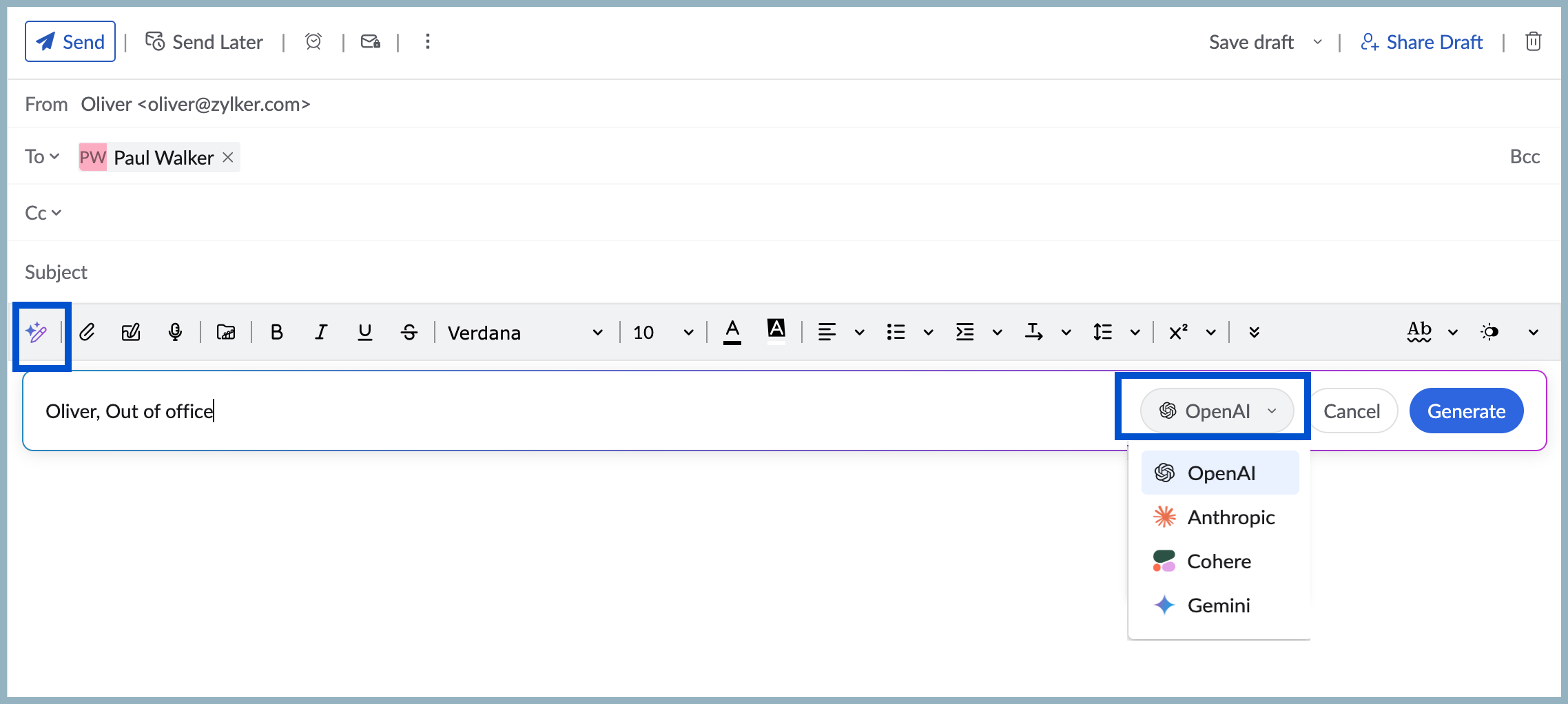
- You can also choose to switch AI models using the Drop-next next to cancel option.
- Click Generate.
Note:
The Drop-down to switch between AI models is available only if additional AI models are configured for your account through the Zoho Mail Admin Console.
The email content will be generated based on the given input. Click Insert to add the content to the compose window. If you wish to edit the content generated, you will have the following options: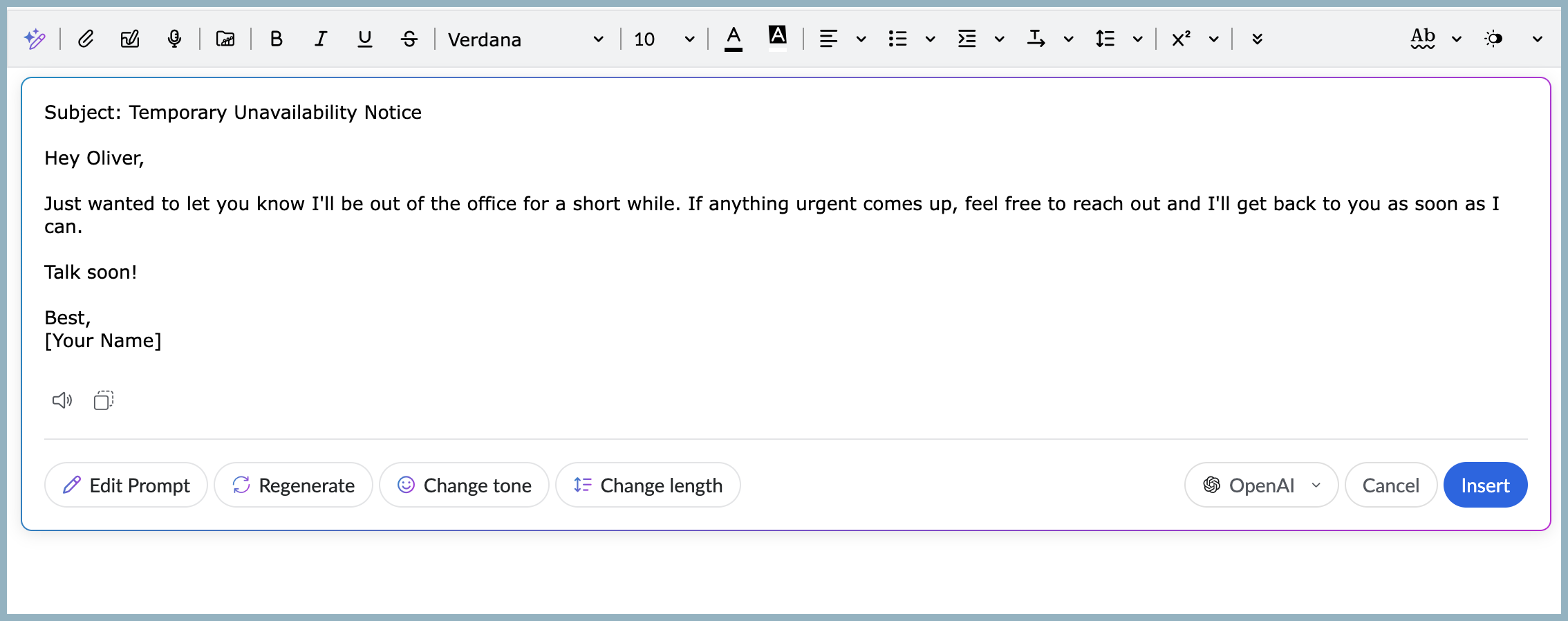
- Edit Prompt - Update or refine the prompt you have entered.
- Regenerate - To generate completely new content than the one generated previously.
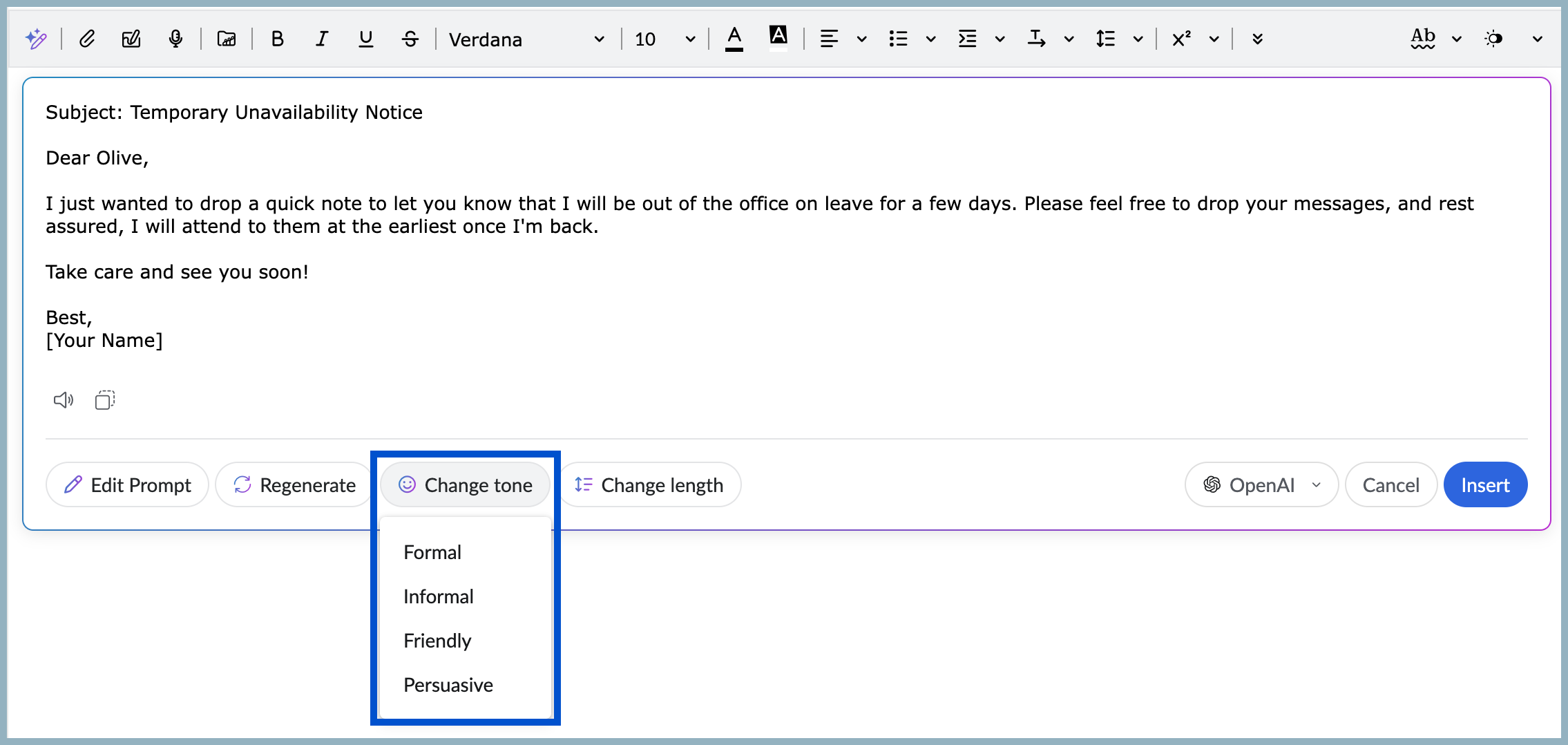
- Change tone - To moderate the tone of the content generated to be Formal, Informal, Friendly, or Persuasive.
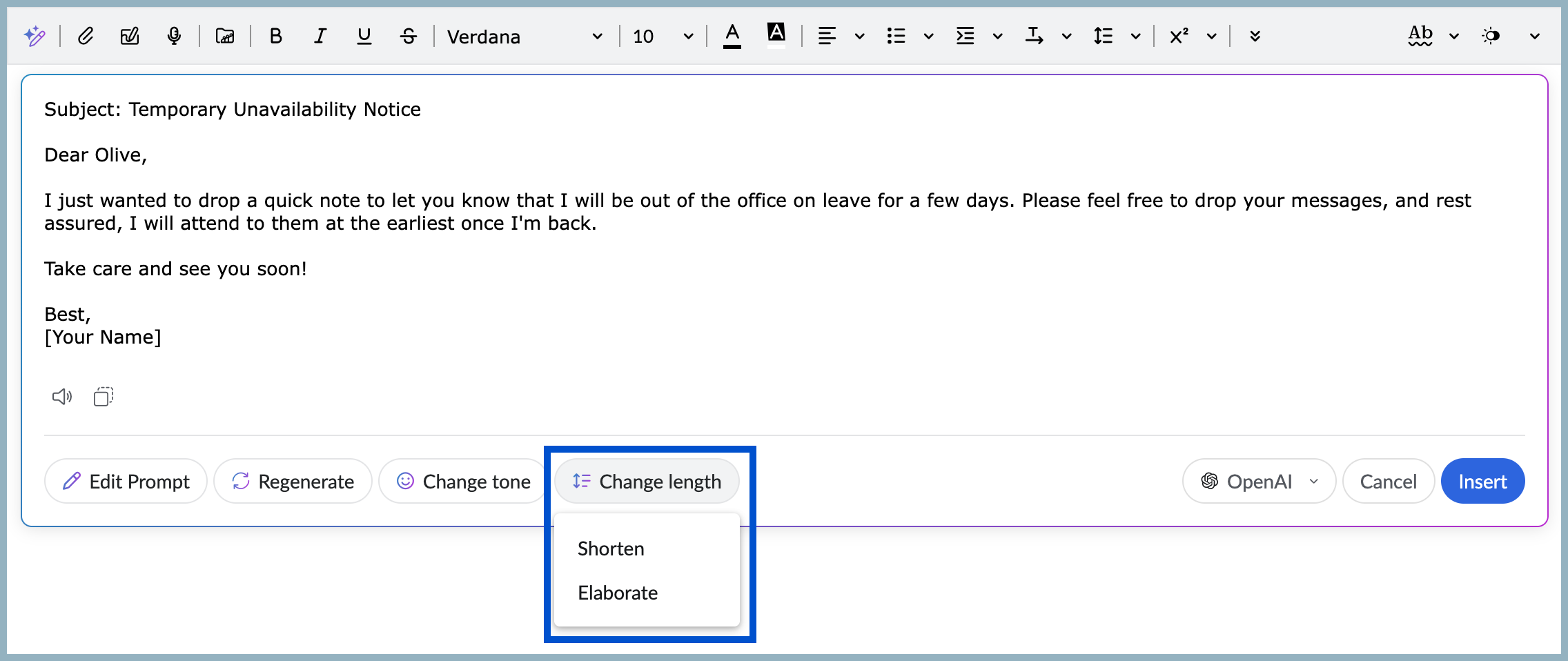
- Change length - To Elaborate or Shorten the content generated.
Sample prompts
Here are a few sample prompts that can be used to generate email content:
- Sample email for appreciation/ thank you mail - Will generate email content for the given input.
- Sick leave request – Will generate email content requesting sick leave, including reason, duration, and other details.
- Out-of-office reply – Will generate an automatic out-of-office email response that includes absence duration, next availability, and alternate contact details.
- To the marketing team asking about the plan for future releases - Will generate email content inquiring about the plan for future releases.
- Ask my manager for 2 days leave - Will generate email content requesting leave.
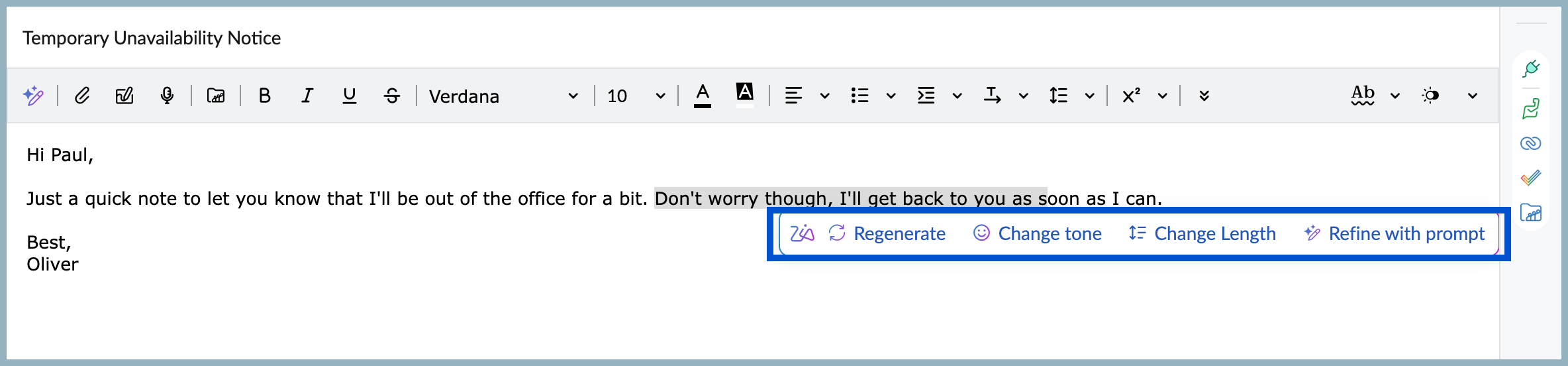
Even after you accept the generated content, you will have the option to Regenerate, Change tone, Change length, and Refine the content with new prompt. To use these options, select the sentence or paragraph to which you want to apply the changes. Click on the Zia icon and you can choose the preferred option from the pop-up.
Use Zia to Auto-suggest content
Once the Zia extension is enabled for the organization, users can use the Auto-suggest feature to compose an email.
To use the Auto-suggest option of Zia:
- Log in to Zoho Mail
- Click New email from the left pane.
- Start typing in the compose window. Zia will suggest the content based on the text preceding the suggestion.

- Click the Right arrow key on the keyboard to accept the suggested content.
Summarize email content using Zia
You can use Zia to summarize emails, regenerate new content, add to tasks, add to notes and copy the content to share/ save all from within your inbox.
Note:
You can also use Zia to summarize emails from your POP, IMAP and delegated mail accounts.
To summarize an email using Zia:
- Log in to Zoho Mail.
- Navigate to Inbox/ any other folder.
- Choose the email for which you want the summary.
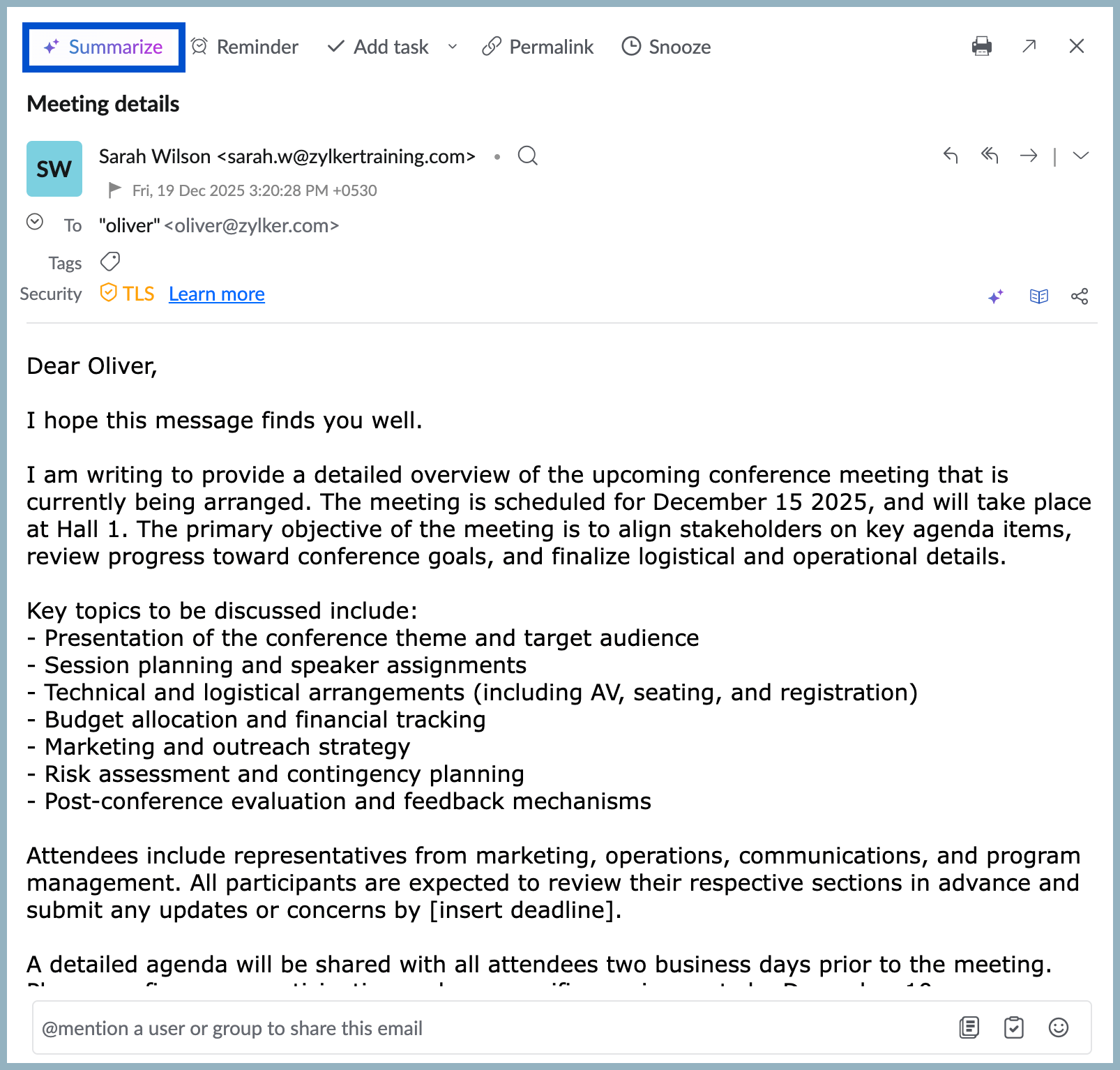
- Click Summarize button on top of the email preview next to the reminder icon.
- You can also choose to switch AI models using the Drop-down for summarization, available in the top right corner of the generated content pop-up.
Note:
The Drop-down to switch between AI models is available only if additional AI models are configured for your account through the Zoho Mail Admin Console.
The summary of the email will be generated and you can choose to: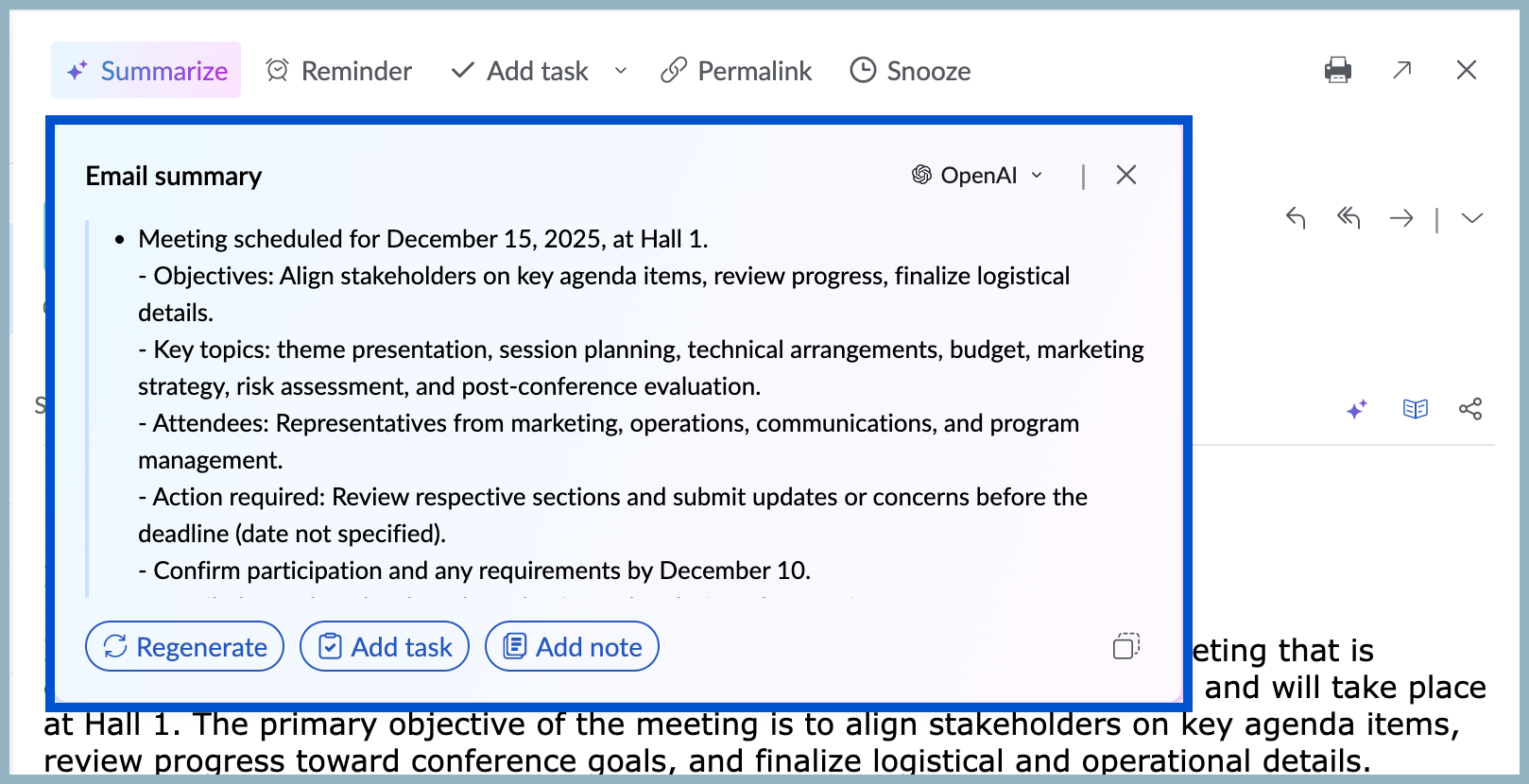
- Regenerate the email summary if necessary.
- Create a new task and add the summary as a task description.
- Add the generated summary as a Note.
- Copy the summary to share or save.
Writing Assistant
As you start drafting your email, Zia’s Writing Assistant checks for spelling and grammar errors and provides writing suggestions. It helps ensure your message is clear and free of any errors.
- Log into your Zoho Mail account.
- Click New email from the left pane.
- Start typing in the compose window.
- The Zia AI Writing Assistant icon will be displayed in the top right corner of your toolbox.
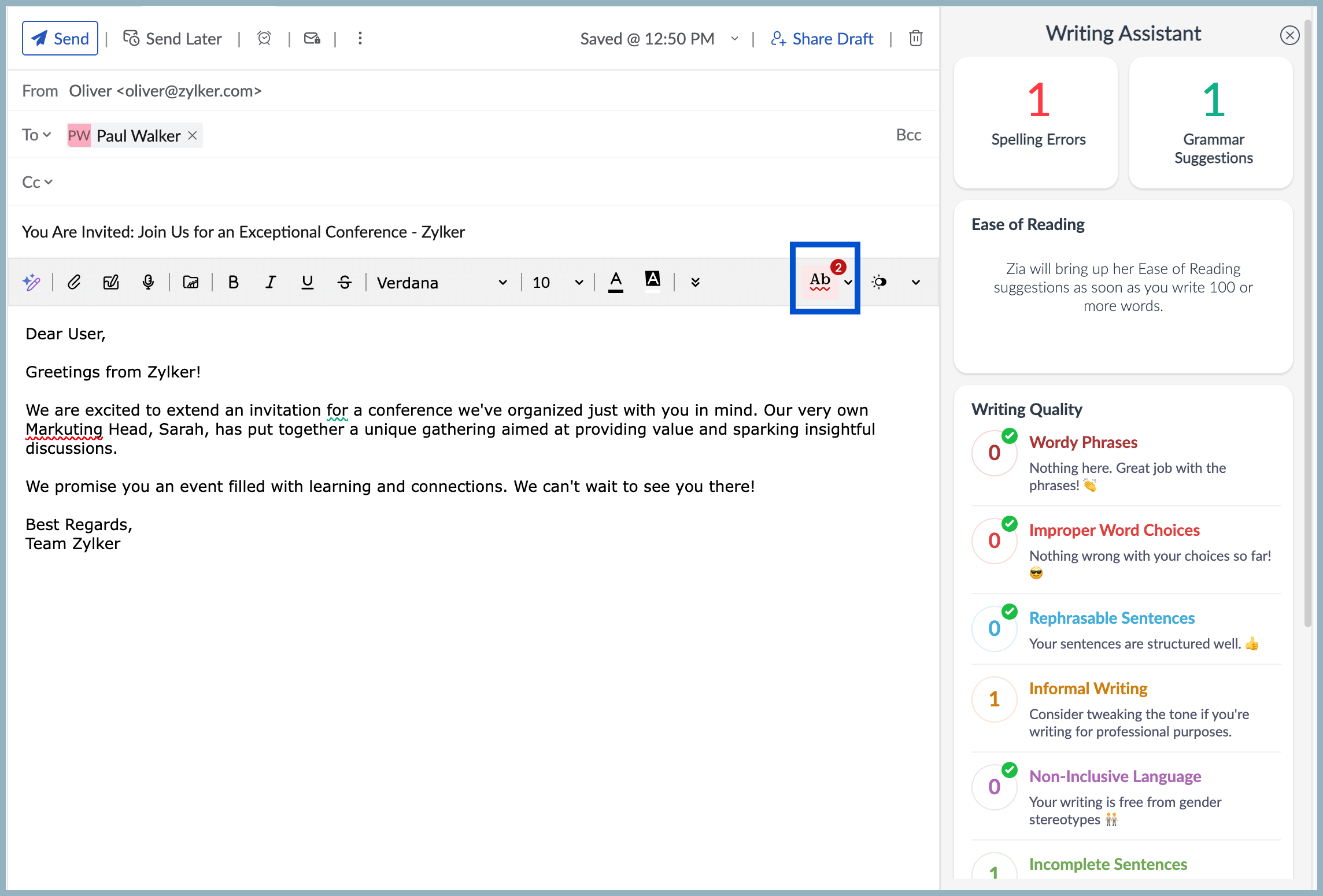
- The Writing Assistant panel will be displayed in your right pane.
- Zia AI checks your content and offers suggestions to improve your grammar, punctuation, spelling errors, and writing style.