


 Enterprise
 Mobile apps

 Ticketing & registration
 Exhibitor management


 Check-in & badging


 Hybrid events
 Abstract management

Event website builder
Launch a branded event website without writing code. Choose a theme, add pages for sponsors or speakers, show or hide them by ticket type, and publish in any of 89 languages.
Explore website builderA unified suite of tools designed to manage every phase of your event lifecycle.
Build the event website, let Design Assist draft the copy, collect the right details with customisable forms, and create your agenda. Everything you set up here feeds ticketing, check-in, and your attendee list.
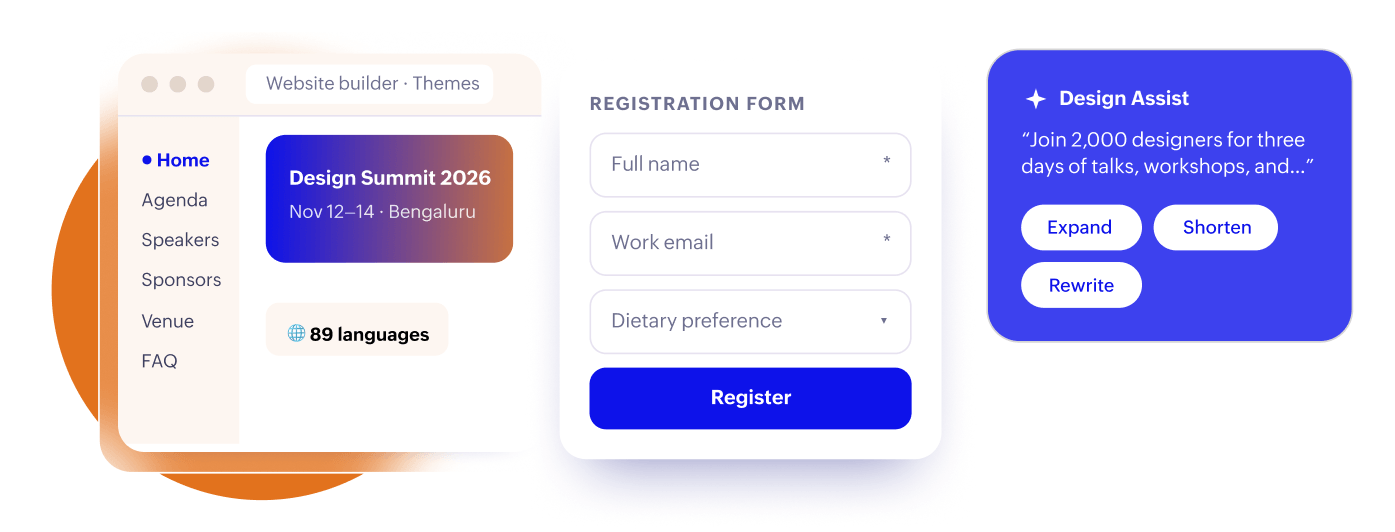
Launch a branded event website without writing code. Choose a theme, add pages for sponsors or speakers, show or hide them by ticket type, and publish in any of 89 languages.
Explore website builderMake your event invite-only and keep track of who's attending. Let guests respond with Attending, Not attending, or Maybe, set limits on plus-ones, and offer RSVPs alongside open registration for the same event.
Explore RSVPDraft event copy from a rough idea, or expand, shorten, and rewrite text you already have. Badge Assist and Certificate Assist recreate a badge or certificate design from a reference image you upload.
Build multi-track agendas with halls, hosts, and speakers. Attendees can bookmark sessions or register for them at checkout, and a schedule change automatically syncs with your website and app.
Explore agenda builderInvite speakers by email and let them fill in their own bio, photo, and social links for the event. Track every invitation, assign confirmed speakers to sessions, and feature your headliners on the event website.
Explore speaker managementCreate ticket classes, set dynamic prices by demand, manage waitlists and group purchases. Accept payments through your gateway or offline, with tax rules applied automatically for supported regions.
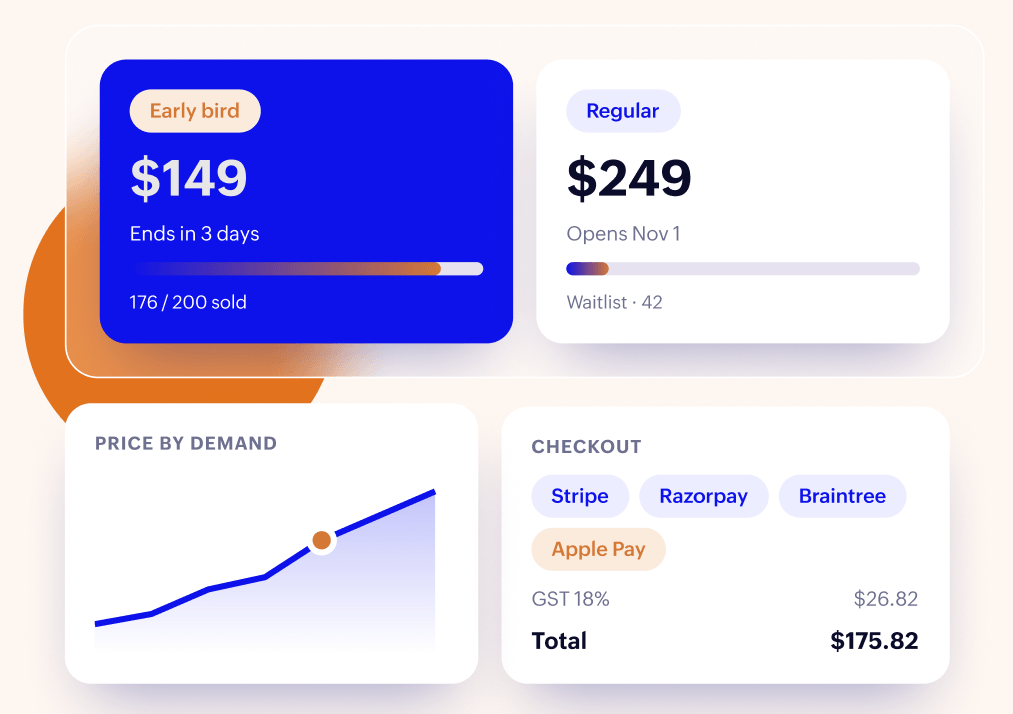
Set flexible prices based on demand, sales periods, and ticket categories to encourage early bookings and maximize revenue. Adapt your pricing strategy to your event’s needs, all from one place.
Explore ticketingConnect Stripe, Razorpay, Braintree, and more, and get paid right after each sale. Built-in tax rules handle GST, VAT, and sales tax for supported regions. Offer wallets like Apple Pay and Klarna where available, and log cash or cheque payments with a transaction ID.
Explore event paymentCheck in event attendees by QR scan or search their names from phones, tablets, and kiosks. Print badges on site, control access to zones and sessions, and track attendance. No extra hardware is required.
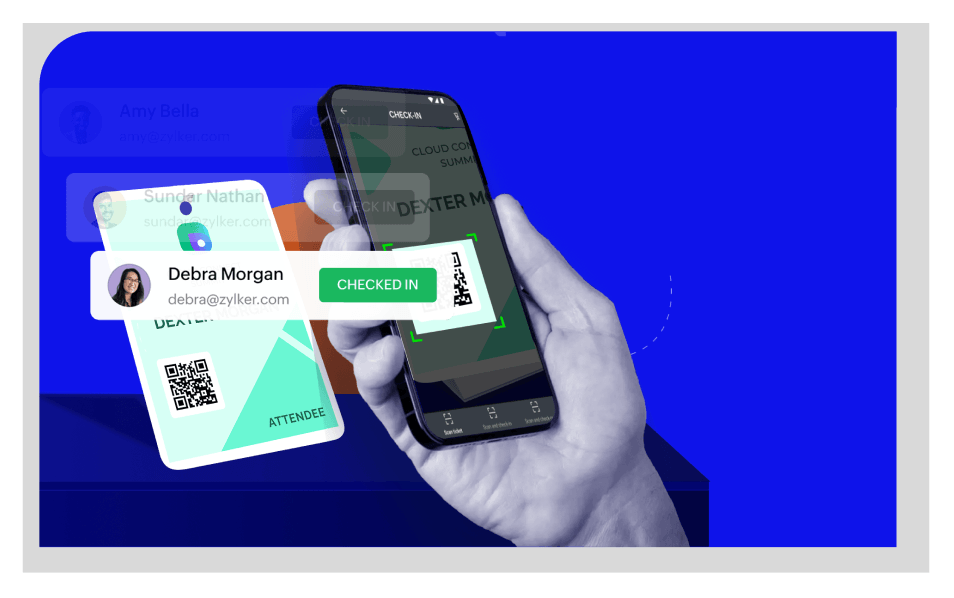
Check in attendees by scanning a QR code, searching a name or ticket ID, or processing a group in bulk. Sell a ticket to a walk-in and check them in on the spot. Check-outs show how long people stayed.
Explore event check-inTurn any iOS or Android device into a self check-in kiosk. Attendees scan their QR code and print their own badge, and a passcode keeps your settings locked. SUNMI handheld devices with built-in printers work too.
Explore self check-inSet up zones for VIP lounges, backstage areas, and food counters, and admit only the ticket holders who qualify. Scan at each checkpoint to manage crowds and see attendance by zone.
Explore zone check-inDesign event badges that look like your brand and print them as attendees arrive, or in bulk before the doors open. Use your own printers with Zoho Backstage, or rent the whole setup.
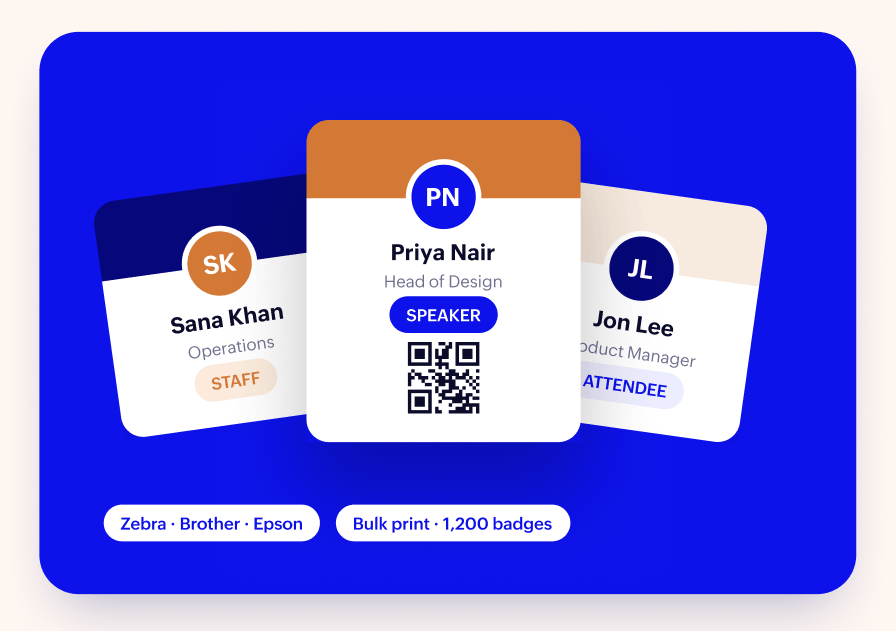
Design badges in Zoho Backstage's drag-and-drop editor, with separate templates for attendees, speakers, and staff. Print one at a time during check-in, print in bulk beforehand, or email e-badges with a QR code.
Explore badge printingPrint on Zebra, Brother, or Epson printers connected by Bluetooth, cable, or network. Pair a printer with the Organizer app or a laptop at your check-in desk.
Explore printing hardwareRent printers, kiosks, and tablets from Choose2Rent and One World Rental, pre-configured to sync with Backstage.
Explore rental partnersThe Organizer app runs event-day tasks for your team, and the Attendee app gives participants the agenda, networking, and updates. The Custom app builder creates a branded version of the app without code.
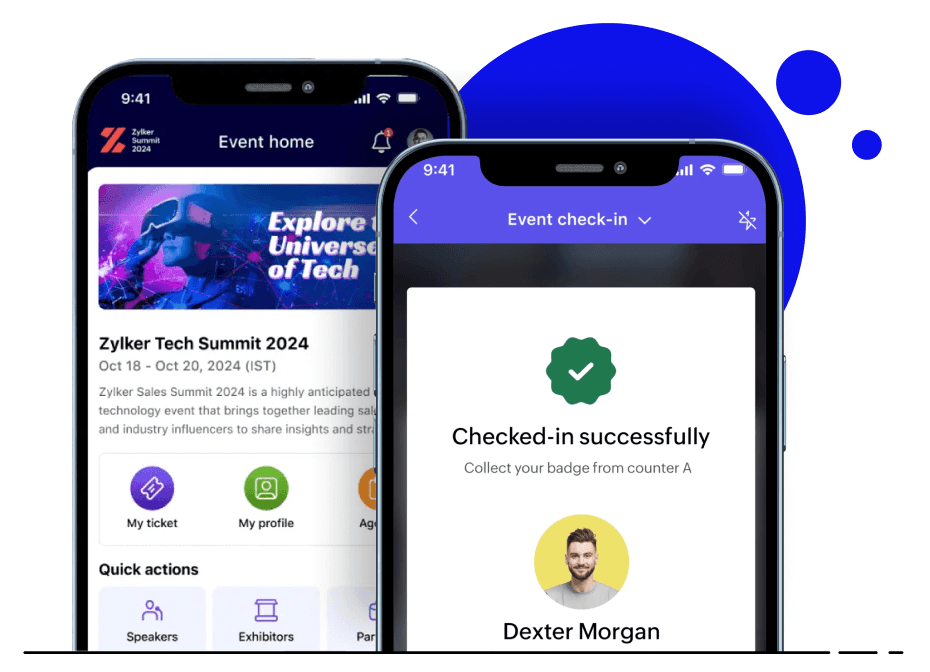
Give attendees their agenda, speakers, tickets, and updates in one app. They can even save sessions to their calendar, ask questions, vote in polls, and add tickets to Apple Wallet.
Explore the attendee appCheck in attendees offline, print badges, manage ticket classes, promo codes, access codes, and speakers, and post announcements from iOS or Android. A Desktop app is also available for teams that run event day from a computer.
Explore the organizer appScan a badge to capture a lead, tag it Hot, Warm, or Cold, and add notes for follow-up. You can even scan leads offline when the venue Wi-Fi drops, with everything syncing when you're back online.
Explore lead retrievalBuild a branded event app without writing code. Pick native or Web View mode, set light or dark themes, and drop in components for agenda, networking, floor plan, and more. Push updates over the air without pushing attendees through an app-store refresh.
Explore custom app builderPlan the expo floor, sell booths and sponsorship packages, and equip every exhibitor with a brand page, lead scanning, and booth analytics, all connected to your registrations.
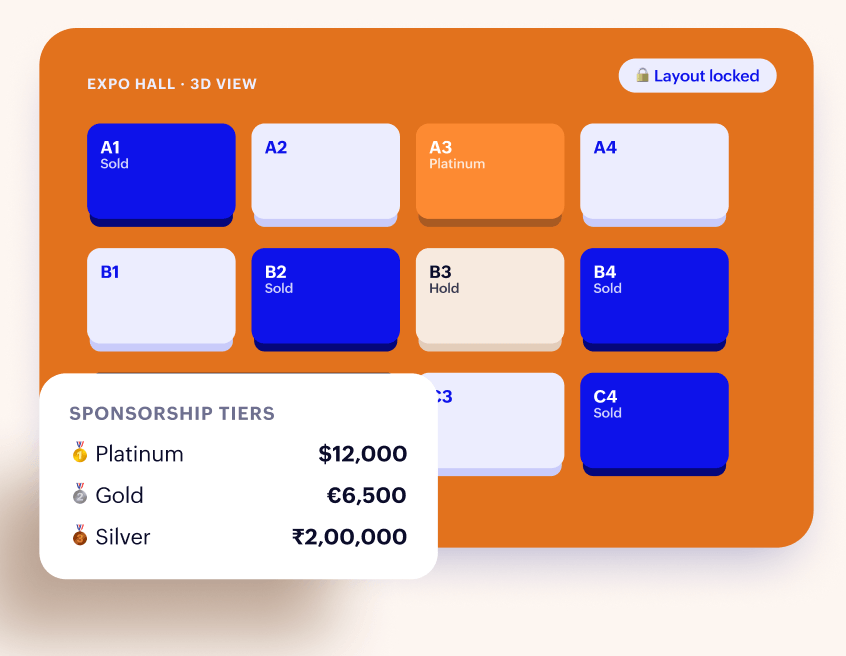
Import an existing floor plan, a DXF file, or draw your plan from scratch, then view it in 3D to see how the space feels before build-up. Lock the structural layout so booths can't move by accident, and embed a branded, interactive floor plan on your event website.
Explore floor plan builderOnboard exhibitors in bulk, sort them into categories, and give each a brand page on your event website. Exhibitor Pro adds lead capture, meeting requests, booth teams, and analytics for every booth.
Explore exhibitor managementSet up sponsorship categories with benefits, accept or decline proposals, and list approved sponsors on your website. Price tiers are available in multiple currencies for international sponsors.
Explore sponsor managementConnect attendees with each other, award points for participation, answer attendee questions, issue certificates, and manage event content and media.
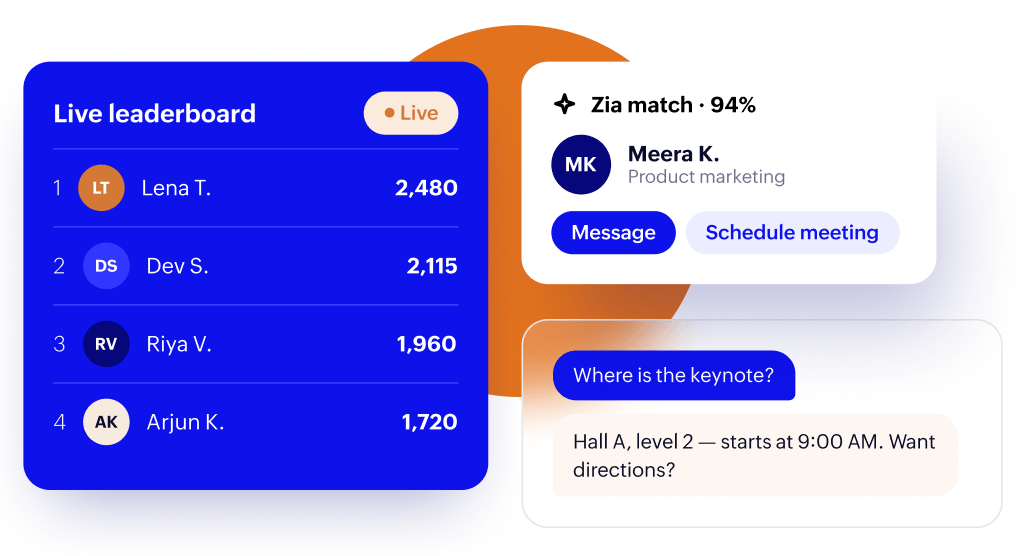
Zia, Zoho's AI engine, matches attendees with people worth meeting based on shared interests and goals. Attendees can message a match or schedule a meeting right from the mobile app.
Explore AI-assisted networkingReward the behavior you want to see. Attendees earn points for signing in, attending sessions, answering polls, and visiting exhibitors, while a live leaderboard runs on screens at the venue.
Explore gamificationGive attendees a conversational way to find event information. They ask where the keynote is, what's coming up, or how the agenda is structured, and get answers pulled from your event, with no digging through pages.
Explore AI ChatBotDesign certificates with custom fonts, colors, and logo, with placeholders for names and event details. Generate thousands in minutes for each ticket class and send them in bulk right after the event.
Explore certificate builderKeep logos, videos, presentations, and files in one library shared across all your events. Attach materials to sessions and collect attendee photos in a gallery with AI face recognition.
Explore event content managementRun your call for papers without email chains. Collect submissions, route them to reviewers, and turn the winners into agenda sessions.
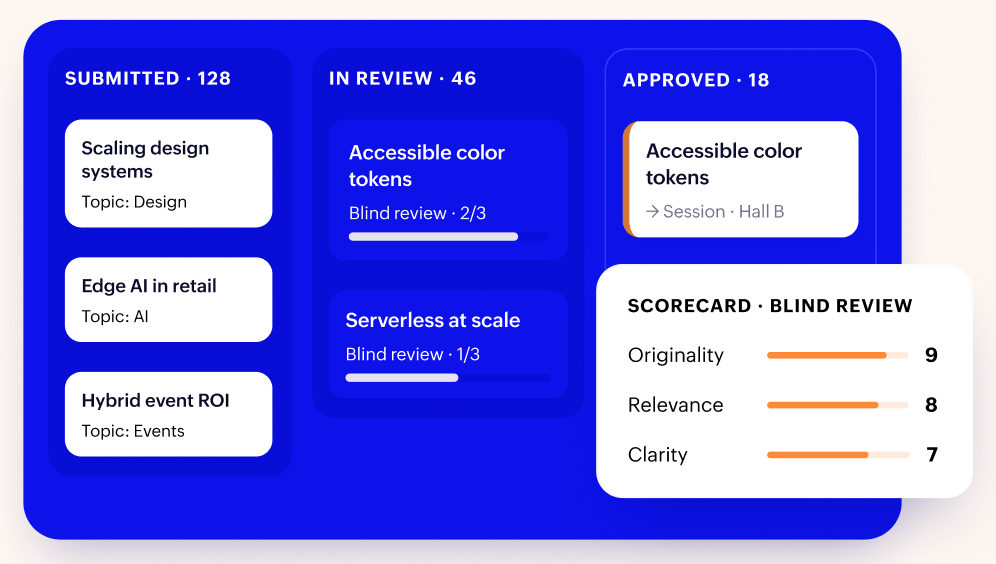
Collect submissions with custom forms and topics, assign reviewers, and score entries against your own criteria, with blind review to keep it fair. Approved abstracts convert into sessions with authors added as speakers.
Explore abstract managementFill seats and keep attendees informed across email, WhatsApp, and social. Every message draws on your live event data, so details never go out of date.
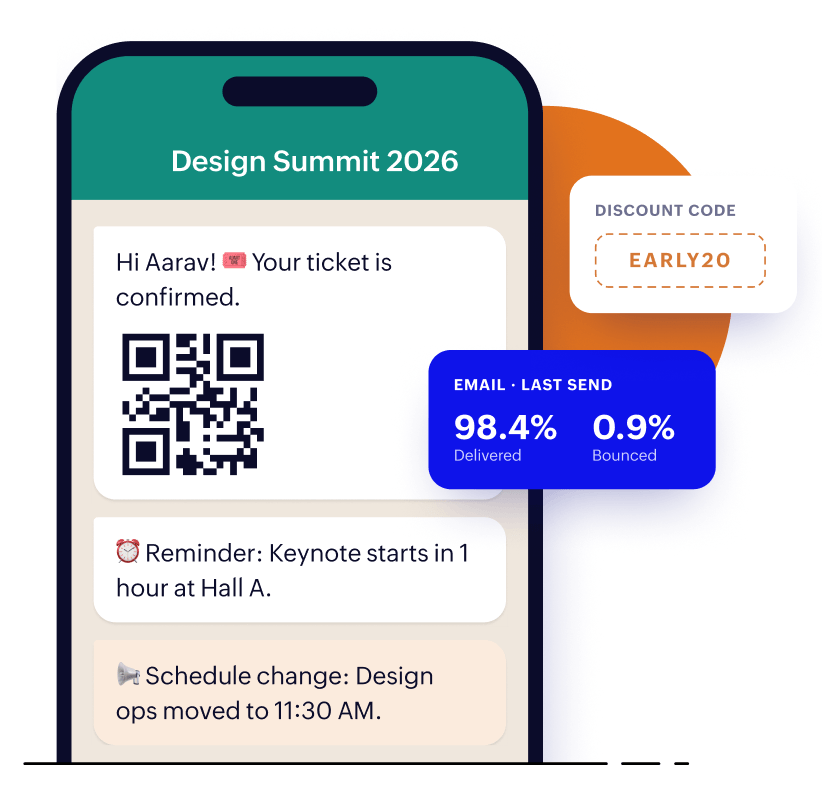
Send tickets, QR codes, reminders, and schedule changes on WhatsApp, where people actually read them. Use templates and triggers, schedule sends ahead of time, and download delivery reports.
Explore WhatsApp for eventsDesign branded emails and schedule them for attendees, speakers, sponsors, and exhibitors. Win back people who abandoned checkout, and see delivery, bounces, and failures for every send.
Explore event email marketingPromote with discount codes, affiliate tracking links, social banners, and ticket widgets you can embed on any site. All event announcements support images and attachments.
Explore event communicationRun sessions online, on site, or both. Same registration, same agenda, and one place to see who showed up.
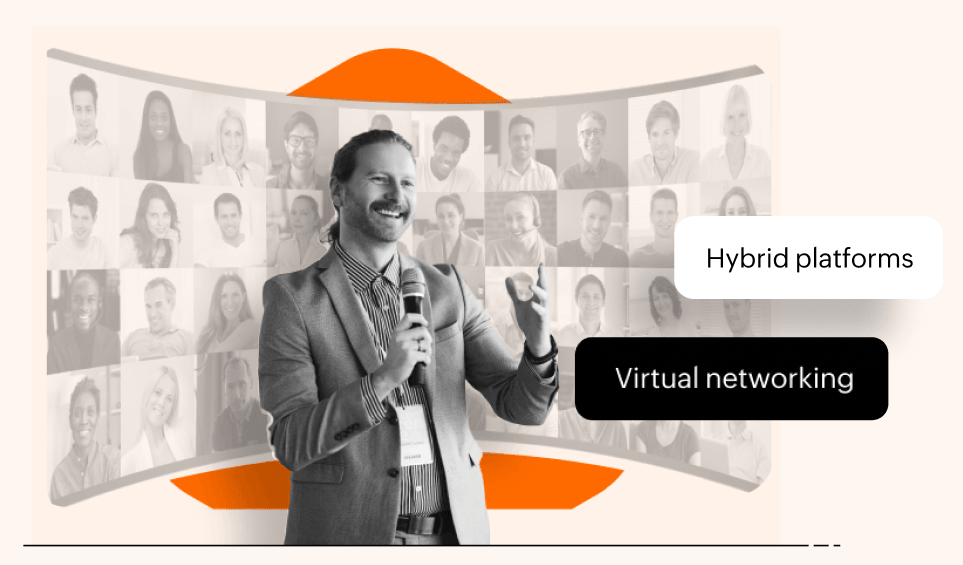
Host sessions in Backstage OnAir with polls, Q&A, chat, and screen sharing built in. Add networking tables and virtual booths, and let speakers rehearse before going live.
Explore Backstage OnAirStream onsite sessions to virtual attendees, bring remote speakers on stage, and sell separate ticket types for online and in-person. Shared networking rooms keep both audiences in one event.
Explore hybrid eventsStream live from Backstage OnAir, Zoom, or Zoho Meeting, or embed a YouTube, LinkedIn, or Twitch stream. Attendees join from your event website or app with no separate download.
Explore event streamingKnow what worked while the event is still running. Use built-in reports for the essentials, build custom dashboards for everything else, and have the numbers ready for sponsors and your next budget meeting.
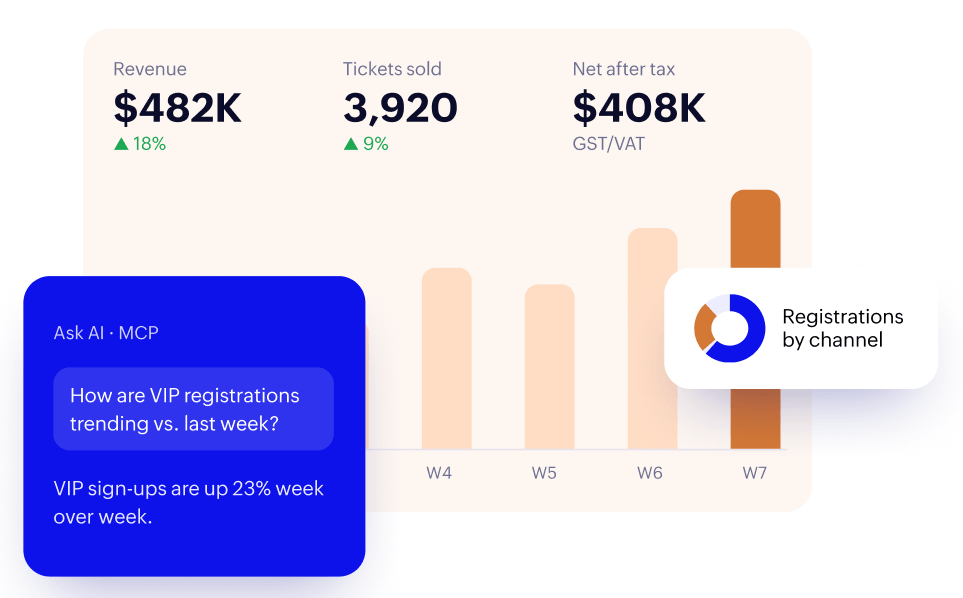
Track revenue, tickets sold, and net sales after tax by ticket class, and get alerts when sales hit a target or sell out. See which channels brought registrations in, which sessions drew crowds, and what attendees said about them afterward.
Explore event analyticsConnect Backstage to Zoho Analytics and build dashboards around the questions you need answered. Drag and drop from 50+ chart types, blend event data from different sources, and share reports with your team and sponsors.
Connect the Backstage MCP server to Claude, ChatGPT, or another MCP-enabled tool and ask questions in plain language. Check how registrations are progressing or compare sign-ups across ticket classes, all from your AI workspace.
Explore Zoho Backstage MCPBuilt for organizations running many events across many teams, with strict data requirements. Group events, control access, and keep every brand and region consistent.
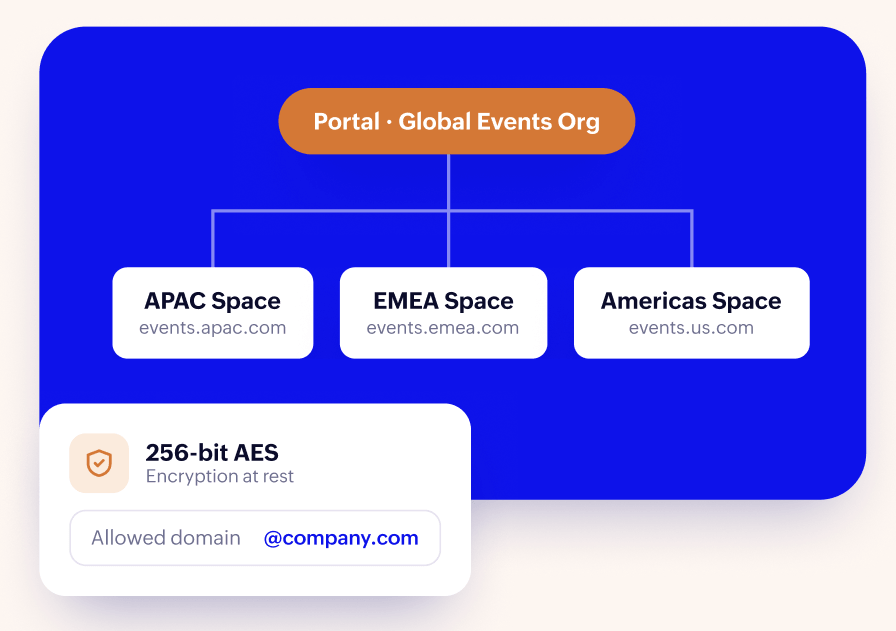
Group events into chapters, regions, or themes, each with its own domain, payment gateway, and favicon. Clone events across Spaces to keep every branch consistent.
Explore SpacesGet a team that has run events like yours. Jumpstart experts set up check-in and kiosks, troubleshoot live on event day, and manage hardware so your staff can focus on guests.
Explore Zoho Backstage JumpstartEvery account includes 256-bit AES encryption at rest and runs on Zoho’s own data centers, with no ad trackers or data mining. For stricter requirements, set consent rules at the portal, space, or event level, and limit an event to specific email domains.
Explore privacy & securityConnect Backstage to the tools your team already uses, so registrations, leads, and web data land where they're needed.
Sync registrants and leads into Zoho CRM, build campaigns from attendee lists, and calculate event ROI without exporting a spreadsheet.
Chat live with visitors on your event website and see who's browsing in real time, so questions get answered before they turn into drop-offs.
A/B test website pages, watch heatmaps and session recordings, and see exactly where visitors leave before they register.
Webcast sessions with Zoom Webinar or Zoom Meetings while attendees stay inside your event experience instead of bouncing to another app.
Add Google Analytics to your event website to see traffic sources and which channels drive registrations.
Discover the tools to plan, manage, and deliver memorable in-person, virtual, and hybrid events with Zoho Backstage.
Zoho Backstage is an all-in-one event management software for planning and running in-person, virtual, and hybrid events. It covers your event website, registration and ticketing, check-in and badges, mobile apps, sponsors and exhibitors, attendee engagement, marketing, and analytics.
Every module is built in-house, so they share one set of data instead of being stitched together with integrations.
Zoho Backstage charges 0% commission on ticket sales. However, your payment gateway may charge its own processing fees. To get started with Zoho Backstage, choose a subscription for unlimited events or a pay-per-event plan for a single event.
Yes. You can host virtual sessions in Backstage OnAir, or connect Zoom or Zoho Meeting for uninterrupted streaming. For hybrid events, stream onsite sessions to online attendees, sell separate ticket types for each audience, and run one agenda and one attendee list across both.
Just the Backstage Organizer app on an iOS or Android phone or tablet. Scan QR codes, search by name or ticket ID, or set up a self check-in kiosk. To print badges on site, connect a supported Zebra, Brother, or Epson printer, or use a SUNMI handheld with a built-in printer.
Connect gateways like Stripe, PayPal, Razorpay, Authorize.Net, and Braintree, and get paid right after each sale. Depending on your gateway and country, attendees can also pay with Apple Pay, Klarna, Alipay, PayNow, GrabPay, or M-PESA.
Yes. You can collect abstracts with custom forms, assign blind reviewers, and convert approved submissions into sessions with authors added as speakers. Invite speakers, set up sponsor categories, and onboard exhibitors with floor plans, brand pages, and lead capture. All of it connects to your agenda, website, and attendee list.
Yes. Zoho Backstage provides custom branding options where you can apply your colors, fonts, and logo to the event website, and map your own domain. You can publish the site in up to 89 languages and send emails from your authenticated domain.